Resource Worlds
⚪ Last updated 2023🖼️ Gallery (3 images)
🔍 Analysis
- 👍 1.3% endorsement rate — high engagement, a strong quality signal
- 🏆 #411 of 1452 bukkit mods in this game by downloads
📋 About This Mod
# Resource Worlds Plugin ## Overview Resource Worlds is a Minecraft server plugin that allows you to create and manage resource worlds on your server. Resource worlds are distinct dimensions with customizable settings that players can access for resource gathering, exploration, and more. **Features:** - Create custom resource worlds with unique names. - Teleport players to resource worlds. - List available worlds. - Customizable permissions. ## Installation 1. Download the plugin JAR file from here. 2. Place the downloaded JAR file into the `plugins` directory of your Minecraft server. 3. Start or reload your server. ## Commands - `/createresourceworld <worldname>`: Create a custom resource world. - `/rctp <world>`: Teleport to a resource world. - `/listworlds`: List available resource worlds. ## Permissions - `resourceworld.create`: Allows players to create resource worlds. - `resourceworld.goto`: Allows players to teleport to resource worlds. - `resourceworld.list`: Allows players to list available worlds. ## Configuration The plugin comes with a configuration file (`config.yml`) that enables you to customize the behavior of the plugin. You can configure which worlds can be teleported to and their display names. ```yaml # Sample Configuration worlds: world1: displayname: "Resource World 1" teleport: true world2: displayname: "Resource World 2" teleport: false ``` ## Github Post issues or view the source code here (https://github.com/Chickensoup20/ResourceWorlds)
# Resource Worlds Plugin
## Overview
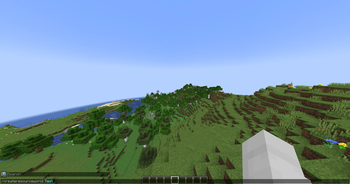
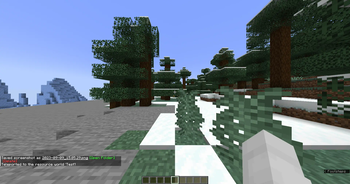
Resource Worlds is a Minecraft server plugin that allows you to create and manage resource worlds on your server. Resource worlds are distinct dimensions with customizable settings that players can access for resource gathering, exploration, and more.
Features:
- Create custom resource worlds with unique names.
- Teleport players to resource worlds.
- List available worlds.
- Customizable permissions.
## Installation
1. Download the plugin JAR file from here.
2. Place the downloaded JAR file into the `plugins` directory of your Minecraft server.
3. Start or reload your server.
## Commands
- `/createresourceworld
`: Create a custom resource world. - `/rctp
`: Teleport to a resource world. - `/listworlds`: List available resource worlds.
## Permissions
- `resourceworld.create`: Allows players to create resource worlds.
- `resourceworld.goto`: Allows players to teleport to resource worlds.
- `resourceworld.list`: Allows players to list available worlds.
## Configuration
The plugin comes with a configuration file (`config.yml`) that enables you to customize the behavior of the plugin. You can configure which worlds can be teleported to and their display names.
```yaml # Sample Configuration worlds: world1: displayname: "Resource World 1" teleport: true world2: displayname: "Resource World 2" teleport: false ```
## Github Post issues or view the source code here (https://github.com/Chickensoup20/ResourceWorlds)
📊 Mod Details
- Game
- Minecraft Plugins
- Author
- chickensoup624
- Version
- 1.0
- Downloads
- 756
- Endorsements
- 10
- Category
- bukkit
- Created
- 9/12/2023
- Updated
- 9/9/2023
- Game Versions
- 1.8.8, 1.8.9, 1.9, 1.9.1, 1.9.2
- Tags
- game-mechanics, worldgen
🔧 How to Install Minecraft Plugins Mods
Download from Modrinth. Use Prism Launcher or drop into your mods folder.
📖 Full step-by-step install guide for Minecraft Plugins →
Visit the official mod page for specific installation instructions for this mod.
🎮 Need cheat codes or console commands? Check ur gaming wiki for Minecraft Plugins commands, item IDs, and more.
❓ Frequently Asked Questions
Which Minecraft Plugins versions does Resource Worlds support?
The author lists 1.8.8, 1.8.9, 1.9, 1.9.1, 1.9.2, 1.9.3. Other versions may work but are untested by the author.
What is the latest version of Resource Worlds?
Version 1.0, published 2023-09-09 with 756 downloads recorded at the source.
Keep browsing — more Minecraft Plugins mods await