PlayerServers
⚪ Last updated 2024🖼️ Gallery (9 images)
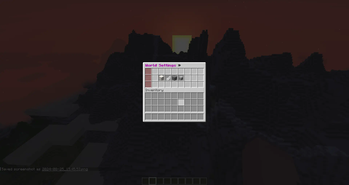
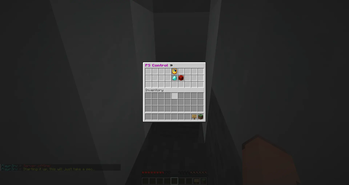
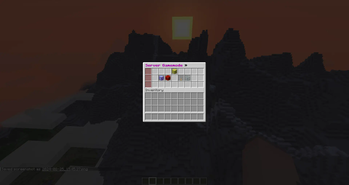
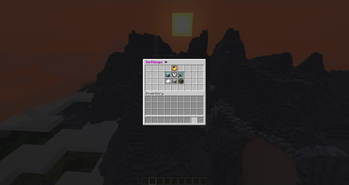
🔍 Analysis
- 👍 1.8% endorsement rate — high engagement, a strong quality signal
- 🏆 #614 of 1452 bukkit mods in this game by downloads
📋 About This Mod
As seen on MineHut! This plugin can run on Windows and Linux! Simply drop it into your BungeeCord/Velocity/Lobby plugins folder and your good to go. Commands: myserver » Opens server gui settings. playerserveradmin: » Admin controls over all the player servers. playerserver: » Main gui for making and joining servers. pssync: » Syncs settings from all config files. Permissions: - playerservers.templates.all » Give access to all templates - playerservers.templates.folderName » Give access to template in the folder folderName - playerservers.bypassexpire » Bypass server expiring, player's with this permission won't have their server expire, though time will still be tracked in the background in case the perm is removed. - playerservers.bypassblock » Bypass the bungee-side command block - playerservers.bypassmaxservers » Bypass the global-max-servers limit when their server is started by anyone or they start another's player's server. - playerservers.admin » Use every sub-command in the /psa command. If you don't want that, use the sub-command permissions: - playerservers.psa.create » Use /psa create - playerservers.psa.start » Use /psa start - playerservers.psa.stop » Use /psa stop - playerservers.psa.restart » Use /psa restart - playerservers.psa.delete » Use /psa delete - playerservers.psa.stopall » Use /psa stopall - playerservers.psa.addtime » Use /psa addtime - playerservers.psa.removetime » Use /psa removetime - playerservers.psa.checktime » Use /psa checktime - playerservers.psa.memory » Use /psa maxmem & /psa startmem - playerservers.psa.slots » Use /psa slots - playerservers.psa.reload » Use /psa reload - playerservers.psa.motd » Use /psa motd - playerservers.psa.kill » Use /psa kill - playerservers.player » Use every sub-command in the /ps command, create their own server, etc. If you don't want that, use the sub-command permissions: - playerservers.ps.join » Use /ps join - playerservers.ps.join.selector » Use the /ps join server selector. - playerservers.ps.create » Use /ps create, /ps home, and /ps stop, /ps restart - playerservers.ps.checktime » Use /ps checktime - playerservers.ps.sharetime » Use /ps sharetime - playerservers.ps.delete » Use /ps delete - playerservers.ps.startother » Start other player's servers with /ps join. - playerservers.ps.motd » Use /ps motd Bukkit Permissions » (almost never used as server owners get OP, and can OP other players on their server, but I should mention it anyway) (More coming soon) - playerservers.myserver » Use the /myserver command while on someone elses server. Servers owners can give this if a perms plugin is installed and users will be able access ALL of the /myserver command. Have them give individual permissions below if they only want to permit PART of /myserver to be used by others. - playerservers.myserver.gamemode » Allow access to editing the gamemode via GUI or /mys settings. - playerservers.myserver.difficulty » Allow access to editing the difficulty via GUI or /mys settings. - playerservers.myserver.pvp » Allow access to editing the pvp mode via GUI or /mys settings. - playerservers.myserver.worldsettings » Allow access to editing the world settings via GUI. - playerservers.myserver.whitelist » Allow access to editing the whitelist via GUI or /mys whitelist. - playerservers.myserver.ban » Allow banning players via GUI or /mys ban. - playerservers.myserver.kick » Allow kicking players via GUI or /mys kick. - playerservers.myserver.stop » Allow stopping the server via /mys stop.
As seen on MineHut! This plugin can run on Windows and Linux!
Simply drop it into your BungeeCord/Velocity/Lobby plugins folder and your good to go.
Commands: myserver » Opens server gui settings.
playerserveradmin: » Admin controls over all the player servers.
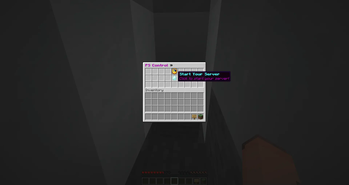
playerserver: » Main gui for making and joining servers.
pssync: » Syncs settings from all config files.
Permissions:
- playerservers.templates.all » Give access to all templates
- playerservers.templates.folderName » Give access to template in the folder folderName
- playerservers.bypassexpire » Bypass server expiring, player's with this permission won't have their server expire, though time will still be tracked in the background in case the perm is removed.
- playerservers.bypassblock » Bypass the bungee-side command block
- playerservers.bypassmaxservers » Bypass the global-max-servers limit when their server is started by anyone or they start another's player's server.
- playerservers.admin » Use every sub-command in the /psa command. If you don't want that, use the sub-command permissions:
- playerservers.psa.create » Use /psa create
- playerservers.psa.start » Use /psa start
- playerservers.psa.stop » Use /psa stop
- playerservers.psa.restart » Use /psa restart
- playerservers.psa.delete » Use /psa delete
- playerservers.psa.stopall » Use /psa stopall
- playerservers.psa.addtime » Use /psa addtime
- playerservers.psa.removetime » Use /psa removetime
- playerservers.psa.checktime » Use /psa checktime
- playerservers.psa.memory » Use /psa maxmem & /psa startmem
- playerservers.psa.slots » Use /psa slots
- playerservers.psa.reload » Use /psa reload
- playerservers.psa.motd » Use /psa motd
- playerservers.psa.kill » Use /psa kill
- playerservers.player » Use every sub-command in the /ps command, create their own server, etc. If you don't want that, use the sub-command permissions:
- playerservers.ps.join » Use /ps join
- playerservers.ps.join.selector » Use the /ps join server selector.
- playerservers.ps.create » Use /ps create, /ps home, and /ps stop, /ps restart
- playerservers.ps.checktime » Use /ps checktime
- playerservers.ps.sharetime » Use /ps sharetime
- playerservers.ps.delete » Use /ps delete
- playerservers.ps.startother » Start other player's servers with /ps join.
- playerservers.ps.motd » Use /ps motd
Bukkit Permissions » (almost never used as server owners get OP, and can OP other players on their server, but I should mention it anyway) (More coming soon)
- playerservers.myserver » Use the /myserver command while on someone elses server. Servers owners can give this if a perms plugin is installed and users will be able access ALL of the /myserver command. Have them give individual permissions below if they only want to permit PART of /myserver to be used by others.
- playerservers.myserver.gamemode » Allow access to editing the gamemode via GUI or /mys settings.
- playerservers.myserver.difficulty » Allow access to editing the difficulty via GUI or /mys settings.
- playerservers.myserver.pvp » Allow access to editing the pvp mode via GUI or /mys settings.
- playerservers.myserver.worldsettings » Allow access to editing the world settings via GUI.
- playerservers.myserver.whitelist » Allow access to editing the whitelist via GUI or /mys whitelist.
- playerservers.myserver.ban » Allow banning players via GUI or /mys ban.
- playerservers.myserver.kick » Allow kicking players via GUI or /mys kick.
- playerservers.myserver.stop » Allow stopping the server via /mys stop.
📊 Mod Details
- Game
- Minecraft Plugins
- Author
- wildmaster84
- Version
- 2.1.0
- Downloads
- 649
- Endorsements
- 12
- Category
- bukkit
- Created
- 4/8/2024
- Updated
- 8/25/2024
- Game Versions
- 1.8, 1.8.1, 1.8.2, 1.8.3, 1.8.4
- Tags
- management
🔧 How to Install Minecraft Plugins Mods
Download from Modrinth. Use Prism Launcher or drop into your mods folder.
📖 Full step-by-step install guide for Minecraft Plugins →
Visit the official mod page for specific installation instructions for this mod.
🎮 Need cheat codes or console commands? Check ur gaming wiki for Minecraft Plugins commands, item IDs, and more.
❓ Frequently Asked Questions
Which Minecraft Plugins versions does PlayerServers support?
The author lists 1.8, 1.8.1, 1.8.2, 1.8.3, 1.8.4, 1.8.5. Other versions may work but are untested by the author.
What is the latest version of PlayerServers?
Version 2.1.0, published 2024-08-25 with 649 downloads recorded at the source.
Keep browsing — more Minecraft Plugins mods await