ModereX
🟠 Updated over a year ago🖼️ Gallery (6 images)

🔍 Analysis
- 🏆 #1011 of 1452 bukkit mods in this game by downloads
📋 About This Mod
## This plugin is archived until further notice. Do not worry, we are not abandoning this plugin!
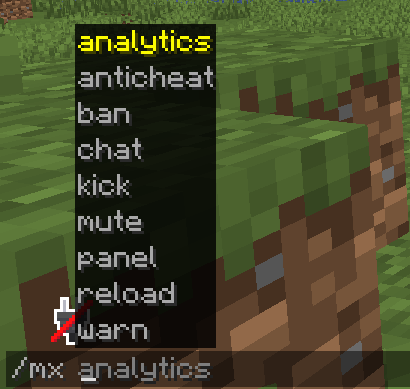
# This plugin provides an all-in-one moderation system for your Minecraft server. It includes:
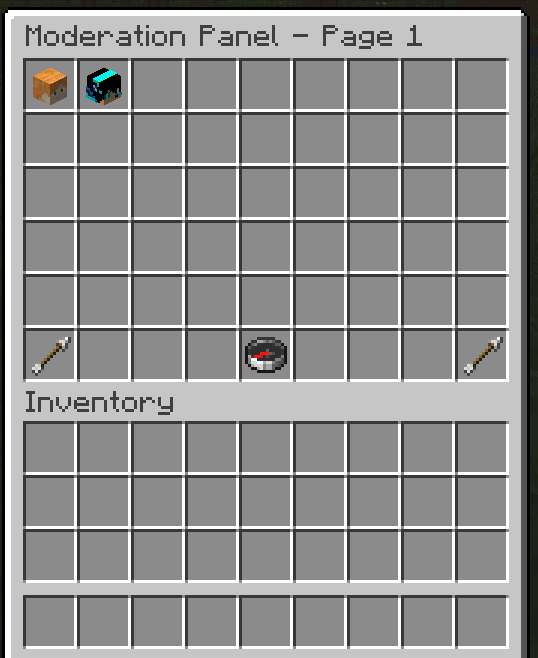
- Open a visual moderation panel (/mx panel) to browse online/offline players, search by name, and launch per‑player actions.
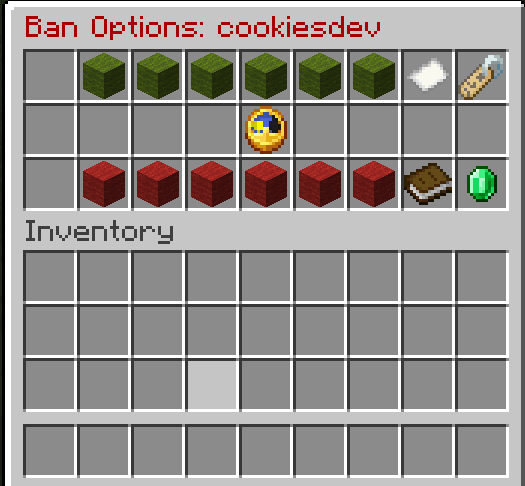
- Warn, Mute, Kick, and Ban via intuitive inventory GUIs—including time adjustments, reason prompts, and confirmation screens.
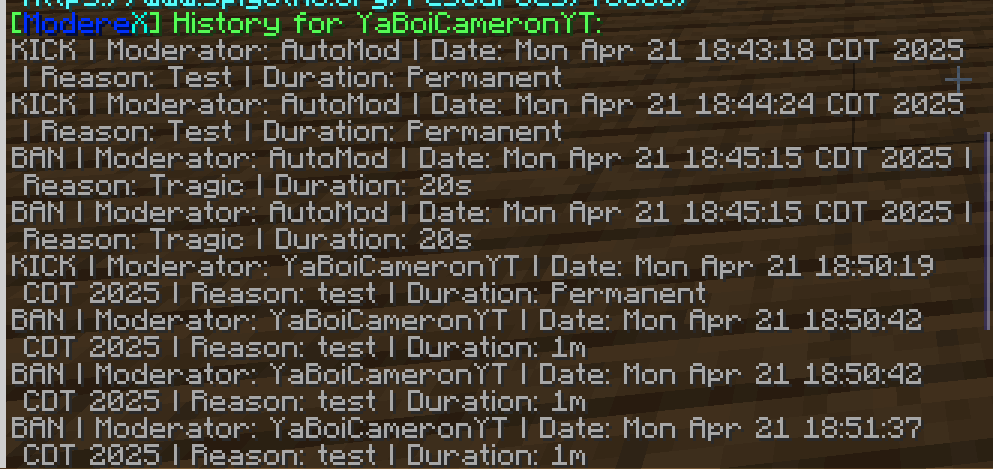
- View a live Analytics overview of each player’s total warns/mutes/kicks/bans, with one‑click full history.
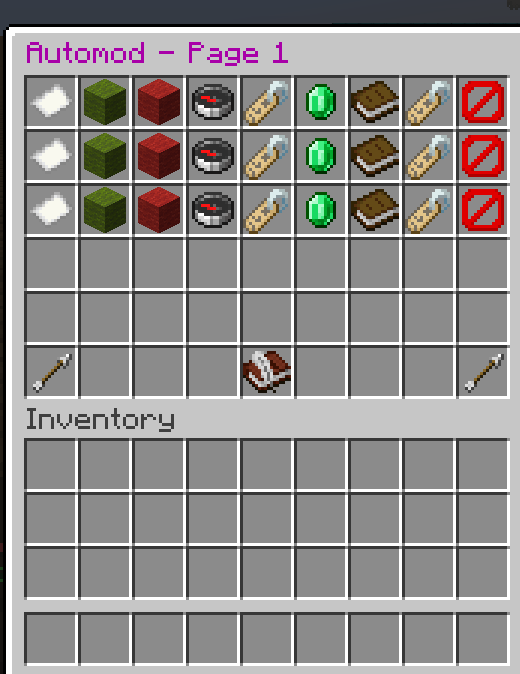
- Configure an AutoMod system, creating rules for link blocking, profanity filters, alt‑account detection, and custom chat filters—complete with per‑rule enable/disable, whitelists, blacklists, and automated actions.
- Manage a command blacklist/whitelist for any plugin command on a per‑player (or global) basis.
- Enforce global chat slowmode and clearchat, with bypass permissions.
- Toggle staff‑only chat and vanish mode.
- Automatically logs every moderation action!
## Commands List
```
/mx panel # main moderation panel
/mx chat
## Permissions ``` Node | Description | Default moderex.panel | Access /mx panel moderex.chatsettings | Toggle chat (enable/disable) moderex.reload | /mx reload moderex.warn | /mx warn & GUI moderex.ban | /mx ban & GUI moderex.mute | /mx mute & GUI moderex.kick | /mx kick & GUI moderex.analytics | Access Analytics Panel moderex.automod | Edit AutoMod rules & GUI moderex.bypassautomod | Bypass all AutoMod checks moderex.cmdmanager | Use /mx command moderex.slowmode | /mx slowmode moderex.slowmodebypass | Bypass chat slowmode moderex.chatclear | /mx clearchat moderex.staffchat | Use /staffchat / see staff messages moderex.vanish | /vanish moderex.anticheat | /mx anticheat moderex.messages | See join/leave messages ```
## Install the Plugin
Put the JAR in your server’s plugins folder and start/restart the server. Ensure you have the correct permissions assigned (LuckPerms recommended).
### Open the Panel Type /mx panel to see all players. Navigate pages, search for specific players, or click a head to see “Options.”
### GUI's - Ban GUI: Add or subtract time intervals, set reason, choose IP ban. Confirm to ban or unban. - Mute GUI: Add or subtract durations, set reason, confirm to mute, or unmute. - Kick GUI: Set reason, confirm to kick. - Warn GUI: Add or subtract warn duration, set reason, confirm.
## AutoMod Configuration Layout (per row = one rule): Name | Enable | Disable | Triggers | Whitelist | Action | Blacklist | Rename | Delete - Navigation: Next/Prev pages + Create Rule
- Chat Filtering:
- LINK rules block any http:// or https:// (unless whitelisted).
- CHAT rules block terms (unless any whitelist phrase matches).
- ALT_ACCOUNT kicks same IP duplicates (unless username whitelisted).
- Editing via chat: click slot -> type in chat -> GUI reopens with saved changes.
## Configuration ``` # Chat settings spamMuteEnabled: true spamMuteDuration: 180000 # in ms appeal-message: "Appeal bans at https://example.com/appeal"
# Disconnect messages banHeading: "&cYou have been Banned!" bannedBy: "&eBanned By: {moderator}" reason: "&eReason: &r{reason}" timeRemaining: "&eTime Remaining: &r{timeRemaining}" extra: "&bAppeal bans at changeme!"
kickHeading: "&cYou have been Kicked!" kickBy: "&eKicked By: {moderator}"! ```
📊 Mod Details
- Game
- Minecraft Plugins
- Author
- ItzCamOMG
- Version
- 1.1
- Downloads
- 477
- Endorsements
- 3
- Category
- bukkit
- Created
- 3/13/2025
- Updated
- 4/22/2025
- Game Versions
- 1.21, 1.21.1, 1.21.2, 1.21.3, 1.21.4
- Tags
- game-mechanics, management, utility
🔧 How to Install Minecraft Plugins Mods
Download from Modrinth. Use Prism Launcher or drop into your mods folder.
📖 Full step-by-step install guide for Minecraft Plugins →
Visit the official mod page for specific installation instructions for this mod.
🎮 Need cheat codes or console commands? Check ur gaming wiki for Minecraft Plugins commands, item IDs, and more.
❓ Frequently Asked Questions
Which Minecraft Plugins versions does ModereX support?
The author lists 1.21, 1.21.1, 1.21.2, 1.21.3, 1.21.4, 1.21.5. Other versions may work but are untested by the author.
What is the latest version of ModereX?
Version 1.1, published 2025-04-22 with 477 downloads recorded at the source.
Keep browsing — more Minecraft Plugins mods await