MiniGameCore
🟡 Updated this year🖼️ Gallery (4 images)
🔍 Analysis
- 👍 0.5% endorsement rate
- 🏆 #1250 of 1560 bukkit mods in this game by downloads
📋 About This Mod
!(https://img.shields.io/badge/Version-2.1.0-blue) # MiniGameCore **MiniGameCore** is a central plugin for managing minigame lobbies in Minecraft Paper Servers. It handles hosting, joining, starting, and stopping games – with animated scoreboards, statistics, and multiverse support. --- ## 🔧 Installation 1. Download the latest `.jar` from (https://modrinth.com/plugin/minigamecore) or Releases. 2. Place the file in the `plugins/` folder of your Minecraft server. 3. For permission-management, you can optionally use a plugin like (https://luckperms.net/). 4. Restart the server once. --- ## 📜 Commands & Permissions Aliases: `/p` for `/party` and `/tc` for `/teamchat` | Command | Description | Permission | |-----------------------------------|------------------------------------------------------|------------------------| | `/mg host <game>` | Creates a new lobby | `mgcore.host` | | `/mg join <lobby-id>` | Join the lobby | `mgcore.join` | | `/mg ready` | Set your Status as Ready | `mgcore.ready` | | `/mg unready` | Set your Status as not Ready | `mgcore.ready` | | `/mg confirm` | Confirm an action | `mgcore.confirm` | | `/mg leave` | Leave the lobby or game | `mgcore.leave` | | `/mg start` | Start the game manually (if allowed) | `mgcore.start` | | `/mg spectate <lobby-id\|player>` | Join a game as a spectator | `mgcore.spectate` | | `/mg reload` | Reload the plugin | `mgcore.admin` | | `/mg stop <lobby-id>` | Stop a specific game | `mgcore.admin` | | `/mg stopall` | Stop all active games | `mgcore.admin` | | `/mg ban <player>` | Ban the player from using most MiniGameCore commands | `mgcore.admin` | | `/mg version` | Displays the version of MiniGameCore you are using | `mgcore.use` (default) | | `/party create <name>` | Creates a new party | `mgcore.party.create` | | `/party join <player>` | Join the player's Party | `mgcore.party.join` | | `/party leave` | Leave your party | `mgcore.party.join` | | `/party invite <player>` | Invite a player to your party | `mgcore.party.invite` | | `/party deny` | Deny a player's invitation to their party | `mgcore.party.invite` | | `/party list` | List the Party's Members | `mgcore.party.list` | | `/teamchat <message>` | Sends the message to your team only | `mgcore.teamchat` | --- ## ⚙️ Plugin-Configurations Plugin Configurations are located in the folder: `./plugins/MiniGameCore`. The main configuration file is `config.yml`. ### config.yml Example config: ``` available-games: - Game1 - Game2 - Game3 banned-players: - 2e0749e5-4ec0-4201-b58d-c4277014749c - 337482fe-8a15-47f6-bea5-a84918a86393 keep-worlds: false disable-scoreboard: false ``` Note: if `keep-worlds: true`, the plugin is going to move them to `./plugins/MiniGameCore/ArchivedWorlds` instead of deleting them. ### Loading Game-Worlds & Configuring them The Folder for Gameworlds and configs is `./MiniGameCore`. Every Game World should be named like this: `<Game name>_world`. If you want multiple maps per game, name the other worlds `<Game name>_world<index>`. The world configs are named `config.yml` and should be located in the Game's world folder. All available options: | Field | Description | Required / Default | |--------------------------|-------------------------------------------------------------------|-----------------------------| | `name` | Display name of the game, e.g. in the scoreboard or at `/mg host` | ✅ Yes | | `maxPlayers` | Maximum number of players for this game instance | ✅ Yes | | `teams` | Maximum number of teams (0 for no teams, 2-8 teams possible) | ❌ No (default: 0) | | `minPlayers` | Minimum number of players for this game | ❌ No (default: 2) | | `spawnPoints` | Default spawn poin
!(https://img.shields.io/badge/Version-2. 1. 0-blue) # MiniGameCore
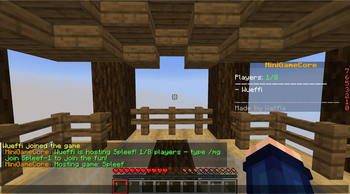
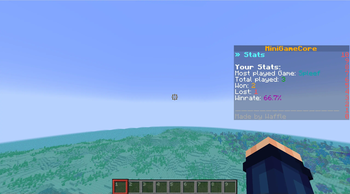
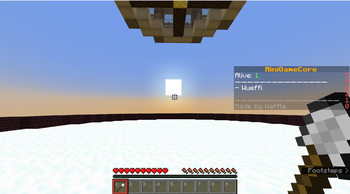
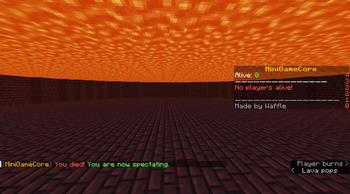
MiniGameCore is a central plugin for managing minigame lobbies in Minecraft Paper Servers. It handles hosting, joining, starting, and stopping games – with animated scoreboards, statistics, and multiverse support.
## 🔧 Installation
1. Download the latest `.jar` from (https://modrinth.com/plugin/minigamecore) or Releases. 2. Place the file in the `plugins/` folder of your Minecraft server. 3. For permission-management, you can optionally use a plugin like (https://luckperms.net/). 4. Restart the server once.
- --
- ## 📜 Commands & Permissions
Aliases: `/p` for `/party` and `/tc` for `/teamchat`
| Command | Description | Permission |
|-----------------------------------|------------------------------------------------------|------------------------|
| `/mg host
## ⚙️ Plugin-Configurations
Plugin Configurations are located in the folder: `./plugins/MiniGameCore`. The main configuration file is `config.yml`.
### config.yml Example config: ``` available-games: - Game1 - Game2 - Game3 banned-players: - 2e0749e5-4ec0-4201-b58d-c4277014749c - 337482fe-8a15-47f6-bea5-a84918a86393 keep-worlds: false disable-scoreboard: false ``` Note: if `keep-worlds: true`, the plugin is going to move them to `./plugins/MiniGameCore/ArchivedWorlds` instead of deleting them.
### Loading Game-Worlds & Configuring them
The Folder for Gameworlds and configs is `./MiniGameCore`. Every Game World should be named like this: `
All available options:
| Field | Description | Required / Default | |--------------------------|-------------------------------------------------------------------|-----------------------------| | `name` | Display name of the game, e.g. in the scoreboard or at `/mg host` | ✅ Yes | | `maxPlayers` | Maximum number of players for this game instance | ✅ Yes | | `teams` | Maximum number of teams (0 for no teams, 2-8 teams possible) | ❌ No (default: 0) | | `minPlayers` | Minimum number of players for this game | ❌ No (default: 2) | | `spawnPoints` | Default spawn poin
📊 Mod Details
- Game
- Minecraft Plugins
- Author
- Wueffi
- Version
- 2.1
- Downloads
- 1,482
- Endorsements
- 7
- Category
- bukkit
- Created
- 5/12/2025
- Updated
- 8/6/2026
- Game Versions
- 26.1.2, 26.2
- Tags
- minigame, social, utility
🔧 How to Install Minecraft Plugins Mods
Download from Modrinth. Use Prism Launcher or drop into your mods folder.
📖 Full step-by-step install guide for Minecraft Plugins →
Visit the official mod page for specific installation instructions for this mod.
🎮 Need cheat codes or console commands? Check ur gaming wiki for Minecraft Plugins commands, item IDs, and more.
❓ Frequently Asked Questions
Which Minecraft Plugins versions does MiniGameCore support?
The author lists 26.1.2, 26.2. Other versions may work but are untested by the author.
What is the latest version of MiniGameCore?
Version 2.1, published 2026-08-06 with 1,482 downloads recorded at the source.
Keep browsing — more Minecraft Plugins mods await