Plasmo Voice
🟡 Updated this yearPreview

🔍 Analysis
- 👍 0.1% endorsement rate
- 🏆 #3 of 367 adventure mods in this game by downloads
📋 About This Mod
[!(https://img.shields.io/github/release/plasmoapp/plasmo-voice.svg)](https://github.com/plasmoapp/plasmo-voice/releases/latest) [!(http://img.shields.io/discord/833693644501286993?label=Discord&style=flat&logo=discord)](https://discord.gg/uueEqzwCJJ)

## Available for all popular platforms
Paper, Folia, Fabric, Forge, and NeoForge servers are fully compatible with both Fabric and Forge clients.
To use voice chat, players must install the client-side mod for Fabric, Forge or NeoForge. Players without the mod can still join the server and play as usual – they just won't have access to voice chat features.
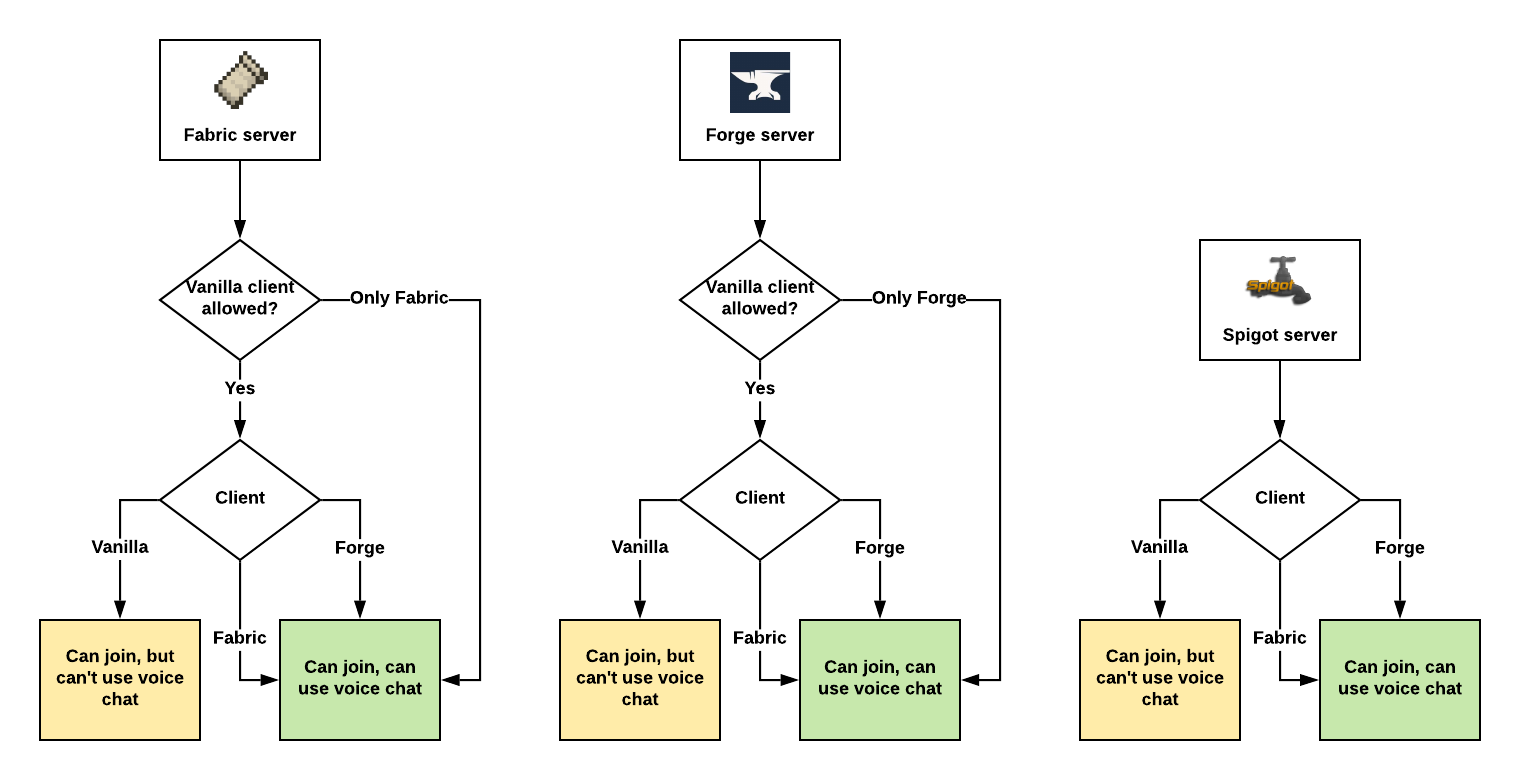
Assuming Plasmo Voice is installed on both client and the server.
## Features
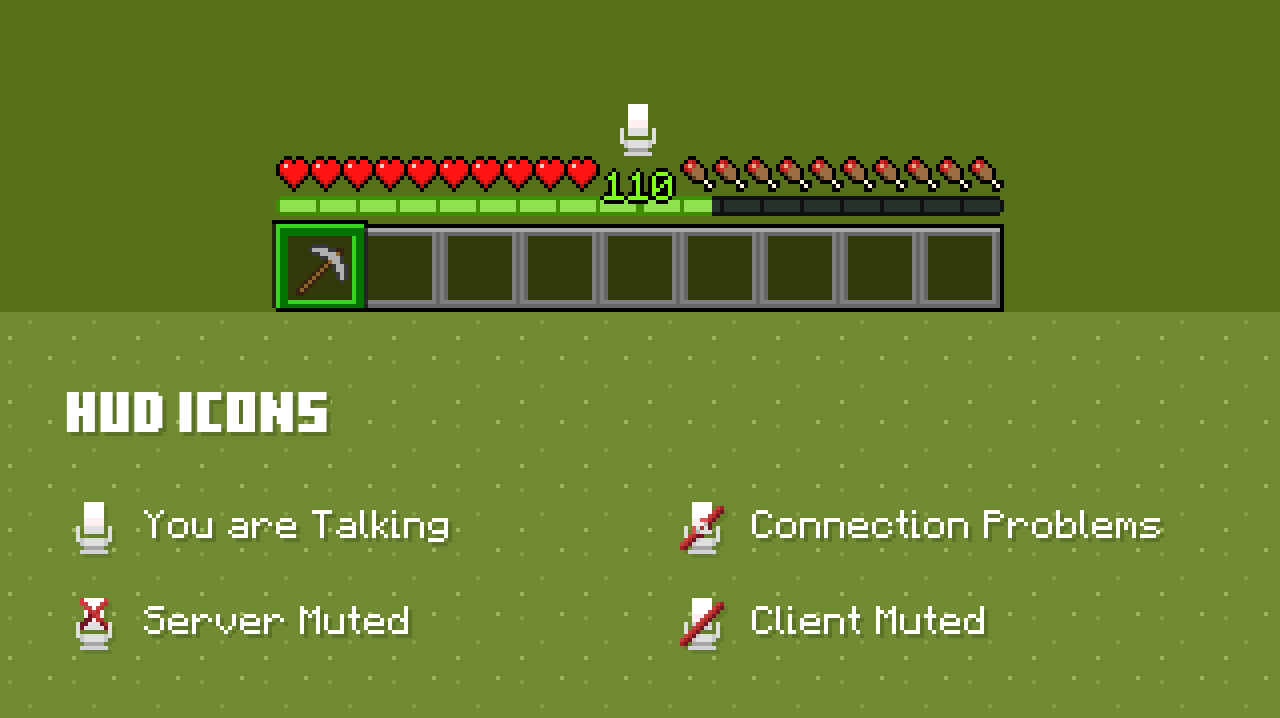
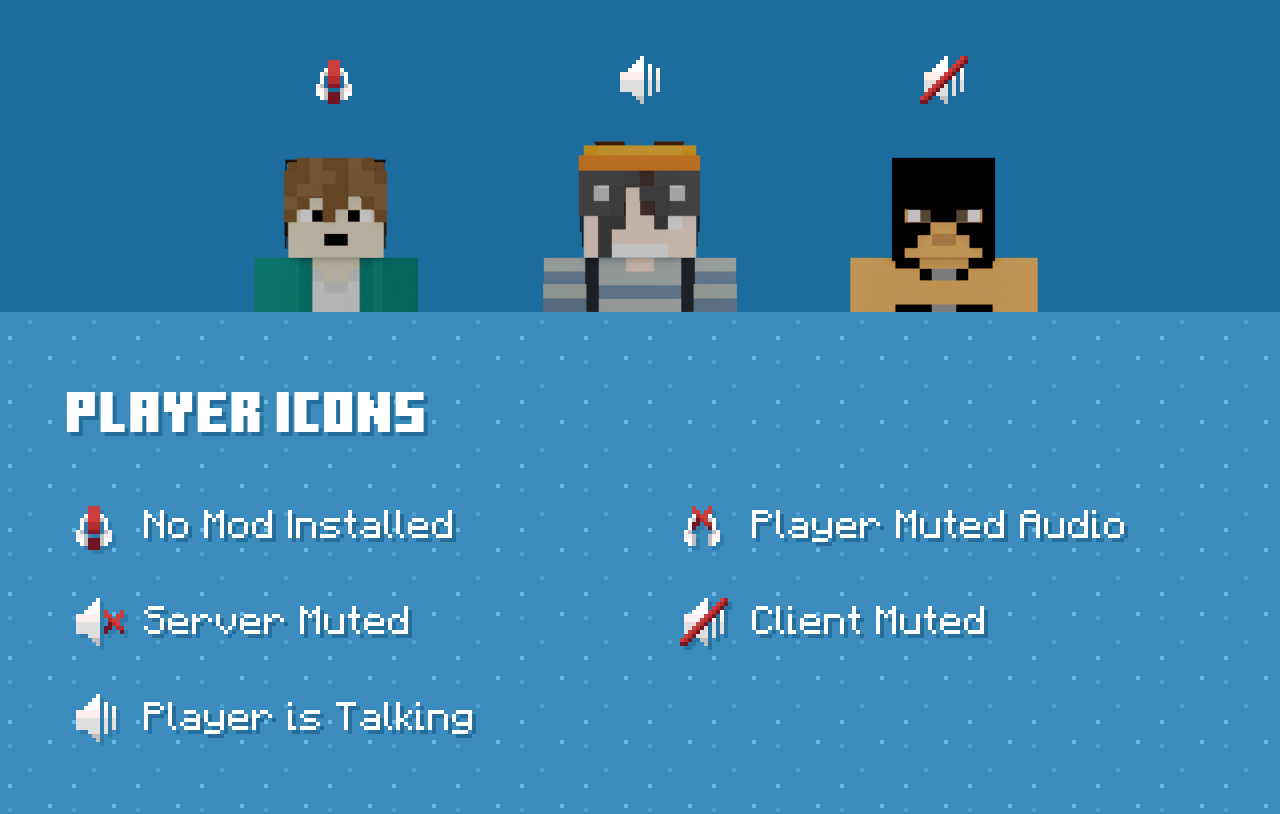
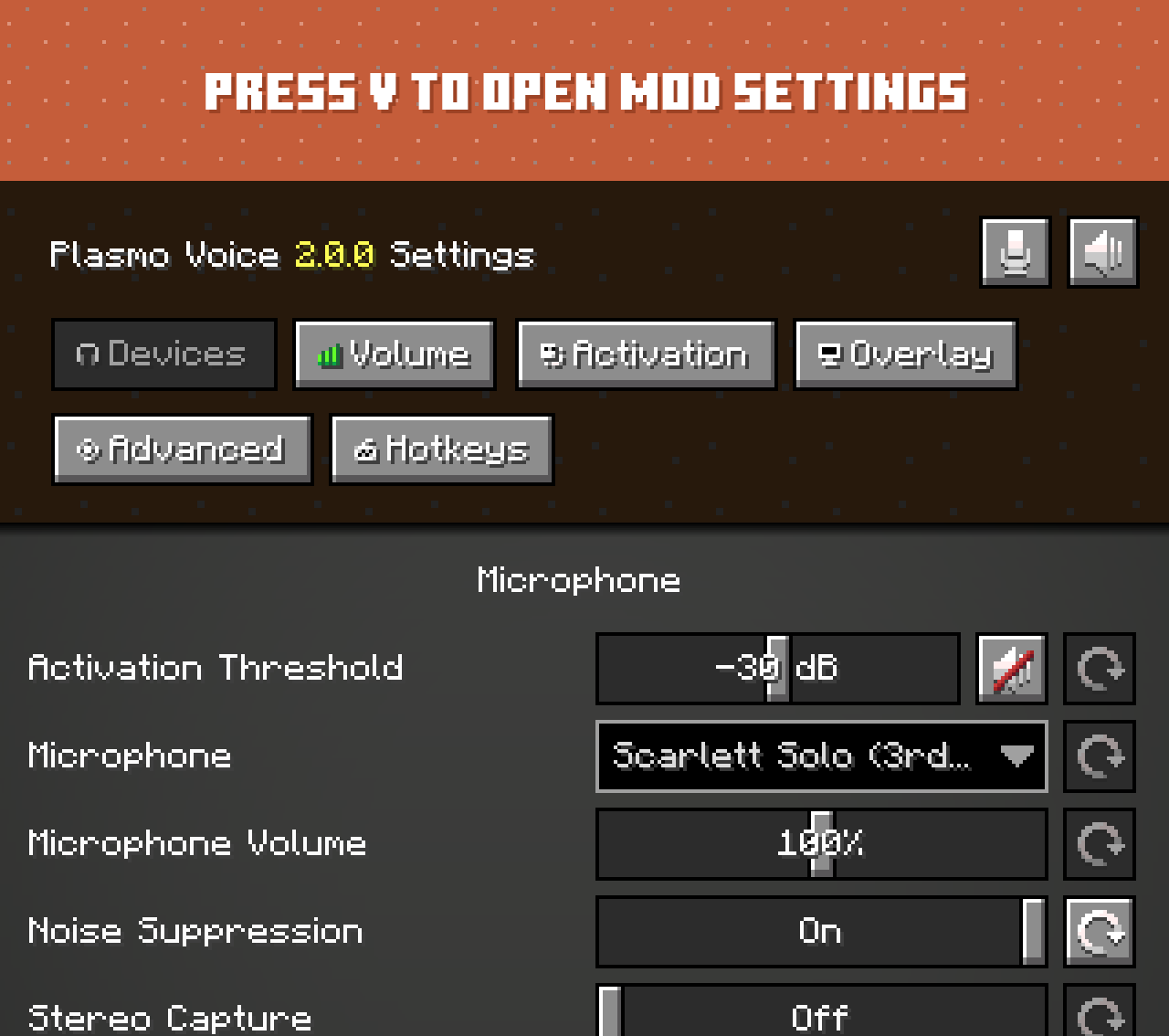
## Client features
Audio Quality & Processing
- RNNoise noise reduction
- OpenAL sound engine with great 3D positioning
- Stereo audio sources
- Smooth volume transitions
Immersion & Realism
- Optional sound occlusion (muffles voices through blocks)
- Optional directional audio sources (quieter if the speaker is not facing you)
- (https://modrinth.com/mod/sound-physics-remastered) compatibility with (https://modrinth.com/mod/pv-addon-soundphysics)
Controls & Interaction
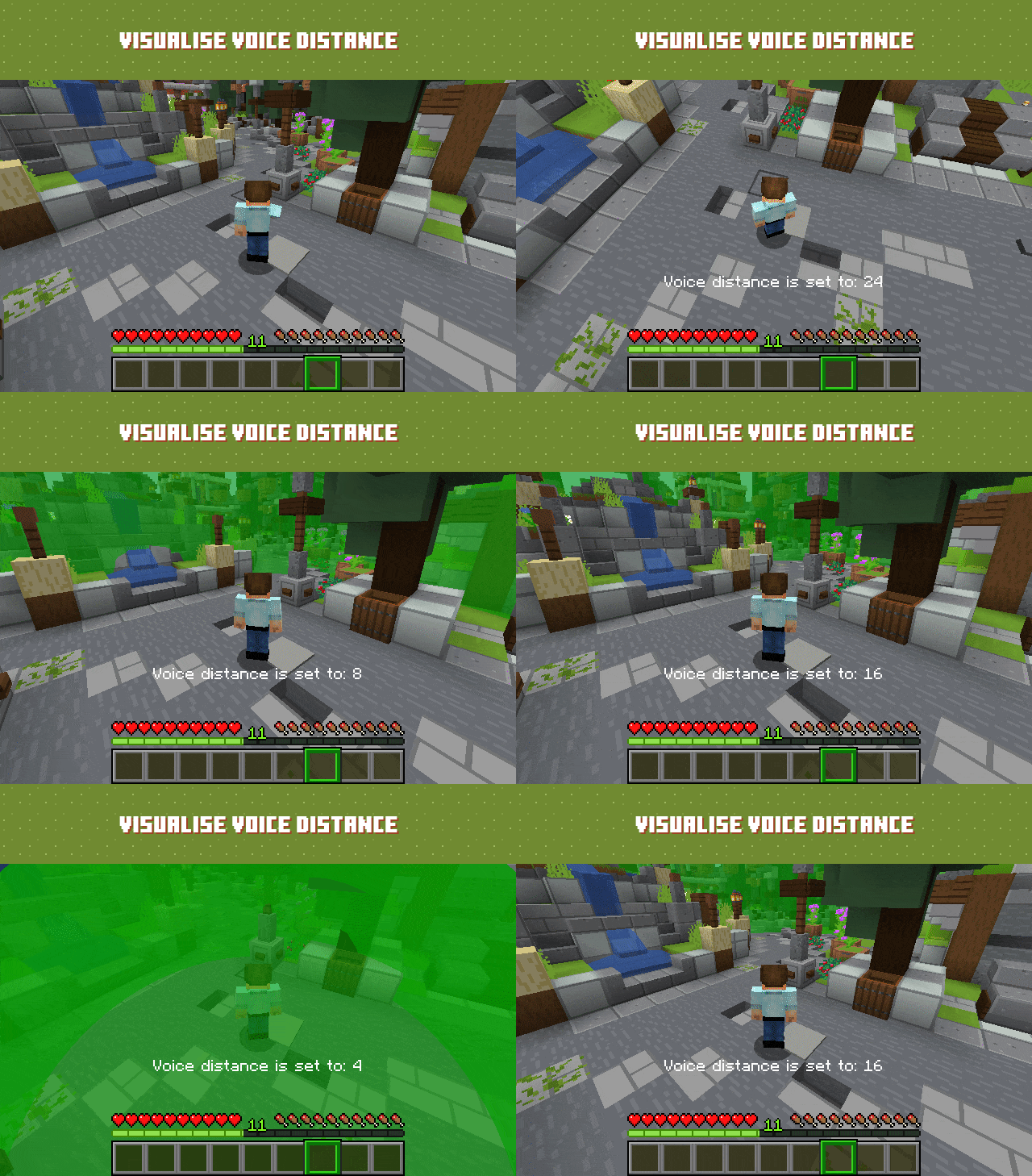
- Adjustable voice chat distance
- Choose between Push to Talk or Voice Activation
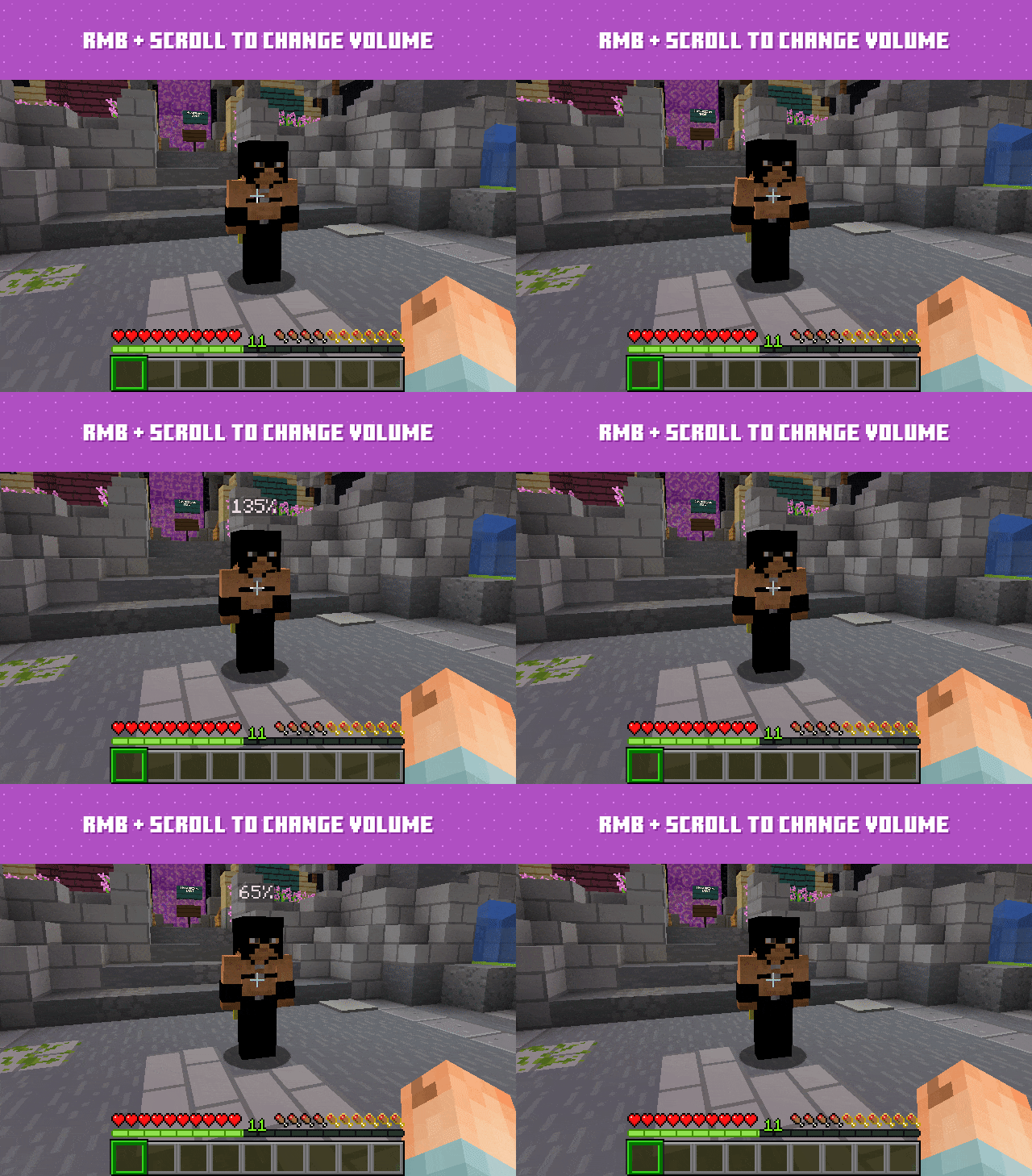
- Hold RMB while looking at a player and use the scroll wheel to adjust their volume
Devices & UI
- Select input and output audio devices
- Configurable GUI icon positions
- Toggle player icon visibility
- Discord-like in-game overlay
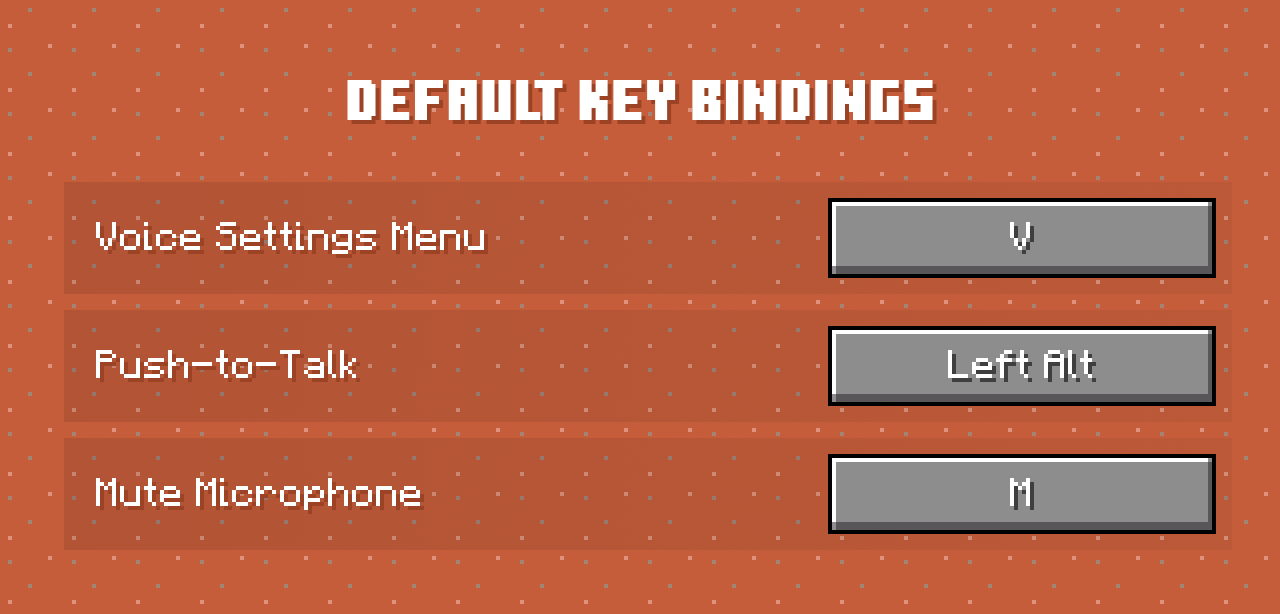
Check out voice settings by pressing `V`. Make sure you have the right devices selected and your microphone is working.
## Server features
Audio & Performance
- Opus codec for low bandwidth usage and high audio quality
- Configurable voice distance
Moderation & Control
- Server-side muting via chat commands
- Option to kick players without the client mod installed
- Permissions support
- Vanish support
Compatibility & Networking
- Works in singleplayer and Open to LAN
- BungeeCord and Velocity support
Integration & Extensibility
- PlaceholderAPI support
- Advanced API
Security
- Encrypted voice communication
## Server-side add-ons
Universal add-ons work on Fabric, Forge, NeoForge and Paper.
*Also read: (https://plasmovoice.com/docs/addons/types).*
| Icon | Add-on | Description |
| --- | --- | --- |
| [ ](https://modrinth.com/mod/pv-addon-groups) | (https://modrinth.com/mod/pv-addon-groups) | Create group voice chat channels. Keep talking with players far away |
| [
](https://modrinth.com/mod/pv-addon-groups) | (https://modrinth.com/mod/pv-addon-groups) | Create group voice chat channels. Keep talking with players far away |
| [ ](https://modrinth.com/mod/pv-addon-sculk) | (https://modrinth.com/mod/pv-addon-sculk) | With this add-on, warden and sculk sensors are triggered with proximity voice chat |
| [
](https://modrinth.com/mod/pv-addon-sculk) | (https://modrinth.com/mod/pv-addon-sculk) | With this add-on, warden and sculk sensors are triggered with proximity voice chat |
| [ ](https://modrinth.com/mod/pv-addon-broadcast) | (https://modrinth.com/mod/pv-addon-broadcast) | Broadcast your voice to all players in the radius, world, server, or proxy |
| [
](https://modrinth.com/mod/pv-addon-broadcast) | (https://modrinth.com/mod/pv-addon-broadcast) | Broadcast your voice to all players in the radius, world, server, or proxy |
| [ ](https://modrinth.com/mod/pv-addon-spectator) | (https://modrinth.com/mod/pv-addon-spectator) | With this add-on, all players can hear spectators |
| [
](https://modrinth.com/mod/pv-addon-spectator) | (https://modrinth.com/mod/pv-addon-spectator) | With this add-on, all players can hear spectators |
| [ ](https://modrinth.com/mod/pv-addon-whisper) | (https
Plasmo Voice is a proximity voice chat mod for Minecraft, supporting Fabric, Forge, and NeoForge clients with Paper, Folia, Fabric, Forge, and NeoForge servers. It features RNNoise noise reduction, OpenAL sound engine, and a user-friendly interface. With 2,168 endorsements and 3.8M downloads, it's a popular choice for multiplayer servers.
✨ Key Features
📊 Pros & Cons
✅ Pros
- Huge player base with 3.8M downloads and 2,168 endorsements
- Cross-platform support for all major mod loaders and server types
- Active development with recent update (August 2026) and Discord community
⚠️ Cons
- Requires both client and server installation for full functionality
- Voice chat features are unavailable to players without the mod
- Potential performance impact from audio processing on lower-end systems
This mod is for multiplayer server owners and players who want immersive proximity voice chat. It's ideal for roleplay servers, survival communities, or any group that wants to communicate in-game without third-party apps. If you run a server with mixed client mods, this is a solid choice.
💡 Beginner Tips
- Install the mod on both your client and server to enable voice chat; players without it can still join but won't hear you.
- Adjust the voice activation and distance settings in the mod's config to suit your server's playstyle.
- Use the included RNNoise noise reduction to minimize background noise from your microphone.
📊 Mod Details
- Game
- Minecraft Plugins
- Author
- kpids
- Version
- velocity-2.1.16
- Downloads
- 3,825,816
- Endorsements
- 2,168
- Category
- adventure
- Created
- 11/6/2021
- Updated
- 8/25/2026
- Game Versions
- 1.16.5, 1.17.1, 1.18.2, 1.19.2, 1.19.4
- Tags
- adventure, social, utility
🔧 How to Install Minecraft Plugins Mods
Download from Modrinth. Use Prism Launcher or drop into your mods folder.
📖 Full step-by-step install guide for Minecraft Plugins →
Visit the official mod page for specific installation instructions for this mod.
🎮 Need cheat codes or console commands? Check ur gaming wiki for Minecraft Plugins commands, item IDs, and more.
❓ Frequently Asked Questions
Which Minecraft Plugins versions does Plasmo Voice support?
The author lists 1.16.5, 1.17.1, 1.18.2, 1.19.2, 1.19.4, 1.20.1. Other versions may work but are untested by the author.
What is the latest version of Plasmo Voice?
Version velocity-2.1.16, published 2026-08-25 with 3.8M downloads recorded at the source.
Keep browsing — more Minecraft Plugins mods await