MCCinema
🟡 Updated this year🖼️ Gallery (5 images)


🔍 Analysis
- 👍 0.7% endorsement rate
- 🏆 #28 of 35 cursed mods in this game by downloads
📋 About This Mod
Paper plugin to play back video (and audio) in-game without the use of clientside mods.
## Features
Play local MP4/MKV/AVI/WEBM files or download videos directly from YouTube (optional)
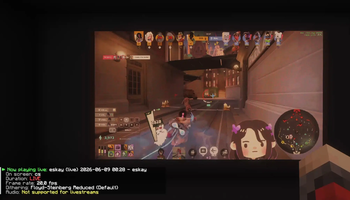
Play Livestreams directly from Twitch or YouTube by simply using an URL instead (no audio).
Automatic resource pack generation and hosting for synchronized audio playback for videos.
True 1080p or even 4K playback with efficient tile-based rendering
Only limit is the server and player bandwidth.
Improved bandwidth usage. Down to 8 MB/s for a really large (2176x896) screen.
Significantly improved visual quality
Floyd-Steinberg, Stucki or Atkinson dithering with temporal noise reduction
Full playback controls: pause, resume, seek, and skip
Audio is sliced into seamless chunks to work around Minecraft's audio limitations
Various compression techniques are used to reduce bandwidth usage as much as possible by only updating whats actually needed
Selective updating, downsampling, dirty region detection and more
## Basic usage
_All commands have helpful tab-completion available_
1) Use `/mcc create
To download videos from YouTube, run `/mcc download`. There is some first-time setup required for this. You will be asked to confirm the yt-dlp download. Due to YTs anti-bot measures, you also may need to install a JS runtime on your machine for yt-dlp to work properly. But of course you can also always download YouTube videos manually and place them in /videos/ yourself!
A note on bandwidth usage:
This plugin will inevitably create a lot of traffic. Minecraft isn't really a great video player.
This is optimized as best as possible (and likely better than many similar plugins), however it can still be a lot.
The actual amount of traffic scales with two factors: Screen size, and how dynamic the video is. Videos with very little movement such as slideshows will barely generate any traffic.
You can see live metrics, including bandwidth usage, using `/mcc debug
One example on a reasonably sized (7x4 blocks, 896x512) screen: - (https://www.youtube.com/watch?v=R-HWAiNj9Nw): Average 3 MB/s This screen size gives you good enough resolution for most content
Two examples on a very large (17x7 blocks, 2176x896) screen:
Using Velocity with `compression-threshold: 256` and `compression-level: 4` - (https://www.youtube.com/watch?v=FtutLA63Cp8): Average 400 KB/s Only two colors, pillarboxing on both sides, many large same-color areas -> lower bandwidth usage - (https://www.youtube.com/watch?v=I76wvt0aEE4): Average 8 MB/s * Many colors, full CS format, very quick scenes -> high bandwidth usage
## Configuration You can find a full, commented configuration file (https://github.com/Malfrador/MakiScreen/blob/master/src/main/resources/config.yml)
### Additional notes:
- This plugin makes heavy use of multi-threading and benefits from more and faster CPU cores significantly.
- Video and audio are streamed, so RAM usage should not be a meaningful concern. However, this plugin will create considerable GC pressure.
- It is recommended to use a Velocity proxy in front of your server, and to then disable `network-compression-threshold` in `server.properties`. Doing so will offload the work of compressing and encrypting packets to the proxy, which can significantly improve performance and throughput. If that is not possible, increasing `netty-threads` in spigot.yml might be worth considering.
If using Velocity, try playing around with the `network-compression-threshold` and `compression-level` settings a bit. I had great results with `256` and `4` respectively.
- Packets are bundled per frame, so packets-per-second should not be a concern here.
- You can tweak most config settings during video playback with `/mcc debug
📊 Mod Details
- Game
- Minecraft Plugins
- Author
- Malfrador
- Version
- 2.3.3
- Downloads
- 1,336
- Endorsements
- 10
- Category
- cursed
- Created
- 2/19/2026
- Updated
- 7/28/2026
- Game Versions
- 26.1, 26.1.1, 26.1.2, 26.2
- Tags
- cursed, social, utility
🔧 How to Install Minecraft Plugins Mods
Download from Modrinth. Use Prism Launcher or drop into your mods folder.
📖 Full step-by-step install guide for Minecraft Plugins →
Visit the official mod page for specific installation instructions for this mod.
🎮 Need cheat codes or console commands? Check ur gaming wiki for Minecraft Plugins commands, item IDs, and more.
❓ Frequently Asked Questions
Which Minecraft Plugins versions does MCCinema support?
The author lists 26.1, 26.1.1, 26.1.2, 26.2. Other versions may work but are untested by the author.
What is the latest version of MCCinema?
Version 2.3.3, published 2026-07-28 with 1,336 downloads recorded at the source.
Keep browsing — more Minecraft Plugins mods await