LobbyHeads
⚪ Last updated 2023🖼️ Gallery (2 images)
🔍 Analysis
- 👍 0.9% endorsement rate
- 🏆 #377 of 1452 bukkit mods in this game by downloads
📋 About This Mod
<center> !(https://github.com/EternalCodeTeam/LobbyHeads/blob/master/assets/lobbyheads-banner.png?raw=true) (https://raw.githubusercontent.com/intergrav/devins-badges/v3/assets/cozy/supported/paper_vector.svg)](https://papermc.io) (https://raw.githubusercontent.com/intergrav/devins-badges/v3/assets/cozy/supported/spigot_vector.svg)](https://spigotmc.org) (https://raw.githubusercontent.com/intergrav/devins-badges/v3/assets/cozy/donate/patreon-plural_vector.svg)](https://www.patreon.com/eternalcode) (https://raw.githubusercontent.com/intergrav/devins-badges/v3/assets/cozy/documentation/website_vector.svg)](https://eternalcode.pl/) (https://raw.githubusercontent.com/intergrav/devins-badges/v3/assets/cozy/social/discord-plural_vector.svg)](https://discord.gg/FQ7jmGBd6c) (https://raw.githubusercontent.com/intergrav/devins-badges/v3/assets/cozy/built-with/gradle_vector.svg)](https://gradle.org/) (https://raw.githubusercontent.com/intergrav/devins-badges/v3/assets/cozy/built-with/java17_vector.svg)](https://www.java.com/) </center> ## About LobbyHeads LobbyHeads is a Minecraft server hub plugin, designed to adorn your hub spaces with decorative heads. Designed to be highly configurable, it allows designated players to replace these decorative heads with their own, displaying a holographic nickname and skin for personalized flare. This adds an extra layer of cosmetic reward for patrons and special rank holders. Built to be compatible with Minecraft versions 1.17.1 through 1.20.2, LobbyHeads should function seamlessly with other Minecraft versions too. Always ensure your server is using Java 17 or later for the smoothest experience. If you find any bugs, issues or inconsistencies, kindly report them (https://github.com/eternalcodeteam/lobbyheads/issues). ## Plugin Preview ### How do the heads work? (You can use this example for **premium** ranks on your server!) !(https://github.com/EternalCodeTeam/LobbyHeads/blob/master/assets/head%20work%2020fps.gif?raw=true) ### How to set up heads? (`/heads add` command) !(https://github.com/EternalCodeTeam/LobbyHeads/blob/master/assets/head%20setup%2020fps.gif?raw=true) ## Permission Assignments LobbyHeads offers two permissions for administrators to assign: | Permission | Description | |:----------------------------|:--------------------------------------------------------------------------------| | `lobbyheads.replace` | Allows the user to replace decorative heads whenever they want. | | `lobbyheads.admin` | Grants the user permission to add or remove decorative heads. | | `lobbyheads.receiveupdates` | Grants the user permission to receive updates about new versions of the plugin. | ## Usage Guidelines Follow the steps below to use LobbyHeads: 1. Acquire a player head via game mode and place. 2. Looking at placed head, type `/heads add` to place the player head. 3. If you wish to remove a head, stand in front of it and type `/heads remove`. ### Issue Reporting Experiencing an issue with the plugin? Report it under our (https://github.com/EternalCodeTeam/LobbyHeads/issues). Be sure to provide maximum information, such as your Minecraft version, plugin version, and relevant error messages or logs for an efficient diagnosis.
!(https://github.com/EternalCodeTeam/LobbyHeads/blob/master/assets/lobbyheads-banner.png?raw=true)
[!(https://raw.githubusercontent.com/intergrav/devins-badges/v3/assets/cozy/supported/paper_vector.svg)](https://papermc.io) [!(https://raw.githubusercontent.com/intergrav/devins-badges/v3/assets/cozy/supported/spigot_vector.svg)](https://spigotmc.org)
[!(https://raw.githubusercontent.com/intergrav/devins-badges/v3/assets/cozy/donate/patreon-plural_vector.svg)](https://www.patreon.com/eternalcode) [!(https://raw.githubusercontent.com/intergrav/devins-badges/v3/assets/cozy/documentation/website_vector.svg)](https://eternalcode.pl/) [!(https://raw.githubusercontent.com/intergrav/devins-badges/v3/assets/cozy/social/discord-plural_vector.svg)](https://discord.gg/FQ7jmGBd6c)
[!(https://raw.githubusercontent.com/intergrav/devins-badges/v3/assets/cozy/built-with/gradle_vector.svg)](https://gradle.org/) [!(https://raw.githubusercontent.com/intergrav/devins-badges/v3/assets/cozy/built-with/java17_vector.svg)](https://www.java.com/)
## About LobbyHeads
LobbyHeads is a Minecraft server hub plugin, designed to adorn your hub spaces with decorative heads. Designed to be highly configurable, it allows designated players to replace these decorative heads with their own, displaying a holographic nickname and skin for personalized flare. This adds an extra layer of cosmetic reward for patrons and special rank holders.
Built to be compatible with Minecraft versions 1. 17. 1 through 1. 20. 2, LobbyHeads should function seamlessly with other Minecraft versions too. Always ensure your server is using Java 17 or later for the smoothest experience.
If you find any bugs, issues or inconsistencies, kindly report them (https://github.com/eternalcodeteam/lobbyheads/issues).
## Plugin Preview
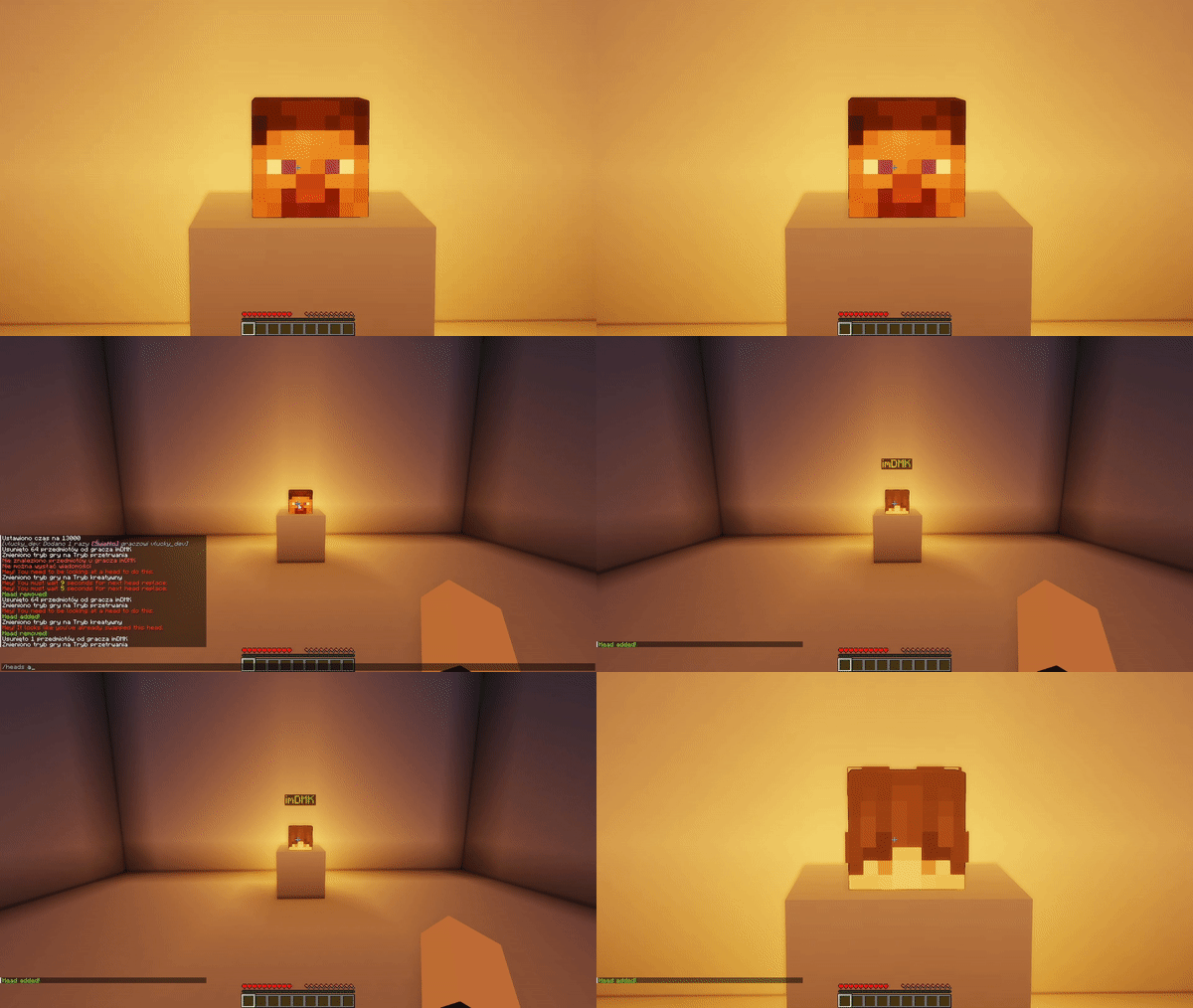
### How do the heads work? (You can use this example for premium ranks on your server!) !(https://github.com/EternalCodeTeam/LobbyHeads/blob/master/assets/head%20work%2020fps.gif?raw=true)
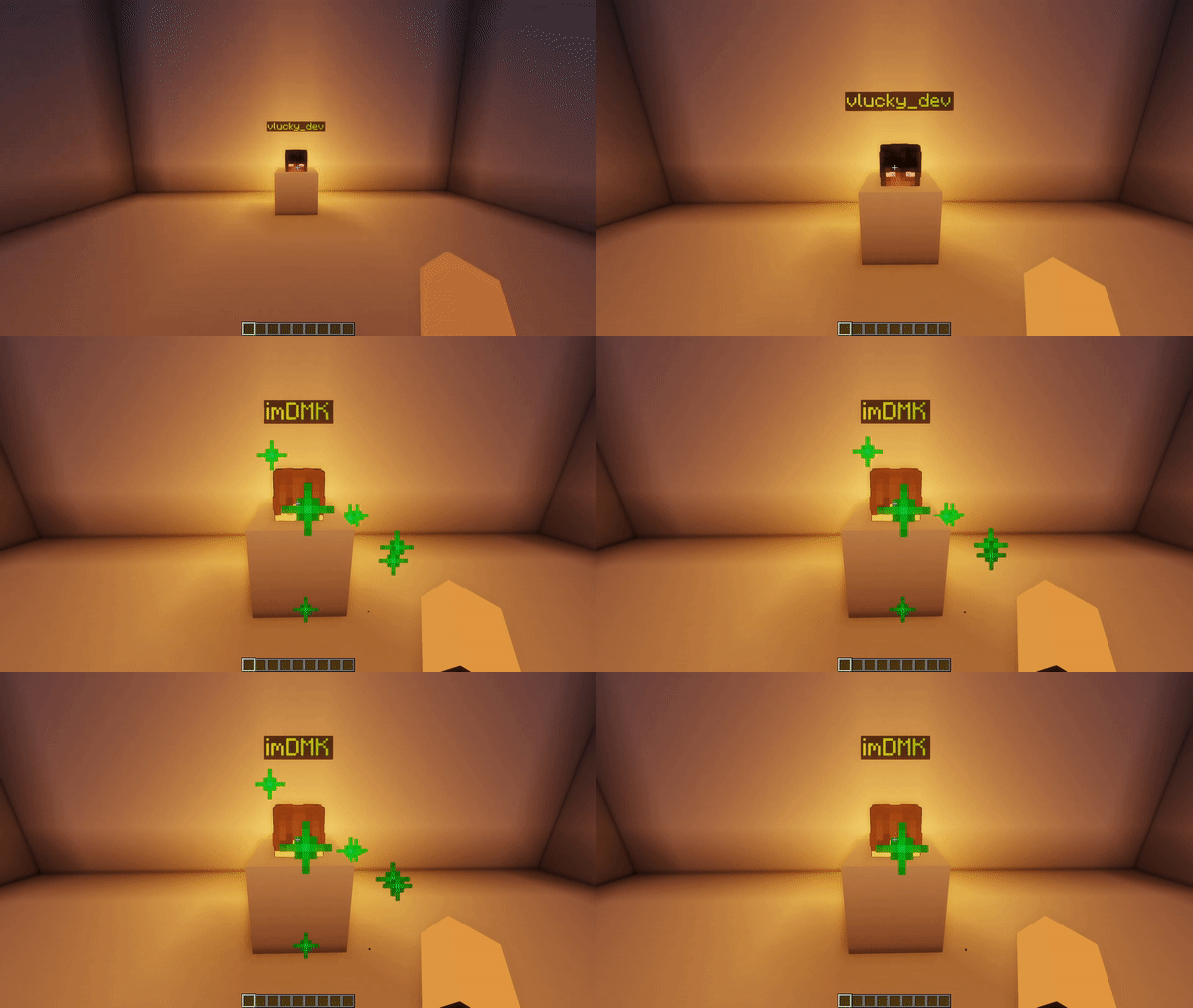
### How to set up heads? (`/heads add` command) !(https://github.com/EternalCodeTeam/LobbyHeads/blob/master/assets/head%20setup%2020fps.gif?raw=true)
## Permission Assignments
LobbyHeads offers two permissions for administrators to assign:
| Permission | Description | |:----------------------------|:--------------------------------------------------------------------------------| | `lobbyheads.replace` | Allows the user to replace decorative heads whenever they want. | | `lobbyheads.admin` | Grants the user permission to add or remove decorative heads. | | `lobbyheads.receiveupdates` | Grants the user permission to receive updates about new versions of the plugin. |
## Usage Guidelines
Follow the steps below to use LobbyHeads:
1. Acquire a player head via game mode and place. 2. Looking at placed head, type `/heads add` to place the player head. 3. If you wish to remove a head, stand in front of it and type `/heads remove`.
### Issue Reporting
Experiencing an issue with the plugin? Report it under our (https://github.com/EternalCodeTeam/LobbyHeads/issues). Be sure to provide maximum information, such as your Minecraft version, plugin version, and relevant error messages or logs for an efficient diagnosis.
📊 Mod Details
- Game
- Minecraft Plugins
- Author
- EternalCodeTeam
- Version
- 1.0.3
- Downloads
- 772
- Endorsements
- 7
- Category
- bukkit
- Created
- 10/13/2023
- Updated
- 12/25/2023
- Game Versions
- 1.13, 1.13.1, 1.13.2, 1.14, 1.14.1
- Tags
- decoration
🔧 How to Install Minecraft Plugins Mods
Download from Modrinth. Use Prism Launcher or drop into your mods folder.
📖 Full step-by-step install guide for Minecraft Plugins →
Visit the official mod page for specific installation instructions for this mod.
🎮 Need cheat codes or console commands? Check ur gaming wiki for Minecraft Plugins commands, item IDs, and more.
❓ Frequently Asked Questions
Which Minecraft Plugins versions does LobbyHeads support?
The author lists 1.13, 1.13.1, 1.13.2, 1.14, 1.14.1, 1.14.2. Other versions may work but are untested by the author.
What is the latest version of LobbyHeads?
Version 1.0.3, published 2023-12-25 with 772 downloads recorded at the source.
Keep browsing — more Minecraft Plugins mods await