Keep Me Growing
🟡 Updated this year🖼️ Gallery (2 images)
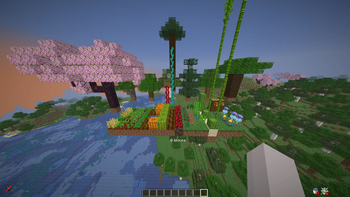

🔍 Analysis
- 👍 0.6% endorsement rate
- 🏆 #870 of 1452 bukkit mods in this game by downloads
📋 About This Mod
# KeepMeGrowing (https://img.shields.io/badge/version-2.0-blue.svg)](#readme) (https://img.shields.io/badge/platform-Paper%20%7C%20Spigot-green.svg)](https://papermc.io/) (https://img.shields.io/badge/bStats-metrics-00ADB5.svg)](https://bstats.org/plugin/bukkit/keepmegrowing/31246) Crops and passive mobs keep maturing while chunks are unloaded: when someone loads the area again, the plugin applies the “missing” progress in one shot so growth feels natural instead of time-gated by online players. (https://img.shields.io/badge/Discord-Join%20Server-5865F2?logo=discord&logoColor=white)](https://discord.gg/WpYZkrdNVe) --- ## Summary KeepMeGrowing tracks when plant blocks and supported animals were last persisted for a chunk. On **chunk load**, it looks at **wall-clock time since last unload**, applies your configured pacing, and advances growth (crops, stems, saplings, vines, etc.) plus passive mob ageing where enabled. **Requires Spigot/Paper 1.13+** (API); passive mob simulation needs **Minecraft 1.10+**. WorldGuard is optional via the `offline-growth` flag. Drop your marketing screenshots into `assets/` as **`crops.png`** and **`animals.png`** so the images below render on GitHub. --- ## Showcase ### Supported crops !(https://raw.githubusercontent.com/vanillaxtra/keepmegrowing/refs/heads/main/assets/allcrops.png) ### Supported animals !(https://raw.githubusercontent.com/vanillaxtra/keepmegrowing/refs/heads/main/assets/allmobs.png) --- ## How it works When a chunk that contains tracked plants or eligible animals is loaded, the plugin knows roughly **how long that chunk (or its saved state) sat unloaded**. It does **not** simulate every tick in real time; instead it **fast-forwards** growth using that elapsed time and your `config.yml` pacing so players see crops and mobs “catch up” as if they had been progressing the whole time. Here is a concrete example using the **default** pacing for carrots in `config.yml` (**20 minutes** ≈ “full maturity” for pacing purposes — you can change this per crop): - If the chunk was away for **≥ 20 minutes**, carrots advance as if a full growth window elapsed (they can reach full stage from an empty field, subject to how the growth logic applies that time). - If it was away for **10 minutes**, carrots get about **half** that pacing budget applied. - If it was away for **10 minutes** **and** the carrots were already **half-grown when the chunk unloaded**, the remaining progress stacks with what was saved — they can reach **full stage** after load. Exact behaviour depends on crop type, block state, modifiers (`/growth rate`, sprint, freeze), and WorldGuard `offline-growth`. Tune every crop in **`plants-minutes-to-full-growth`** and mobs in **`mobs-minutes-to-full-growth`** to match your server. --- ## Crops & plants These are handled with offline-style progression (names match common Bukkit materials / farm blocks): - Carrots - Potatoes - Wheat - Beetroots - Nether wart - Cocoa - Sweet berry bush - **Saplings:** oak, birch, spruce, jungle, acacia, dark oak, cherry — including **2×2 mega tree** setups (e.g. four spruce, jungle, or dark oak saplings) - Cactus - Sugar cane - Melon (stem **and** melon blocks) - Pumpkin (stem **and** pumpkin blocks) - Kelp - Weeping vines - Twisting vines - Bamboo - Cave vines - Mangrove propagules - Torchflower - Pitcher crop --- ## Supported passive mobs If the server version allows mob tracking, these types can receive offline-style ageing / special cases (e.g. baby → adult pacing, sheep wool regrowth where implemented): - Chicken - Pig - Cow - Sheep (including wool regrowth timing) - Mooshroom - Rabbit - Wolf - Ocelot - Horse - Villager - Polar bear - Mule - Donkey - Llama - Turtle - Trader llama - Fox - Cat - Bee - Panda - Strider - Goat - Axolotl - Frog - Tadpole - Sniffer - Camel - Armadillo --- ## Features - **Offline crop growth** when chunks reload, driven by configurable “minutes to full growth” per plant type - **Optional offline passive mob progression** on supported versions - **Loaded-chunk bonus ticks** so farms still respect `/growth` multipliers when players are nearby - **WorldGuard** integration: `offline-growth` flag (DENY blocks simulation in that region) - **Persistence** via JSON or external databases (see `config.yml`) - **Admin commands** for reload, debug, sprint / freeze / base rate --- ## Installation 1. Build or download the **shadow** JAR `keepmegrowing-2.0.jar` (or `keepmegrowing-bundled-2.0.jar` if you need all DB drivers in one file). 2. Place it in the server `plugins` folder. 3. Start the server; config is created under **`plugins/KeepMeGrowing/`**. 4. Edit `config.yml`, then `/growth reload` or `/keepmegrowing reload` (same permission). **Upgrading from older “OfflineGrowthPro” folders:** r
# KeepMeGrowing
[!(https://img.shields.io/badge/version-2. 0-blue.svg)](#readme) [!(https://img.shields.io/badge/platform-Paper%20%7C%20Spigot-green.svg)](https://papermc.io/) [!(https://img.shields.io/badge/bStats-metrics-00ADB5.svg)](https://bstats.org/plugin/bukkit/keepmegrowing/31246)
Crops and passive mobs keep maturing while chunks are unloaded: when someone loads the area again, the plugin applies the “missing” progress in one shot so growth feels natural instead of time-gated by online players.
[!(https://img.shields.io/badge/Discord-Join%20Server-5865F2?logo=discord&logoColor=white)](https://discord.gg/WpYZkrdNVe)
KeepMeGrowing tracks when plant blocks and supported animals were last persisted for a chunk. On chunk load, it looks at wall-clock time since last unload, applies your configured pacing, and advances growth (crops, stems, saplings, vines, etc.) plus passive mob ageing where enabled. Requires Spigot/Paper 1. 13+ (API); passive mob simulation needs Minecraft 1. 10+. WorldGuard is optional via the `offline-growth` flag.
Drop your marketing screenshots into `assets/` as `crops.png` and `animals.png` so the images below render on GitHub.
## Showcase
### Supported crops
!(https://raw.githubusercontent.com/vanillaxtra/keepmegrowing/refs/heads/main/assets/allcrops.png)
### Supported animals
!(https://raw.githubusercontent.com/vanillaxtra/keepmegrowing/refs/heads/main/assets/allmobs.png)
## How it works
When a chunk that contains tracked plants or eligible animals is loaded, the plugin knows roughly how long that chunk (or its saved state) sat unloaded. It does not simulate every tick in real time; instead it fast-forwards growth using that elapsed time and your `config.yml` pacing so players see crops and mobs “catch up” as if they had been progressing the whole time.
Here is a concrete example using the default pacing for carrots in `config.yml` (20 minutes ≈ “full maturity” for pacing purposes — you can change this per crop):
- If the chunk was away for ≥ 20 minutes, carrots advance as if a full growth window elapsed (they can reach full stage from an empty field, subject to how the growth logic applies that time).
- If it was away for 10 minutes, carrots get about half that pacing budget applied.
- If it was away for 10 minutes and the carrots were already half-grown when the chunk unloaded, the remaining progress stacks with what was saved — they can reach full stage after load.
Exact behaviour depends on crop type, block state, modifiers (`/growth rate`, sprint, freeze), and WorldGuard `offline-growth`. Tune every crop in `plants-minutes-to-full-growth` and mobs in `mobs-minutes-to-full-growth` to match your server.
## Crops & plants
These are handled with offline-style progression (names match common Bukkit materials / farm blocks):
- Carrots
- Potatoes
- Wheat
- Beetroots
- Nether wart
- Cocoa
- Sweet berry bush
- Saplings: oak, birch, spruce, jungle, acacia, dark oak, cherry — including 2×2 mega tree setups (e.g. four spruce, jungle, or dark oak saplings)
- Cactus
- Sugar cane
- Melon (stem and melon blocks)
- Pumpkin (stem and pumpkin blocks)
- Kelp
- Weeping vines
- Twisting vines
- Bamboo
- Cave vines
- Mangrove propagules
- Torchflower
- Pitcher crop
## Supported passive mobs
If the server version allows mob tracking, these types can receive offline-style ageing / special cases (e.g. baby → adult pacing, sheep wool regrowth where implemented):
- Chicken
- Pig
- Cow
- Sheep (including wool regrowth timing)
- Mooshroom
- Rabbit
- Wolf
- Ocelot
- Horse
- Villager
- Polar bear
- Mule
- Donkey
- Llama
- Turtle
- Trader llama
- Fox
- Cat
- Bee
- Panda
- Strider
- Goat
- Axolotl
- Frog
- Tadpole
- Sniffer
- Camel
- Armadillo
## Features
- Offline crop growth when chunks reload, driven by configurable “minutes to full growth” per plant type
- Optional offline passive mob progression on supported versions
- Loaded-chunk bonus ticks so farms still respect `/growth` multipliers when players are nearby
- WorldGuard integration: `offline-growth` flag (DENY blocks simulation in that region)
- Persistence via JSON or external databases (see `config.yml`)
- Admin commands for reload, debug, sprint / freeze / base rate
## Installation
1. Build or download the shadow JAR `keepmegrowing-2. 0.jar` (or `keepmegrowing-bundled-2. 0.jar` if you need all DB drivers in one file). 2. Place it in the server `plugins` folder. 3. Start the server; config is created under `plugins/KeepMeGrowing/`. 4. Edit `config.yml`, then `/growth reload` or `/keepmegrowing reload` (same permission).
Upgrading from older “OfflineGrowthPro” folders: r
📊 Mod Details
- Game
- Minecraft Plugins
- Author
- not.authorised
- Version
- 2.1
- Downloads
- 531
- Endorsements
- 3
- Category
- bukkit
- Created
- 5/11/2026
- Updated
- 6/19/2026
- Game Versions
- 1.13, 1.13.1, 1.13.2, 1.14, 1.14.1
- Tags
- food, game-mechanics, mobs
🔧 How to Install Minecraft Plugins Mods
Download from Modrinth. Use Prism Launcher or drop into your mods folder.
📖 Full step-by-step install guide for Minecraft Plugins →
Visit the official mod page for specific installation instructions for this mod.
🎮 Need cheat codes or console commands? Check ur gaming wiki for Minecraft Plugins commands, item IDs, and more.
❓ Frequently Asked Questions
Which Minecraft Plugins versions does Keep Me Growing support?
The author lists 1.13, 1.13.1, 1.13.2, 1.14, 1.14.1, 1.14.2. Other versions may work but are untested by the author.
What is the latest version of Keep Me Growing?
Version 2.1, published 2026-06-19 with 531 downloads recorded at the source.
Keep browsing — more Minecraft Plugins mods await