HomeKeeper
🟡 Updated this year🖼️ Gallery (5 images)
🔍 Analysis
- 👍 0.4% endorsement rate
- 🏆 #409 of 1452 bukkit mods in this game by downloads
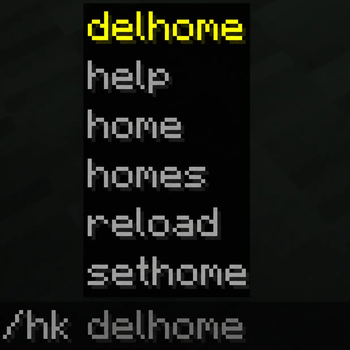
📋 About This Mod
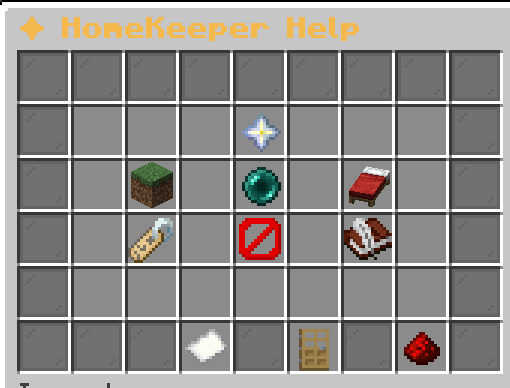
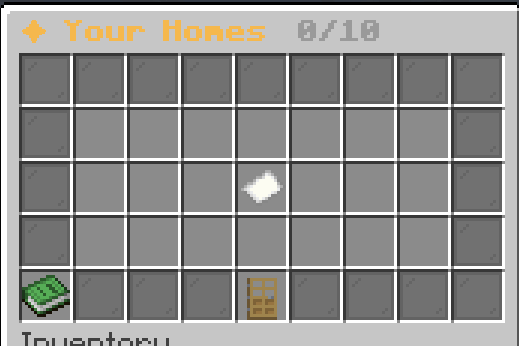
# HomeKeeper v26.1 ## What does this plugin do? HomeKeeper lets you save favorite spots and teleport back to them fast, all through a clean GUI. 1. Set a home with a name you choose, then jump back to it anytime. 2. Manage everything from a paginated menu with a bed per home. 3. Rename homes by clicking, then typing the new name in chat. 4. Delete homes safely with a chat confirmation prompt (no accidents). 5. Tab-completion suggests your own home names while typing. 6. Admins can safely reload the plugin without restarting the server. ## Player commands - `/hk homes` — Open your homes menu. - `/hk sethome <name>` — Save your current location as a home. - `/hk home <name>` — Teleport to a saved home. - `/hk delhome <name>` — Delete a home. Sends a chat confirmation with clickable and . - `/hk help` — Open the help menu with tips and a clickable Discord link. ## Homes menu - Left-click a bed to teleport. - Right-click a bed to rename it in chat. Type `cancel` or click rename again to abort. - Automatic pagination for many homes (21 per page). ## Admin overview Plugin data folder: `plugins/HomeKeeper/` - `players/` - One folder per player who has joined the server. Each folder contains a `homes.yml` with that player's homes. - `config.yml` - General settings (e.g. `max-homes`, default 10). Change to suit your server. - `rank.yml` - Admin list. Add player names here to grant admin permissions (used for `/hk reload`). ## Notes - Players are tracked by UUID, so their data stays intact even if they change their username. - You can't save two homes on the exact same block. - Home names are case-insensitive and limited to letters, numbers, `-` and `_` (max 32 chars). ## Community Join our Discord: https://discord.com/invite/U5Qb7QGDTU
# HomeKeeper v26. 1
## What does this plugin do? HomeKeeper lets you save favorite spots and teleport back to them fast, all through a clean GUI.
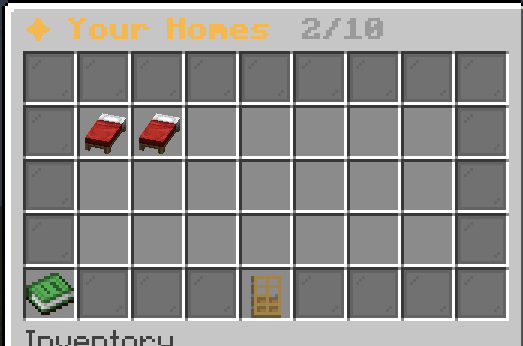
1. Set a home with a name you choose, then jump back to it anytime. 2. Manage everything from a paginated menu with a bed per home. 3. Rename homes by clicking, then typing the new name in chat. 4. Delete homes safely with a chat confirmation prompt (no accidents). 5. Tab-completion suggests your own home names while typing. 6. Admins can safely reload the plugin without restarting the server.
## Player commands
- `/hk homes` — Open your homes menu.
- `/hk sethome
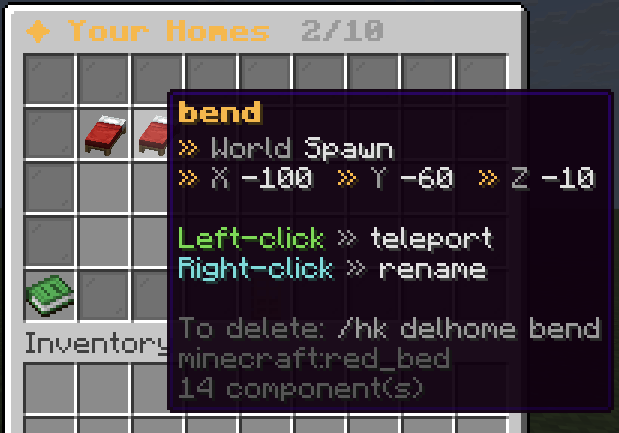
## Homes menu - Left-click a bed to teleport. - Right-click a bed to rename it in chat. Type `cancel` or click rename again to abort. - Automatic pagination for many homes (21 per page).
## Admin overview Plugin data folder: `plugins/HomeKeeper/`
- `players/`
- - One folder per player who has joined the server. Each folder contains a `homes.yml` with that player's homes.
- `config.yml`
- - General settings (e.g. `max-homes`, default 10). Change to suit your server.
- `rank.yml`
- - Admin list. Add player names here to grant admin permissions (used for `/hk reload`).
## Notes - Players are tracked by UUID, so their data stays intact even if they change their username. - You can't save two homes on the exact same block. - Home names are case-insensitive and limited to letters, numbers, `-` and `_` (max 32 chars).
## Community Join our Discord: https://discord.com/invite/U5Qb7QGDTU
📊 Mod Details
- Game
- Minecraft Plugins
- Author
- OlliBix
- Version
- 26.1
- Downloads
- 756
- Endorsements
- 3
- Category
- bukkit
- Created
- 7/8/2023
- Updated
- 7/14/2026
- Game Versions
- 1.17, 1.18, 1.19, 1.20, 1.21
- Tags
- game-mechanics, optimization, utility
🔧 How to Install Minecraft Plugins Mods
Download from Modrinth. Use Prism Launcher or drop into your mods folder.
📖 Full step-by-step install guide for Minecraft Plugins →
Visit the official mod page for specific installation instructions for this mod.
🎮 Need cheat codes or console commands? Check ur gaming wiki for Minecraft Plugins commands, item IDs, and more.
❓ Frequently Asked Questions
Which Minecraft Plugins versions does HomeKeeper support?
The author lists 1.17, 1.18, 1.19, 1.20, 1.21, 1.21.1. Other versions may work but are untested by the author.
What is the latest version of HomeKeeper?
Version 26.1, published 2026-07-14 with 756 downloads recorded at the source.
Keep browsing — more Minecraft Plugins mods await