Team
🟡 Updated this year🖼️ Gallery (11 images)
🔍 Analysis
- 🏆 #242 of 599 bukkit mods in this game by downloads
📋 About This Mod
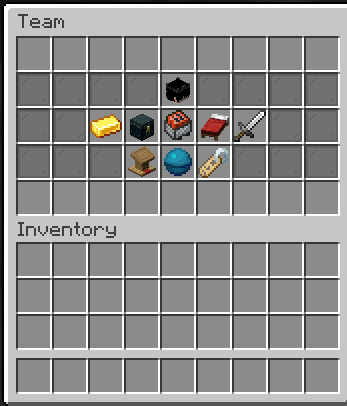
# Teams — Powerful Team Management Plugin **Teams** is a powerful, lightweight, and highly configurable Minecraft team management plugin developed by **HACK Studio** and built by **itzz_hitesh**. Designed for **Survival, SMP, PvP, Factions, and community servers**, Teams provides everything you need to create, manage, and grow player teams — including team relationships, team homes, team banks, team chat, statistics, GUI management, administration tools, and advanced storage migration. **HACK Studio • Built by itzz_hitesh** --- ## ✨ Features ### 👥 Complete Team Management Create and manage teams with ease: * Create and manage teams * Invite players to your team * Accept or deny team invitations * Kick team members * Transfer team ownership * Rename teams * Leave or disband teams * View detailed team information * List available teams * Manage team members ### 🤝 Team Relations Build relationships between teams: * Create alliances with other teams * Set teams as neutral * View your team's allies * Dedicated ally chat * Ally team home support * Easily manage team relationships ### 💬 Team Communication Keep your team connected with: * Private team chat * Ally chat * Team-wide announcements with `/team say` * Admin chat spy system for moderation ### 🏠 Team Homes Give your team a shared place to call home: * Set a team home * Teleport to the team home * Configurable teleport delay * Admin controls for team homes * Ally team home support ### 📊 Team Statistics Track important team statistics, including: * Team kills * Team deaths * Individual player kills * Individual player deaths * Team member count * Team bank balance * Team owner * Friendly-fire status ### 💰 Team Bank Teams can have their own shared economy system. Teams supports **Vault and Vault-compatible economy plugins** for team bank functionality. ### 📦 Team Ender Chest Share resources securely with your team: * Team Ender Chest support * Admin access to team Ender Chests * Shared team storage ### ⚙️ Highly Configurable Configure Teams to fit your server: * Messages * Permissions * Commands * Team settings * Storage * Home settings * Economy integration * And more --- ## 🛠️ Powerful Admin System Server administrators have access to advanced team management tools: * View team information * Access team Ender Chests * Manage team banks * Force disband teams * Set team homes * Teleport to team homes * Add players to teams * Force players to join teams * Remove players from teams * Change team owners * Storage migration tools * Admin spy --- ## 🗄️ Advanced Storage & Migration Teams includes a powerful storage migration system that allows you to move your team data between different storage types. ### Supported Storage * YAML * SQLite * H2 * MySQL * MariaDB * PostgreSQL ### Migration Commands ```text /team admin migrate show /team admin migrate clear /team admin migrate start /team admin migrate set ``` ### Migration Parameters Supported parameters include: ```text database_type / type database_host / host database_port / port database_name / database database_username / username database_password / password teams_table / table sqlite_file h2_file ``` ### How Migration Works 1. Teams reads the currently loaded team data from memory. 2. The pending migration settings are applied to the target storage configuration. 3. Teams connects to the target backend. 4. All currently loaded team data is written to the target backend. 5. The new storage settings are saved. 6. Teams reloads using the migrated storage. 7. If the migration fails, the previous storage configuration is automatically restored. This makes switching databases safer and easier without manually converting your team data. --- ## 🔌 PlaceholderAPI Support Teams provides PlaceholderAPI placeholders for displaying team information across your server. ### Available Placeholders ```text %itzzteam_team% %itzzteam_owner% %itzzteam_kills% %itzzteam_deaths% %itzzteam_team_kills% %itzzteam_team_deaths% %itzzteam_team_bank% %itzzteam_team_members% %itzzteam_friendly_fire% ``` Use these placeholders with compatible: * Scoreboards * TAB * Chat systems * Holograms * Menus * Other PlaceholderAPI-supported plugins --- ## 🔐 Permission System Teams provides a detailed permission system that allows server owners to control player and staff access. ### General Permissions ```text itzzteam.use itzzteam.use.enderchest itzzteam.use.bank itzzteam.use.teamhome itzzteam.use.teamallyhome itzzteam.admin itzzteam.bypass.home-delay itzzteam.update.notify ``` ### Player Command Permissions ```text itzzteam.command.help itzzteam.command.menu itzzteam.command.create itzzteam.command.invite itzzteam.command.accept itzzteam.command.deny itzzteam.command.leave itzzteam.command.kick itzzteam.command.setowner itzzteam.command.ally itzzteam.command.neutral itzzteam.command.rename itzzteam.command.disband itzzteam.command.chat itzzteam.command.allychat itzzteam.command.sa
# Teams — Powerful Team Management Plugin
Teams is a powerful, lightweight, and highly configurable Minecraft team management plugin developed by HACK Studio and built by itzz_hitesh.
Designed for Survival, SMP, PvP, Factions, and community servers, Teams provides everything you need to create, manage, and grow player teams — including team relationships, team homes, team banks, team chat, statistics, GUI management, administration tools, and advanced storage migration.
HACK Studio • Built by itzz_hitesh
## ✨ Features
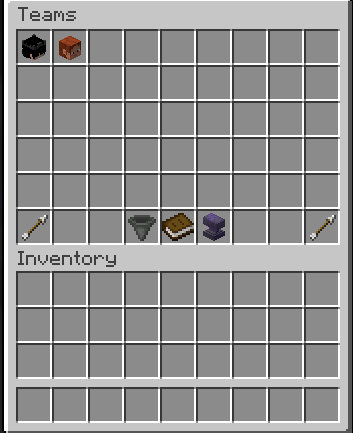
### 👥 Complete Team Management
Create and manage teams with ease:
Create and manage teams Invite players to your team Accept or deny team invitations Kick team members Transfer team ownership Rename teams Leave or disband teams View detailed team information List available teams Manage team members
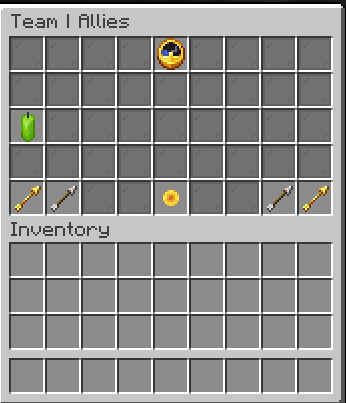
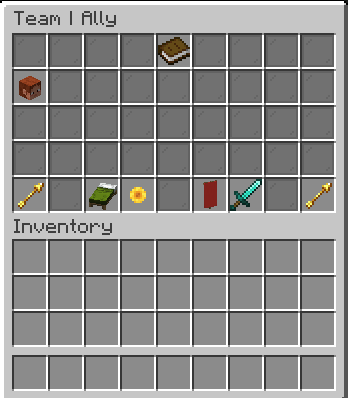
### 🤝 Team Relations
Build relationships between teams:
Create alliances with other teams Set teams as neutral View your team's allies Dedicated ally chat Ally team home support Easily manage team relationships
### 💬 Team Communication
Keep your team connected with:
Private team chat Ally chat Team-wide announcements with `/team say` Admin chat spy system for moderation
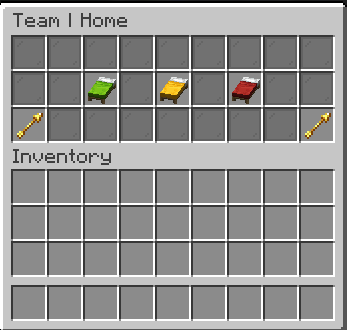
### 🏠 Team Homes
Give your team a shared place to call home:
Set a team home Teleport to the team home Configurable teleport delay Admin controls for team homes Ally team home support
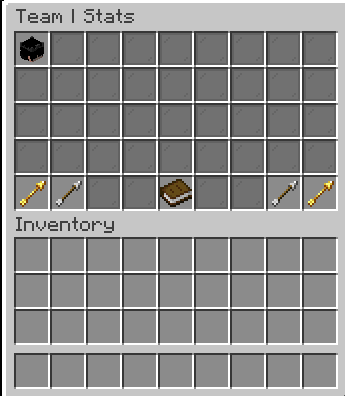
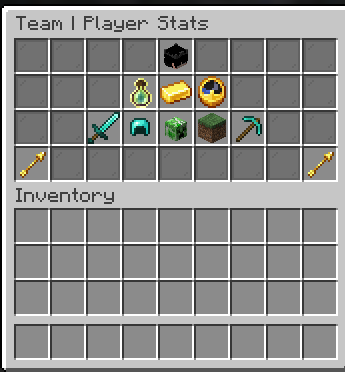
### 📊 Team Statistics
Track important team statistics, including:
Team kills Team deaths Individual player kills Individual player deaths Team member count Team bank balance Team owner Friendly-fire status
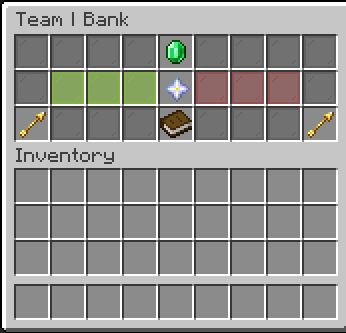
### 💰 Team Bank
Teams can have their own shared economy system.
Teams supports Vault and Vault-compatible economy plugins for team bank functionality.
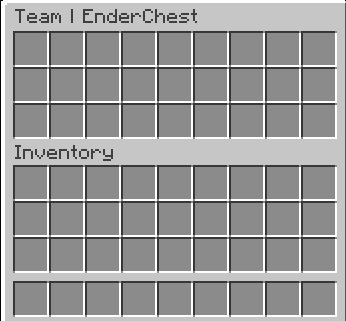
### 📦 Team Ender Chest
Share resources securely with your team:
Team Ender Chest support Admin access to team Ender Chests Shared team storage
### ⚙️ Highly Configurable
Configure Teams to fit your server:
Messages Permissions Commands Team settings Storage Home settings Economy integration And more
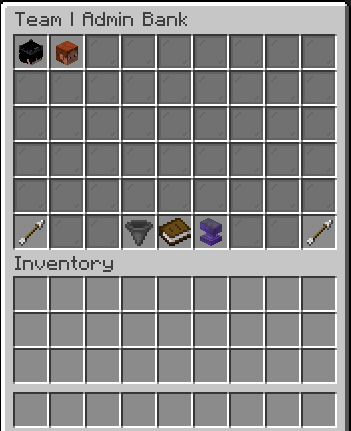
## 🛠️ Powerful Admin System
Server administrators have access to advanced team management tools:
View team information Access team Ender Chests Manage team banks Force disband teams Set team homes Teleport to team homes Add players to teams Force players to join teams Remove players from teams Change team owners Storage migration tools Admin spy
## 🗄️ Advanced Storage & Migration
Teams includes a powerful storage migration system that allows you to move your team data between different storage types.
### Supported Storage
YAML SQLite H2 MySQL MariaDB PostgreSQL
### Migration Commands
```text /team admin migrate show /team admin migrate clear /team admin migrate start /team admin migrate set ```
### Migration Parameters
Supported parameters include:
```text database_type / type database_host / host database_port / port database_name / database database_username / username database_password / password teams_table / table sqlite_file h2_file ```
### How Migration Works
1. Teams reads the currently loaded team data from memory. 2. The pending migration settings are applied to the target storage configuration. 3. Teams connects to the target backend. 4. All currently loaded team data is written to the target backend. 5. The new storage settings are saved. 6. Teams reloads using the migrated storage. 7. If the migration fails, the previous storage configuration is automatically restored.
This makes switching databases safer and easier without manually converting your team data.
## 🔌 PlaceholderAPI Support
Teams provides PlaceholderAPI placeholders for displaying team information across your server.
### Available Placeholders
```text %itzzteam_team% %itzzteam_owner% %itzzteam_kills% %itzzteam_deaths% %itzzteam_team_kills% %itzzteam_team_deaths% %itzzteam_team_bank% %itzzteam_team_members% %itzzteam_friendly_fire% ```
Use these placeholders with compatible:
Scoreboards TAB Chat systems Holograms Menus Other PlaceholderAPI-supported plugins
## 🔐 Permission System
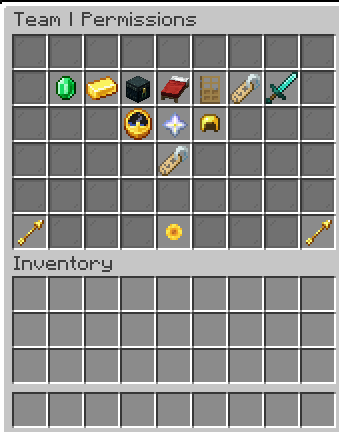
Teams provides a detailed permission system that allows server owners to control player and staff access.
### General Permissions
```text itzzteam.use itzzteam.use.enderchest itzzteam.use.bank itzzteam.use.teamhome itzzteam.use.teamallyhome itzzteam.admin itzzteam.bypass.home-delay itzzteam.update.notify ```
### Player Command Permissions
```text itzzteam.command.help itzzteam.command.menu itzzteam.command.create itzzteam.command.invite itzzteam.command.accept itzzteam.command.deny itzzteam.command.leave itzzteam.command.kick itzzteam.command.setowner itzzteam.command.ally itzzteam.command.neutral itzzteam.command.rename itzzteam.command.disband itzzteam.command.chat itzzteam.command.allychat itzzteam.command.sa
📊 Mod Details
- Game
- Minecraft Plugins
- Author
- hiteshmalhotra
- Version
- 1.0.1
- Downloads
- 23
- Endorsements
- 4
- Category
- bukkit
- Created
- 6/20/2026
- Updated
- 8/19/2026
- Game Versions
- 1.20, 1.20.1, 1.20.2, 1.20.3, 1.20.4
- Tags
- economy, management, utility
🔧 How to Install Minecraft Plugins Mods
Download from Modrinth. Use Prism Launcher or drop into your mods folder.
📖 Full step-by-step install guide for Minecraft Plugins →
Visit the official mod page for specific installation instructions for this mod.
🎮 Need cheat codes or console commands? Check ur gaming wiki for Minecraft Plugins commands, item IDs, and more.
❓ Frequently Asked Questions
Which Minecraft Plugins versions does Team support?
The author lists 1.20, 1.20.1, 1.20.2, 1.20.3, 1.20.4, 1.20.5. Other versions may work but are untested by the author.
What is the latest version of Team?
Version 1.0.1, published 2026-08-19 with 23 downloads recorded at the source.
Keep browsing — more Minecraft Plugins mods await