goPaintAdvanced
🟡 Updated this year🖼️ Gallery (12 images)
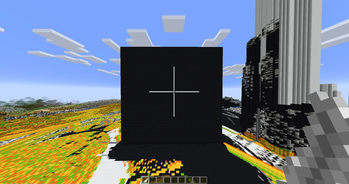
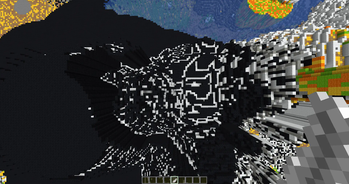
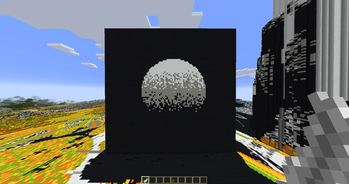
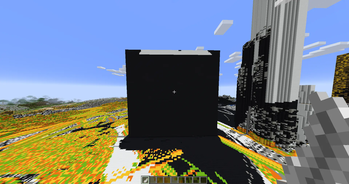
🔍 Analysis
- 👍 0.4% endorsement rate
- 🏆 #30 of 70 decoration mods in this game by downloads
📋 About This Mod
!(https://github.com/TheNextLvl-net/goPaintAdvanced/blob/main/images/gopaint-banner.png?raw=true) --- goPaintAdvanced is a modern and maintained drop-in replacement for goPaint. It offers huge performance improvements and bug fixes. We aim to be always up to date and use new technology instead of hanging on to old and dead code. The primary focus of goPaintAdvanced is to drastically improve performance by leveraging a multithreaded architecture, ensuring smoother and faster brush operations, even in demanding environments. ## Major Changes - **Fully asynchrone** — No lags whatsoever - **100%** customizable messages - Keep data of existing blocks (e.g., rotation) - Better WorldEdit integration - Survival Support - New brushes - More commands - Improved configuration file - Improved and faster algorithms - No legacy code or dependencies - Hangar and Modrinth auto deployment ## Overview goPaintAdvanced's default brush is the Feather. Left-click with the Feather to open the GUI, where you can customize, import, and export brushes. Right-click with any brush to use it in the direction you're facing. ### Importing and Exporting Brushes Exporting a brush allows you to save and store multiple brushes, similar to how WorldEdit handles brushes. This means you can easily switch between brushes, giving you the flexibility to work with as many brushes as you need simultaneously. Importing a brush into the GUI lets you customize that specific brush without having to re-enter all the settings, streamlining the process for quick adjustments. Export a brush: Click an item on the toggle in the GUI. Import a brush: Click the item on the toggle again to import it. ## Advanced Features For more advanced users, goPaintAdvanced offers command access to control nearly all brush settings and features. /gopaint size <size> - change the size of your brush /gopaint menu - opens the brush menu /gopaint brush <brush> - change your brush /gopaint wand - gives you the brush item /gopaint export - export your brush to your current item /gopaint import - import your current brush item to the gui /gopaint toggle - enable or disable your brush /gopaint reload - reload the config ## Permissions gopaint.use - grants access to using all painting related commands and tools as well as the interface gopaint.admin - the admin permission to reload the plugin gopaint.world.bypass - allows users to bypass world restrictions ## Links * (https://modrinth.com/project/a2wQ6jIv#download) * (https://thenextlvl.net/discord) * (https://github.com/TheNextLvl-net/goPaintAdvanced/issues) # Building Gradle is the recommended way to build the project. Use `./gradlew shadowJar` in the main project directory to build the project. ## Suggestions Suggestions are welcome! We have a separate issue form for suggestions, that can be found (https://github.com/TheNextLvl-net/goPaintAdvanced/issues/new?template=feature_request.yml). --- (https://faststats.dev/embed/default:2f0cd83b-5ac7-45fe-88bc-64ab0124b5e6:servers-and-players?w=1012)](https://faststats.dev/project/gopaintadvanced)

goPaintAdvanced is a modern and maintained drop-in replacement for goPaint. It offers huge performance improvements and bug fixes. We aim to be always up to date and use new technology instead of hanging on to old and dead code.
The primary focus of goPaintAdvanced is to drastically improve performance by leveraging a multithreaded architecture, ensuring smoother and faster brush operations, even in demanding environments.
## Major Changes
- Fully asynchrone — No lags whatsoever
- 100% customizable messages
- Keep data of existing blocks (e.g., rotation)
- Better WorldEdit integration
- Survival Support
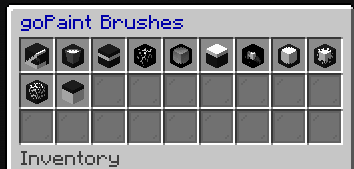
- New brushes
- More commands
- Improved configuration file
- Improved and faster algorithms
- No legacy code or dependencies
- Hangar and Modrinth auto deployment
## Overview
goPaintAdvanced's default brush is the Feather.
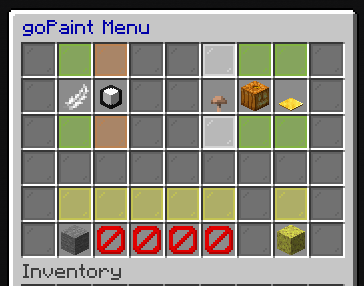
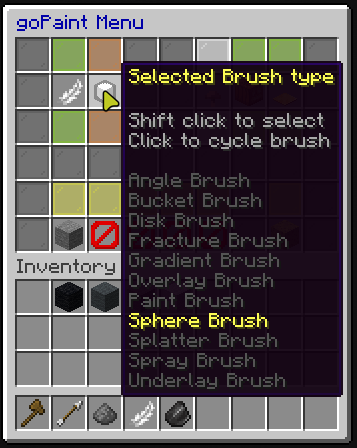
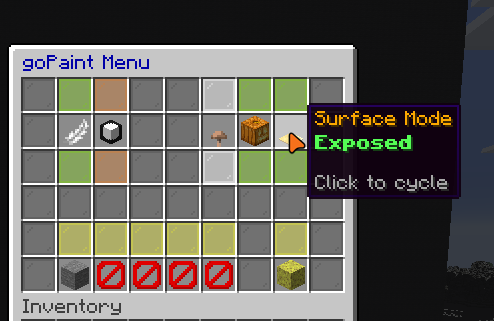
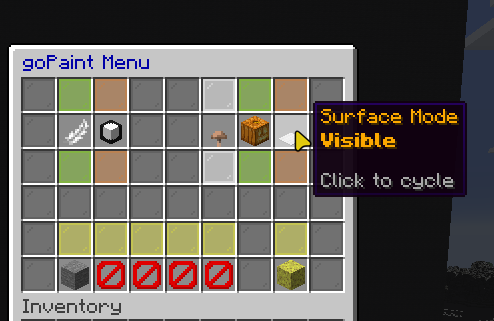
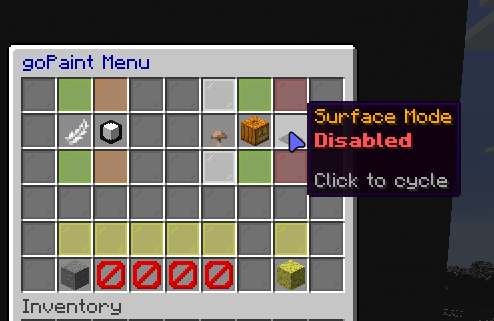
Left-click with the Feather to open the GUI, where you can customize, import, and export brushes. Right-click with any brush to use it in the direction you're facing.
### Importing and Exporting Brushes
Exporting a brush allows you to save and store multiple brushes, similar to how WorldEdit handles brushes. This means you can easily switch between brushes, giving you the flexibility to work with as many brushes as you need simultaneously.
Importing a brush into the GUI lets you customize that specific brush without having to re-enter all the settings, streamlining the process for quick adjustments.
Export a brush: Click an item on the toggle in the GUI. Import a brush: Click the item on the toggle again to import it.
## Advanced Features
For more advanced users, goPaintAdvanced offers command access to control nearly all brush settings and features.
/gopaint size
## Permissions
gopaint.use - grants access to using all painting related commands and tools as well as the interface gopaint.admin - the admin permission to reload the plugin gopaint.world.bypass - allows users to bypass world restrictions
(https://modrinth.com/project/a2wQ6jIv#download) (https://thenextlvl.net/discord) * (https://github.com/TheNextLvl-net/goPaintAdvanced/issues)
Gradle is the recommended way to build the project. Use `./gradlew shadowJar` in the main project directory to build the project.
## Suggestions
Suggestions are welcome! We have a separate issue form for suggestions, that can be found (https://github.com/TheNextLvl-net/goPaintAdvanced/issues/new?template=feature_request.yml).
[!(https://faststats.dev/embed/default:2f0cd83b-5ac7-45fe-88bc-64ab0124b5e6:servers-and-players?w=1012)](https://faststats.dev/project/gopaintadvanced)
📊 Mod Details
- Game
- Minecraft Plugins
- Author
- NonSwag
- Version
- 1.8.2
- Downloads
- 5,925
- Endorsements
- 25
- Category
- decoration
- Created
- 7/3/2024
- Updated
- 6/21/2026
- Game Versions
- 1.21.5, 1.21.6, 1.21.7, 1.21.8, 1.21.9
- Tags
- decoration, magic, worldgen
🔧 How to Install Minecraft Plugins Mods
Download from Modrinth. Use Prism Launcher or drop into your mods folder.
📖 Full step-by-step install guide for Minecraft Plugins →
Visit the official mod page for specific installation instructions for this mod.
🎮 Need cheat codes or console commands? Check ur gaming wiki for Minecraft Plugins commands, item IDs, and more.
❓ Frequently Asked Questions
Which Minecraft Plugins versions does goPaintAdvanced support?
The author lists 1.21.5, 1.21.6, 1.21.7, 1.21.8, 1.21.9, 1.21.10. Other versions may work but are untested by the author.
What is the latest version of goPaintAdvanced?
Version 1.8.2, published 2026-06-21 with 5,925 downloads recorded at the source.
Keep browsing — more Minecraft Plugins mods await