CoralPreserver
🟡 Updated this year🖼️ Gallery (1 images)
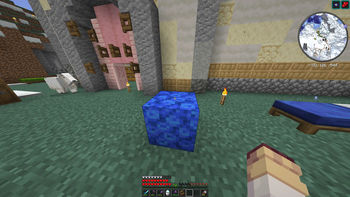
🔍 Analysis
- 🏆 #15 of 33 decoration mods in this game by downloads
📋 About This Mod
# CoralPreserver **Build with living coral outside water without watching it turn into dead coral.** CoralPreserver is a lightweight, server-side Paper plugin that prevents living coral from automatically dying when placed outside water. It also provides an intentional and configurable way for players to obtain dead coral variants. ## Features - Preserves every living coral variant outside water. - Supports coral plants, coral blocks, coral fans, and coral wall fans. - Uses `BlockFadeEvent` instead of repeatedly scanning the world. - Does not affect ice, snow, fire, turtle eggs, or other fading blocks. - Allows players to intentionally dry living coral. - Preserves wall-fan orientation and waterlogged state during conversion. - Includes configurable sounds, particles, tools, and tool consumption. - Provides a configuration reload command. - Requires no client-side installation. - Uses no NMS and has no required runtime dependencies. ## Intentional coral drying By default, a player can turn living coral into its matching dead variant by: 1. Holding a regular sponge. 2. Sneaking. 3. Right-clicking the living coral. For example: - `TUBE_CORAL_BLOCK` becomes `DEAD_TUBE_CORAL_BLOCK`. - `BRAIN_CORAL` becomes `DEAD_BRAIN_CORAL`. - `BUBBLE_CORAL_FAN` becomes `DEAD_BUBBLE_CORAL_FAN`. - `FIRE_CORAL_WALL_FAN` becomes `DEAD_FIRE_CORAL_WALL_FAN`. The sponge is not consumed by default. Server administrators can change this behavior in the configuration. ## Configuration ```yaml preserve: enabled: true drying: enabled: true require-sneak: true tool: "SPONGE" consume-tool: false play-sound: true sound: "BLOCK_SPONGE_ABSORB" show-particles: true ``` The drying tool can be replaced with any valid Bukkit material. Sounds, particles, tool consumption, and the sneak requirement can also be enabled or disabled independently. After editing the configuration, run: ```text /coralpreserver reload ``` The command requires the `coralpreserver.reload` permission, which is granted to server operators by default. ## Compatibility - Paper 1.21.8 through 26.2 - Java 21+
# CoralPreserver
Build with living coral outside water without watching it turn into dead coral.
CoralPreserver is a lightweight, server-side Paper plugin that prevents living coral from automatically dying when placed outside water. It also provides an intentional and configurable way for players to obtain dead coral variants.
## Features
- Preserves every living coral variant outside water.
- Supports coral plants, coral blocks, coral fans, and coral wall fans.
- Uses `BlockFadeEvent` instead of repeatedly scanning the world.
- Does not affect ice, snow, fire, turtle eggs, or other fading blocks.
- Allows players to intentionally dry living coral.
- Preserves wall-fan orientation and waterlogged state during conversion.
- Includes configurable sounds, particles, tools, and tool consumption.
- Provides a configuration reload command.
- Requires no client-side installation.
- Uses no NMS and has no required runtime dependencies.
## Intentional coral drying
By default, a player can turn living coral into its matching dead variant by:
1. Holding a regular sponge. 2. Sneaking. 3. Right-clicking the living coral.
For example:
- `TUBE_CORAL_BLOCK` becomes `DEAD_TUBE_CORAL_BLOCK`.
- `BRAIN_CORAL` becomes `DEAD_BRAIN_CORAL`.
- `BUBBLE_CORAL_FAN` becomes `DEAD_BUBBLE_CORAL_FAN`.
- `FIRE_CORAL_WALL_FAN` becomes `DEAD_FIRE_CORAL_WALL_FAN`.
The sponge is not consumed by default. Server administrators can change this behavior in the configuration.
## Configuration
```yaml preserve: enabled: true
drying: enabled: true require-sneak: true tool: "SPONGE" consume-tool: false play-sound: true sound: "BLOCK_SPONGE_ABSORB" show-particles: true ```
The drying tool can be replaced with any valid Bukkit material. Sounds, particles, tool consumption, and the sneak requirement can also be enabled or disabled independently.
After editing the configuration, run:
```text /coralpreserver reload ```
The command requires the `coralpreserver.reload` permission, which is granted to server operators by default.
## Compatibility
- Paper 1. 21. 8 through 26. 2
- Java 21+
📊 Mod Details
- Game
- Minecraft Plugins
- Author
- Grahnolax
- Version
- 1.0.0
- Downloads
- 20
- Endorsements
- 0
- Category
- decoration
- Created
- 7/31/2026
- Updated
- 7/12/2026
- Game Versions
- 1.21.8, 1.21.9, 1.21.10, 1.21.11, 26.1
- Tags
- decoration, game-mechanics, utility
🔧 How to Install Minecraft Plugins Mods
Download from Modrinth. Use Prism Launcher or drop into your mods folder.
📖 Full step-by-step install guide for Minecraft Plugins →
Visit the official mod page for specific installation instructions for this mod.
🎮 Need cheat codes or console commands? Check ur gaming wiki for Minecraft Plugins commands, item IDs, and more.
❓ Frequently Asked Questions
Which Minecraft Plugins versions does CoralPreserver support?
The author lists 1.21.8, 1.21.9, 1.21.10, 1.21.11, 26.1, 26.1.1. Other versions may work but are untested by the author.
What is the latest version of CoralPreserver?
Version 1.0.0, published 2026-07-12 with 20 downloads recorded at the source.
Keep browsing — more Minecraft Plugins mods await