Preview
🔍 Analysis
- 👍 1.0% endorsement rate
- 🏆 #492 of 1560 bukkit mods in this game by downloads
📋 About This Mod
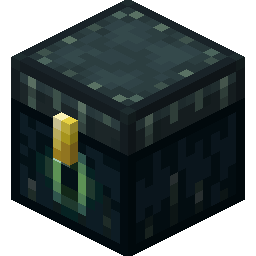
### **Bolt : The modern protection solution for individual blocks and entities.** A classic revisited; Bolt aims to expand on the ideas that inspired plugins that came before it, such as LWC and Lockette. However, Bolt has been completely redesigned to better support newer Minecraft features and provide more flexible configuration to suit the needs of today's servers. Bolt allows your players to protect valuable blocks and entities on your server to protect them from griefers, while avoiding the intrusiveness of region-based protection plugins. It also includes powerful access management capabilities. ### **Features** - Supports protecting any block or entity - Easy to use, with redesigned commands - Configurable protection types and access - Efficient SQLite and MySQL storage options - Full MiniMessage translation support ### **Getting Started** First time using Bolt? Simply download the plugin, and drop it in your plugins folder. Once you restart the server, items such as chests and item stands should automatically lock when placed. You can also lock and unlock via commands. You can add or remove blocks and entities from the configuration to change what can be protected on your server. It is also possible to change what protection type things are automatically protected as when placed, or disable automatic protections entirely if you want! For more advanced configuration and usage, as well as a list of commands and permissions that Bolt offers, see the (https://github.com/pop4959/bolt/wiki). ### **Support** For support (https://discord.gg/PHpuzZS)!
### Bolt : The modern protection solution for individual blocks and entities.
A classic revisited; Bolt aims to expand on the ideas that inspired plugins that came before it, such as LWC and Lockette. However, Bolt has been completely redesigned to better support newer Minecraft features and provide more flexible configuration to suit the needs of today's servers.
Bolt allows your players to protect valuable blocks and entities on your server to protect them from griefers, while avoiding the intrusiveness of region-based protection plugins. It also includes powerful access management capabilities.
### Features
- Supports protecting any block or entity
- Easy to use, with redesigned commands
- Configurable protection types and access
- Efficient SQLite and MySQL storage options
- Full MiniMessage translation support
### Getting Started
First time using Bolt?
Simply download the plugin, and drop it in your plugins folder. Once you restart the server, items such as chests and item stands should automatically lock when placed. You can also lock and unlock via commands.
You can add or remove blocks and entities from the configuration to change what can be protected on your server. It is also possible to change what protection type things are automatically protected as when placed, or disable automatic protections entirely if you want!
For more advanced configuration and usage, as well as a list of commands and permissions that Bolt offers, see the (https://github.com/pop4959/bolt/wiki).
### Support
For support (https://discord.gg/PHpuzZS)!
📊 Mod Details
- Game
- Minecraft Plugins
- Author
- pop4959
- Version
- 1.2.22
- Downloads
- 5,723
- Endorsements
- 56
- Category
- bukkit
- Created
- 5/7/2023
- Updated
- 7/26/2026
- Game Versions
- 1.20.6, 1.21, 1.21.1, 1.21.2, 1.21.3
- Tags
- management, storage, utility
🔧 How to Install Minecraft Plugins Mods
Download from Modrinth. Use Prism Launcher or drop into your mods folder.
📖 Full step-by-step install guide for Minecraft Plugins →
Visit the official mod page for specific installation instructions for this mod.
🎮 Need cheat codes or console commands? Check ur gaming wiki for Minecraft Plugins commands, item IDs, and more.
❓ Frequently Asked Questions
Which Minecraft Plugins versions does Bolt support?
The author lists 1.20.6, 1.21, 1.21.1, 1.21.2, 1.21.3, 1.21.4. Other versions may work but are untested by the author.
What is the latest version of Bolt?
Version 1.2.22, published 2026-07-26 with 5,723 downloads recorded at the source.
Keep browsing — more Minecraft Plugins mods await