AutoItemInActionBar (AIIA)
🟡 Updated this year🖼️ Gallery (1 images)
🔍 Analysis
- 🏆 #4 of 30 fabric mods in this game by downloads
📋 About This Mod
<p align="center"> <a href="https://github.com/tantaihaha4487/AutoItemInActionbar/actions/workflows/build-plugin.yml" style="text-decoration:none;"><img src="https://github.com/tantaihaha4487/AutoItemInActionbar/actions/workflows/build-plugin.yml/badge.svg" alt="Build Status"></a> <a href="https://github.com/tantaihaha4487/AutoItemInActionbar/releases/latest" style="text-decoration:none;"><img src="https://img.shields.io/github/v/release/tantaihaha4487/AutoItemInActionbar?style=flat-square" alt="Latest Release"></a> <a href="https://modrinth.com/plugin/autoiteminactionbar" style="text-decoration:none;"><img src="https://img.shields.io/modrinth/dt/autoiteminactionbar?color=00AF5C&logo=modrinth&label=Modrinth&style=flat-square" alt="Modrinth Downloads"></a> </p> AutoItemInActionbar is a lightweight utility plugin that ensures you always have important items ready in your hand or off-hand, refilling them automatically from your inventory. ## Preview ### Simple Refill !(https://github.com/tantaihaha4487/assets/raw/refs/heads/main/AutoItemInActionbar/preview.gif) ### Smart Bucket Refill !(https://github.com/tantaihaha4487/assets/raw/refs/heads/main/AutoItemInActionbar/bucket_handle.gif) ## Features - **Automatic Item Refill:** Automatically refills your hand with the same type of item from your inventory after you use it. This works for: - Placing blocks - Dropping items - Throwing eggs - Breaking tools or items - Throwing splash or lingering potions - **Smart Bucket Handling:** - Automatically gives you a new empty bucket when you fill one with water, lava, or fish. - Automatically gives you a new water or lava bucket after you empty one. - **Food & Drink Refill:** After consuming items that leave a remainder (like stews, soups, milk, or honey bottles), it will automatically provide you with a fresh one if available. - **Action Bar Feedback:** Get a quick, unobtrusive confirmation in your action bar when an item is refilled. - **Zero Configuration:** Simply drop it in and it works. No setup required. - **Hold Shift to Disable:** Hold down the **shift** key to temporarily prevent the plugin from refilling items. ## How to Use 1. Download the latest version of the plugin. 2. Place the `AutoItemInActionbar-vX.X.X.jar` file in your server's `plugins` folder. 3. Start or restart your server. The plugin is now active for all players.



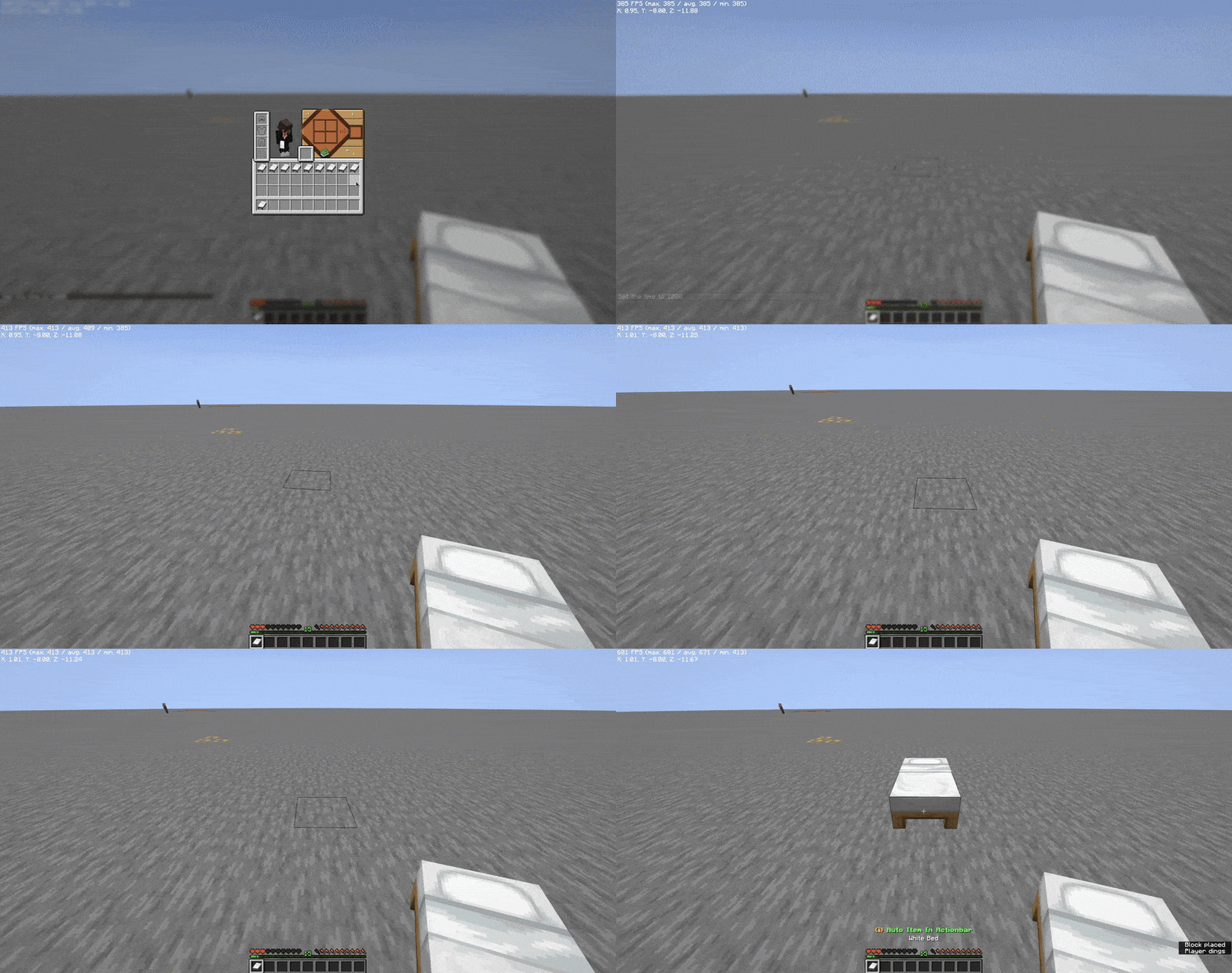
AutoItemInActionbar is a lightweight utility plugin that ensures you always have important items ready in your hand or off-hand, refilling them automatically from your inventory.
### Simple Refill
!(https://github.com/tantaihaha4487/assets/raw/refs/heads/main/AutoItemInActionbar/preview.gif)
### Smart Bucket Refill
!(https://github.com/tantaihaha4487/assets/raw/refs/heads/main/AutoItemInActionbar/bucket_handle.gif)
## Features
- Automatic Item Refill: Automatically refills your hand with the same type of item from your inventory after you
- use it. This works for:
- - Placing blocks
- - Dropping items
- - Throwing eggs
- - Breaking tools or items
- - Throwing splash or lingering potions
- Smart Bucket Handling:
- - Automatically gives you a new empty bucket when you fill one with water, lava, or fish.
- - Automatically gives you a new water or lava bucket after you empty one.
- Food & Drink Refill: After consuming items that leave a remainder (like stews, soups, milk, or honey bottles), it
- will automatically provide you with a fresh one if available.
- Action Bar Feedback: Get a quick, unobtrusive confirmation in your action bar when an item is refilled.
- Zero Configuration: Simply drop it in and it works. No setup required.
- Hold Shift to Disable: Hold down the shift key to temporarily prevent the plugin from refilling items.
## How to Use
1. Download the latest version of the plugin. 2. Place the `AutoItemInActionbar-vX. X. X.jar` file in your server's `plugins` folder. 3. Start or restart your server. The plugin is now active for all players.
📊 Mod Details
- Game
- Minecraft Plugins
- Author
- tantaihaha4487
- Version
- 1.1.6
- Downloads
- 317
- Endorsements
- 4
- Category
- fabric
- Created
- 7/19/2025
- Updated
- 8/16/2026
- Game Versions
- 26.2
- Tags
- game-mechanics, utility
🔧 How to Install Minecraft Plugins Mods
Download from Modrinth. Use Prism Launcher or drop into your mods folder.
📖 Full step-by-step install guide for Minecraft Plugins →
Visit the official mod page for specific installation instructions for this mod.
🎮 Need cheat codes or console commands? Check ur gaming wiki for Minecraft Plugins commands, item IDs, and more.
❓ Frequently Asked Questions
Which Minecraft Plugins versions does AutoItemInActionBar (AIIA) support?
The author lists 26.2. Other versions may work but are untested by the author.
What is the latest version of AutoItemInActionBar (AIIA)?
Version 1.1.6, published 2026-08-16 with 317 downloads recorded at the source.
Keep browsing — more Minecraft Plugins mods await