Wunderreich
🟡 Updated this year⚠️ Install Order · 2 steps
Install in this order, then this mod last — most mods fail to load without their framework and dependencies in place.
🖼️ Gallery (6 images)
🔍 Analysis
- 👍 0.2% endorsement rate
- 🏆 #8 of 14 economy mods in this game by downloads
📋 About This Mod
<center><a title="Wunderreich" href="https://wunderreich.ambertation.de" target="_blank" rel="noopener noreferrer"><img src="https://wunderreich.ambertation.de/img/Wunderreich.jpg" alt="Wunderreich" width="500" height="202" /></a></center> <div> </div> <div> </div> <div><b>Wunderreich</b> brings some niceties and new mechanics to your game. Everything has been designed with configurability in mind. So <b>you</b> get to decide which features to use. </div> <div> </div> <div>You may also want to install <strong>ModMenu</strong> and <strong>RoughlyEnoughItems</strong>. While those are optional, they enhance the experience</div> <div> </div> ## Features: - 🤑 Influence trades offered by villagers - 🧱 Slabs for vanilla blocks like sand, dirt, concrete or glass - 🛕 Stairs and Walls for Wool, Concrete and Terracotta - 🎁 Connected chests that have access to the same inventory - 🛠️ A tool that places a random block from the hot bar. - 🧲 Suction Tube: An "upward hopper" with built-in item filters and advanced redstone control. <div> </div> <h4><strong>Showcase:</strong></h4> <table> <tbody> <tr> <td><img src="https://cdn.modrinth.com/data/P6czZwFh/images/dc810fc09c2e19817bc22794e497774ea965659f.gif" width="960" /></td> <td> </td> <td> <p><span style="font-size: 14px;"><strong>Trowels:</strong></span></p> <p>Use your Trowel to place a random Block/Item from your Hotbar. This is the perfect tool, if you want to use random looking block patterns in your builds. The more Blocks of a type you have in your hot-bar, the more likley it is to be choosen.</p> </td> </tr> <tr> <td style="font-size: 3px;" colspan=3> </td> </tr> <tr> <td><img src="https://cdn.modrinth.com/data/P6czZwFh/images/b9f8ef6d24a43cca24cc17a42d8f42f2f87d0335.gif" /></td> <td><span style="font-size: 14px;" colspan=3> </span></td> <td> <p><span style="font-size: 14px;"><strong>Whispers:</strong></span></p> <p>You can Whisper to your Villagers now. If a Villager is untrained, a whisperer of yours will force it to choose another set of initial trades. <a title="More on our Wiki" href="https://wunderreich.ambertation.de/wiki/whispers.html" target="_blank" rel="noopener noreferrer"></a></p> </td> </tr> <tr> <td style="font-size: 3px;" colspan=3> </td> </tr> <tr> <td><img src="https://cdn.modrinth.com/data/P6czZwFh/images/f6f71ca14d2d38c5acd6e55314356fe7da574a7c.gif" /></td> <td><span style="font-size: 14px;"> </span></td> <td> <p><span style="font-size: 14px;"><strong>Imprinted Whispers:</strong></span></p> <p>If you imprint a Whisper with an enchantment, Librarians will offer only trades that include the imprinted enchanted book. <a title="More on our Wiki" href="https://wunderreich.ambertation.de/wiki/whispers.html#imprinter" target="_blank" rel="noopener noreferrer"></a></p> </td> </tr> <tr> <td style="font-size: 3px;" colspan=3> </td> </tr> <tr> <td><img src="https://cdn.modrinth.com/data/P6czZwFh/images/4bddd4965c0630e4c89e260d317179cccfba80e9.gif" /></td> <td><span style="font-size: 14px;"> </span></td> <td> <p><span style="font-size: 14px;"><strong>Slabs, Stairs and Walls:</strong></span></p> <p>Slabs, Stairs and Walls that are missing from the vanilla game. Our Slabs include Gras, Dirt, Dirt Paths, Coars Dirt, (Red-)Sand, Concrete, Terracotta, Wool and Glas. Sand Slabs will fall and Gras will spread to Dirt-Slabs. Stairs and Walls are currently limited to Concrete, Wool and Terracotta. There are also Walls for vanilla wood types.</p> </td> </tr> <tr> <td style="font-size: 3px;" colspan=3> </td> </tr> <tr> <td><img src="https://cdn.modrinth.com/data/P6czZwFh/images/77089f30da6b9107ab7378954cf45a92eb199ce5.gif" /></td> <td><span style="font-size: 14px;"> </span></td> <td> <p><span style="font-size: 14px;"><strong>Wunderkiste:</strong></span></p> <p>One shared Storrage for everyone in your world. Every Wunderkiste in the world shares the same inevenory across Dimensions. Redstone updates are sent to every single one in real-time. That is why a Wunderkiste doubles as an<strong> inter-dimensional chunk loader</strong>.</p> <p> By using dye on a Wunderkiste or naming it on an anvil, you can<strong> change the storage networ</strong>k. Wunderkisten of the same color share the same inventory. <a title="Mor on our Wiki" href="https://wunderreich.ambertation.de/wiki/wunderkiste.html" target="_blank" rel="noopener noreferrer"></a></p> </td> </tr> <tr> <td style="font-size: 3px;" colspan=3> </td> </tr> <tr> <td><img src="https://cdn.modrinth.com/data/P6czZwFh/images/97c4156fedbe9f91bd05bbc434da1db81be86fac.gif" /></td> <td><span style="font-size: 14px;"> </span></td> <td> <p><span style="font-size: 14px;"><strong>Named Monsters:</strong></span></p> <p>If you name a Monster using a Name-Tag, it will not de-spawn when you switch your game to peaceful. This is usefull, if y

## Features: - 🤑 Influence trades offered by villagers - 🧱 Slabs for vanilla blocks like sand, dirt, concrete or glass - 🛕 Stairs and Walls for Wool, Concrete and Terracotta - 🎁 Connected chests that have access to the same inventory - 🛠️ A tool that places a random block from the hot bar. - 🧲 Suction Tube: An "upward hopper" with built-in item filters and advanced redstone control.
Showcase:
|
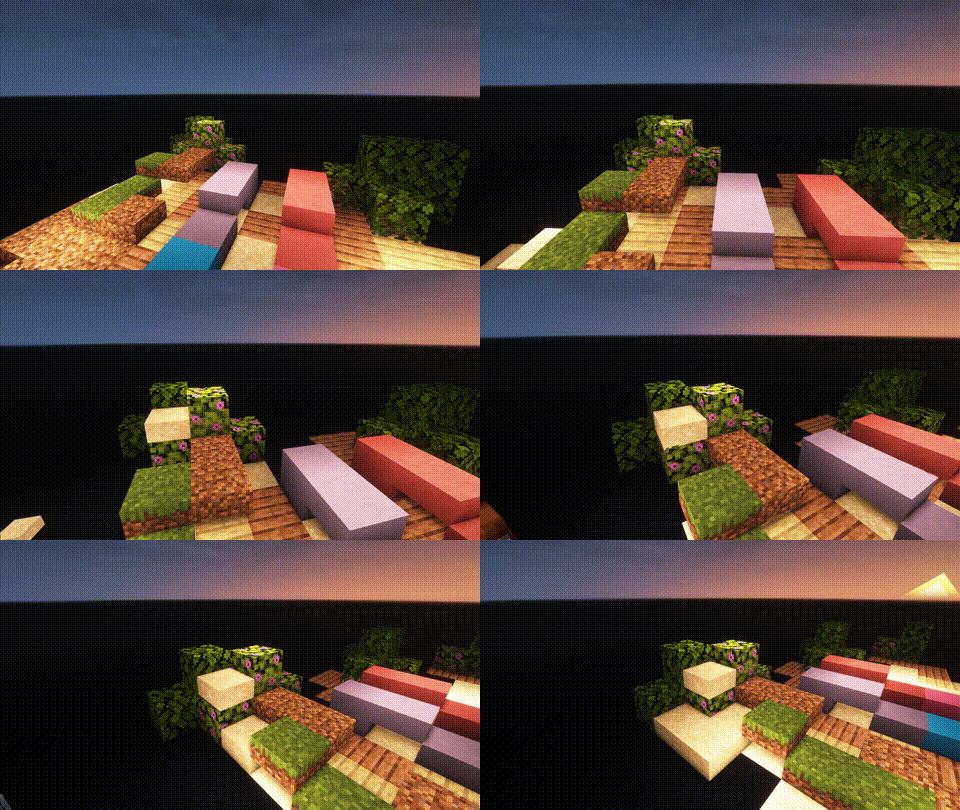
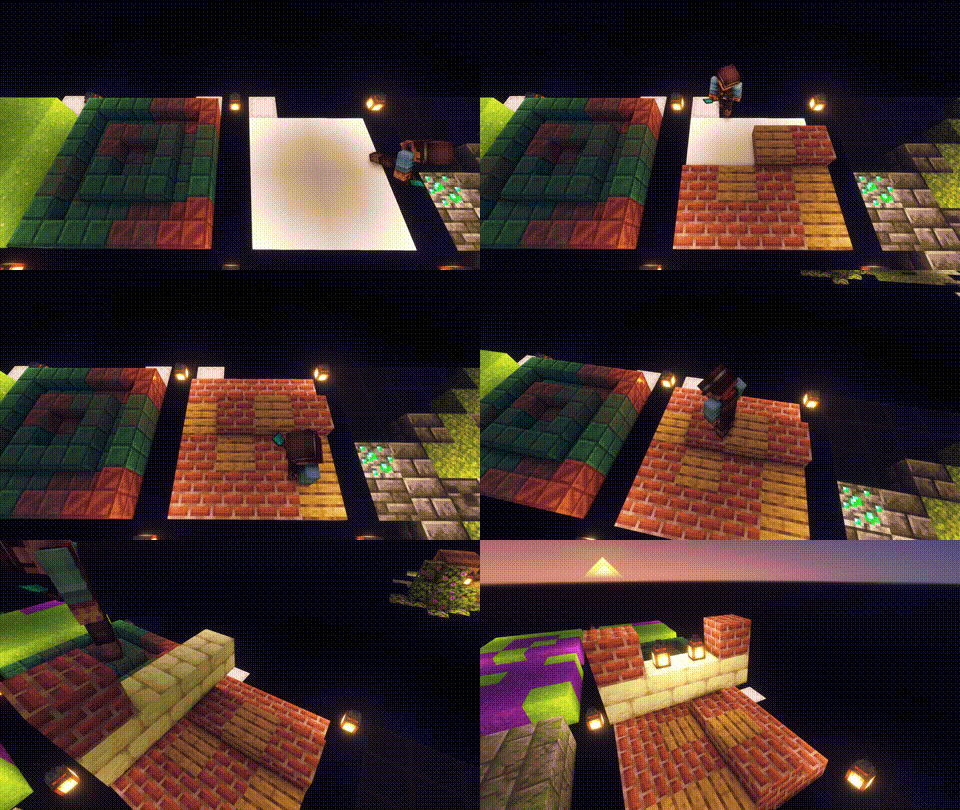
Trowels: Use your Trowel to place a random Block/Item from your Hotbar. This is the perfect tool, if you want to use random looking block patterns in your builds. The more Blocks of a type you have in your hot-bar, the more likley it is to be choosen. |
|
|
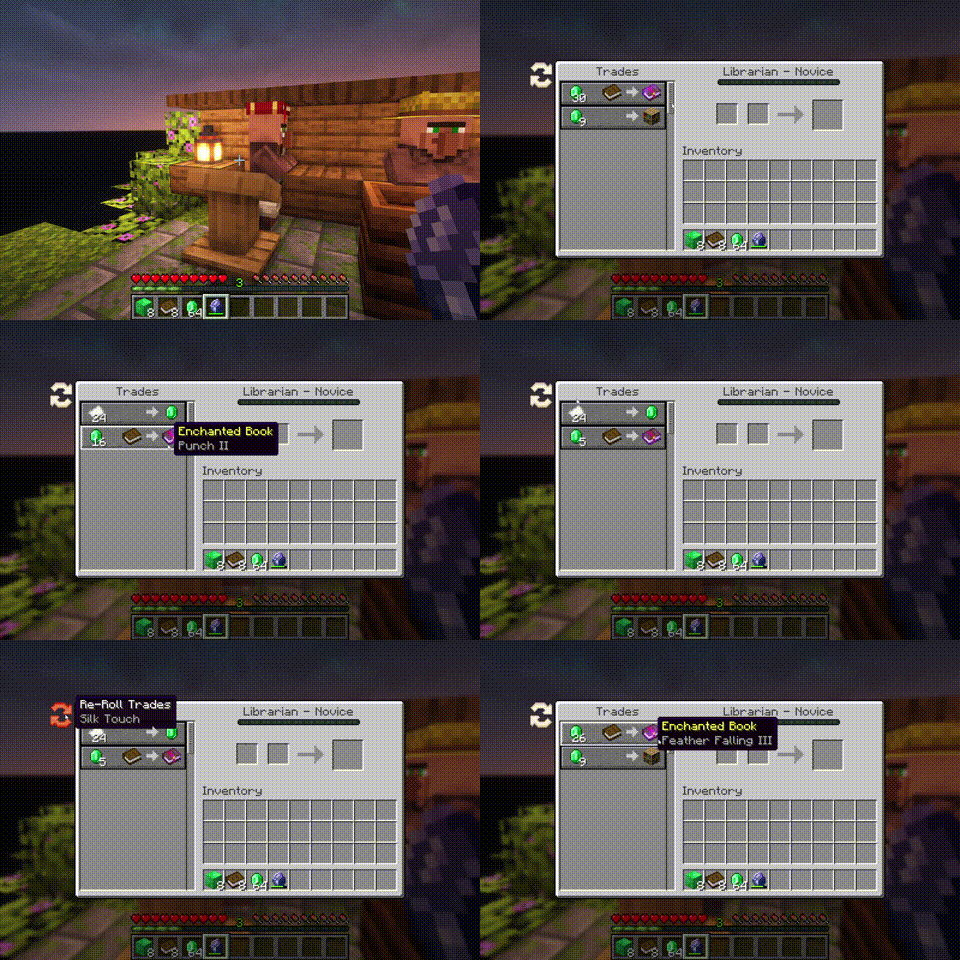
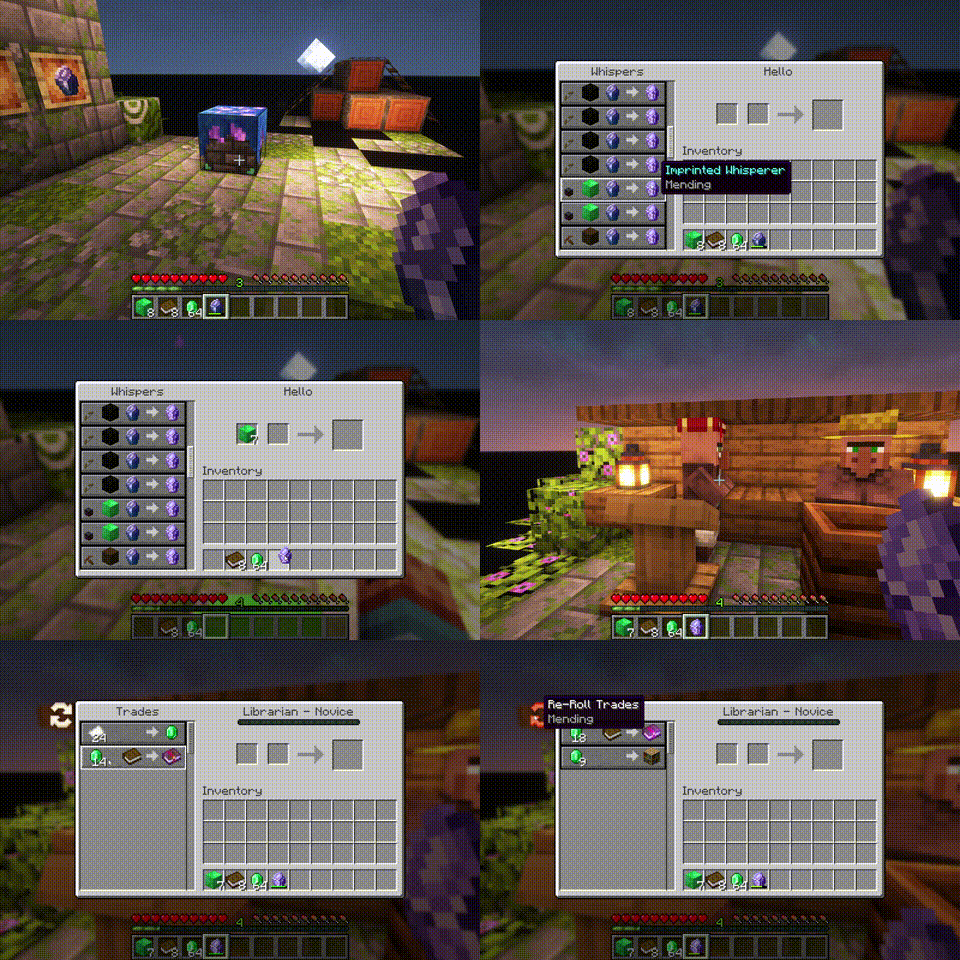
Whispers: You can Whisper to your Villagers now. If a Villager is untrained, a whisperer of yours will force it to choose another set of initial trades. |
|
|
Imprinted Whispers: If you imprint a Whisper with an enchantment, Librarians will offer only trades that include the imprinted enchanted book. |
|
|
Slabs, Stairs and Walls: Slabs, Stairs and Walls that are missing from the vanilla game. Our Slabs include Gras, Dirt, Dirt Paths, Coars Dirt, (Red-)Sand, Concrete, Terracotta, Wool and Glas. Sand Slabs will fall and Gras will spread to Dirt-Slabs. Stairs and Walls are currently limited to Concrete, Wool and Terracotta. There are also Walls for vanilla wood types. |
|
|
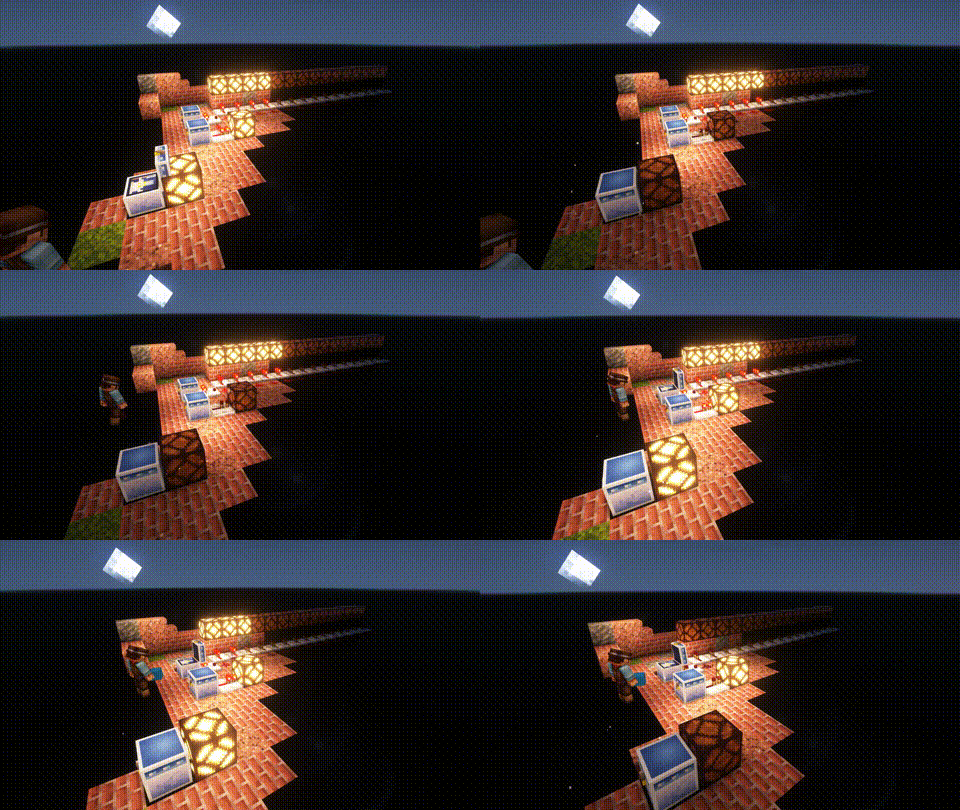
Wunderkiste: One shared Storrage for everyone in your world. Every Wunderkiste in the world shares the same inevenory across Dimensions. Redstone updates are sent to every single one in real-time. That is why a Wunderkiste doubles as an inter-dimensional chunk loader. By using dye on a Wunderkiste or naming it on an anvil, you can change the storage network. Wunderkisten of the same color share the same inventory. |
|
|
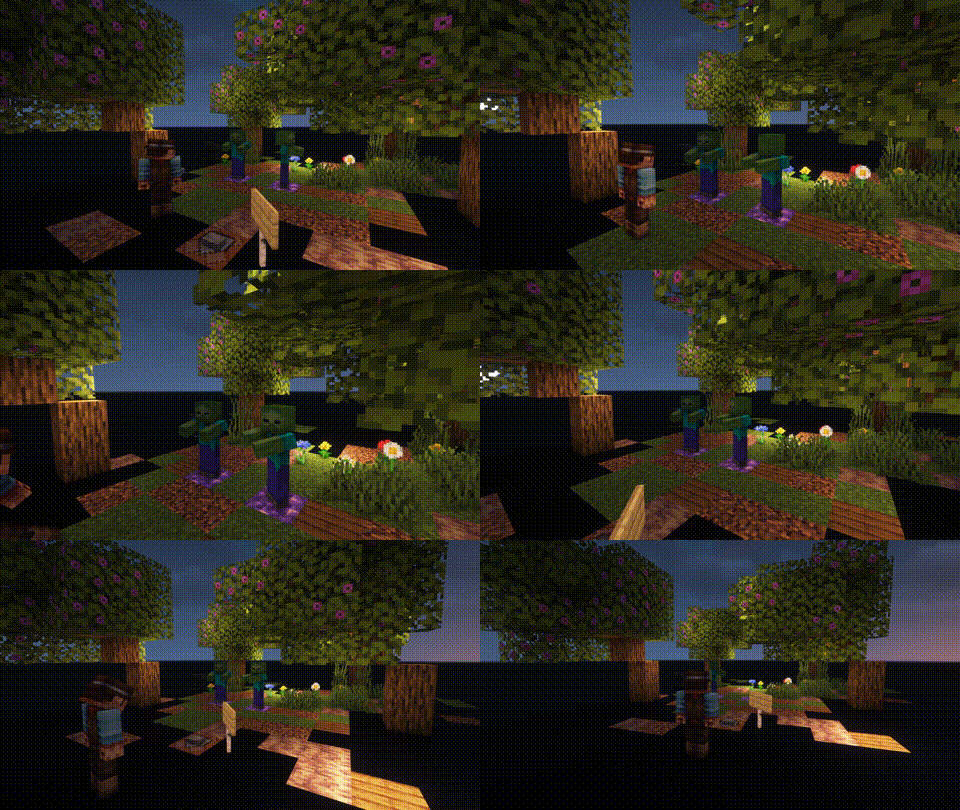
Named Monsters: If you name a Monster using a Name-Tag, it will not de-spawn when you switch your game to peaceful. This is usefull, if y 🤖 AI-enhanced — based on mod data
📊 Mod Details
🔧 How to Install Minecraft Mods ModsDownload from Modrinth. Use Prism Launcher or drop into your mods folder. 📖 Full step-by-step install guide for Minecraft Mods → Visit the official mod page for specific installation instructions for this mod. 🎮 Need cheat codes or console commands? Check ur gaming wiki for Minecraft Mods commands, item IDs, and more. ❓ Frequently Asked QuestionsWhich Minecraft Mods versions does Wunderreich support?The author lists 26.1, 26.1.1, 26.1.2. Other versions may work but are untested by the author. What is the latest version of Wunderreich?Version 26.101.2, published 2026-08-17 with 194,506 downloads recorded at the source. Keep browsing — more Minecraft Mods mods await | |