Inventory Tabs
🟡 Updated this year⚠️ Install Order · 2 steps
Install in this order, then this mod last — most mods fail to load without their framework and dependencies in place.
🖼️ Gallery (4 images)
🔍 Analysis
- 👍 0.3% endorsement rate
- 🏆 #517 of 1032 fabric mods in this game by downloads
📋 About This Mod
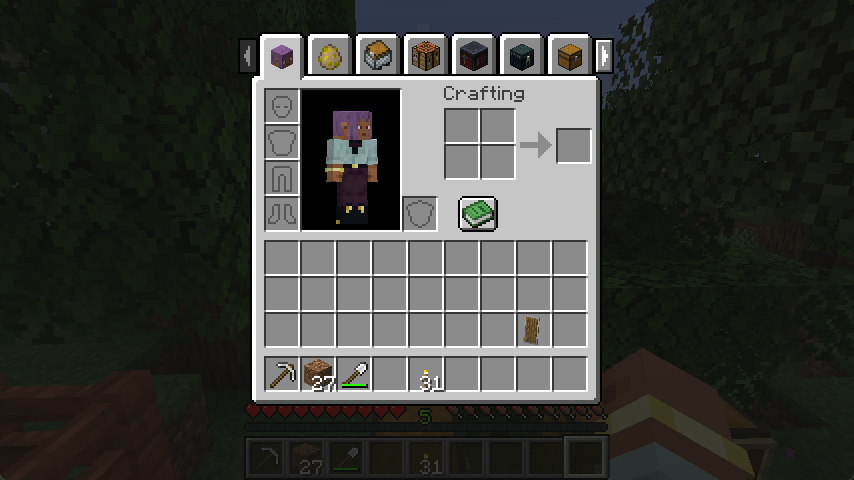
<!--suppress HtmlDeprecatedTag, XmlDeprecatedElement --> <center><img alt="screenshot" src="https://cdn.modrinth.com/data/VD1aynYU/images/7feef9e9ba223616e0462725ea7f5d860aea946f.png" /></center> <center> Tabs to swap between nearby screens like chests, crafting stations, and even entities.<br/> A fourth-generation rewrite of <a href="https://www.curseforge.com/minecraft/mc-mods/inventory-tabs">Inventory Tabs</a> by <a href="https://github.com/cakewhip">CakeWhip</a>, as continued by <a href="https://modrinth.com/user/Andrew6rant">Andrew6rant</a>.<br/> Requires <a href="https://modrinth.com/mod/connector">Connector</a> and <a href="https://modrinth.com/mod/forgified-fabric-api">FFAPI</a> on forge. For creative mode, try <a href="https://modrinth.com/mod/sidekick">Sidekick</a>!<br/> </center> --- **Inventory Tabs** is a client-side mod that displays tabs on screens, each representing nearby blocks and entities. Tap `tab` to cycle forward screens, `shift+tab` to cycle back, or just click around! ### Features - Swap between crafting stations, storage, and your inventory without leaving their screens. - Works out of the box with many modded blocks - with configuration in case anything goes wrong. - Storage tabs can be labelled using signs, item frames, or (w/ server) anvil-renaming for organisation. - Stacks held on your cursor carry over to the next screen as long as your inventory isn't full. <center><img width=640 alt="Shulker Box Symphony" src="https://cdn.modrinth.com/data/VD1aynYU/images/3a5405eff19e20620cb757142aa040ca366fcb72.gif" /></center> - Container screens are realigned with other screens, instead of being 1 pixel lower. - Fits on-screen with (https://modrinth.com/mod/emi), even on very high GUI scales - Use `Left (Compressed)` effects. <center><img width=640 alt="EMI VGA Preview" src="https://cdn.modrinth.com/data/VD1aynYU/images/7356435a874c5f5c587b59f4b71461da2e997df1.png" /></center> #### Anti-Cheat & Fairness Inventory Tabs offers no guarantees or defence against server moderation or anti-cheat - tabs provide an unfair advantage, and look outwardly suspicious to onlookers in multiplayer.<br/> Notably, the mod allows some usually impossible actions for the sake of convenience, e.g. - The full player inventory can be accessed while riding a horse or chest boat. - Sneak-interact inventories can be accessed without dismounting from a vehicle. --- ### Modpack Configuration Inventory Tabs 4 is designed from the ground up to be friendlier to modpacks.<br/> It's configured via `config/inventory_tabs.toml`, which includes comments providing extra context - like what each tab provider does. By default, helpful information for setting up the mod for your modpack is logged when loading into a world. Toggle `configLogging` to disable this. If tabs are appearing on a screen they don't fit well with, the screen can be blacklisted: ```toml "fwaystones:waystone" = false ``` If tabs are being made for an inappropriate block, you can manually disable their tab provider: ```toml "cool_mod:incompatible_block" = "" "really_cool_mod:*" = "" ``` Or manually override it to a relevant one: ```toml "#cool_mod:crafting_stations" = "inventory_tabs:block_unique" "cool_mod:single_chest" = "inventory_tabs:block_simple" "cool_mod:*_cabinet" = "inventory_tabs:block_simple_storage" "cool_mod:doubleable_chest" = "inventory_tabs:block_chest" ``` Make sure you test your configuration! These options are _not_ intended to be crash-proof. Overrides also work for entities and items, via `` and `` respectively. If too many inappropriate blocks are being matched, you may want to disable the default matching logic for a provider entirely: ```toml "inventory_tabs:block_simple" = false ``` The `block_simple` provider uses a blacklist instead of a whitelist, so it generates a lot of false-positive tabs. It's enabled by default to help with finding good/bad tabs. For a full-pack example, check out the config in (https://github.com/sisby-folk/tinkerers-quilt/blob/1.20_modded/config/inventory_tabs.toml). --- ### Mod Architecture Each visible tab on the screen is a (https://github.com/sisby-folk/inventory-tabs/blob/1.20/src/main/java/folk/sisby/inventory_tabs/tabs/Tab.java), which is responsible for rendering itself, knowing how to be opened, and knowing when it should be removed from the list of tabs (e.g. when no longer in range). These tabs are held by the (https://github.com/sisby-folk/inventory-tabs/blob/1.20/src/main/java/folk/sisby/inventory_tabs/TabManager.java), which is effectively the "Tab Screen". It adds onto regular screen methods to do its own rendering, ticking, and mouse click handling. It's also responsible for checking if any new tabs should be added. Tabs are added via registered [Tab Provide
A fourth-generation rewrite of Inventory Tabs by CakeWhip, as continued by Andrew6rant.
Requires Connector and FFAPI on forge. For creative mode, try Sidekick!
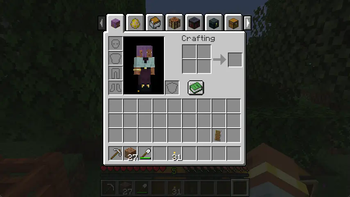
Inventory Tabs is a client-side mod that displays tabs on screens, each representing nearby blocks and entities.
Tap `tab` to cycle forward screens, `shift+tab` to cycle back, or just click around!
### Features
- Swap between crafting stations, storage, and your inventory without leaving their screens.
- Works out of the box with many modded blocks - with configuration in case anything goes wrong.
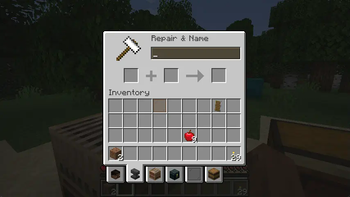
- Storage tabs can be labelled using signs, item frames, or (w/ server) anvil-renaming for organisation.
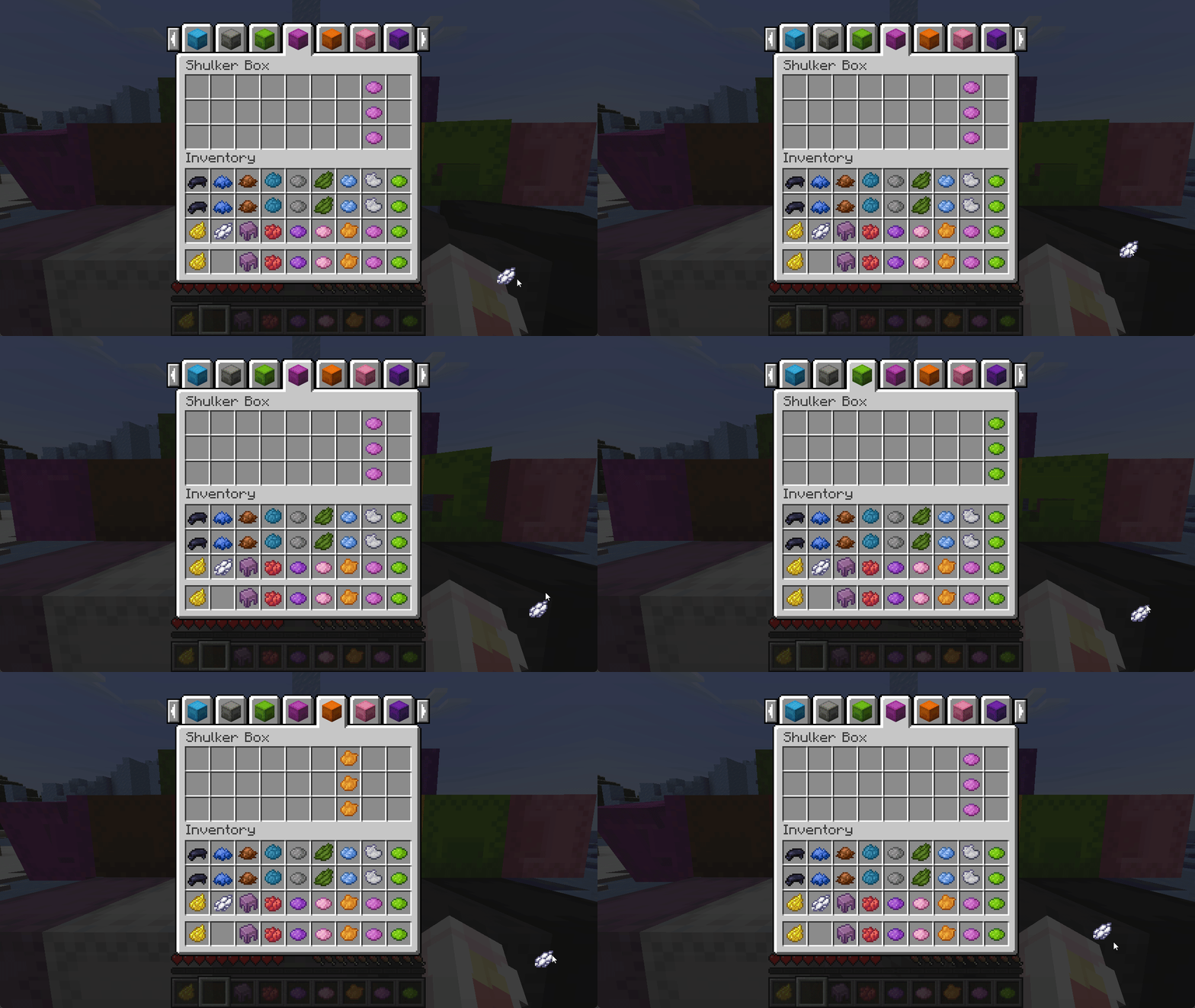
- Stacks held on your cursor carry over to the next screen as long as your inventory isn't full.
- Container screens are realigned with other screens, instead of being 1 pixel lower.
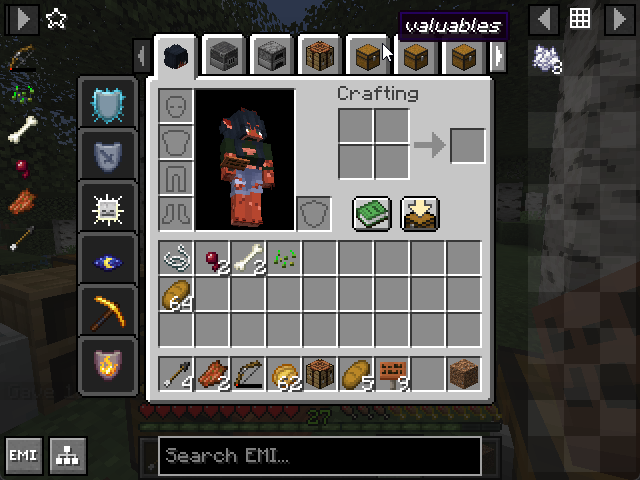
- Fits on-screen with (https://modrinth.com/mod/emi), even on very high GUI scales - Use `Left (Compressed)` effects.
#### Anti-Cheat & Fairness
Inventory Tabs offers no guarantees or defence against server moderation or anti-cheat - tabs provide an unfair advantage, and look outwardly suspicious to onlookers in multiplayer.
Notably, the mod allows some usually impossible actions for the sake of convenience, e.g. - The full player inventory can be accessed while riding a horse or chest boat. - Sneak-interact inventories can be accessed without dismounting from a vehicle.
### Modpack Configuration
Inventory Tabs 4 is designed from the ground up to be friendlier to modpacks.
It's configured via `config/inventory_tabs.toml`, which includes comments providing extra context - like what each tab provider does.
By default, helpful information for setting up the mod for your modpack is logged when loading into a world. Toggle `configLogging` to disable this.
If tabs are appearing on a screen they don't fit well with, the screen can be blacklisted:
"fwaystones:waystone" = false ```
If tabs are being made for an inappropriate block, you can manually disable their tab provider:
"cool_mod:incompatible_block" = "" "really_cool_mod:" = "" ```
Or manually override it to a relevant one:
"#cool_mod:crafting_stations" = "inventory_tabs:block_unique" "cool_mod:single_chest" = "inventory_tabs:block_simple" "cool_mod:_cabinet" = "inventory_tabs:block_simple_storage" "cool_mod:doubleable_chest" = "inventory_tabs:block_chest" ```
Make sure you test your configuration! These options are _not_ intended to be crash-proof.
Overrides also work for entities and items, via `` and `` respectively.
If too many inappropriate blocks are being matched, you may want to disable the default matching logic for a provider entirely:
"inventory_tabs:block_simple" = false ```
The `block_simple` provider uses a blacklist instead of a whitelist, so it generates a lot of false-positive tabs. It's enabled by default to help with finding good/bad tabs.
For a full-pack example, check out the config in (https://github.com/sisby-folk/tinkerers-quilt/blob/1. 20_modded/config/inventory_tabs.toml).
### Mod Architecture
Each visible tab on the screen is a (https://github.com/sisby-folk/inventory-tabs/blob/1. 20/src/main/java/folk/sisby/inventory_tabs/tabs/Tab.java), which is responsible for rendering itself, knowing how to be opened, and knowing when it should be removed from the list of tabs (e.g. when no longer in range).
These tabs are held by the (https://github.com/sisby-folk/inventory-tabs/blob/1. 20/src/main/java/folk/sisby/inventory_tabs/TabManager.java), which is effectively the "Tab Screen". It adds onto regular screen methods to do its own rendering, ticking, and mouse click handling. It's also responsible for checking if any new tabs should be added.
Tabs are added via registered [Tab Provide
📊 Mod Details
- Game
- Minecraft Mods
- Author
- sleepingdragoninn
- Version
- 1.4.4+1.21
- Downloads
- 178,341
- Endorsements
- 502
- Category
- fabric
- Created
- 12/5/2023
- Updated
- 4/6/2026
- Game Versions
- 1.21, 1.21.1
- Tags
- game-mechanics, storage, utility
🔧 How to Install Minecraft Mods Mods
Download from Modrinth. Use Prism Launcher or drop into your mods folder.
📖 Full step-by-step install guide for Minecraft Mods →
Visit the official mod page for specific installation instructions for this mod.
🎮 Need cheat codes or console commands? Check ur gaming wiki for Minecraft Mods commands, item IDs, and more.
❓ Frequently Asked Questions
Which Minecraft Mods versions does Inventory Tabs support?
The author lists 1.21, 1.21.1. Other versions may work but are untested by the author.
What is the latest version of Inventory Tabs?
Version 1.4.4+1.21, published 2026-04-06 with 178,341 downloads recorded at the source.
Keep browsing — more Minecraft Mods mods await