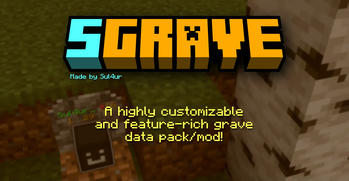
SGrave
🟡 Updated this year⚠️ Install Order · 2 steps
Install in this order, then this mod last — most mods fail to load without their framework and dependencies in place.
🖼️ Gallery (1 images)
🔍 Analysis
- 👍 0.2% endorsement rate
- 🏆 #165 of 194 datapack mods in this game by downloads
📋 About This Mod
> **SGrave has been discontinued!** > > Use (https://modrinth.com/datapack/hypergrave) instead, which is a better and much more improved grave data pack. !(https://cdn.modrinth.com/data/cached_images/b9a2e27a9e871274d308bcb2696ebd5e5bc76995.png) <center><font size=5>Make sure you read the whole documentation!</font></center> <br> With this data pack (which is also packaged as a mod), instead of just yeeting your items out of your inventory, all of them will be stored inside a safe place called *grave*. There are many mods and data packs that do this, but this one has way more features, has much higher quality and is more customizable. > **<font size=5.7>Requires<a href="https://cdn.modrinth.com/data/i4ffgfJ4/versions/DtRY0Q7A/Sul4ur%27s%20global%20resource%20pack%20v1.0.zip"> Sul4ur's global resource pack</a>.</font>** > (Not if you're using the mod version) ## Features - Completely free! - Highly customizable! - Multiplayer-friendly! ## Notes - **Make sure the following gamerules are set:** - _KeepInventory:_ true - _doImmediateRespawn:_ false - **This data pack might not be compatible with plugin loaders like Spigot, PaperMC, etc.** - **This data pack also has a <font color="lime">mod version.</font>** - It's basically the data pack but packaged as a mod. - If you're using the mod version, you won't need the required resource pack. ## Grave Spawning <p>Your grave won't just spawn exactly where you died. There are a few conditions for a grave being made. Basically, your grave will try to find the nearest transparent block where there is a solid block below. Graves are mostly invulnerable. They also have no hitbox, meaning you can easily walk through graves. Also, graves glow, so you can see them through walls. By default, graves despawn in 90 minutes. </p></details> After a grave spawns, The exact location of your grave will be announced to you. The announcement should look something like this: !(https://cdn.modrinth.com/data/cached_images/f0b1e462e9a532a880498e77e3e8371d3a34d8d4.png) Notice the _9_ in _Grave #9_. That is the grave ID, and it's important. **Keep that in mind; it can be useful in a lot of scenarios.** **Note:** If either the grave ID or the player's name doesn't appear here, make sure to report it immediately. ## Opening a Grave When you reach the location of your grave, you will see your head lying on the ground, along with a text display showing your name and your grave's ID, along with the grave design. !(https://cdn.modrinth.com/data/cached_images/003b289c1b15536a3511a0955ea485466ced9687.png) You can click on the grave to open he grave. All the items will be put in the exact same spot they were before you died, and you will collet 90% of the experience you've had before you died. If an item can't be put in your inventory, it will instead be dropped. !(https://cdn.modrinth.com/data/cached_images/d7e81d7f797c2637e22bf8db0621788fbc462344.png) You can also "break a grave" by sneak + left clicking, where all items will just drop. !(https://cdn.modrinth.com/data/cached_images/9d15cd5d839b61177d680f4c36fbf3daaa297736.png) The items that are dropped from a grave being broken are invulnerable and can't be destroyed by things such as lava or explosions, and they take 45min to despawn. (Can be changed in the config.) The items glow by default. ## Admin mode If a player has access to commands, they can enable admin mode by going into the configs (I'll show you how to do that), then to page 2. A player with admin mode can do many things like recovering from a grave backup and viewing all information about graves regardless of what is set in the configs. ## Commands `/trigger sgrave.help` (Does not exist on older versions) This is the command you should use if you have any problems with or questions about this data pack. `/trigger sgrave set <value>`  Sends the coordinates of your grave to you. <br>  Set the value to 1 to locate your last grave. <br>  Set the value to 2 to locate your second last grave. <br>  Set the value to 3 to locate your third last grave. <br>  and so on... <br>  Any players (non-OPs and OPs) can use this command. <br><br> <code>/trigger sgrave.grave_info set <value></code><br>  Shows info about the grave with the ID of the value you entered. It shows a full detail of the grave, including the items and experience stored inside, the location, creation time, despawn time, etc. You can also view others' grave info and information about broken graves as well. <br>  For example to show information about grave #4, use <code>/trigger sgrave.grave_info set 4</code>. <br>  Any players (non-OPs and OPs) can use this command. <br><br> `/trigger sgrave.recover_items set <value>`  Recovers
> SGrave has been discontinued! > > Use (https://modrinth.com/datapack/hypergrave) instead, which is a better and much more improved grave data pack.
!(https://cdn.modrinth.com/data/cached_images/b9a2e27a9e871274d308bcb2696ebd5e5bc76995.png)
With this data pack (which is also packaged as a mod), instead of just yeeting your items out of your inventory, all of them will be stored inside a safe place called grave.
There are many mods and data packs that do this, but this one has way more features, has much higher quality and is more customizable.
> Requires Sul4ur's global resource pack. > (Not if you're using the mod version)
## Features - Completely free! - Highly customizable! - Multiplayer-friendly!
- Make sure the following gamerules are set:
- - _KeepInventory:_ true
- - _doImmediateRespawn:_ false
- This data pack might not be compatible with plugin loaders like Spigot, PaperMC, etc.
- This data pack also has a mod version.
- - It's basically the data pack but packaged as a mod.
- - If you're using the mod version, you won't need the required resource pack.
## Grave Spawning
Your grave won't just spawn exactly where you died. There are a few conditions for a grave being made. Basically, your grave will try to find the nearest transparent block where there is a solid block below.
Graves are mostly invulnerable. They also have no hitbox, meaning you can easily walk through graves. Also, graves glow, so you can see them through walls. By default, graves despawn in 90 minutes.
After a grave spawns, The exact location of your grave will be announced to you. The announcement should look something like this:

Notice the _9_ in _Grave #9_. That is the grave ID, and it's important. Keep that in mind; it can be useful in a lot of scenarios.
## Opening a Grave
When you reach the location of your grave, you will see your head lying on the ground, along with a text display showing your name and your grave's ID, along with the grave design.
!(https://cdn.modrinth.com/data/cached_images/003b289c1b15536a3511a0955ea485466ced9687.png)
You can click on the grave to open he grave. All the items will be put in the exact same spot they were before you died, and you will collet 90% of the experience you've had before you died. If an item can't be put in your inventory, it will instead be dropped.
!(https://cdn.modrinth.com/data/cached_images/d7e81d7f797c2637e22bf8db0621788fbc462344.png)
You can also "break a grave" by sneak + left clicking, where all items will just drop.
!(https://cdn.modrinth.com/data/cached_images/9d15cd5d839b61177d680f4c36fbf3daaa297736.png)
The items that are dropped from a grave being broken are invulnerable and can't be destroyed by things such as lava or explosions, and they take 45min to despawn. (Can be changed in the config.)
The items glow by default.
## Admin mode If a player has access to commands, they can enable admin mode by going into the configs (I'll show you how to do that), then to page 2. A player with admin mode can do many things like recovering from a grave backup and viewing all information about graves regardless of what is set in the configs.
## Commands `/trigger sgrave.help` (Does not exist on older versions) This is the command you should use if you have any problems with or questions about this data pack.
`/trigger sgrave set
Set the value to 1 to locate your last grave.
Set the value to 2 to locate your second last grave.
Set the value to 3 to locate your third last grave.
and so on...
Any players (non-OPs and OPs) can use this command.
/trigger sgrave.grave_info set <value>
Shows info about the grave with the ID of the value you entered. It shows a full detail of the grave, including the items and experience stored inside, the location, creation time, despawn time, etc. You can also view others' grave info and information about broken graves as well.
For example to show information about grave #4, use /trigger sgrave.grave_info set 4.
Any players (non-OPs and OPs) can use this command.
`/trigger sgrave.recover_items set
📊 Mod Details
- Game
- Minecraft Mods
- Author
- Sul4ur
- Version
- 1d5-mod
- Downloads
- 18,420
- Endorsements
- 38
- Category
- datapack
- Created
- 4/4/2024
- Updated
- 12/19/2025
- Game Versions
- 1.21.5, 1.21.6, 1.21.7, 1.21.8, 1.21.9
- Tags
- equipment, game-mechanics, storage
🔧 How to Install Minecraft Mods Mods
Download from Modrinth. Use Prism Launcher or drop into your mods folder.
📖 Full step-by-step install guide for Minecraft Mods →
Visit the official mod page for specific installation instructions for this mod.
🎮 Need cheat codes or console commands? Check ur gaming wiki for Minecraft Mods commands, item IDs, and more.
❓ Frequently Asked Questions
Which Minecraft Mods versions does SGrave support?
The author lists 1.21.5, 1.21.6, 1.21.7, 1.21.8, 1.21.9, 1.21.10. Other versions may work but are untested by the author.
What is the latest version of SGrave?
Version 1d5-mod, published 2025-12-19 with 18,420 downloads recorded at the source.
Keep browsing — more Minecraft Mods mods await