Re:Skin
⚪ Last updated 2024⚠️ Install Order · 2 steps
Install in this order, then this mod last — most mods fail to load without their framework and dependencies in place.
🖼️ Gallery (3 images)
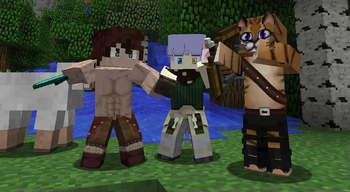
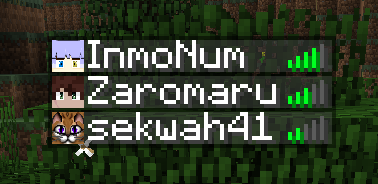
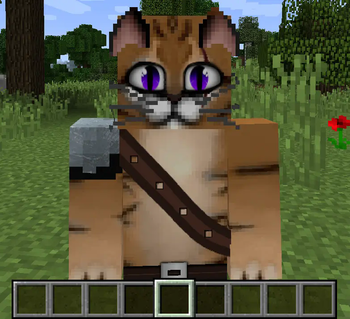
🔍 Analysis
- 👍 0.1% endorsement rate
- 🏆 #115 of 335 decoration mods in this game by downloads
📋 About This Mod
# Usage Set skins using **/setskin (url)** or **/setskin (url) (player)** **Note:** Url's must directly link the image, they can't just be on the page. Example skin used in gif https://i.imgur.com/mORJxcm.png Reset skin back to vanilla with /clearskin Reload skins/clear the cache using /clearskincache !(https://i.imgur.com/wMkqb9O.gif) To get the image source from imgur.com (Copy the image address not the main https://imgur.com/ link) Compatible Skin Sizes As long as they follow the same ratio as the default skins e.g. 64x64 or the old 32x64 then they will be supported. Though the way that minecraft handles textures the numbers will need to be powers of 2. Basically multiply the base size by 2 over and over until you get the size you want. I have not tried going lower but theoretically that should also work. New Skins: 64x64,128x128,256x256,512x512,1024x1024,2048x2048,4096x4096,8192x8192 Old Skins: 64x32,128x64,256x128,512x256,1024x512,2048x1024,4096x2048,8192x4096 (https://sekclib.sekwah.com/requiressekclib.png)](https://modrinth.com/mod/sekclib)
Set skins using /setskin (url) or /setskin (url) (player)
Reset skin back to vanilla with /clearskin
Reload skins/clear the cache using /clearskincache
!(https://i.imgur.com/wMkqb9O.gif)
To get the image source from imgur.com (Copy the image address not the main https://imgur.com/ link)
Compatible Skin Sizes As long as they follow the same ratio as the default skins e.g. 64x64 or the old 32x64 then they will be supported. Though the way that minecraft handles textures the numbers will need to be powers of 2. Basically multiply the base size by 2 over and over until you get the size you want.
I have not tried going lower but theoretically that should also work.
New Skins: 64x64,128x128,256x256,512x512,1024x1024,2048x2048,4096x4096,8192x8192
Old Skins: 64x32,128x64,256x128,512x256,1024x512,2048x1024,4096x2048,8192x4096
[!(https://sekclib.sekwah.com/requiressekclib.png)](https://modrinth.com/mod/sekclib)
📊 Mod Details
- Game
- Minecraft Mods
- Author
- Sekwah
- Version
- 3.0.2
- Downloads
- 27,647
- Endorsements
- 37
- Category
- decoration
- Created
- 1/21/2023
- Updated
- 7/7/2024
- Game Versions
- 1.20, 1.20.1
- Tags
- decoration
🔧 How to Install Minecraft Mods Mods
Download from Modrinth. Use Prism Launcher or drop into your mods folder.
📖 Full step-by-step install guide for Minecraft Mods →
Visit the official mod page for specific installation instructions for this mod.
🎮 Need cheat codes or console commands? Check ur gaming wiki for Minecraft Mods commands, item IDs, and more.
❓ Frequently Asked Questions
Which Minecraft Mods versions does Re:Skin support?
The author lists 1.20, 1.20.1. Other versions may work but are untested by the author.
What is the latest version of Re:Skin?
Version 3.0.2, published 2024-07-07 with 27,647 downloads recorded at the source.
Keep browsing — more Minecraft Mods mods await