NotEnoughMinecraft
🟡 Updated this year⚠️ Install Order · 2 steps
Install in this order, then this mod last — most mods fail to load without their framework and dependencies in place.
🖼️ Gallery (4 images)
🔍 Analysis
- 👍 0.5% endorsement rate
- 🏆 #87 of 162 cursed mods in this game by downloads
📋 About This Mod
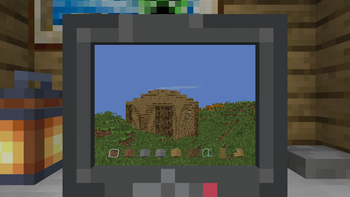
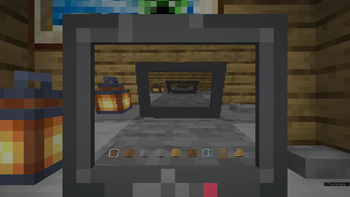
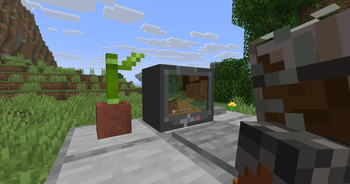
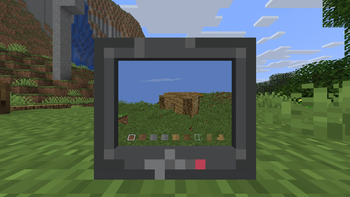
# NotEnoughMinecraft Did you ever want to play Minecraft inside of Minecraft without installing any mods on the client? NO??? Anyways, now you can! !(https://cdn.modrinth.com/data/sbnEegTp/images/bcef27b3d1402377ed81f971e20723e57a6218bb.png) ## Setup 1. Install (https://modrinth.com/mod/fabric-api) and (https://modrinth.com/mod/polymer). 2. This mod requires a server resource pack. The easiest way to host this is by enabling (https://polymer.pb4.eu/latest/user/resource-pack-hosting/#enabling-autohost) 3. Give yourself a computer `/give @s not-enough-minecraft:computer` and place it down. 4. Right-click on a computer to start playing ## Controls - The input for movement, jumping and sprinting is the same as your default inputs - Breaking, placing, dropping and picking blocks also use your default inputs - Use the scroll wheel or number keys to navigate the hotbar - You can right-click *(to start)* using an item. *You can right-click again to finish using the item.* - You can sneak to stop playing and exit the computer - You can press your inventory key to toggle a fps counter *Because this is a serverside-only mod, it is limited to inputs the client sends to it!* ## How it works When playing, a fake player is created and added to the server. Each tick an image is rendered using a (https://modrinth.com/mod/camera-obscura) from (https://modrinth.com/user/tomalbrc). The rendered image is then displayed to the client using a custom screen item, where each pixel can be colored using (https://minecraft.wiki/w/Data_component_format#custom_model_data) colors. ## Config The config is located at `config/not-enough-minecraft.json`. ```json5 { // Render distance in blocks "renderDistance": 64, // Flag for experimental entity rendering "renderEntities": false, // Amount of entities to render when entity rendering is enabled "renderEntitiesAmount": 20, // Flag wether light levels should be ignored, rendering everything with the highest light level. "fullbright": false, // Field of View, functions the same way the vanilla client FOV works, minimum value is 30, maximum 110 (Quake Pro). "fov": 70, // Biome blend value "biomeBlend": 1, // How many threads should be render all instances. This can be used to increase or reduce the amount of CPU usage on // the server and has a direct impact on FPS count "renderThreadCount": 4, // A list of commands that get executed when a fake player entity is spawned // This can for example be used to give custom items or move to specific locations "spawnCommands": , // Should fake player be allowed to place blocks "allowPlacing": true, // Should fake player be allowed to break blocks "allowBreaking": true, // Should fake player be allowed to use items "allowItemUsage": true, // Should fake player be allowed to drop items "allowDropping": false, // Should fake player be allowed to pick items from block "allowPicking": true } ``` ## Licenses This mod uses the rendering code from https://github.com/tomalbrc/camera-obscura. All code in the `de.tomalbrc.cameraobscura` package is licensed under (https://github.com/DrexHD/NotEnoughMinecraft/blob/main/licenses/camera-obscura). The idea of using a custom screen item to display the rendered image is taken from https://github.com/tomalbrc/BlockBoy-Arcade, which is licensed under (https://github.com/DrexHD/NotEnoughMinecraft/blob/main/licenses/blockboy-arcade) ## Limitations *This is a quite cursed/hacky weekend project.* Rendering on the server like this is quite inefficient and will increase CPU usage significantly, which can cause issues on lower end setups. We don't have any way to compress or optimize the screen data for sending it over the network, so we have to send the raw pixels each frame. This can lead to an increased network load when viewing computer screens. You can expect 300-400 KiB/s increase per screen with default minecraft network compression. Fake players will behave like regular players in almost all aspects, such as world interactions, commands, player list, player data and more. Each player gets their own unique fake player companion, which has the same UUID, but with the lowest bit increase by one.
# NotEnoughMinecraft Did you ever want to play Minecraft inside of Minecraft without installing any mods on the client? NO??? Anyways, now you can!
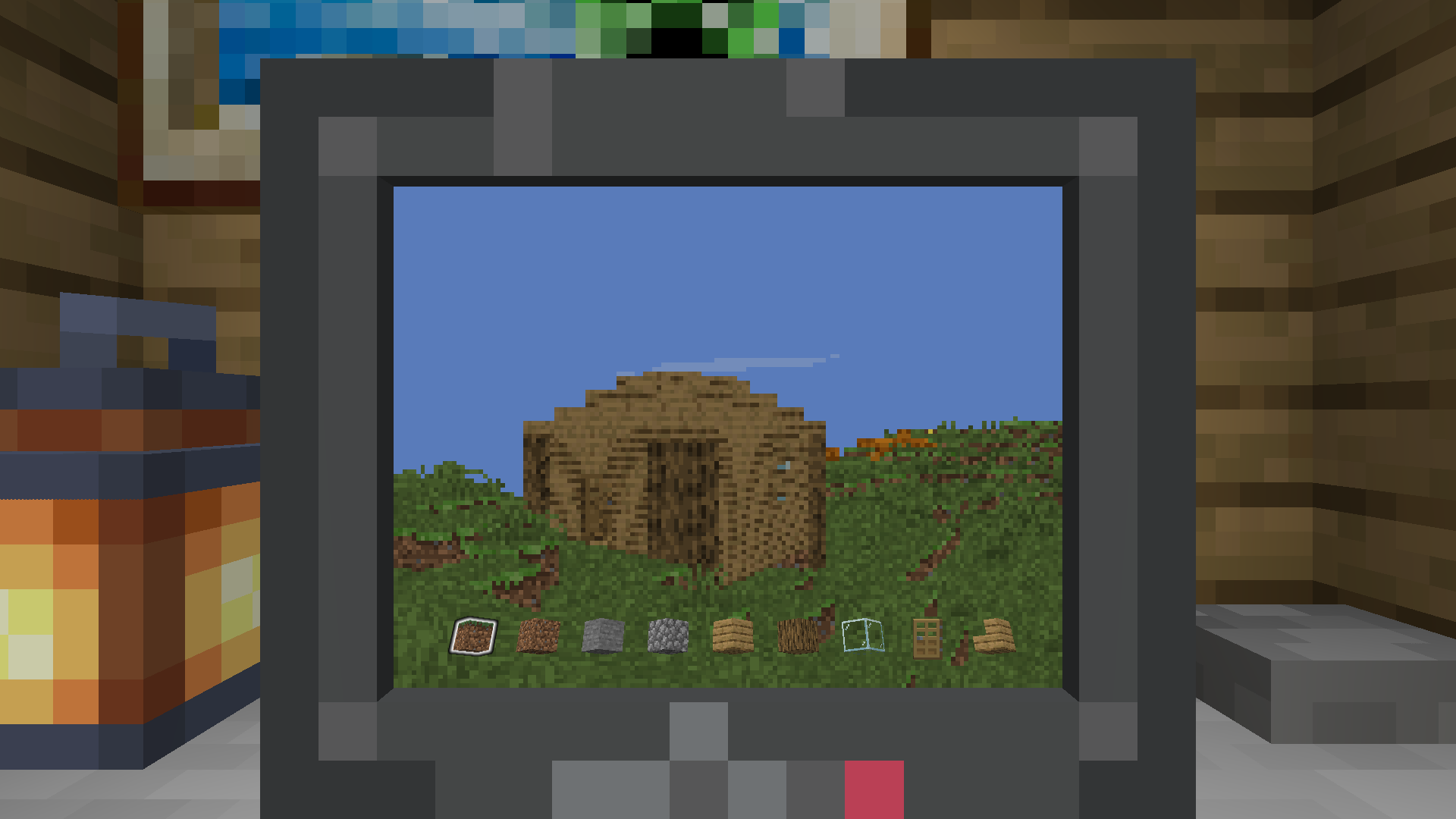
## Setup 1. Install (https://modrinth.com/mod/fabric-api) and (https://modrinth.com/mod/polymer). 2. This mod requires a server resource pack. The easiest way to host this is by enabling (https://polymer.pb4.eu/latest/user/resource-pack-hosting/#enabling-autohost) 3. Give yourself a computer `/give @s not-enough-minecraft:computer` and place it down. 4. Right-click on a computer to start playing
## Controls - The input for movement, jumping and sprinting is the same as your default inputs - Breaking, placing, dropping and picking blocks also use your default inputs - Use the scroll wheel or number keys to navigate the hotbar - You can right-click (to start) using an item. You can right-click again to finish using the item. - You can sneak to stop playing and exit the computer - You can press your inventory key to toggle a fps counter
Because this is a serverside-only mod, it is limited to inputs the client sends to it!
## How it works When playing, a fake player is created and added to the server. Each tick an image is rendered using a (https://modrinth.com/mod/camera-obscura) from (https://modrinth.com/user/tomalbrc). The rendered image is then displayed to the client using a custom screen item, where each pixel can be colored using (https://minecraft.wiki/w/Data_component_format#custom_model_data) colors.
## Config The config is located at `config/not-enough-minecraft.json`.
```json5 { // Render distance in blocks "renderDistance": 64, // Flag for experimental entity rendering "renderEntities": false, // Amount of entities to render when entity rendering is enabled "renderEntitiesAmount": 20, // Flag wether light levels should be ignored, rendering everything with the highest light level. "fullbright": false, // Field of View, functions the same way the vanilla client FOV works, minimum value is 30, maximum 110 (Quake Pro). "fov": 70, // Biome blend value "biomeBlend": 1, // How many threads should be render all instances. This can be used to increase or reduce the amount of CPU usage on // the server and has a direct impact on FPS count "renderThreadCount": 4, // A list of commands that get executed when a fake player entity is spawned // This can for example be used to give custom items or move to specific locations "spawnCommands": [ "item replace entity @s hotbar. 0 with minecraft:grass_block", "item replace entity @s hotbar. 1 with minecraft:dirt", "item replace entity @s hotbar. 2 with minecraft:stone", "item replace entity @s hotbar. 3 with minecraft:cobblestone", "item replace entity @s hotbar. 4 with minecraft:oak_planks", "item replace entity @s hotbar. 5 with minecraft:oak_log", "item replace entity @s hotbar. 6 with minecraft:glass", "item replace entity @s hotbar. 7 with minecraft:oak_door", "item replace entity @s hotbar. 8 with minecraft:oak_stairs" ], // Should fake player be allowed to place blocks "allowPlacing": true, // Should fake player be allowed to break blocks "allowBreaking": true, // Should fake player be allowed to use items "allowItemUsage": true, // Should fake player be allowed to drop items "allowDropping": false, // Should fake player be allowed to pick items from block "allowPicking": true }
## Licenses This mod uses the rendering code from https://github.com/tomalbrc/camera-obscura. All code in the `de.tomalbrc.cameraobscura` package is licensed under (https://github.com/DrexHD/NotEnoughMinecraft/blob/main/licenses/camera-obscura). The idea of using a custom screen item to display the rendered image is taken from https://github.com/tomalbrc/BlockBoy-Arcade, which is licensed under (https://github.com/DrexHD/NotEnoughMinecraft/blob/main/licenses/blockboy-arcade)
## Limitations This is a quite cursed/hacky weekend project.
Rendering on the server like this is quite inefficient and will increase CPU usage significantly, which can cause issues on lower end setups.
We don't have any way to compress or optimize the screen data for sending it over the network, so we have to send the raw pixels each frame. This can lead to an increased network load when viewing computer screens. You can expect 300-400 KiB/s increase per screen with default minecraft network compression.
Fake players will behave like regular players in almost all aspects, such as world interactions, commands, player list, player data and more. Each player gets their own unique fake player companion, which has the same UUID, but with the lowest bit increase by one.
📊 Mod Details
- Game
- Minecraft Mods
- Author
- DrexHD
- Version
- 1.3.1+1.21.10
- Downloads
- 7,460
- Endorsements
- 37
- Category
- cursed
- Created
- 8/18/2025
- Updated
- 10/10/2025
- Game Versions
- 1.21.10
- Tags
- cursed, minigame, social
🔧 How to Install Minecraft Mods Mods
Download from Modrinth. Use Prism Launcher or drop into your mods folder.
📖 Full step-by-step install guide for Minecraft Mods →
Visit the official mod page for specific installation instructions for this mod.
🎮 Need cheat codes or console commands? Check ur gaming wiki for Minecraft Mods commands, item IDs, and more.
❓ Frequently Asked Questions
Which Minecraft Mods versions does NotEnoughMinecraft support?
The author lists 1.21.10. Other versions may work but are untested by the author.
What is the latest version of NotEnoughMinecraft?
Version 1.3.1+1.21.10, published 2025-10-10 with 7,460 downloads recorded at the source.
Keep browsing — more Minecraft Mods mods await