Zip To It!
🟠 Updated over a year ago⚠️ Install Order · 2 steps
Install in this order, then this mod last — most mods fail to load without their framework and dependencies in place.
🖼️ Gallery (11 images)
🔍 Analysis
- 👍 1.3% endorsement rate — high engagement, a strong quality signal
- 🏆 #80 of 162 cursed mods in this game by downloads
📋 About This Mod
# Zip To It! ## Zip across the lands in style! ### Made for ModFest Toybox! Use a Zippy Sticky Hand to zip and stick to walls! Upon sticking to a wall, you can jump for some extra height, sneak to simply drop, or zip again to another wall! You can sneak while zipping to break the sticky hand and cancel the zip. This may be helpful if you get stuck, or want to get some extra height while zipping upwards. By default, Zippy Sticky hands can zip up to 48 blocks away from your current position. Upon zipping, it reduces fall damage, but doesn't fully negate it! ## Crafting Zippy Sticky Hands can be crafted by combining: - A slime ball - A lead - Any froglight Depending on the froglight you use, you'll get a different color Zippy Sticky Hand. From there, you can use any colored Zippy Sticky Hand and a dye to change its color. ## Gamerules `allowZipcastDuringZipcast` - If enabled, players will be able to use their Zippy Sticky Hands while actively zipping to another location. True by default. ## Custom/Supported Item Components ### Vanilla How-To's You can give items with specific components by `/give @s <item>`. It's basically just entering NBT or json straight into the item. Example of the cooldown component with an integer of 20. The "seconds" field is unique to the cooldown component - you can find these by either finding a wiki, or viewing their Codec code, as it's just the codec entry. `/give @s minecraft:ender_pearl` _Note: The "seconds" field is actually float, not an integer_ You can add more fields by adding a comma after the previous fields' value, and more components by adding a comma after the previous components' ending "}" bracket. I'm assuming most Vanilla components have each field be required, as that's the case with particles. Floats can be defined by adding an `f` after the number, or just by adding a decimal point. Vector3f's can be defined using `` ### Zipcaster Item Component `ziptoit:zipcaster` has a few fields for customizing a Zippy Sticky Hand. All the fields are optional! - `zip_range` (int - default: 48) - Determines the amount of blocks a Zippy Sticky Hand can zip from. - `zip_speed` (float - default: 2.25f) - Determines the speed which a player will zip with; there is no relative measurement for this speed, other than bigger number means faster zipcaster. **NOTE: ** Faster speeds are unsupported, and will cause issues sticking to walls if too high! - `max_zips` (int - default: -1) - The maximum amount of zips a Zippy Sticky Hand can make without breaking. Use "-1" for infinite. - `zipcast_color` (ZipcastColor) - The colors used for the Zippy Sticky Hand. Default is the Yellow Zippy Sticky Hand's colors(despite the actual Zippy Sticky Hand item) ZipcastColor is a custom object which contains colors for the Zippy Sticky Hand to use. All color fields are required! - `color` (Vector3f or int) - The main color which will be seen when zipping to a location. - `altColor` (Vector3f or int) - The alternative color which will be seen when zipping to a location. Used for a gradient with the "color" on the main zipping line, and as a rarer color for various colored particles(e.g. the speed lines). - `brightColor` (Vector3f or int) - The starting color(for like, 7 ticks) of the zip line when zipping to a location. - `previewColor` (Vector3f or int) - The color shown when aiming a Zippy Sticky Hand. - `alternate` (boolean) - Makes the main color and alternative color alternate along the zip line instead of being a gradient. - `rainbow` (boolean) - If enabled, overrides the main/alternative colors on the zip line, and overrides the preview color with a rainbow animation. The bright color (should) still be usable. ### Give Command Examples You can combine and change the values for each example - none of these examples should conflict with each other. #### Max Zip Uses & Cooldowns Max zips of 3 (no cooldown) `/give @s ziptoit:yellow_zippy_hand` Cooldown of 5 seconds (no zip limit) `/give @s ziptoit:yellow_zippy_hand` The "seconds" value is a float to allow for specific tick times! Max zips of 3 with a cooldown of 5 seconds. `/give @s ziptoit:yellow_zippy_hand` #### Zip Range & Speed Zip range of 16 `/give @s ziptoit:yellow_zippy_hand` Zip speed of 5f `/give @s ziptoit:yellow_zippy_hand` The speed value has no relationship to any form of measurement, other than higher values means more speed. Zip range of 32 and speed of 1f `/give @s ziptoit:yellow_zippy_hand` #### Zip Colors Custom Colors Example with: - Red as main color - Green as alt color - Blue as bright color - White as preview color `
# Zip To It! ## Zip across the lands in style! ### Made for ModFest Toybox!
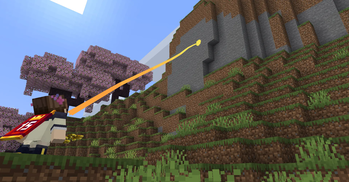
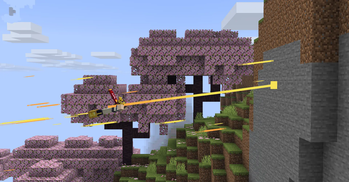
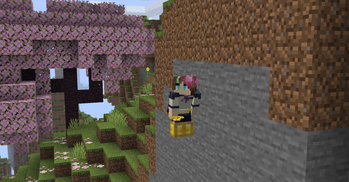
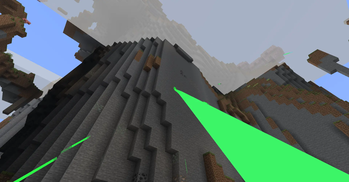
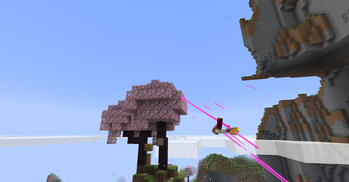
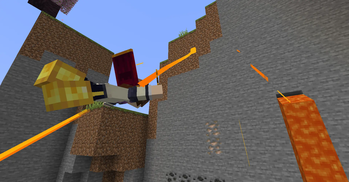
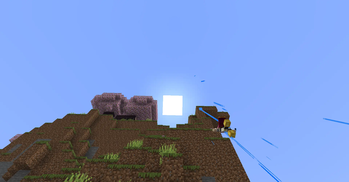
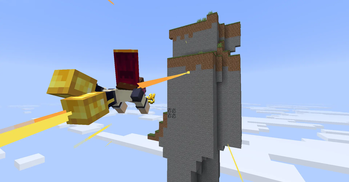
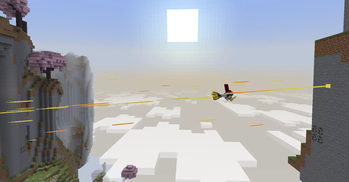
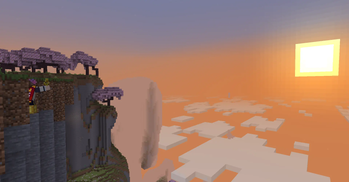
Use a Zippy Sticky Hand to zip and stick to walls! Upon sticking to a wall, you can jump for some extra height, sneak to simply drop, or zip again to another wall!
You can sneak while zipping to break the sticky hand and cancel the zip. This may be helpful if you get stuck, or want to get some extra height while zipping upwards.
By default, Zippy Sticky hands can zip up to 48 blocks away from your current position. Upon zipping, it reduces fall damage, but doesn't fully negate it!
## Crafting Zippy Sticky Hands can be crafted by combining: - A slime ball - A lead - Any froglight
Depending on the froglight you use, you'll get a different color Zippy Sticky Hand. From there, you can use any colored Zippy Sticky Hand and a dye to change its color.
## Gamerules
`allowZipcastDuringZipcast` - If enabled, players will be able to use their Zippy Sticky Hands while actively zipping to another location. True by default.
## Custom/Supported Item Components
### Vanilla How-To's
You can give items with specific components by `/give @s
Example of the cooldown component with an integer of 20. The "seconds" field is unique to the cooldown component - you can find these by either finding a wiki, or viewing their Codec code, as it's just the codec entry. `/give @s minecraft:ender_pearl` _Note: The "seconds" field is actually float, not an integer_
You can add more fields by adding a comma after the previous fields' value, and more components by adding a comma after the previous components' ending "}" bracket.
I'm assuming most Vanilla components have each field be required, as that's the case with particles.
Floats can be defined by adding an `f` after the number, or just by adding a decimal point. Vector3f's can be defined using `[<0f-1f>, <0f-1f>, <0f,1f>]`
### Zipcaster Item Component `ziptoit:zipcaster` has a few fields for customizing a Zippy Sticky Hand. All the fields are optional!
- `zip_range` (int - default: 48) - Determines the amount of blocks a Zippy Sticky Hand can zip from.
- `zip_speed` (float - default: 2. 25f) - Determines the speed which a player will zip with; there is no relative measurement for this speed, other than bigger number means faster zipcaster. NOTE: Faster speeds are unsupported, and will cause issues sticking to walls if too high!
- `max_zips` (int - default: -1) - The maximum amount of zips a Zippy Sticky Hand can make without breaking. Use "-1" for infinite.
- `zipcast_color` (ZipcastColor) - The colors used for the Zippy Sticky Hand. Default is the Yellow Zippy Sticky Hand's colors(despite the actual Zippy Sticky Hand item)
ZipcastColor is a custom object which contains colors for the Zippy Sticky Hand to use. All color fields are required!
- `color` (Vector3f or int) - The main color which will be seen when zipping to a location.
- `altColor` (Vector3f or int) - The alternative color which will be seen when zipping to a location. Used for a gradient with the "color" on the main zipping line, and as a rarer color for various colored particles(e.g. the speed lines).
- `brightColor` (Vector3f or int) - The starting color(for like, 7 ticks) of the zip line when zipping to a location.
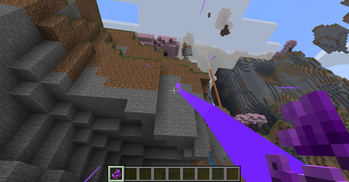
- `previewColor` (Vector3f or int) - The color shown when aiming a Zippy Sticky Hand.
- `alternate` (boolean) - Makes the main color and alternative color alternate along the zip line instead of being a gradient.
- `rainbow` (boolean) - If enabled, overrides the main/alternative colors on the zip line, and overrides the preview color with a rainbow animation. The bright color (should) still be usable.
### Give Command Examples You can combine and change the values for each example - none of these examples should conflict with each other.
#### Max Zip Uses & Cooldowns
Max zips of 3 (no cooldown) `/give @s ziptoit:yellow_zippy_hand`
Cooldown of 5 seconds (no zip limit) `/give @s ziptoit:yellow_zippy_hand` The "seconds" value is a float to allow for specific tick times!
Max zips of 3 with a cooldown of 5 seconds. `/give @s ziptoit:yellow_zippy_hand`
#### Zip Range & Speed
Zip range of 16 `/give @s ziptoit:yellow_zippy_hand`
Zip speed of 5f `/give @s ziptoit:yellow_zippy_hand` The speed value has no relationship to any form of measurement, other than higher values means more speed.
Zip range of 32 and speed of 1f `/give @s ziptoit:yellow_zippy_hand`
#### Zip Colors Custom Colors Example with: - Red as main color - Green as alt color - Blue as bright color - White as preview color `
📊 Mod Details
- Game
- Minecraft Mods
- Author
- Superkat32
- Version
- 1.0.3
- Downloads
- 7,603
- Endorsements
- 101
- Category
- cursed
- Created
- 8/18/2025
- Updated
- 9/2/2025
- Game Versions
- 1.21.8
- Tags
- cursed, minigame, transportation
🔧 How to Install Minecraft Mods Mods
Download from Modrinth. Use Prism Launcher or drop into your mods folder.
📖 Full step-by-step install guide for Minecraft Mods →
Visit the official mod page for specific installation instructions for this mod.
🎮 Need cheat codes or console commands? Check ur gaming wiki for Minecraft Mods commands, item IDs, and more.
❓ Frequently Asked Questions
Which Minecraft Mods versions does Zip To It! support?
The author lists 1.21.8. Other versions may work but are untested by the author.
What is the latest version of Zip To It!?
Version 1.0.3, published 2025-09-02 with 7,603 downloads recorded at the source.
Keep browsing — more Minecraft Mods mods await