Mob Journal
🟡 Updated this year⚠️ Install Order · 2 steps
Install in this order, then this mod last — most mods fail to load without their framework and dependencies in place.
Preview

🔍 Analysis
- 👍 0.5% endorsement rate
- 🏆 #100 of 647 adventure mods in this game by downloads
📋 About This Mod
<div style="text-align:center" align="center"><img src="https://media.forgecdn.net/attachments/description/1240246/description_b53cf506-b9f4-4220-bb2c-7bb83471b233.png" width="300"></div> Mob Journal is a lightweight and immersive mod that automatically records every mob you've encountered in your world. Track your discoveries, see detailed descriptions, and browse mobs by name or mod. *** ## 🧠 Features * 📝 **Auto-Discovery** – Mobs are added as you wander close to them. * 📚 **In-Game Journal UI** – A beautifully rendered double-page book to browse mobs. * 🔍 **Search & Filters** – Search by name or mod (e.g. `@mythology`). * 🧟 **Mob Details** – Health, armor, drop preview, and kill/death stats. * 🔔 **Toasts** – Get a custom notification when you discover a new mob. * 🎨 **Custom Descriptions** – Add your own JSON-based mob descriptions (optional). !(https://media.forgecdn.net/attachments/description/1240246/description_f5882122-5359-424c-a7c1-34e8badbf724.gif) !(https://media.forgecdn.net/attachments/description/1240246/description_cbf37c94-aecf-4090-8627-4593c689ab31.gif) *** ## 💡 Usage * Open the journal with `J` _(configurable in controls)_ _(Only works if you have the Mob Journal item in your inventory)_ * Scroll through pages using the arrow buttons. * Click on a mob to view its details. * Use the search bar to find mobs quickly. * Search by mod using `@modid`, e.g. `@minecraft` or `@mobs_of_mythology`. - Alt + Left click on a mob inside the grid list or detail will open up its render config! *** ## 🛠️ Custom Descriptions Descriptions can be provided per mob or by default per mod. More on this in the (https://github.com/KevzCz/Mob-Journal). You can add custom mob descriptions using JSON files in: ``` assets/journal/mobs_desc/<mob_namespace>/<mob_name>.json ``` Supports simple Markdown with in-game formatting, icons, and loot placeholders. *** ## ✅ Requirements * (https://www.curseforge.com/minecraft/mc-mods/fabric-api) * (https://www.curseforge.com/minecraft/mc-mods/cardinal-components-api) *** * Porting to Forge is not planned (https://www.bisecthosting.com/images/CF/PixelDreamStudios/SPEC_PixelDreamStudios_Promo.webp)](https://bisecthosting.com/PixelDream)
Mob Journal is a lightweight and immersive mod that automatically records every mob you've encountered in your world. Track your discoveries, see detailed descriptions, and browse mobs by name or mod.
## 🧠 Features
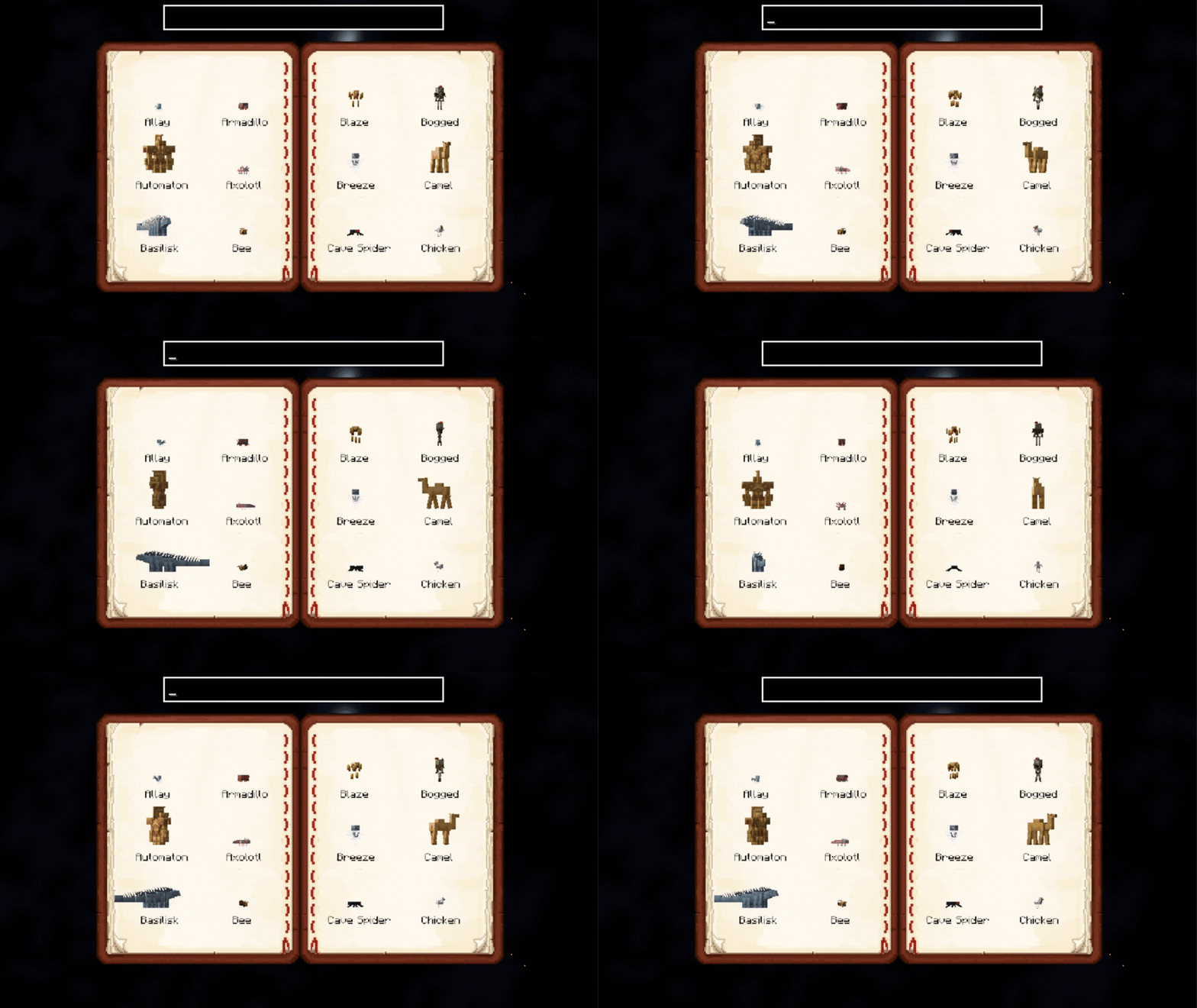
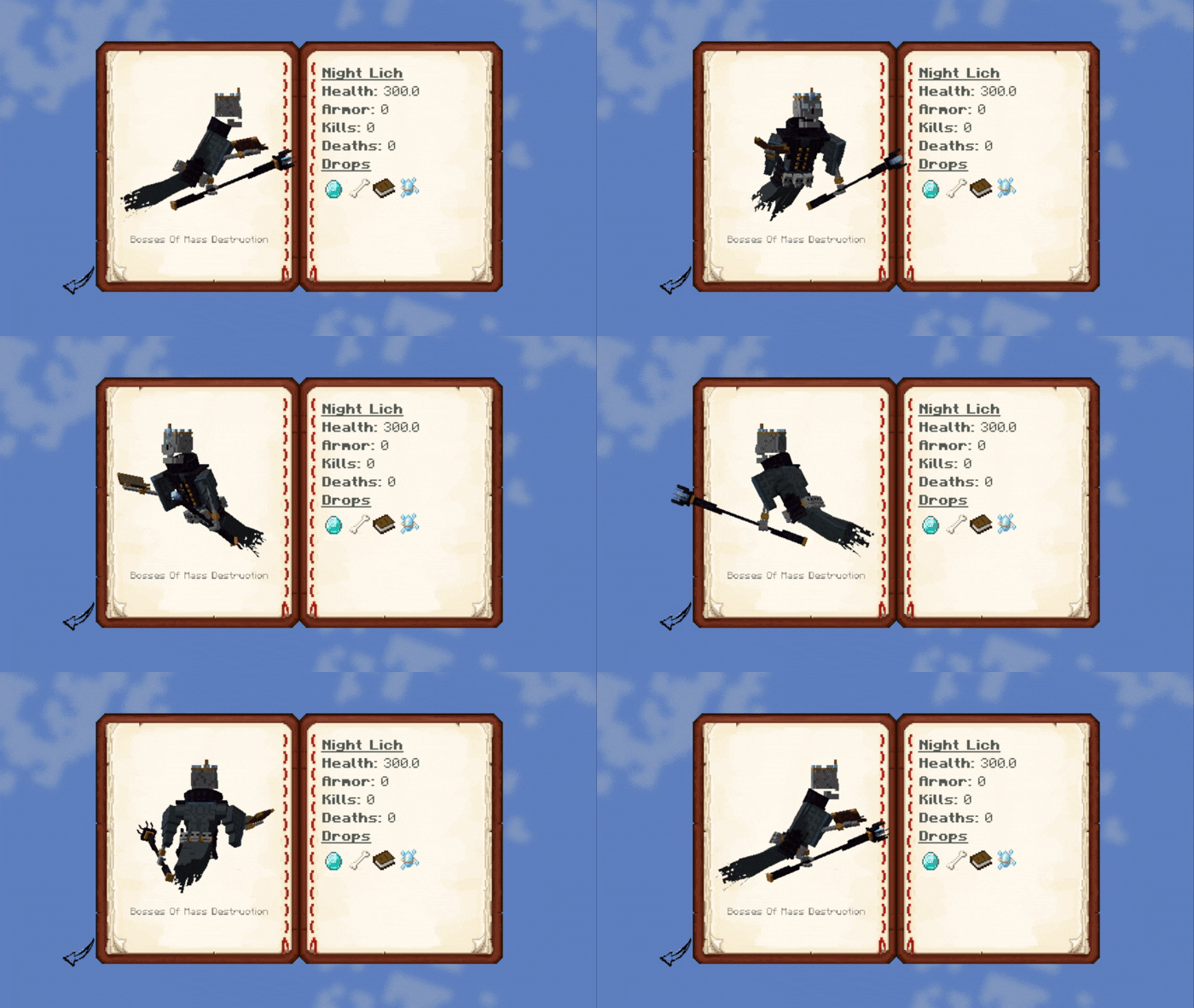
📝 Auto-Discovery – Mobs are added as you wander close to them. 📚 In-Game Journal UI – A beautifully rendered double-page book to browse mobs. 🔍 Search & Filters – Search by name or mod (e.g. `@mythology`). 🧟 Mob Details – Health, armor, drop preview, and kill/death stats. 🔔 Toasts – Get a custom notification when you discover a new mob. 🎨 Custom Descriptions – Add your own JSON-based mob descriptions (optional).
## 💡 Usage
Open the journal with `J` _(configurable in controls)_ _(Only works if you have the Mob Journal item in your inventory)_ Scroll through pages using the arrow buttons. Click on a mob to view its details. Use the search bar to find mobs quickly. Search by mod using `@modid`, e.g. `@minecraft` or `@mobs_of_mythology`.
- Alt + Left click on a mob inside the grid list or detail will open up its render config!
## 🛠️ Custom Descriptions
Descriptions can be provided per mob or by default per mod. More on this in the (https://github.com/KevzCz/Mob-Journal).
You can add custom mob descriptions using JSON files in:
```
assets/journal/mobs_desc/
Supports simple Markdown with in-game formatting, icons, and loot placeholders.
## ✅ Requirements
(https://www.curseforge.com/minecraft/mc-mods/fabric-api) (https://www.curseforge.com/minecraft/mc-mods/cardinal-components-api)
Porting to Forge is not planned [](https://bisecthosting.com/PixelDream)
📊 Mod Details
- Game
- Minecraft Mods
- Author
- KevzCz
- Version
- 1.4.2
- Downloads
- 15,355
- Endorsements
- 78
- Category
- adventure
- Created
- 4/15/2025
- Updated
- 8/27/2026
- Game Versions
- 1.20.1
- Tags
- adventure, mobs
🔧 How to Install Minecraft Mods Mods
Download from Modrinth. Use Prism Launcher or drop into your mods folder.
📖 Full step-by-step install guide for Minecraft Mods →
Visit the official mod page for specific installation instructions for this mod.
🎮 Need cheat codes or console commands? Check ur gaming wiki for Minecraft Mods commands, item IDs, and more.
❓ Frequently Asked Questions
Which Minecraft Mods versions does Mob Journal support?
The author lists 1.20.1. Other versions may work but are untested by the author.
What is the latest version of Mob Journal?
Version 1.4.2, published 2026-08-27 with 15,355 downloads recorded at the source.
Keep browsing — more Minecraft Mods mods await