MCShare
🟠 Updated over a year ago⚠️ Install Order · 2 steps
Install in this order, then this mod last — most mods fail to load without their framework and dependencies in place.
🖼️ Gallery (2 images)
🔍 Analysis
- 👍 0.4% endorsement rate
- 🏆 #764 of 920 fabric mods in this game by downloads
📋 About This Mod
# 🌍 MCShare - Seamless Minecraft World Sharing !(https://boxadactle.dev/img/mcshare/worldimport.png) **MCShare** is a powerful yet simple Minecraft mod that makes sharing your Minecraft worlds fast, secure, and user-friendly. With just a few clicks, you can export your world, encrypt it for safety, and share it as a single file with others—no more digging through directories or worrying about corrupted saves! ## Installation/Dependencies #### This mod requires (https://modrinth.com/mod/boxlib) a Client-side library mod developed by me. 1. **Install Minecraft Forge/Fabric/Neoforge:** Download and install the appropriate modloader for your Minecraft version. 2. **Download the mod:** Download the latest release of Coordinates Display for your specific modloader and Minecraft version 3. **Download BoxLib:** Download the latest release of (https://modrinth.com/mod/boxlib) for your specific modloader and Minecaft version 4. **Place the mod jars:** Drop the downloaded jar files into your Minecraft mods folder. The location of this folder varies depending on your operating system. ### Fabric Dependencies (https://i.imgur.com/Ol1Tcf8.png)](https://www.curseforge.com/minecraft/mc-mods/fabric-api) (https://modrinth.com/mod/modmenu) is recommended for configuration purposes. ### Forge/NeoForge Dependencies This mod requires (https://modrinth.com/mod/boxlib) a Client-side library mod developed by me. ## ✨ Features !(https://boxadactle.dev/img/mcshare/exportscreen.png) - 🗂️ **Export Worlds Easily** Convert your Minecraft worlds into neatly packaged files with just one command or menu click. !(https://boxadactle.dev/img/mcshare/exportscreenpsw.png) - 🔒 **Encrypt for Security** Keep your world files safe from tampering or unauthorized access with built-in encryption options. !(https://boxadactle.dev/img/mcshare/exportfinished.png) - 📤 **Share in One Go** Once exported, MCShare gives you a shareable file ready to be uploaded to cloud storage, messengers, or even email. !(https://boxadactle.dev/img/mcshare/importscreen.png) - 🔄 **Import with Ease** Anyone with the mod can import a shared world with just one drag-and-drop action or command. !(https://boxadactle.dev/img/mcshare/backupbutton.png) - 📇 **Vast Compatibility** MCShare automatically searches for world files in an external `.zip`, allowing you to import backups created by all types of programs! ## 💡 Usage ### Export a World !(https://boxadactle.dev/img/mcshare/worldedit.png) - From the World Selection menu, select a world, and click "Edit" !(https://boxadactle.dev/img/mcshare/exportbutton.png) - In the following screen click "Export World" !(https://boxadactle.dev/img/mcshare/exportscreenpsw.png) - Choose encryption and data/resource pack options (optional). - Choose the path to the exported file !(https://boxadactle.dev/img/mcshare/mcsharefile.png) - Click **Export** to save your world as a `.mcshare` file. ### Import a World !(https://boxadactle.dev/img/mcshare/importbutton.png) - Open MCShare import screen in both world selection and creation !(https://boxadactle.dev/img/mcshare/importscreen.png) - Browse for the `.mcshare` file and click **Import**. `.mcshare` and `.zip` files can be dragged onto the window !(https://boxadactle.dev/img/mcshare/importfinished.png) - Provide the password (if necessary) and the world will be decrypted and added to your saves. ## 🔐 World Encryption - Optional password protection using AES-256 encryption. - Compatible with other MCShare installations for easy decrypting. - Warning: Forgotten passwords cannot be recovered! ## 📦 File Format Exported files use the `.mcshare` extension and include: - Compressed world data - Metadata (world name, creation date, author, version) - Optional encryption manifest ## Contributing We encourage contributions! Don't hesitate to open issues or pull requests through our (https://github.com/Boxadactle/MCShare). Your input helps us improve and evolve. ## Translations We welcome translations! If you're interested in translating this mod, please locate the (https://github.com/Boxadactle/MCShare/tree/latest/common/src/main/resources/assets/mcshare/lang) and submit a pull request. Your contributions help make the mod accessible to more users worldwide. ## Support If you encounter any issues, please (https://github.com/Boxadactle/MCShare/issues/new/choose) on the GitHub repository. ## Building If you'd like to build this mod on your own machine, follow these steps. * Download the source code from (https://github.com/Boxadactle/MCShare/tree/main) (Code -> Download zip) * Make sure Java is installed * Extract the zip file onto your local machine, and open the folder. * Open a terminal prompt in said folder * Ru
# 🌍 MCShare - Seamless Minecraft World Sharing
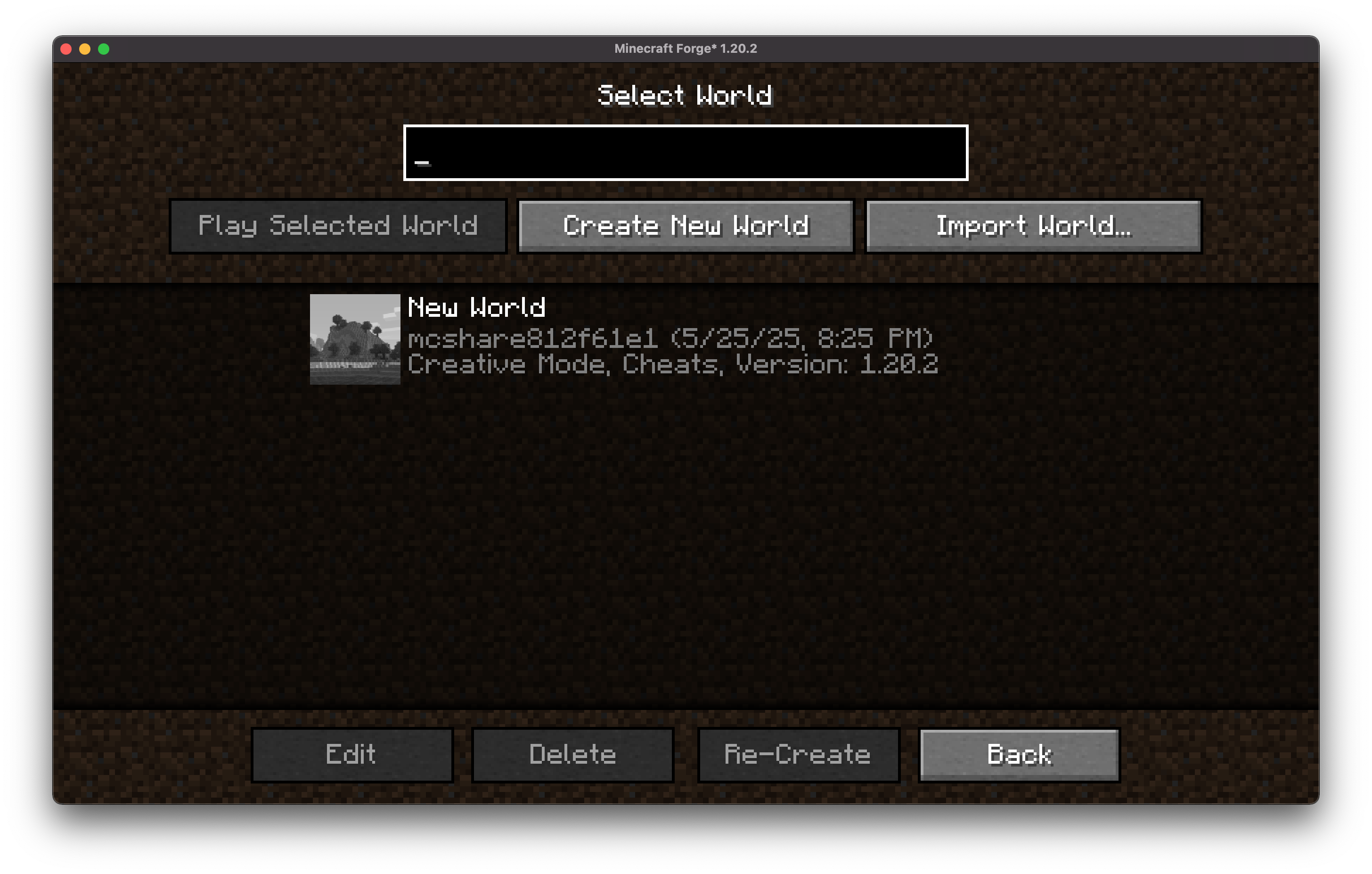
MCShare is a powerful yet simple Minecraft mod that makes sharing your Minecraft worlds fast, secure, and user-friendly. With just a few clicks, you can export your world, encrypt it for safety, and share it as a single file with others—no more digging through directories or worrying about corrupted saves!
## Installation/Dependencies
#### This mod requires (https://modrinth.com/mod/boxlib) a Client-side library mod developed by me.
1. Install Minecraft Forge/Fabric/Neoforge: Download and install the appropriate modloader for your Minecraft version. 2. Download the mod: Download the latest release of Coordinates Display for your specific modloader and Minecraft version 3. Download BoxLib: Download the latest release of (https://modrinth.com/mod/boxlib) for your specific modloader and Minecaft version 4. Place the mod jars: Drop the downloaded jar files into your Minecraft mods folder. The location of this folder varies depending on your operating system.
### Fabric Dependencies [!(https://i.imgur.com/Ol1Tcf8.png)](https://www.curseforge.com/minecraft/mc-mods/fabric-api)
(https://modrinth.com/mod/modmenu) is recommended for configuration purposes.
### Forge/NeoForge Dependencies This mod requires (https://modrinth.com/mod/boxlib) a Client-side library mod developed by me.
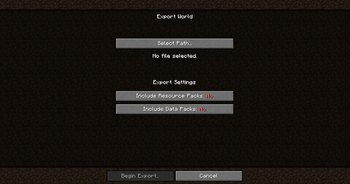
## ✨ Features 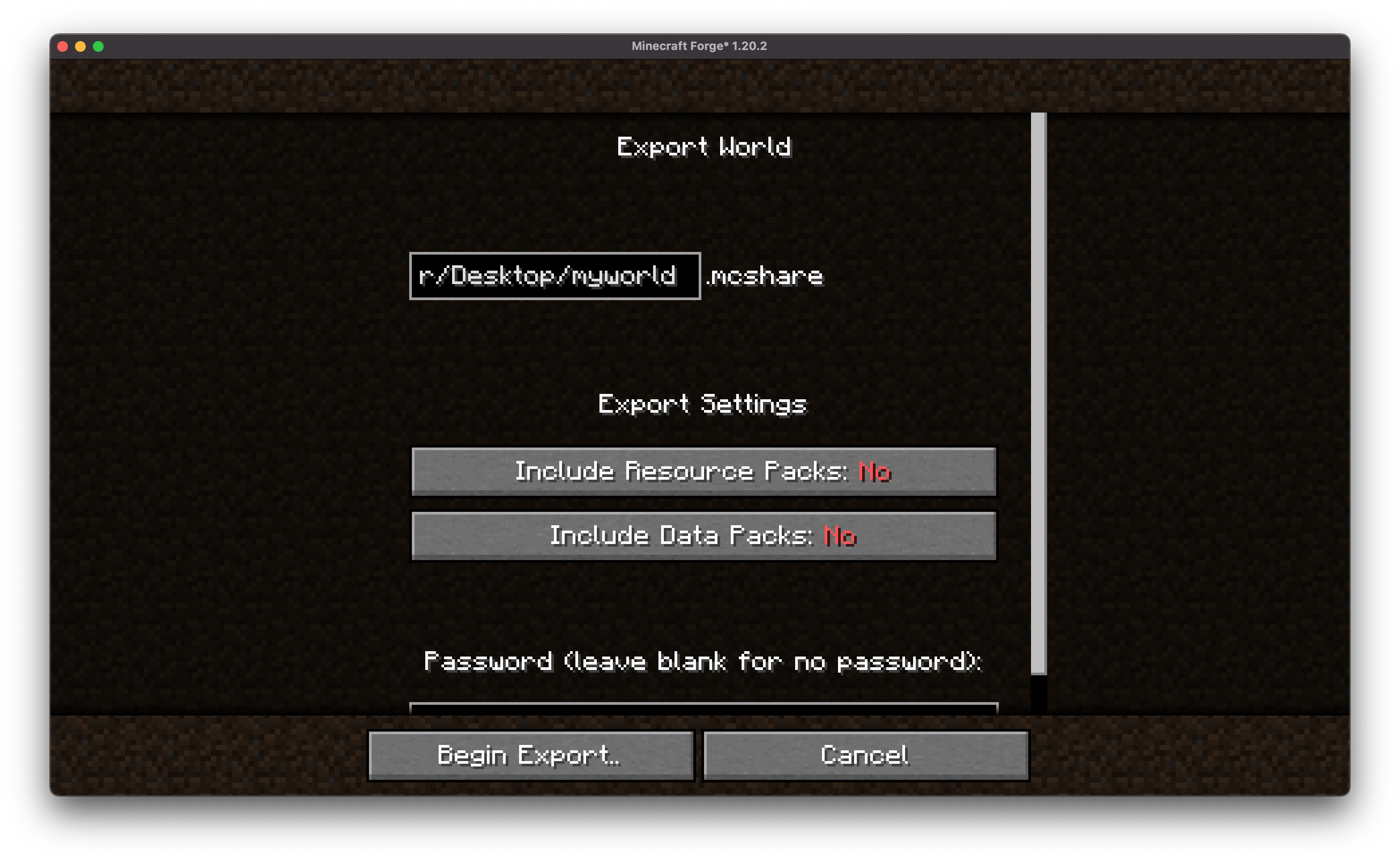 - 🗂️ Export Worlds Easily Convert your Minecraft worlds into neatly packaged files with just one command or menu click. 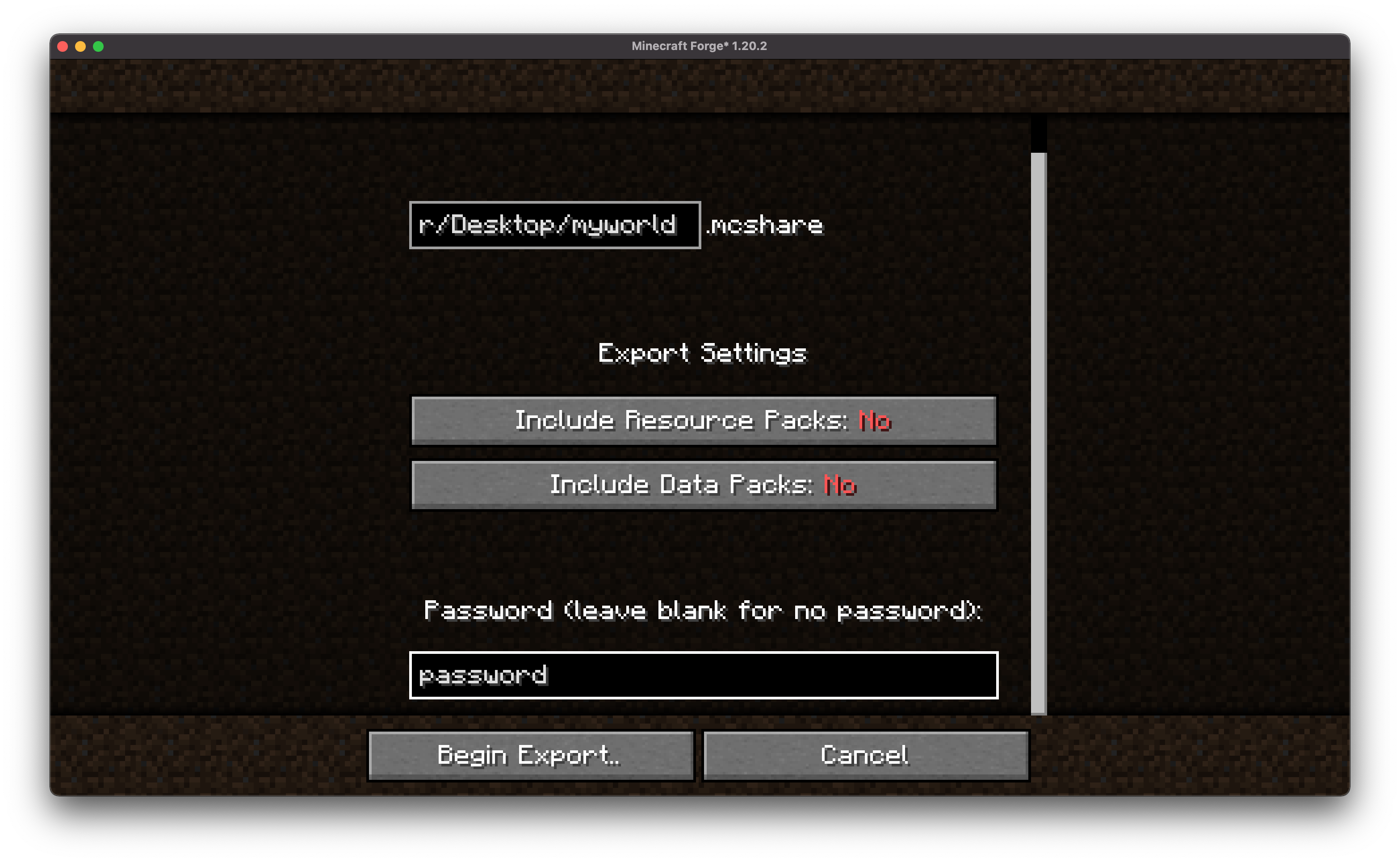 - 🔒 Encrypt for Security Keep your world files safe from tampering or unauthorized access with built-in encryption options. 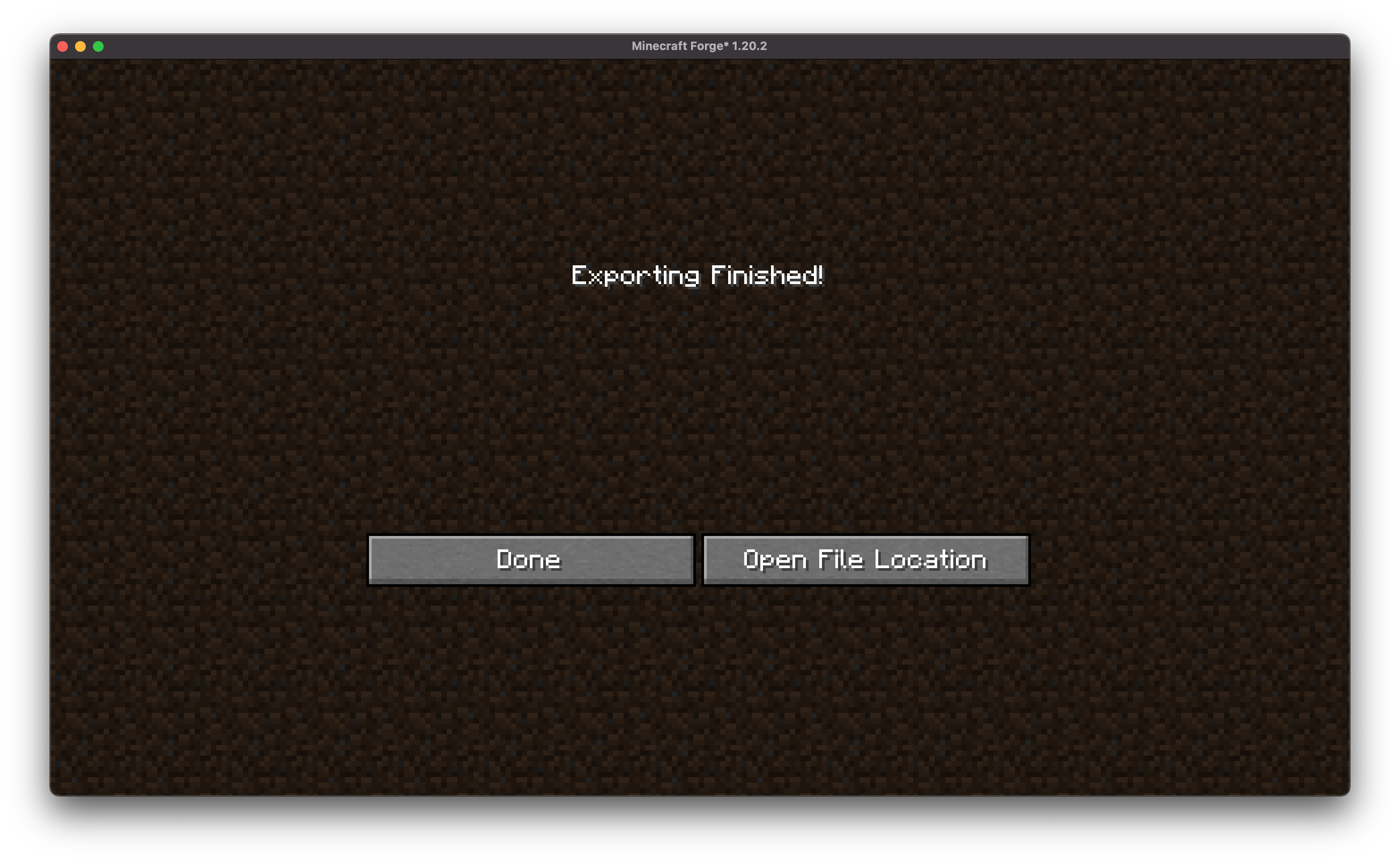 - 📤 Share in One Go Once exported, MCShare gives you a shareable file ready to be uploaded to cloud storage, messengers, or even email.
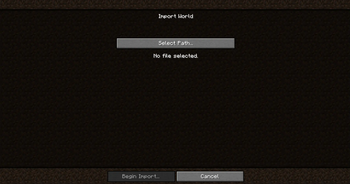
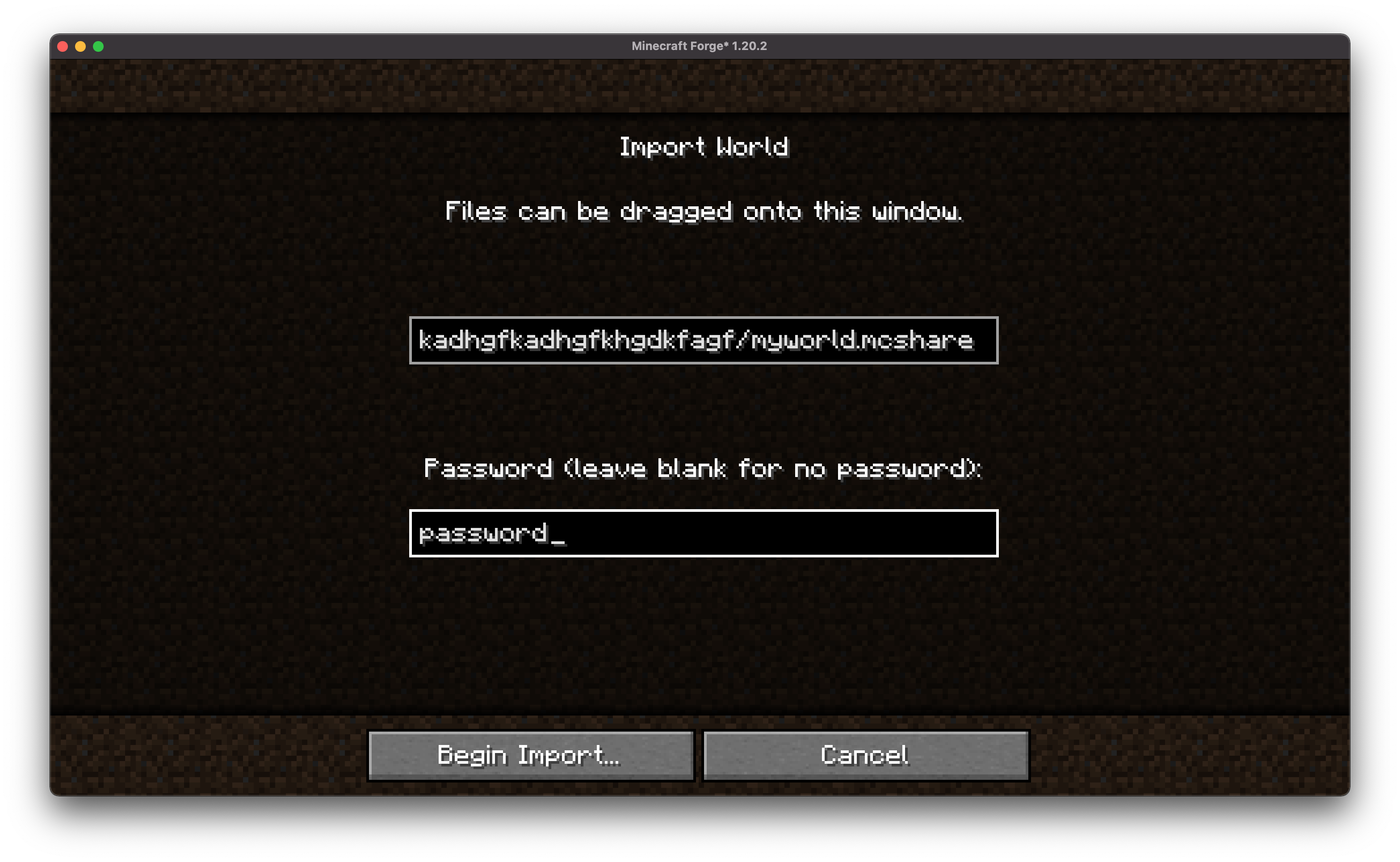 - 🔄 Import with Ease Anyone with the mod can import a shared world with just one drag-and-drop action or command. 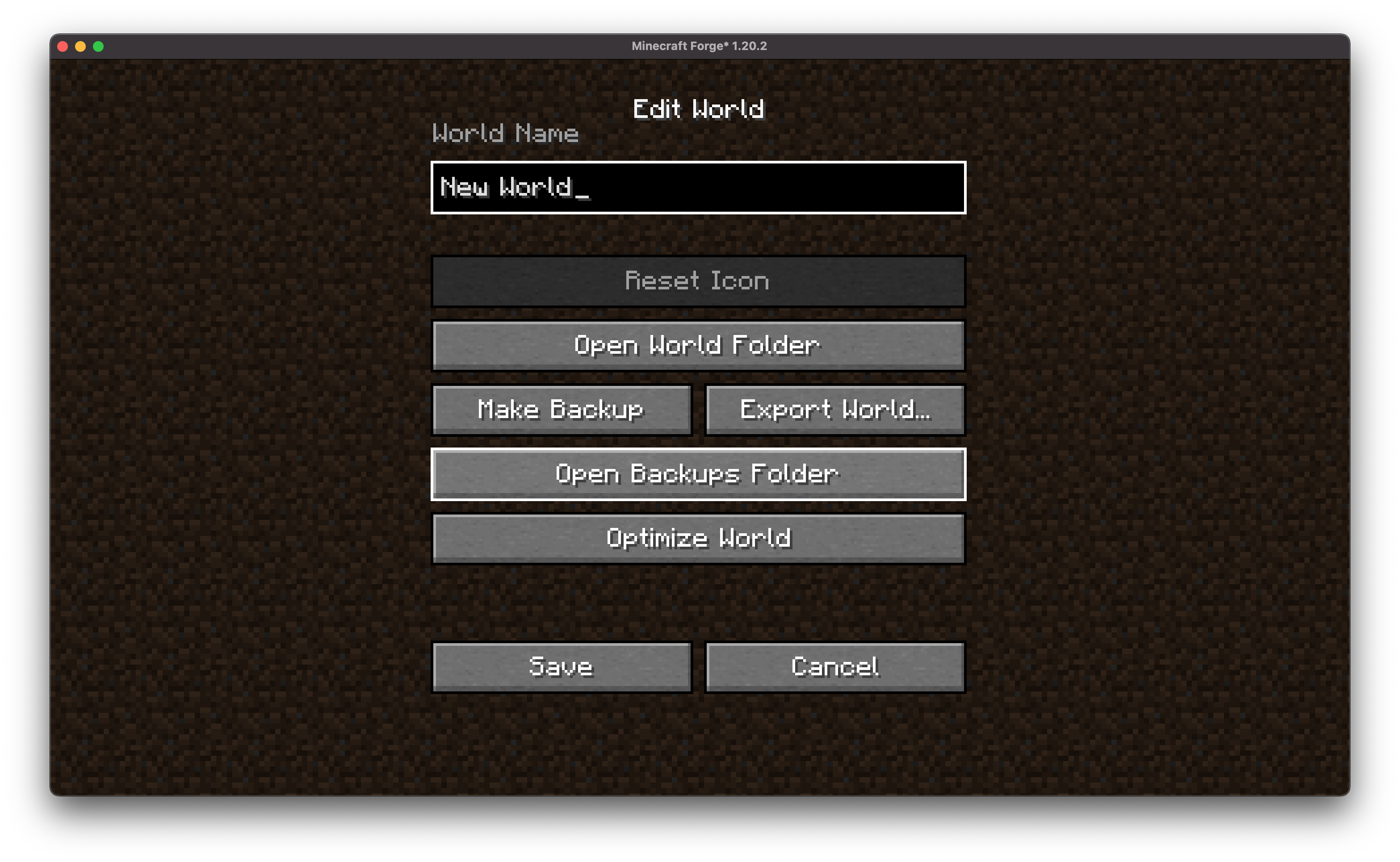 - 📇 Vast Compatibility MCShare automatically searches for world files in an external `.zip`, allowing you to import backups created by all types of programs!
## 💡 Usage
### Export a World
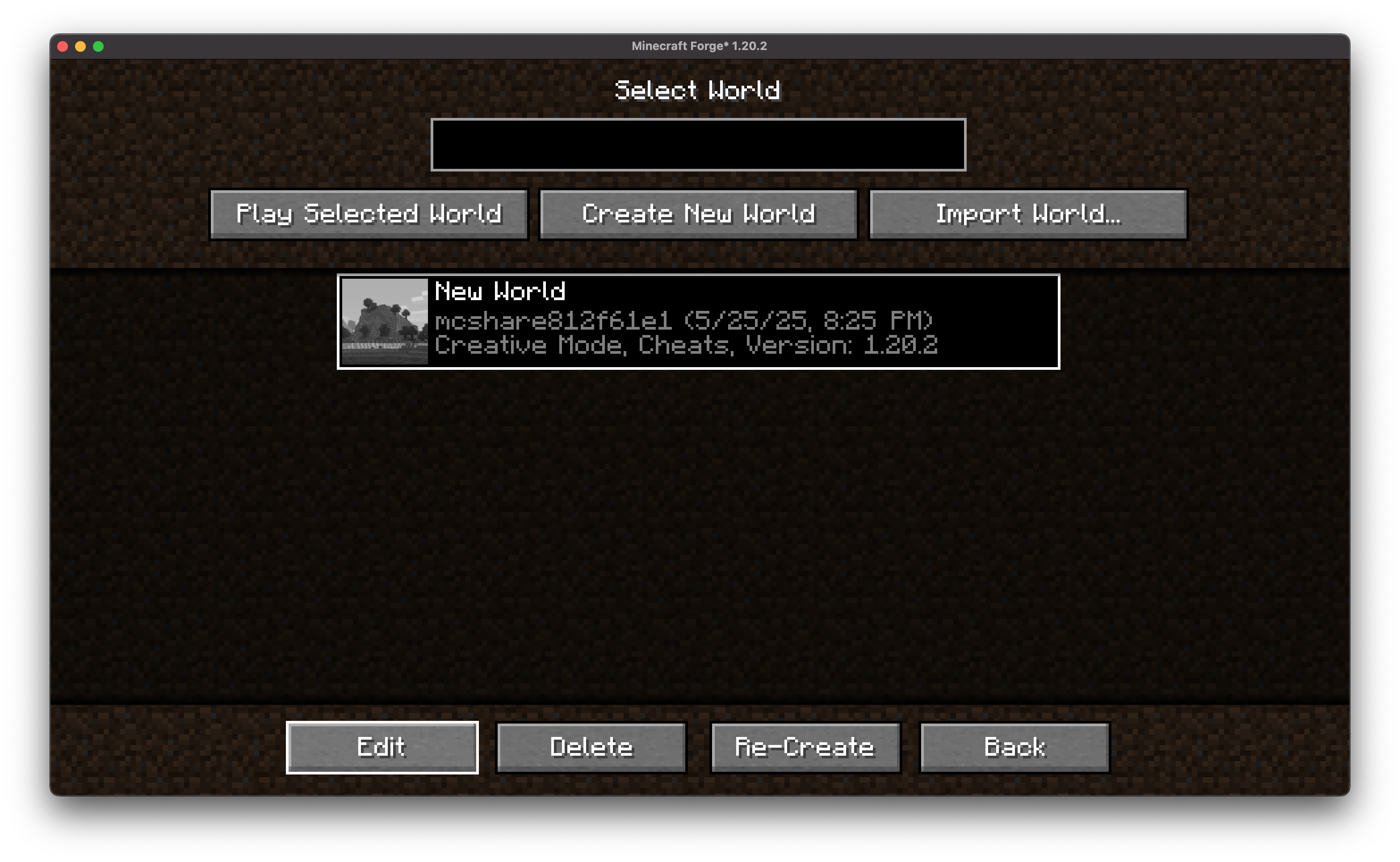 - From the World Selection menu, select a world, and click "Edit"
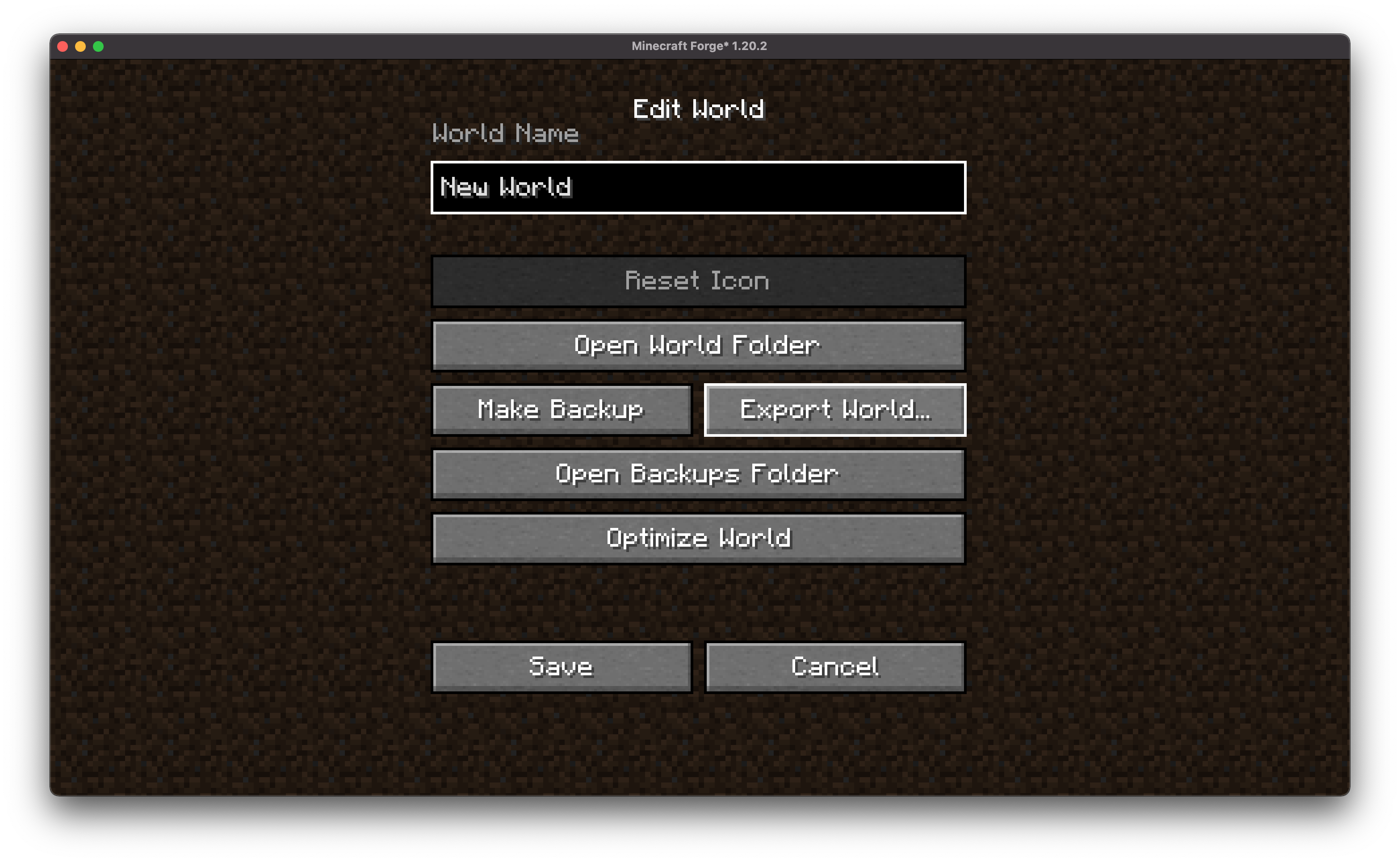 - In the following screen click "Export World"  - Choose encryption and data/resource pack options (optional).
- Choose the path to the exported file
- 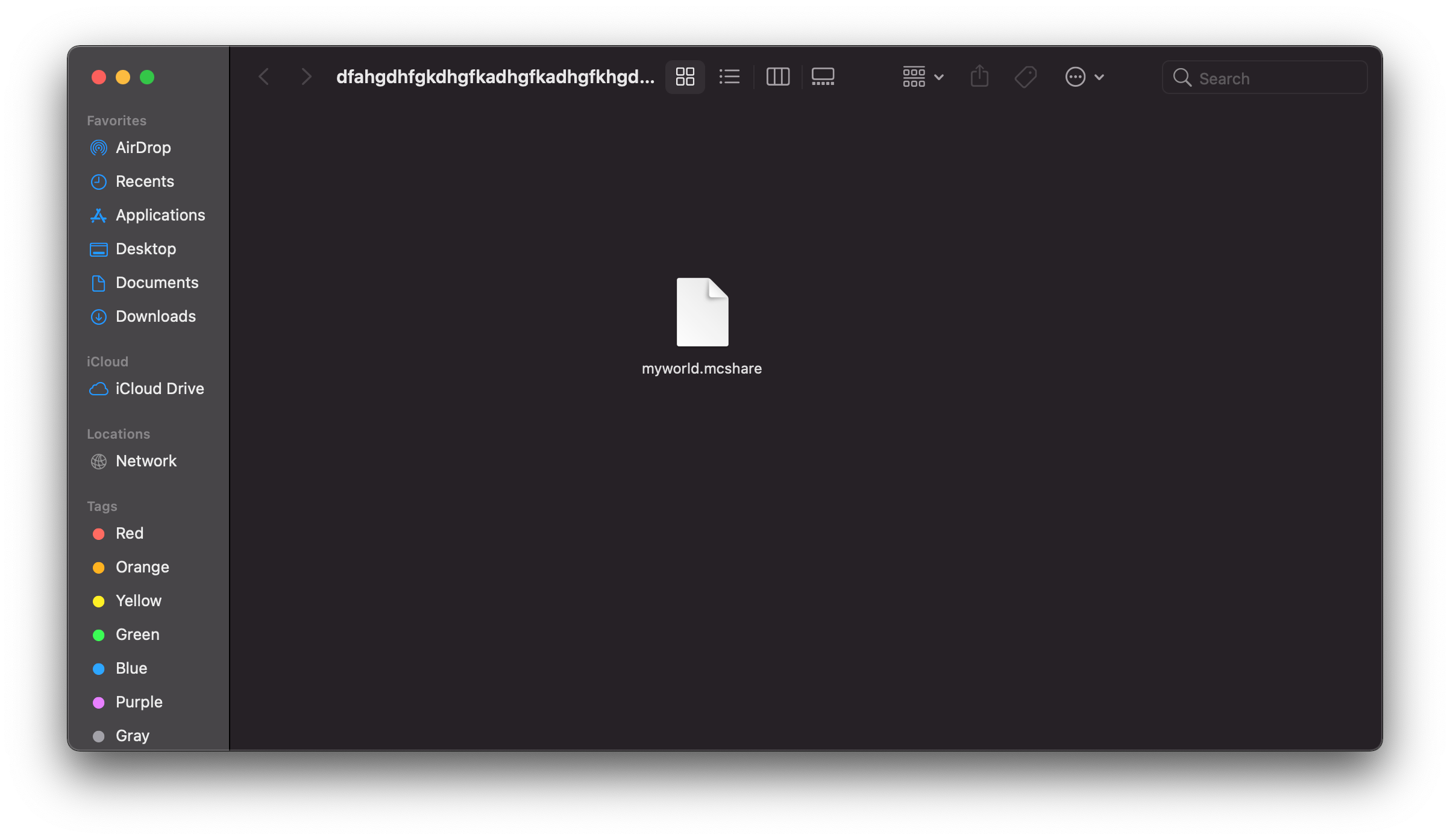
- Click Export to save your world as a `.mcshare` file.
### Import a World
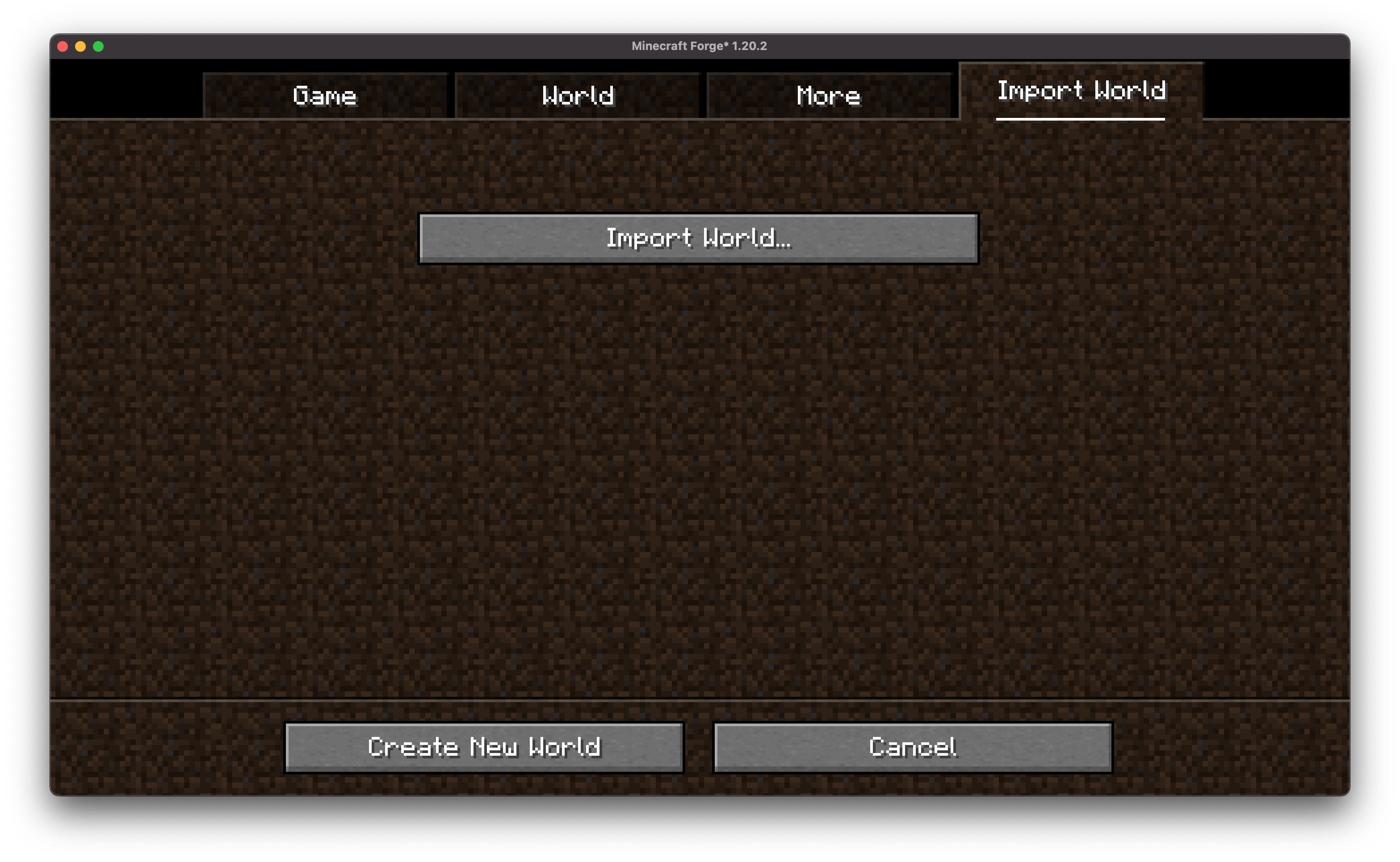 - Open MCShare import screen in both world selection and creation
 - Browse for the `.mcshare` file and click Import. `.mcshare` and `.zip` files can be dragged onto the window
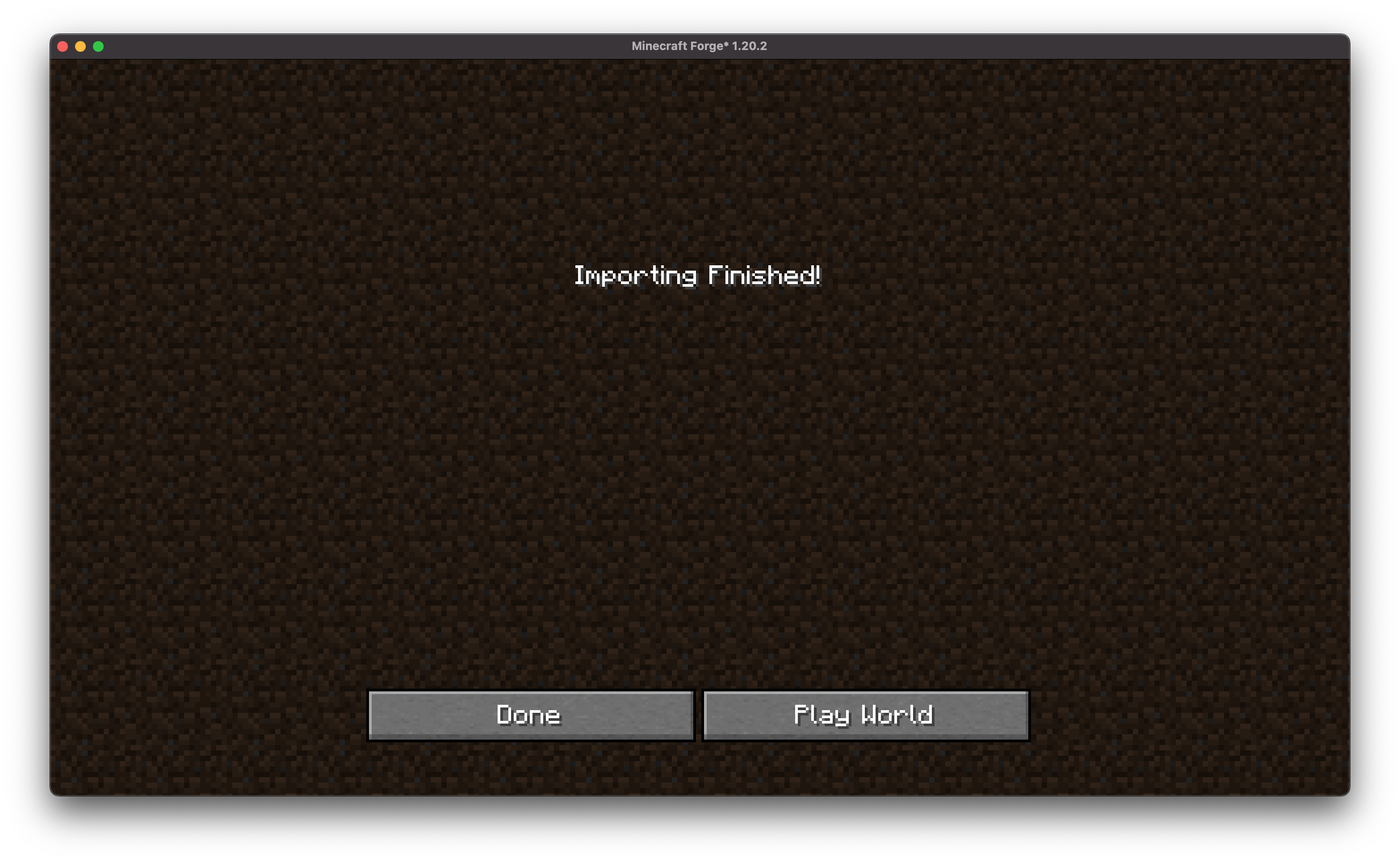 - Provide the password (if necessary) and the world will be decrypted and added to your saves.
## 🔐 World Encryption
- Optional password protection using AES-256 encryption.
- Compatible with other MCShare installations for easy decrypting.
- Warning: Forgotten passwords cannot be recovered!
## 📦 File Format
Exported files use the `.mcshare` extension and include:
- Compressed world data
- Metadata (world name, creation date, author, version)
- Optional encryption manifest
## Contributing
We encourage contributions! Don't hesitate to open issues or pull requests through our (https://github.com/Boxadactle/MCShare). Your input helps us improve and evolve.
## Translations We welcome translations! If you're interested in translating this mod, please locate the (https://github.com/Boxadactle/MCShare/tree/latest/common/src/main/resources/assets/mcshare/lang) and submit a pull request. Your contributions help make the mod accessible to more users worldwide.
If you encounter any issues, please (https://github.com/Boxadactle/MCShare/issues/new/choose) on the GitHub repository.
## Building
If you'd like to build this mod on your own machine, follow these steps.
Download the source code from (https://github.com/Boxadactle/MCShare/tree/main) (Code -> Download zip) Make sure Java is installed Extract the zip file onto your local machine, and open the folder. Open a terminal prompt in said folder * Ru
📊 Mod Details
- Game
- Minecraft Mods
- Author
- Boxadactle
- Version
- 6.0.1-neoforge
- Downloads
- 4,407
- Endorsements
- 19
- Category
- fabric
- Created
- 9/5/2023
- Updated
- 8/7/2025
- Game Versions
- 1.21.4, 1.21.5
- Tags
- management, technology, utility
🔧 How to Install Minecraft Mods Mods
Download from Modrinth. Use Prism Launcher or drop into your mods folder.
📖 Full step-by-step install guide for Minecraft Mods →
Visit the official mod page for specific installation instructions for this mod.
🎮 Need cheat codes or console commands? Check ur gaming wiki for Minecraft Mods commands, item IDs, and more.
❓ Frequently Asked Questions
Which Minecraft Mods versions does MCShare support?
The author lists 1.21.4, 1.21.5. Other versions may work but are untested by the author.
What is the latest version of MCShare?
Version 6.0.1-neoforge, published 2025-08-07 with 4,407 downloads recorded at the source.
Keep browsing — more Minecraft Mods mods await