Maple's Rabbit Collection
🟡 Updated this year⚠️ Install Order · 2 steps
Install in this order, then this mod last — most mods fail to load without their framework and dependencies in place.
Preview

🔍 Analysis
- 👍 0.5% endorsement rate
- 🏆 #27 of 274 decoration mods in this game by downloads
📋 About This Mod
<p style="text-align: center;"><span style="font-size: 36px;">✨Bring Some Bunny Bliss to Your Minecraft World 🐰</span></p> <p style="text-align: center;"><span style="font-size: 18px;"><em>Custom designed rabbit textures to bring a little something extra to your gameplay.<br /></em></span><br /><span style="font-size: 18px;">The textures change automatically with the seasons! (can be turned off)</span><br /><br /></p> <p style="text-align: center;"><span style="font-size: 20px;"><a href="https://modrinth.com/mod/sapling" rel="nofollow">🌱 The Sapling mod needs to be installed in order for this mod to work 🌱</a></span></p><p style="text-align: center;"><span style="font-size: 18px;"><br /><span style="font-size: 24px;"><strong>✨The super new 26.1 (and beyond) model is available! ✨</strong></span></span></p> <p> <img src="https://media.forgecdn.net/attachments/1632/974/rabbit-front-banner-new-13-png.png" /></p> <p> <br /><img src="https://media.forgecdn.net/attachments/1613/575/26.png" /></p> <p style="text-align: center;"><span style="font-size: 18px;"><em><br /></em><span style="font-size: 24px;"><strong>✨Ofcourse we can't forget about the Classic model!✨<br /></strong><span style="font-size: 18px;"><em>Available for Minecraft 1.20.1, 1.21.1 and 1.21.11</em></span><strong><br /><img src="https://media.forgecdn.net/attachments/1632/975/classic-rabbit-banners-16-png.png" /></strong></span></span></p> <p style="text-align: center;"> </p> <p style="text-align: center;"><span style="font-size: 18px;"><span style="font-size: 24px;"><strong><img src="https://media.forgecdn.net/attachments/1632/976/classic-rabbit-banners-17-png.png" /></strong></span></span></p> <p style="text-align: center;"><span style="font-size: 18px;"><br />-------------------------------------------------------------------------------------------------------------------<br /> <p style="text-align: center;"><span style="font-size: 18px;">The rabbit variations spawn randomly across the world. </span></p> <p style="text-align: center;"><span style="font-size: 18px;">The rabbits stay in their own skin when re-opening a world, collect 'm all! 🤗</span></p> <p style="text-align: center;"><span style="font-size: 18px;">🌸☀️🍂❄️</span></p> <p style="text-align: center;"><span style="font-size: 18px;">The textures will automatically change per season. There will also still be regular rabbits.</span></p> <p style="text-align: center;"><span style="font-size: 18px;"> </span></p> <p style="text-align: center;"><span style="font-size: 18px;">The season dates: day - month</span></p> <p style="text-align: center;"><span style="font-size: 18px;">🌸Spring: 01-03 / 31-05 ☀️Summer: 01-06 / 31-08 </span><br /><span style="font-size: 18px;">🍂Autumn: 01-09 / 30-11 ❄️Winter: 01-12 / 28-02 </span></p> <p style="text-align: center;"><span style="font-size: 18px;"> </span></p> <p style="text-align: center;"><span style="font-size: 18px;">There is also an added command for which hemisphere you prefer! Northern or Southern 😊</span><br /><span style="font-size: 18px;">(Northern is selected automatically)</span></p> <p style="text-align: center;"><br /><span style="font-size: 18px;">‼️🏷️If you want to keep a certain rabbit texture on a specific rabbit for the whole year make sure to give</span></p> <p style="text-align: center;"><span style="font-size: 18px;">them a name tag before the new season starts! Otherwise, they will change. ‼️🏷️</span></p> <p style="text-align: center;"><span style="font-size: 18px;"> </span></p> <p style="text-align: center;"><span style="font-size: 18px;"><strong>Commands<br /></strong><em>⚙️</em><em>To customize your experience.</em></span></p> <p style="text-align: center;"><span style="font-size: 18px;"> </span></p> <p><span style="font-size: 18px;"><u>Admin Tools</u></span><br /><span style="font-size: 18px;">/maplemods rabbit adminTools flipSeasonDatesToOtherHemisphere | To change the hemisphere</span><br /><span style="font-size: 18px;">/maplemods rabbit adminTools resetAllLoadedEntityTextures | To reset the rabbits that are already loaded in the game</span><br /><span style="font-size: 18px;">/maplemods rabbit adminTools reloadConfigFile | To reload changes in the Config</span></p> <p><span style="font-size: 18px;"> </span></p> <p><span style="font-size: 18px;"><u>Config Values</u></span><br /><span style="font-size: 18px;">/maplemods rabbit setConfigValues showCurrentValues</span><br /><span style="font-size: 18px;">/maplemods rabbit setConfigValues disableSeasonsDuringHoliday (false/true) | Option to disable the mixture of the holidays and the seasonal textures.</span><br /><span style="font-size: 18px;">/maplemods rabbit setConfigValues nameTagPreventsTexture (false/true) | Option
✨Bring Some Bunny Bliss to Your Minecraft World 🐰
Custom designed rabbit textures to bring a little something extra to your gameplay. The textures change automatically with the seasons! (can be turned off)
🌱 The Sapling mod needs to be installed in order for this mod to work 🌱
✨The super new 26. 1 (and beyond) model is available! ✨
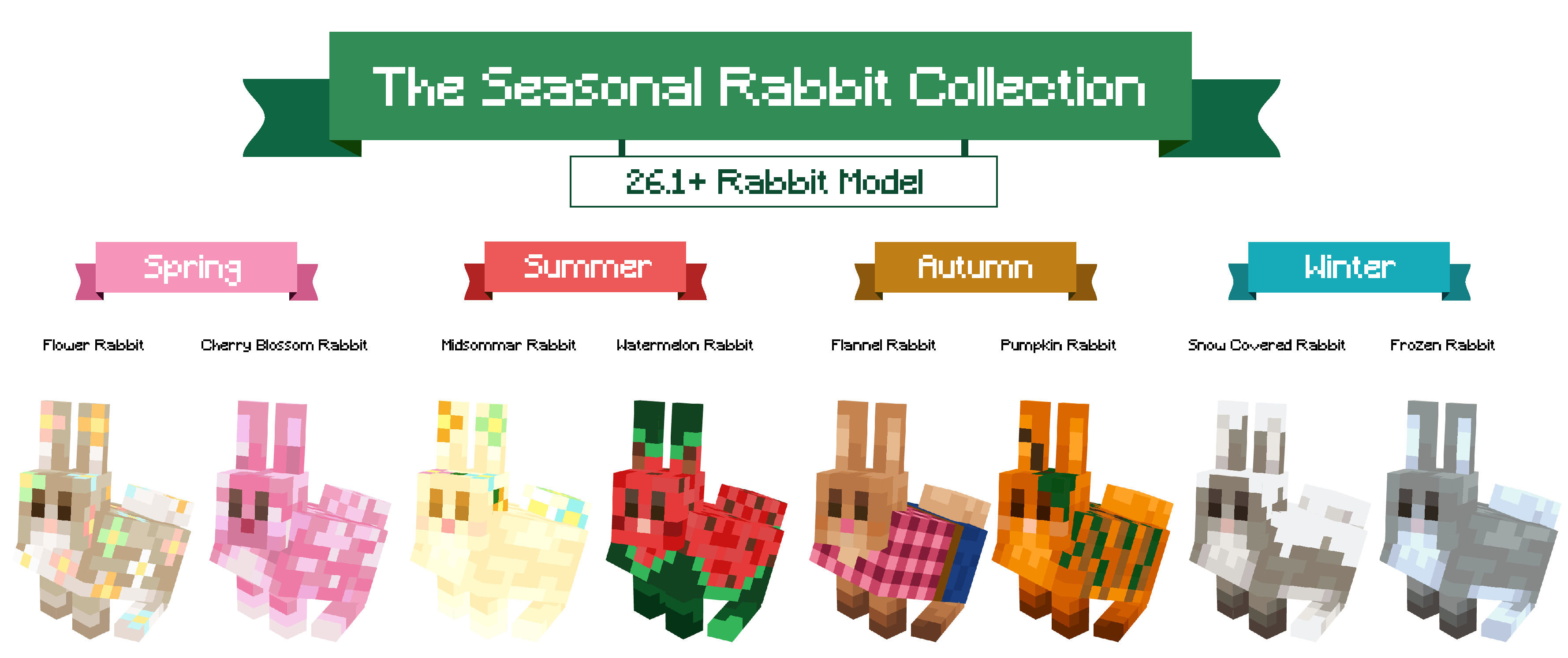
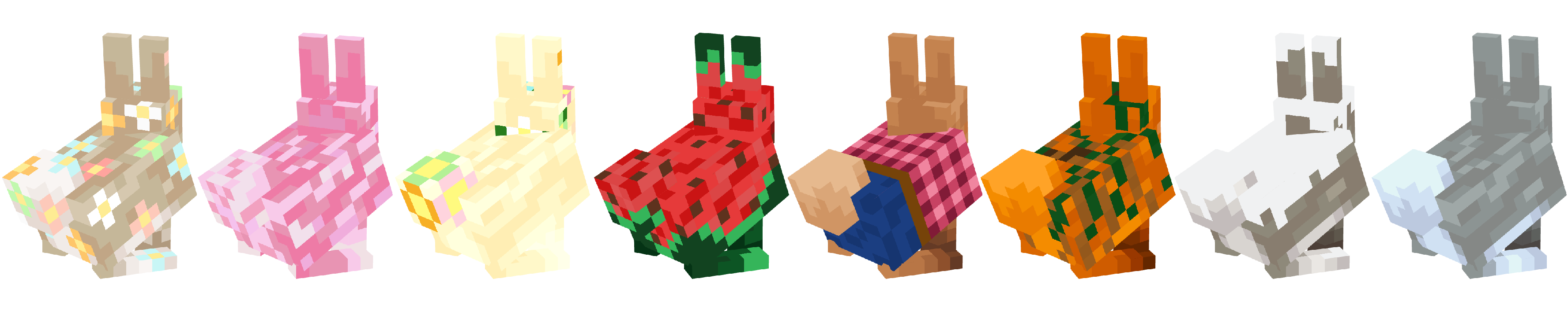
✨Ofcourse we can't forget about the Classic model!✨
Available for Minecraft 1. 20. 1, 1. 21. 1 and 1. 21. 11
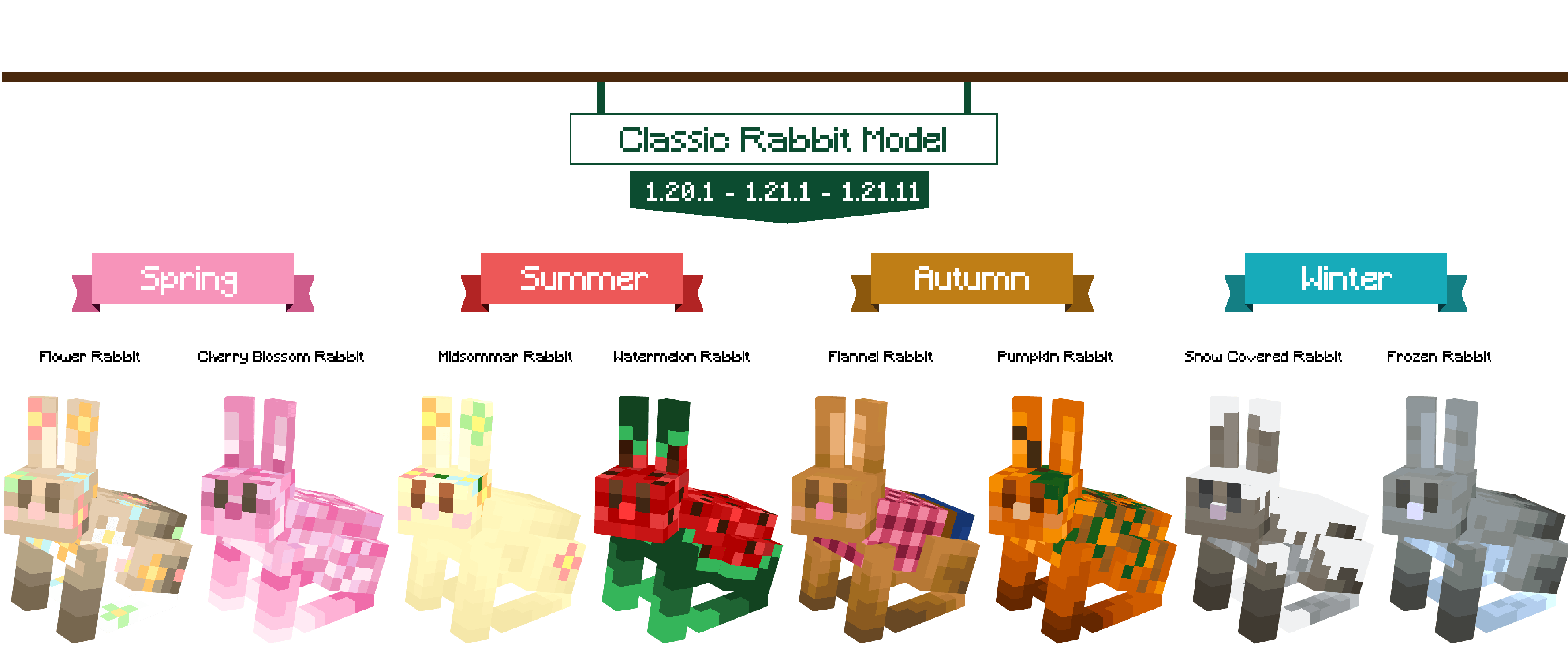
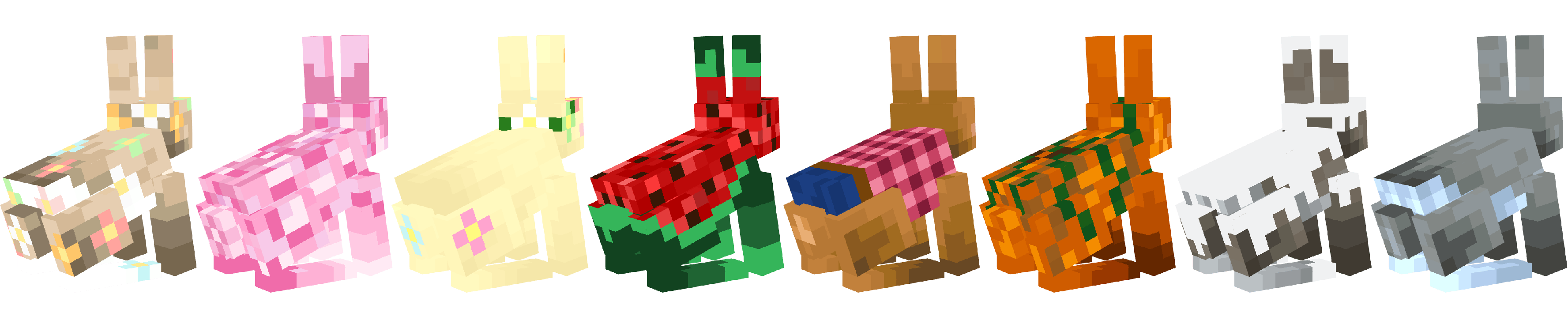
-------------------------------------------------------------------------------------------------------------------
The rabbit variations spawn randomly across the world.
The rabbits stay in their own skin when re-opening a world, collect 'm all! 🤗
🌸☀️🍂❄️
The textures will automatically change per season. There will also still be regular rabbits.
The season dates: day - month
🌸Spring: 01-03 / 31-05 ☀️Summer: 01-06 / 31-08 🍂Autumn: 01-09 / 30-11 ❄️Winter: 01-12 / 28-02
There is also an added command for which hemisphere you prefer! Northern or Southern 😊 (Northern is selected automatically)
‼️🏷️If you want to keep a certain rabbit texture on a specific rabbit for the whole year make sure to give
them a name tag before the new season starts! Otherwise, they will change. ‼️🏷️
Commands ⚙️To customize your experience.
Admin Tools /maplemods rabbit adminTools flipSeasonDatesToOtherHemisphere | To change the hemisphere /maplemods rabbit adminTools resetAllLoadedEntityTextures | To reset the rabbits that are already loaded in the game /maplemods rabbit adminTools reloadConfigFile | To reload changes in the Config
Config Values /maplemods rabbit setConfigValues showCurrentValues /maplemods rabbit setConfigValues disableSeasonsDuringHoliday (false/true) | Option to disable the mixture of the holidays and the seasonal textures. /maplemods rabbit setConfigValues nameTagPreventsTexture (false/true) | Option
📊 Mod Details
- Game
- Minecraft Mods
- Author
- MapleMods
- Version
- 26.2-1.0-fabric
- Downloads
- 2,057
- Endorsements
- 10
- Category
- decoration
- Created
- 4/24/2026
- Updated
- 7/6/2026
- Game Versions
- 26.2
- Tags
- decoration, mobs, worldgen
🔧 How to Install Minecraft Mods Mods
Download from Modrinth. Use Prism Launcher or drop into your mods folder.
📖 Full step-by-step install guide for Minecraft Mods →
Visit the official mod page for specific installation instructions for this mod.
🎮 Need cheat codes or console commands? Check ur gaming wiki for Minecraft Mods commands, item IDs, and more.
❓ Frequently Asked Questions
Which Minecraft Mods versions does Maple's Rabbit Collection support?
The author lists 26.2. Other versions may work but are untested by the author.
What is the latest version of Maple's Rabbit Collection?
Version 26.2-1.0-fabric, published 2026-07-06 with 2,057 downloads recorded at the source.
Keep browsing — more Minecraft Mods mods await