ImageToWorld
⚪ Last updated 2024⚠️ Install Order · 2 steps
Install in this order, then this mod last — most mods fail to load without their framework and dependencies in place.
🖼️ Gallery (5 images)
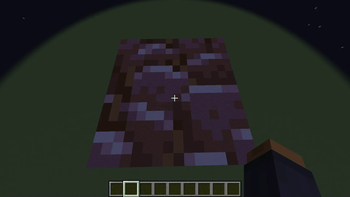
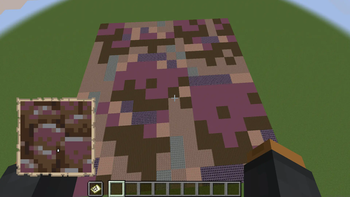
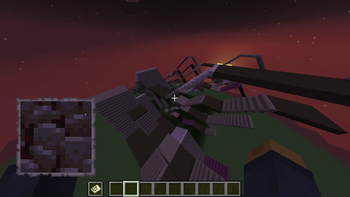
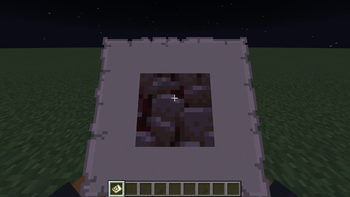
🔍 Analysis
- 👍 0.5% endorsement rate
- 🏆 #146 of 280 decoration mods in this game by downloads
📋 About This Mod
# ImageToWorld Image To World is a utility mod for pasting images into your Minecraft world. Mod must be installed on both the **client and the server**. ## General Info: This mod gives a variety of ways you can add images to your world: - Paste them directly into the world - Paste as map art into the world - Paste directly to a map without placing blocks in the world - Paste Images as Heightmaps Images you want to load into your world should be put in the new `images` folder in the `.minecraft` directory so that this mod can access them. When pasting your images keep in mind that the max size the image can be at full resolution is 1024x1024. Any larger and you will have to scale it down to an appropriate size. ## Usage When pasting images into your world, you are given a few options to configure how your image will generate, such as scale, facing direction, and patterns. ### Paste directly into world: This will paste your image into the world based on which block textures best match the colors in your image. `/image paste <imagePath> <position> <scaleZ> ` #### Arguments: `imagePath`: The name of your image. (Stored in a new `images` folder in your `.minecraft` directory) `position`: The center position where the image will be generated. `scaleX`: The scale of your image on the X axis, written as a ratio: `1:8`. `scaleZ`: The scale of your image on the Z axis, written as a ratio: `1:8`. `vertical`: Boolean determining whether to paste the image vertically. `direction`: The horizontal direction your image will face. <br /> <br /> ### Paste as map art: This will paste your image into the world using blocks with map colors that best match the colors in the image. `/image pasteToMap <imagePath> <position> <scaleZ> ` #### Arguments: `imagePath`: The name of your image. (Stored in a new `images` folder in your `.minecraft` directory). `position`: The center position where the image will be generated. `scaleX`: The scale of your image on the X axis, written as a ratio: `1:8`. `scaleZ`: The scale of your image on the Z axis, written as a ratio: `1:8`. `direction`: The horizontal direction your image will face. `useStaircaseHeightmap`: Boolean determining whether to generate map art using the Staircasing method. <br /> <br /> ### Paste directly to map: This will paste your image directly to a map without placing blocks in the world. Unlike the other commands, if your image is too large, it will simply auto-scale it down to a resolution that fits the map `/image give <imagePath> <scaleZ>` #### Arguments: `imagePath`: The name of your image. (Stored in a new `images` folder in your `.minecraft` directory). `scaleX`: The scale of your image on the X axis, written as a ratio: `1:8`. `scaleZ`: The scale of your image on the Z axis, written as a ratio: `1:8`. <br /> <br /> ### Paste as Heightmap: This will paste your image as a heightmap, this is intended to work with heightmap images for terrain building `/image heightmap <imagePath> <block> <position> <scaleZ> ` #### Arguments: `imagePath`: The name of your image. (Stored in a new `images` folder in your `.minecraft` directory). `block`: The block to build the heightmap out of. `position`: The center position where the image will be generated. `scaleX`: The scale of your image on the X axis, written as a ratio: `1:8`. `scaleZ`: The scale of your image on the Z axis, written as a ratio: `1:8`. `scaleY`: The scale of your image on the Y axis, written as a ratio: `1:8`. `direction`: The horizontal direction your image will face.
# ImageToWorld
Image To World is a utility mod for pasting images into your Minecraft world.
Mod must be installed on both the client and the server.
## General Info:
This mod gives a variety of ways you can add images to your world:
- Paste them directly into the world
- Paste as map art into the world
- Paste directly to a map without placing blocks in the world
- Paste Images as Heightmaps
Images you want to load into your world should be put in the new `images` folder in the `.minecraft` directory so that this mod can access them.
When pasting your images keep in mind that the max size the image can be at full resolution is 1024x1024. Any larger and you will have to scale it down to an appropriate size.
When pasting images into your world, you are given a few options to configure how your image will generate, such as scale, facing direction, and patterns.
### Paste directly into world:
This will paste your image into the world based on which block textures best match the colors in your image.
`/image paste
#### Arguments:
`imagePath`: The name of your image. (Stored in a new `images` folder in your `.minecraft` directory)
`position`: The center position where the image will be generated.
`scaleX`: The scale of your image on the X axis, written as a ratio: `1:8`.
`scaleZ`: The scale of your image on the Z axis, written as a ratio: `1:8`.
`vertical`: Boolean determining whether to paste the image vertically.
`direction`: The horizontal direction your image will face.
### Paste as map art:
This will paste your image into the world using blocks with map colors that best match the colors in the image.
`/image pasteToMap
#### Arguments:
`imagePath`: The name of your image. (Stored in a new `images` folder in your `.minecraft` directory).
`position`: The center position where the image will be generated.
`scaleX`: The scale of your image on the X axis, written as a ratio: `1:8`.
`scaleZ`: The scale of your image on the Z axis, written as a ratio: `1:8`.
`direction`: The horizontal direction your image will face.
`useStaircaseHeightmap`: Boolean determining whether to generate map art using the Staircasing method.
### Paste directly to map:
This will paste your image directly to a map without placing blocks in the world. Unlike the other commands, if your image is too large, it will simply auto-scale it down to a resolution that fits the map
`/image give
#### Arguments:
`imagePath`: The name of your image. (Stored in a new `images` folder in your `.minecraft` directory).
`scaleX`: The scale of your image on the X axis, written as a ratio: `1:8`.
`scaleZ`: The scale of your image on the Z axis, written as a ratio: `1:8`.
### Paste as Heightmap:
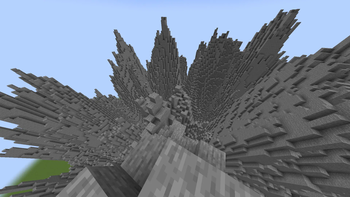
This will paste your image as a heightmap, this is intended to work with heightmap images for terrain building
`/image heightmap
#### Arguments:
`imagePath`: The name of your image. (Stored in a new `images` folder in your `.minecraft` directory).
`block`: The block to build the heightmap out of.
`position`: The center position where the image will be generated.
`scaleX`: The scale of your image on the X axis, written as a ratio: `1:8`.
`scaleZ`: The scale of your image on the Z axis, written as a ratio: `1:8`.
`scaleY`: The scale of your image on the Y axis, written as a ratio: `1:8`.
`direction`: The horizontal direction your image will face.
📊 Mod Details
- Game
- Minecraft Mods
- Author
- lamaprogramer
- Version
- 1.0.0-1.21
- Downloads
- 3,413
- Endorsements
- 17
- Category
- decoration
- Created
- 1/16/2024
- Updated
- 7/25/2024
- Game Versions
- 1.21
- Tags
- decoration, game-mechanics, utility
🔧 How to Install Minecraft Mods Mods
Download from Modrinth. Use Prism Launcher or drop into your mods folder.
📖 Full step-by-step install guide for Minecraft Mods →
Visit the official mod page for specific installation instructions for this mod.
🎮 Need cheat codes or console commands? Check ur gaming wiki for Minecraft Mods commands, item IDs, and more.
❓ Frequently Asked Questions
Which Minecraft Mods versions does ImageToWorld support?
The author lists 1.21. Other versions may work but are untested by the author.
What is the latest version of ImageToWorld?
Version 1.0.0-1.21, published 2024-07-25 with 3,413 downloads recorded at the source.
Keep browsing — more Minecraft Mods mods await