Harder Branch Mining
⚪ Last updated 2024⚠️ Install Order · 2 steps
Install in this order, then this mod last — most mods fail to load without their framework and dependencies in place.
🖼️ Gallery (1 images)
🔍 Analysis
- 👍 0.2% endorsement rate
- 🏆 #526 of 647 adventure mods in this game by downloads
📋 About This Mod
# Summary Harder Branch Mining gives you tools to make branch mining more difficult in various ways and to encourage caving. You can control the horizontal-- setting how hard it is to mine at a given depth. You can control the vertical-- setting how hard it is to mine downwards. You can control the depth mining starts becoming slower and more tiring. You can control on an individual individual tools, item, and dimension basis from any mod. You can control whether mining ore blocks is normal or harder! ## Default Settings Harder Branch Mining is ready to go with reasonable default settings and support for other common mods. You don't need to do anything to start using it. You may find you only want to change one or two settings after you play it a while. By default, it starts getting harder at depth 48 and maxes out at depth 5 and ore remains easy to dig. ## Tool Configuration Line Tool configuration is a long string separated by semi-colons into different tools. Here is an example of one tool, then what each part does. minecraft:diamond_pickaxe,minecraft:overworld,48,1.2; "The Mod:The Tool", "The Mod:Dimension", "Height Digging Gets Slower and More Exhausting", "Dig Speed Divider For Tool" Version 11 and earlier. So this "Minecraft:Diamond_Pickaxe" in the "minecraft:overworld", at height Y=48, divides the normal block break speed by 1.2. If the normal minecraft block breakspeed was 5, then it would be lowered to 4.16, roughly 20% slower. Version 12 and later (minecraft 1.18.1) The tool Y value modifier determines the Y height that a tool starts to slow down and get more exhausting. Pre 1.18.1 (version 12) The tool modifier slows the tool down more than the default. 1.00 has no effect. 1.2 slows slightly. 2.0 *further* halfs the speed from the default dig modifier. Post 1.18.1 (version 12) The tool modifer is a percentage slowdown. 1.00 doesn't slow. 0.9 slows it to 90% speed (and makes it 10% more exhausting). ## Settings ## Exhaustion Type Exhaustion rates are configured per tool type and dimension. They do not apply to "soft" items (like torches, rail, dirt) with hardness of 1 or less. You can control the depth which extra exhaustion starts. Extra exhaustion makes the player consume food faster. The default starting depth is set to y=48 for tools in the sample configuration and you can change that to any height from 5 to 255. ## Three Types of Exhaustion You can control the type of exhaustion. ### Proportional Exhaustion (default) As a player mines deeper below the Exhaustion Depth, they gradually consume increasing amounts of food to mine. For example, you could configure mining to cost up to 3 extra food bars below Y=50 with a wooden tool. It might start at .01 extra food bars at Y=49 but increase to 2.74 food bars at Y=12. For example, you could configure mining to cost up to 0.10 extra food bars below Y=50 with a diamond tool. It might start at .003 extra food bars at Y=49 but increase to 0.097 food bars at Y= 5. You could also think of this as a fraction of the extra food bars. If you set exhaustion depth at 50, then when a player was digging at Y=49, exhaustion would be 1/50th of the extra food bars. At Y=12, exhaustion would be 38/50ths of the extra food bars. No Exhaustion This setting slows down mining proportionally but doesn't use extra food. (suggested by user Powraca1) ### Fixed Exhaustion When mining below the Exhaustion Depth, digging is slowed a fixed amount and players consume a fixed extra amount of food to dig. For example, you could set mining with a wooden tool to cost an extra food bar for every block mined with a wooden tool below Y=50. For example, you could set mining with a diamond tool to cost an extra tenth of food bar for every block mined with a diamond tool below Y=32. Notes From testing, good values for Fixed exhaustion are about 1/4th to 1/6th those for Proportional exhaustion. Setting exhaustion to 0.0 for a particular tool and dimension combination effectively disables the mod for that particular item. If an item or tool isn't configured for a dimension, it will fall back to dimension 0, the Overworld, values. If an item or tool isn't configured at all, it will fall back to the values set by "HBM:Default:0". ### Digging Speed Modifiers There are two digging speed modifiers. The Digging Speed Modifier always applies. The Downward Digging Speed Modifier only applies when digging blocks lower than the player's feet. Digging Speed Modifier (thru version 13. As of 14 is now on each tool instead of global) The Digging Speed Modifier ranges from 1.0 to 11.0. 1.0 is "no change" and 11.0 is "really slow". The effect scales with depth. For example: If the Digging Speed Modifier is set at 10.0, as the player digs deeper this will increase from no effect to roughly 40 times longer near bedrock. 1.12.2 Always enforced by server so it always "looks" correct. 1.15.2 Enforced by server when the player enters t
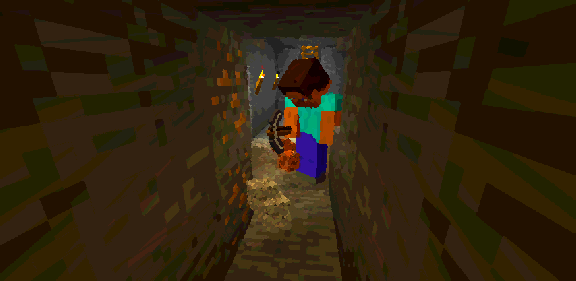
Harder Branch Mining gives you tools to make branch mining more difficult in various ways and to encourage caving.
You can control the horizontal-- setting how hard it is to mine at a given depth. You can control the vertical-- setting how hard it is to mine downwards. You can control the depth mining starts becoming slower and more tiring. You can control on an individual individual tools, item, and dimension basis from any mod. You can control whether mining ore blocks is normal or harder!
## Default Settings
Harder Branch Mining is ready to go with reasonable default settings and support for other common mods. You don't need to do anything to start using it.
You may find you only want to change one or two settings after you play it a while. By default, it starts getting harder at depth 48 and maxes out at depth 5 and ore remains easy to dig.
## Tool Configuration Line
Tool configuration is a long string separated by semi-colons into different tools. Here is an example of one tool, then what each part does. minecraft:diamond_pickaxe,minecraft:overworld,48,1. 2; "The Mod:The Tool", "The Mod:Dimension", "Height Digging Gets Slower and More Exhausting", "Dig Speed Divider For Tool"
Version 11 and earlier.
So this "Minecraft:Diamond_Pickaxe" in the "minecraft:overworld", at height Y=48, divides the normal block break speed by 1. 2.
If the normal minecraft block breakspeed was 5, then it would be lowered to 4. 16, roughly 20% slower.
Version 12 and later (minecraft 1. 18. 1)
The tool Y value modifier determines the Y height that a tool starts to slow down and get more exhausting.
Pre 1. 18. 1 (version 12) The tool modifier slows the tool down more than the default. 1. 00 has no effect. 1. 2 slows slightly. 2. 0 further halfs the speed from the default dig modifier.
Post 1. 18. 1 (version 12) The tool modifer is a percentage slowdown. 1. 00 doesn't slow. 0. 9 slows it to 90% speed (and makes it 10% more exhausting).
## Settings
## Exhaustion Type
Exhaustion rates are configured per tool type and dimension. They do not apply to "soft" items (like torches, rail, dirt) with hardness of 1 or less.
You can control the depth which extra exhaustion starts. Extra exhaustion makes the player consume food faster.
The default starting depth is set to y=48 for tools in the sample configuration and you can change that to any height from 5 to 255.
## Three Types of Exhaustion
You can control the type of exhaustion.
### Proportional Exhaustion (default)
As a player mines deeper below the Exhaustion Depth, they gradually consume increasing amounts of food to mine.
For example, you could configure mining to cost up to 3 extra food bars below Y=50 with a wooden tool. It might start at . 01 extra food bars at Y=49 but increase to 2. 74 food bars at Y=12. For example, you could configure mining to cost up to 0. 10 extra food bars below Y=50 with a diamond tool. It might start at . 003 extra food bars at Y=49 but increase to 0. 097 food bars at Y= 5. You could also think of this as a fraction of the extra food bars. If you set exhaustion depth at 50, then when a player was digging at Y=49, exhaustion would be 1/50th of the extra food bars. At Y=12, exhaustion would be 38/50ths of the extra food bars. No Exhaustion
This setting slows down mining proportionally but doesn't use extra food. (suggested by user Powraca1)
### Fixed Exhaustion
When mining below the Exhaustion Depth, digging is slowed a fixed amount and players consume a fixed extra amount of food to dig.
For example, you could set mining with a wooden tool to cost an extra food bar for every block mined with a wooden tool below Y=50. For example, you could set mining with a diamond tool to cost an extra tenth of food bar for every block mined with a diamond tool below Y=32. Notes
From testing, good values for Fixed exhaustion are about 1/4th to 1/6th those for Proportional exhaustion.
Setting exhaustion to 0. 0 for a particular tool and dimension combination effectively disables the mod for that particular item.
If an item or tool isn't configured for a dimension, it will fall back to dimension 0, the Overworld, values.
If an item or tool isn't configured at all, it will fall back to the values set by "HBM:Default:0".
### Digging Speed Modifiers
There are two digging speed modifiers. The Digging Speed Modifier always applies. The Downward Digging Speed Modifier only applies when digging blocks lower than the player's feet.
Digging Speed Modifier (thru version 13. As of 14 is now on each tool instead of global)
The Digging Speed Modifier ranges from 1. 0 to 11. 0. 1. 0 is "no change" and 11. 0 is "really slow".
The effect scales with depth.
For example: If the Digging Speed Modifier is set at 10. 0, as the player digs deeper this will increase from no effect to roughly 40 times longer near bedrock. 1. 12. 2 Always enforced by server so it always "looks" correct. 1. 15. 2 Enforced by server when the player enters t
📊 Mod Details
- Game
- Minecraft Mods
- Author
- macmcleod42
- Version
- 46.0.14
- Downloads
- 10,723
- Endorsements
- 21
- Category
- adventure
- Created
- 8/30/2024
- Updated
- 8/28/2024
- Game Versions
- 1.20, 1.20.1, 1.20.2, 1.20.3, 1.20.4
- Tags
- adventure, optimization, utility
🔧 How to Install Minecraft Mods Mods
Download from Modrinth. Use Prism Launcher or drop into your mods folder.
📖 Full step-by-step install guide for Minecraft Mods →
Visit the official mod page for specific installation instructions for this mod.
🎮 Need cheat codes or console commands? Check ur gaming wiki for Minecraft Mods commands, item IDs, and more.
❓ Frequently Asked Questions
Which Minecraft Mods versions does Harder Branch Mining support?
The author lists 1.20, 1.20.1, 1.20.2, 1.20.3, 1.20.4, 1.20.5. Other versions may work but are untested by the author.
What is the latest version of Harder Branch Mining?
Version 46.0.14, published 2024-08-28 with 10,723 downloads recorded at the source.
Keep browsing — more Minecraft Mods mods await