CTM Selector
🟡 Updated this year⚠️ Install Order · 2 steps
Install in this order, then this mod last — most mods fail to load without their framework and dependencies in place.
🖼️ Gallery (4 images)
🔍 Analysis
- 👍 0.4% endorsement rate
- 🏆 #296 of 335 decoration mods in this game by downloads
📋 About This Mod
!(https://git.sr.ht/~aeldit/ProfilePage/blob/main/images/banner_ctms.png)
[!(https://cdn.jsdelivr.net/npm/@intergrav/devins-badges@3/assets/cozy/requires/fabric-api_vector.svg)](https://modrinth.com/mod/fabric-api) [!(https://git.sr.ht/~aeldit/MC-Resource-Packs/blob/main/images/requires_continuity.svg)](https://modrinth.com/mod/continuity) or [!(https://cdn.jsdelivr.net/npm/@intergrav/devins-badges@3/assets/cozy/requires/optifine_vector.svg)](https://optifine.net/home)
🎴 Show available versions
| Supported MC Version | Up to date | Last version | |:--------------------:|:----------:|:------------:| | 1. 19. 4 | ❌ | 0. 1. 2 | | 1. 20.x | ❌ | 0. 1. 2 | | 1. 20. 2 | ✅ | latest | | 1. 20. 4 | ✅ | latest | | 1. 20. 6 | ✅ | latest | | 1. 21-1. 21. 8 | ✅ | latest | | 1. 21. 9 | ❌ | none | | 1. 21. 10-1. 21. 11 | ✅ | latest |
### Description
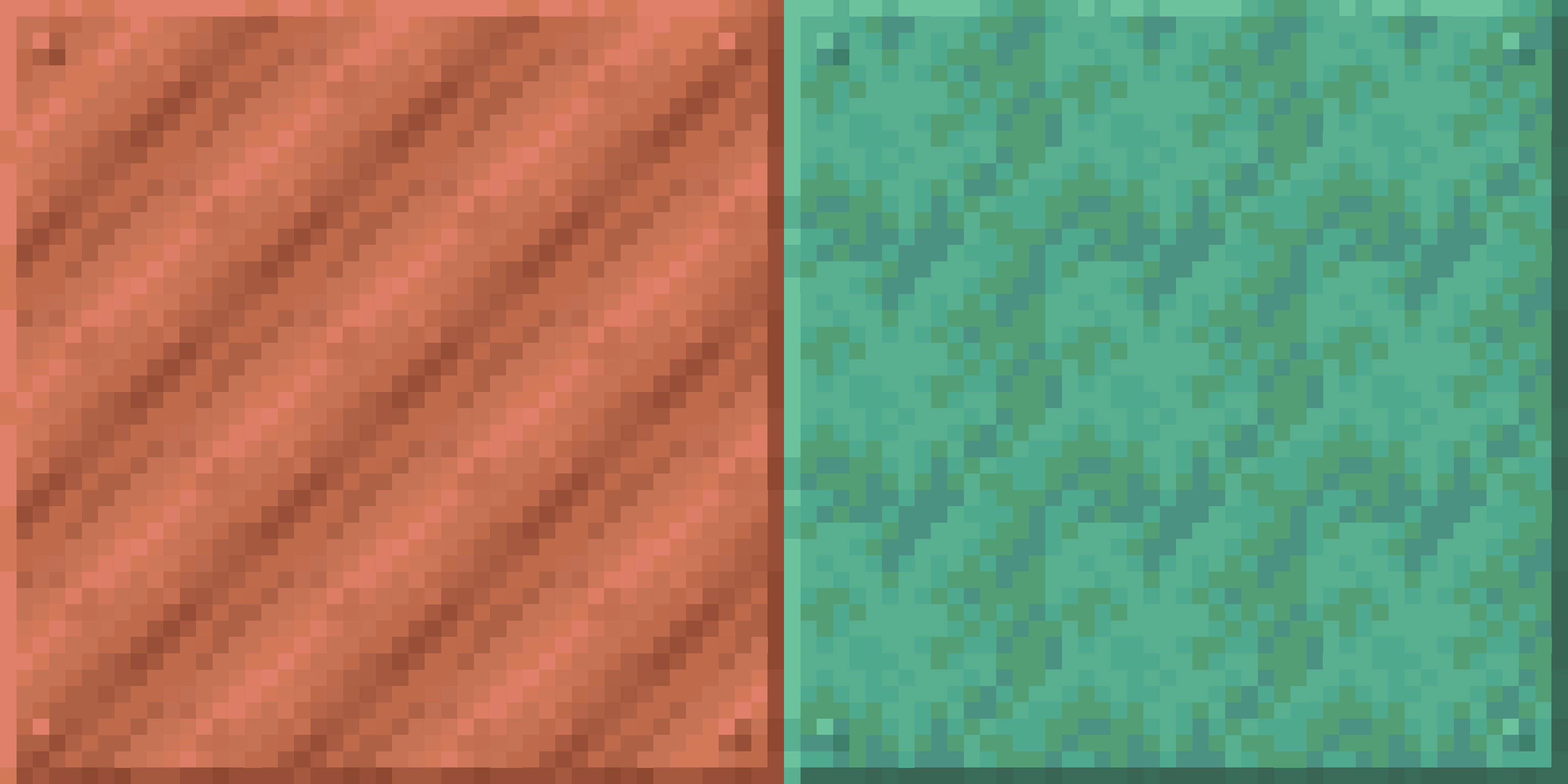
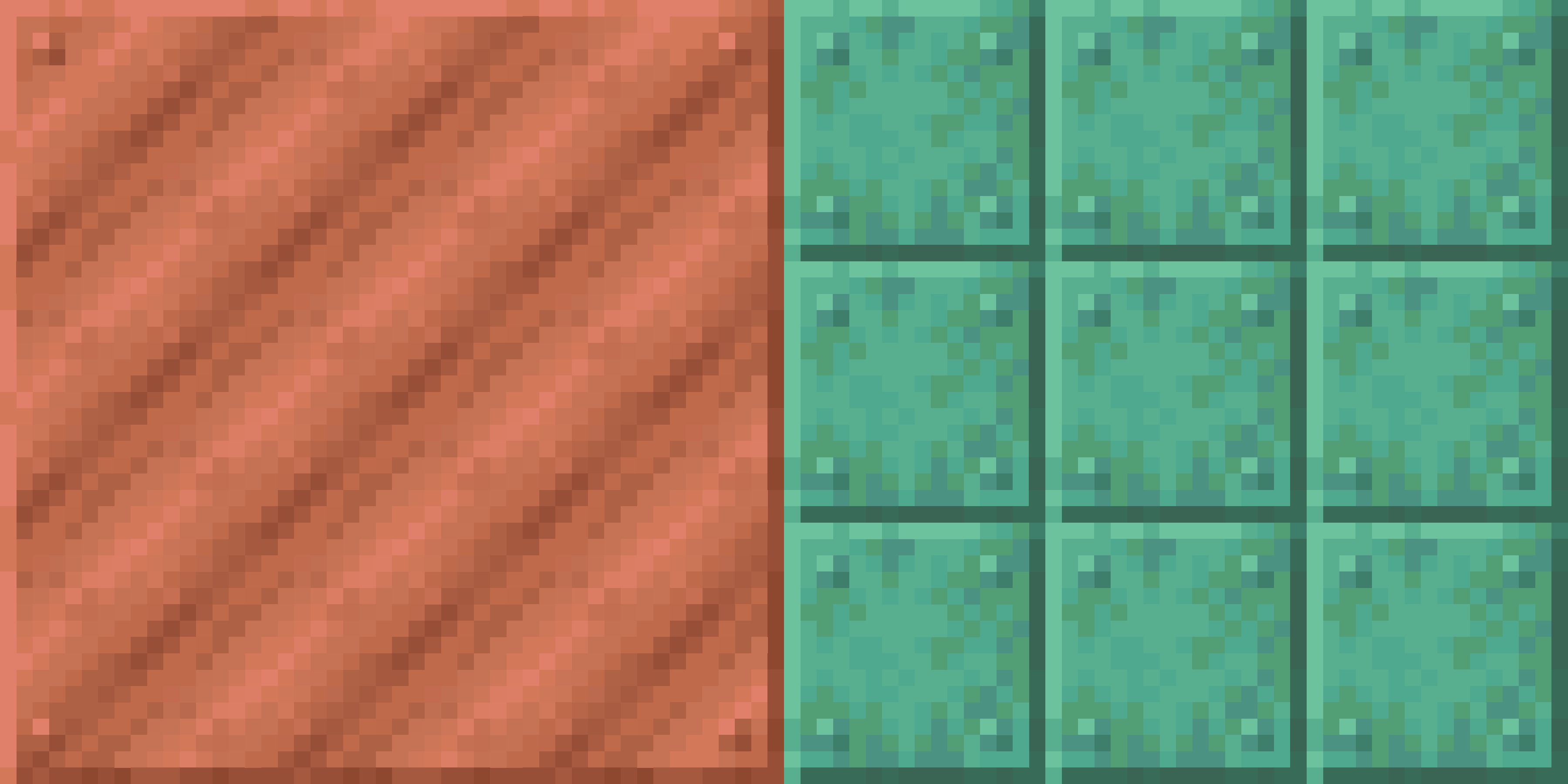
This mod allows you to choose which blocks with connected textures will be enabled in your pack. For example, if you have a connected textures pack, but you don't want the log textures to be connected, then you can simply disable only these textures, while keeping the other textures connected
🏛️ In order to work, this mod needs 3 things (for links, you can click the badges above) :
- The Fabric or Quilt API
- A connected textures mod like Continuity or Optifine
- A CTM capable resource pack (basically a resource pack that adds connected textures)
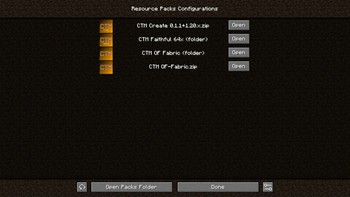
For the resource packs to be detected, they simply have to be in your usual resourcepacks folder
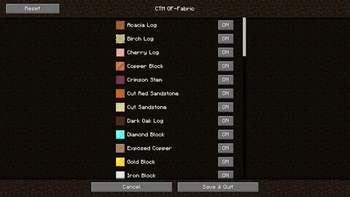
Once you have installed the mods and resource pack(s), you have to select in Minecraft the resource packs you want (you just need to activate the resource pack like in vanilla). Then you can go in the config screen of the mod using the U key or ModMenu, and you will have access to all the options
### 💲`Features`
1. Choose which blocks will have connected textures among the possible ones (❗ if your pack is a zip file, the resources will reload 2 times when enabling or disabling textures, this is normal. It is because zip files can't be modified while used by Minecraft, so we the mod unloads the pack, modifies it and reloads it) 2. Choose which group of block will connect (ex: all logs or all metals)
> If you want a CTM capable resource pack, you can check these (the badges are clickable) : > > [!(https://git.sr.ht/~aeldit/ProfilePage/blob/main/images/mc_ctm.svg)](https://modrinth.com/resourcepack/ctm-of-fabric) > [!(https://git.sr.ht/~aeldit/ProfilePage/blob/main/images/mc_ctmfaithful.svg)](https://modrinth.com/resourcepack/ctm-faithful)
### For pack developers
If you want to make your resource pack compatible with this mod, read the documentation here : https://git.sr.ht/~aeldit/CTMSelector/tree/main/item/docs/GROUPS.md
> If you find any issue, please make sure to report it here: https://todo.sr.ht/~aeldit/CTMSelector so I can fix it > > If you have a suggestion, you can go on my discord server and create a post in 🗽-suggestions-forum > > [!(https://img.shields.io/discord/750243612473819188?color=7289da&label=DISCORD&logo=discord&logoColor=7289da&style=for-the-badge)](https://discord.gg/PcYPpqzhKS)
### Check out the rest of my projects !
[!(https://git.sr.ht/~aeldit/ProfilePage/blob/main/images/mc_cyan.svg)](https://modrinth.com/mod/cyan) [!(https://git.sr.ht/~aeldit/ProfilePage/blob/main/images/mc_cyansethome.svg)](https://modrinth.com/mod/cyansethome) [!(https://git.sr.ht/~aeldit/ProfilePage/blob/main/images/mc_cyanlib.svg)](https://modrinth.com/mod/cyanlib) [!(https://git.sr.ht/~aeldit/ProfilePage/blob/main/images/mc_ctm.svg)](https://modrinth.com/resourcepack/ctm-of-fabric) [!(https://git.sr.ht/~aeldit/ProfilePage/blob/main/images/mc_ctmfaithful.svg)](https://modrinth.com/resourcepack/ctm-faithful) [!(https://git.sr.ht/~aeldit/ProfilePage/blob/main/images/mc_darkgui.svg)](https://modrinth.com/resourcepack/dark-smooth-gui) [!(https://git.sr.ht/~aeldit/ProfilePage/blob/main/images/mc_lightgui.svg)](https://modrinth.com/resourcepack/light-smooth-gui) [!(https://git.sr.ht/~aeldit/ProfilePage/blob/main/images/mc_ft.svg)](https://modrinth.com/datapack/floating-texts)
📊 Mod Details
- Game
- Minecraft Mods
- Author
- Aeldit
- Version
- 0.5.6+1.21.4
- Downloads
- 18,670
- Endorsements
- 69
- Category
- decoration
- Created
- 9/3/2023
- Updated
- 8/16/2026
- Game Versions
- 1.21.4
- Tags
- decoration, management, utility
🔧 How to Install Minecraft Mods Mods
Download from Modrinth. Use Prism Launcher or drop into your mods folder.
📖 Full step-by-step install guide for Minecraft Mods →
Visit the official mod page for specific installation instructions for this mod.
🎮 Need cheat codes or console commands? Check ur gaming wiki for Minecraft Mods commands, item IDs, and more.
❓ Frequently Asked Questions
Which Minecraft Mods versions does CTM Selector support?
The author lists 1.21.4. Other versions may work but are untested by the author.
What is the latest version of CTM Selector?
Version 0.5.6+1.21.4, published 2026-08-16 with 18,670 downloads recorded at the source.
Keep browsing — more Minecraft Mods mods await