Chalk
🟢 Updated this month⚠️ Install Order · 2 steps
Install in this order, then this mod last — most mods fail to load without their framework and dependencies in place.
🖼️ Gallery (7 images)
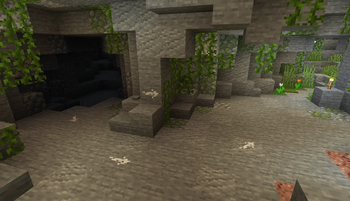
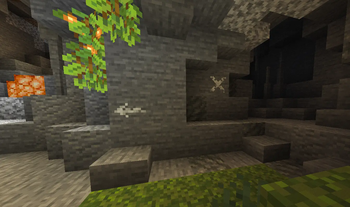
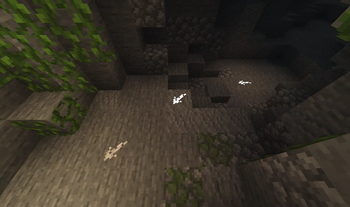
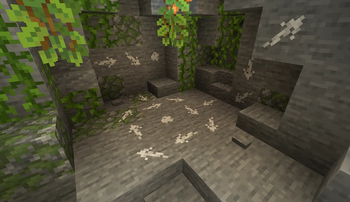
🔍 Analysis
- 👍 0.0% endorsement rate
- 🏆 #387 of 618 adventure mods in this game by downloads
📋 About This Mod
<br> <div align="center"> <img alt="Chalk" align="center" src="https://raw.githubusercontent.com/mortuusars/resources/main/media/chalk/main.png" width=200/> </div> <br> <div align="center"> *Mark your way through the vast world of Minecraft®™!* #### Chalk allows you to draw marks for easier navigation in caves or structures, or as decoration <br> <img alt="Chalk" align="center" width=1000 src="https://raw.githubusercontent.com/mortuusars/resources/main/media/chalk/page_chalk.png" /> <br><br> <img alt="Drawing" align="center" width=1000 src="https://raw.githubusercontent.com/mortuusars/resources/main/media/chalk/page_drawing.png" /> <br><br> <img alt="Symbols" align="center" width=1000 src="https://raw.githubusercontent.com/mortuusars/resources/main/media/chalk/page_symbols.png" /> <br><br> <img alt="Glowing" align="center" width=1000 src="https://raw.githubusercontent.com/mortuusars/resources/main/media/chalk/page_glowing.png" /> <br><br> <img alt="Chalk Box" align="center" width=1000 src="https://raw.githubusercontent.com/mortuusars/resources/main/media/chalk/page_chalk_box.png" /> <br><br> </div> <details> <summary>Description in text form</summary> <h3>Chalk</h3> - Craftable from a piece of Calcite or found in some underground or village chests<br> - Can be dyed into any color, similar to a leather armor<br> - Can be eaten, which gives 30 seconds of Strength effect<br> <h3>Drawing</h3> Clicking on a full side of a block will draw an arrow mark <br> - Arrow will be pointed towards the clicked position on a face<br> - Dot mark is drawn by clicking in the center<br> <h3>Symbols</h3> Various symbols can be drawn by sneak-using the chalk<br> - This will open an interface where a desired symbol can be chosen<br><br> - Most special symbols need to be unlocked by completing advancements<br> <h3>Glowing</h3> Marks can be made glowing by applying Glowstone Dust or Glow Ink Sac to them<br> - Glowing marks are quite bright and will slightly light up their surroundings<br> <h3>Chalk Box</h3> Convenient way to store and use chalks<br> - Can be opened by using it while not looking at any block<br> - Marks will be drawn with the selected chalk<br> - Selection can be changed in the interface or by sneak-using the box<br><br> - Glowing marks can be drawn more efficiently with the Chalk Box, by adding a glowing item in the special slot </details> <div align="center"> • #### Enjoying the mod? Your support would allow me to continue working on it and on other mods! (https://www.patreon.com/mortuusars/membership)(https://www.paypal.com/donate/?hosted_button_id=4VPMCBCLZVUEA) (https://www.patreon.com/mortuusars/posts/rewards-129739244) • (https://discord.gg/FzHKGDW2et) </div>
Mark your way through the vast world of Minecraft®™!
#### Chalk allows you to draw marks for easier navigation in caves or structures, or as decoration




Description in text form
Chalk
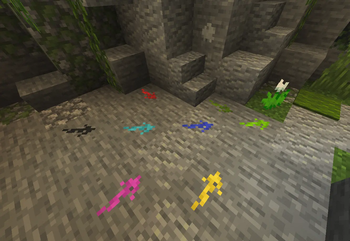
- Craftable from a piece of Calcite or found in some underground or village chests
- Can be dyed into any color, similar to a leather armor
- Can be eaten, which gives 30 seconds of Strength effect
Drawing
Clicking on a full side of a block will draw an arrow mark- Arrow will be pointed towards the clicked position on a face
- Dot mark is drawn by clicking in the center
Symbols
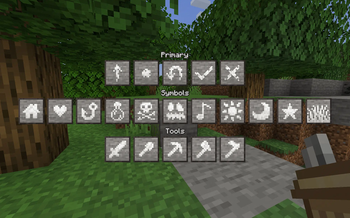
Various symbols can be drawn by sneak-using the chalk- This will open an interface where a desired symbol can be chosen
- Most special symbols need to be unlocked by completing advancements
Glowing
Marks can be made glowing by applying Glowstone Dust or Glow Ink Sac to them- Glowing marks are quite bright and will slightly light up their surroundings
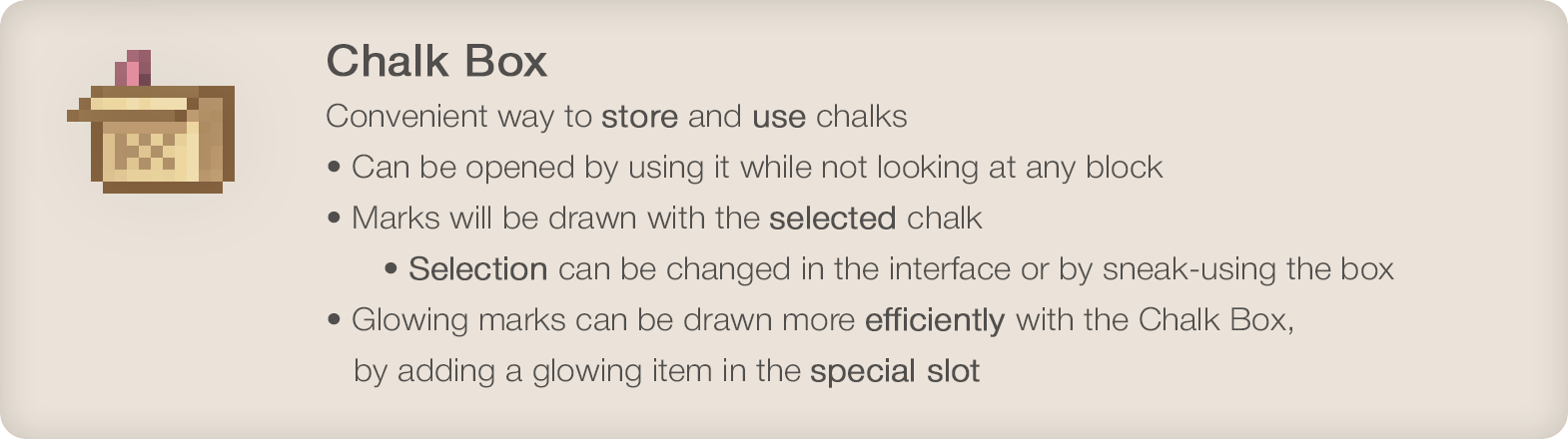
Chalk Box
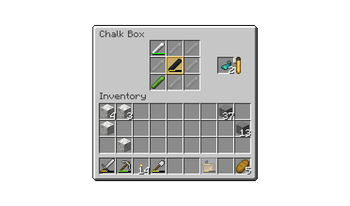
Convenient way to store and use chalks- Can be opened by using it while not looking at any block
- Marks will be drawn with the selected chalk
- Selection can be changed in the interface or by sneak-using the box
- Glowing marks can be drawn more efficiently with the Chalk Box, by adding a glowing item in the special slot
#### Enjoying the mod? Your support would allow me to continue working on it and on other mods!
[ ](https://www.patreon.com/mortuusars/membership)[
 ](https://www.paypal.com/donate/?hosted_button_id=4VPMCBCLZVUEA)
[
](https://www.paypal.com/donate/?hosted_button_id=4VPMCBCLZVUEA)
[ ](https://www.patreon.com/mortuusars/posts/rewards-129739244)
[ ](https://discord.gg/FzHKGDW2et)
📊 Mod Details
- Game
- Minecraft Mods
- Author
- mortuusars
- Version
- 2.0.0
- Downloads
- 1,031,335
- Endorsements
- 409
- Category
- adventure
- Created
- 5/31/2022
- Updated
- 8/24/2026
- Game Versions
- 1.21.1
- Tags
- adventure, utility
🔧 How to Install Minecraft Mods Mods
Download from Modrinth. Use Prism Launcher or drop into your mods folder.
📖 Full step-by-step install guide for Minecraft Mods →
Visit the official mod page for specific installation instructions for this mod.
🎮 Need cheat codes or console commands? Check ur gaming wiki for Minecraft Mods commands, item IDs, and more.
❓ Frequently Asked Questions
Which Minecraft Mods versions does Chalk support?
The author lists 1.21.1. Other versions may work but are untested by the author.
What is the latest version of Chalk?
Version 2.0.0, published 2026-08-24 with 1.0M downloads recorded at the source.
Keep browsing — more Minecraft Mods mods await