Call of the King
🟡 Updated this year⚠️ Install Order · 2 steps
Install in this order, then this mod last — most mods fail to load without their framework and dependencies in place.
🖼️ Gallery (3 images)
🔍 Analysis
- 👍 0.5% endorsement rate
- 🏆 #13 of 253 datapack mods in this game by downloads
📋 About This Mod
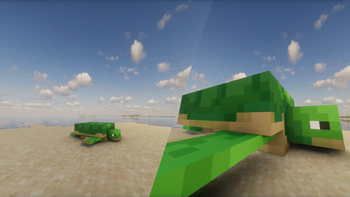
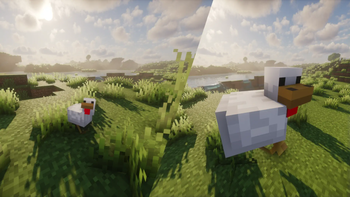
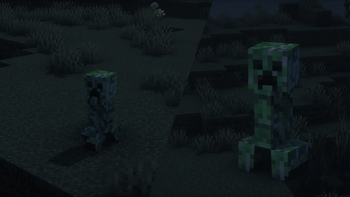
# What is it? Ever found yourself just playing Minecraft as usual and wondering what it would be like if you could for whatever reason make mobs just a little bit bigger? Well now you can! > Just put a name tag with the name "King" on any mob and it will triple in size! Size up your pets and animals, or even the monsters too! > # Installation Guide: ## Data Pack version: - Download the data pack - Exit the world you want to install the data pack in - Select that world in the world selection screen, click on "Edit", then "Open world folder". - Open the folder named "datapacks", and put the downloaded .zip file into it. - Now enter the world, and have fun :) ## Mod version: - Make sure your Minecraft version matches the mod version - Download the mod - Go to your main ".minecraft" folder - Enter the "mods" folder (or if you don't have one yet create one) - Place the downloaded mod into the mods folder - Now enter the world, and have fun :) ## Using the Modrinth App on desktop: - Install the mod/data pack - That's it, have fun :)
# What is it? Ever found yourself just playing Minecraft as usual and wondering what it would be like if you could for whatever reason make mobs just a little bit bigger? Well now you can!
> Just put a name tag with the name "King" on any mob and it will triple in size! Size up your pets and animals, or even the monsters too! > # Installation Guide: ## Data Pack version: - Download the data pack - Exit the world you want to install the data pack in - Select that world in the world selection screen, click on "Edit", then "Open world folder". - Open the folder named "datapacks", and put the downloaded .zip file into it. - Now enter the world, and have fun :)
## Mod version: - Make sure your Minecraft version matches the mod version - Download the mod - Go to your main ".minecraft" folder - Enter the "mods" folder (or if you don't have one yet create one) - Place the downloaded mod into the mods folder - Now enter the world, and have fun :)
## Using the Modrinth App on desktop: - Install the mod/data pack - That's it, have fun :)
📊 Mod Details
- Game
- Minecraft Mods
- Author
- pixelcrafti
- Version
- v1.2+mod
- Downloads
- 5,898
- Endorsements
- 32
- Category
- datapack
- Created
- 11/15/2024
- Updated
- 6/30/2026
- Game Versions
- 26.1, 26.1.1, 26.1.2, 26.2
- Tags
- decoration, game-mechanics, mobs
🔧 How to Install Minecraft Mods Mods
Download from Modrinth. Use Prism Launcher or drop into your mods folder.
📖 Full step-by-step install guide for Minecraft Mods →
Visit the official mod page for specific installation instructions for this mod.
🎮 Need cheat codes or console commands? Check ur gaming wiki for Minecraft Mods commands, item IDs, and more.
❓ Frequently Asked Questions
Which Minecraft Mods versions does Call of the King support?
The author lists 26.1, 26.1.1, 26.1.2, 26.2. Other versions may work but are untested by the author.
What is the latest version of Call of the King?
Version v1.2+mod, published 2026-06-30 with 5,898 downloads recorded at the source.
Keep browsing — more Minecraft Mods mods await