Block Event Separator
🟡 Updated this year⚠️ Install Order · 2 steps
Install in this order, then this mod last — most mods fail to load without their framework and dependencies in place.
Preview
🔍 Analysis
- 👍 0.2% endorsement rate
- 🏆 #58 of 128 cursed mods in this game by downloads
📋 About This Mod
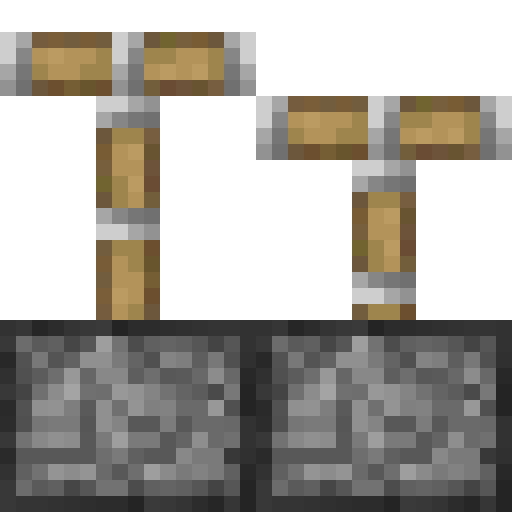
Block Event Separator allows you to see the inner workings of your piston contraptions by separating block events in real-time. While server-side behavior is perfectly preserved, on the client block events are separated by 1gt worth of time, allowing you to see the order in which pistons extend and/or retract within any tick.
The mod can be activated in three modes using the `/blockeventseparator mode
- `depth`: Block events are separated by depth (colloquially known as "microticks" or "BED"). Block events at the same depth start animating simultaneously.
- `index`: Block events are separated by index, based on the order in which they were executed. Each block event starts after the previous.
- `block`: Moving blocks are separated by index, based on the order in which they were created.
The pace at which the game steps through the block events can be changed using the `/blockeventseparator interval
## G4mespeed Mod Compatibility Using Block Event Separator in combination with (https://www.curseforge.com/minecraft/mc-mods/g4mespeed) (version 1. 3. 0 or later) gives several benefits:
- More consistent piston animations.
- Change the separation mode from the Server Settings section of the G4mespeed Menu.
- The separation mode will be saved and loaded from G4mespeed's options rather than resetting when the game is restarted.
## Carpet Mod Compatibility Block Event Separator is compatible with (https://www.curseforge.com/minecraft/mc-mods/carpet)'s tick freeze functionality, allowing you to step through individual block events at your own leisurely pace. For the best results, Carpet mod should be installed client-side, with the `smoothClientAnimations` rule enabled, or G4mespeed should be installed client-side to properly sync the client to the server.
📊 Mod Details
- Game
- Minecraft Mods
- Author
- Space Walker
- Version
- mc26.2-1.3.0
- Downloads
- 25,710
- Endorsements
- 47
- Category
- cursed
- Created
- 3/21/2022
- Updated
- 7/26/2026
- Game Versions
- 26.2
- Tags
- cursed, utility
🔧 How to Install Minecraft Mods Mods
Download from Modrinth. Use Prism Launcher or drop into your mods folder.
📖 Full step-by-step install guide for Minecraft Mods →
Visit the official mod page for specific installation instructions for this mod.
🎮 Need cheat codes or console commands? Check ur gaming wiki for Minecraft Mods commands, item IDs, and more.
❓ Frequently Asked Questions
Which Minecraft Mods versions does Block Event Separator support?
The author lists 26.2. Other versions may work but are untested by the author.
What is the latest version of Block Event Separator?
Version mc26.2-1.3.0, published 2026-07-26 with 25,710 downloads recorded at the source.
Keep browsing — more Minecraft Mods mods await