Basically Particle Models
🟡 Updated this year⚠️ Install Order · 2 steps
Install in this order, then this mod last — most mods fail to load without their framework and dependencies in place.
🖼️ Gallery (7 images)
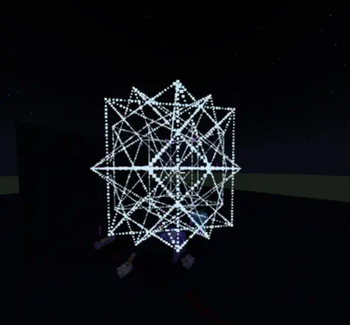
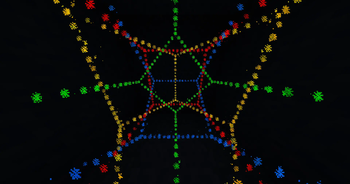
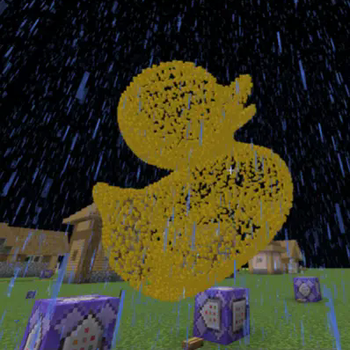
🔍 Analysis
- 👍 0.6% endorsement rate
- 🏆 #2 of 19 bukkit mods in this game by downloads
📋 About This Mod
the mod creates a folder on your server, you can upload models into the folder you can list the models in-game with `/particlemodels list`
##
To actually display the models you use `/particlemodels display
### example: `/execute positioned 0 64 0 facing entity @p run particlemodels display cube.obj minecraft:bubble 1 force 1 @a`
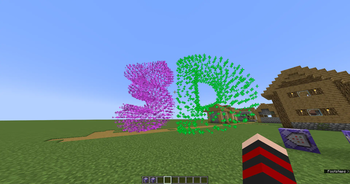
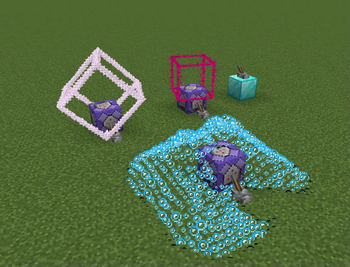
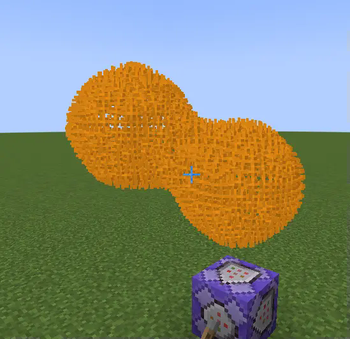
this command will display a cube model at `0 64 0` that will face the closest player in a 15 block radius, the model will be made of `bubble particles` _(good for moving models since the bubble particle has a very short lifetime)_, the particles are `forced` meaning even people with particles turned off will see them
## Warning: the mod can lag your server and/or client thats why theres a limit to how many vertices a model can have, by defauly set to `512` but can be configured, as well as the folder that the mod checks for models ## the mod currently can only display vertices and edges as displaying full faces with particles would be too much, even small models would lag, so im not planning on adding face support if you want to display models with faces, and even texture support check out [](https://heledron.com/tools/text-display-mesher/)
## supported model types: - .obj - .stl (ASCII) - .ply (ASCII)
## Blender can be weird if your model is consisted of only edges and vertices without any faces blender might just export a blank file sometimes, you can just select everything and press F to create some faces, that usually helps, but keep in mind that .stl automatically triangulates faces meaning those faces will each add 1 edge, so if you do that id recommend using OBJ or PLY models, when exporting you can uncheck pretty much everything, but you need to check "ASCII" when exporting .stl or .ply, otherwise the mod cant read the files
if you dont use blender you can use any CAD software to create models, they all can export .stl files
📊 Mod Details
- Game
- Minecraft Mods
- Author
- dexflex_yt
- Version
- 1.7.1-1.21.x
- Downloads
- 1,586
- Endorsements
- 10
- Category
- bukkit
- Created
- 4/19/2025
- Updated
- 5/4/2026
- Game Versions
- 1.21, 1.21.1, 1.21.2, 1.21.3, 1.21.4
- Tags
- cursed, utility
🔧 How to Install Minecraft Mods Mods
Download from Modrinth. Use Prism Launcher or drop into your mods folder.
📖 Full step-by-step install guide for Minecraft Mods →
Visit the official mod page for specific installation instructions for this mod.
🎮 Need cheat codes or console commands? Check ur gaming wiki for Minecraft Mods commands, item IDs, and more.
❓ Frequently Asked Questions
Which Minecraft Mods versions does Basically Particle Models support?
The author lists 1.21, 1.21.1, 1.21.2, 1.21.3, 1.21.4, 1.21.5. Other versions may work but are untested by the author.
What is the latest version of Basically Particle Models?
Version 1.7.1-1.21.x, published 2026-05-04 with 1,586 downloads recorded at the source.
Keep browsing — more Minecraft Mods mods await