Bank Storage
🟠 Updated over a year ago⚠️ Install Order · 2 steps
Install in this order, then this mod last — most mods fail to load without their framework and dependencies in place.
🖼️ Gallery (12 images)
🔍 Analysis
- 👍 0.2% endorsement rate
- 🏆 #448 of 940 fabric mods in this game by downloads
📋 About This Mod
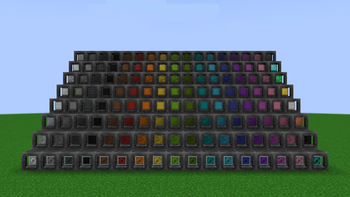
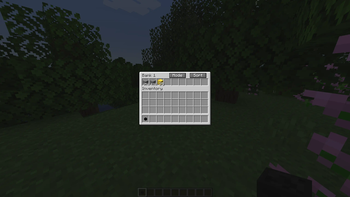
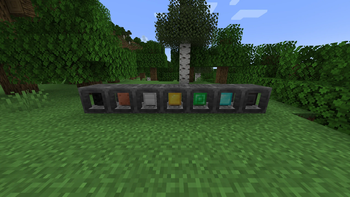
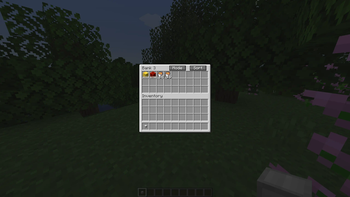
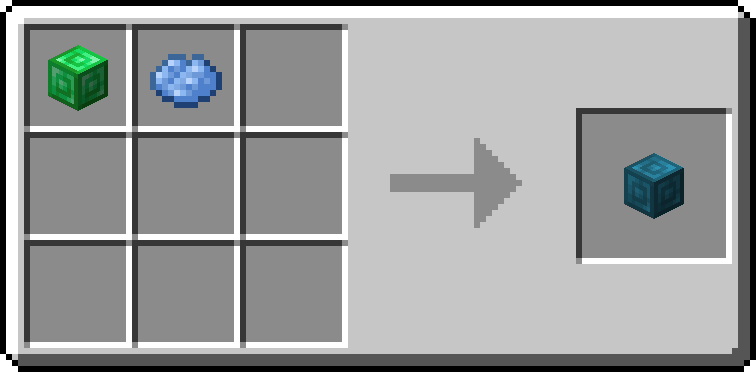
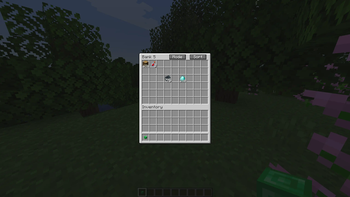
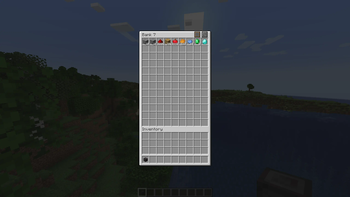
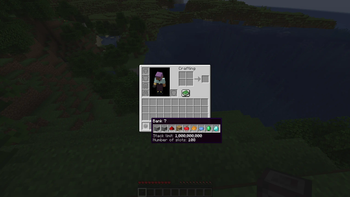
# Bank Storage Adds Banks of 7 increasing sizes. A portable storage device that can store from 256 up to 1 BILLION items per slot. ### Features - Larger slots: Store more items per slot than normally possible. Up to 1 billion items in a single slot. - Different sizes: From Bank 1 with 9 slots to bank 7 with 108 slots each with increasing slot sizes. - Bank Dock: Dock your bank to easily access it in-world. ### Pickup modes - Pickup all: All items picked up will automatically go into the Bank instead of your inventory. - Filtered pickup: Items will only go into Banks if they already contain matching items. - Void excess: Similar to filtered pickup, but if there is no room left in the Bank, the item gets voided. - No pickup: Items go straight into your inventory. ### Build modes - Build mode: Choose any block inside your Bank and place directly from the Bank item. - Scroll while crouching to choose block. - Randomized build mode: Similar to Build mode, but blocks get chosen randomly. - Bag Mode: Right click to open the Bank inventory screen. - Right click which crouching to change build mode. ### Slot filtering - Hold alt and click with an item to lock the slot to that item. - Only matching items can go into that slot. ### Bank Dock - Craft with 6 smooth stone on the sides and 2 hoppers at the top and bottom. - Right click with the Bank to dock it. - Right click while crouching to pick up the Bank. ### Bank Link - Link to another Bank to access the contents in multiple places at the same time. ### How to craft - Surround a barrel with 8 blocks of coal to craft the Bank 1. - To craft higher tiers, surround the previous tier with 8 block of. the next material - Materials used are Coal, Copper, Iron, Gold, Emerald, Diamond and Netherite, in that order. ### Admin commands - Lost banks can be restored with commands. - `/bankstorage fromuuid <uuid> <player>` - Gives the bank with specified uuid to player. - `/bankstorage list` - Lists all existing storages according to filters. - `/bankstorage list sort "date"/"type"/"player"` - Lists all existing storages in specified order. - `/bankstorage filter clear ` - Removes all filters. Optionally only filters of specified type. - `/bankstorage filter add <filter>` - Add a filter. - `<filter>` may be any of: - `type <bank_1 - bank_7>` - Only list banks of specified type. - `player <player>` - Only list banks which were last used by specified player. - `item <item>` - Only list banks which contain the specified item. **(https://discord.gg/tXJqWYMZbK)**
# Bank Storage Adds Banks of 7 increasing sizes. A portable storage device that can store from 256 up to 1 BILLION items per slot.
### Features - Larger slots: Store more items per slot than normally possible. Up to 1 billion items in a single slot. - Different sizes: From Bank 1 with 9 slots to bank 7 with 108 slots each with increasing slot sizes. - Bank Dock: Dock your bank to easily access it in-world.
### Pickup modes - Pickup all: All items picked up will automatically go into the Bank instead of your inventory. - Filtered pickup: Items will only go into Banks if they already contain matching items. - Void excess: Similar to filtered pickup, but if there is no room left in the Bank, the item gets voided. - No pickup: Items go straight into your inventory.
### Build modes - Build mode: Choose any block inside your Bank and place directly from the Bank item. - Scroll while crouching to choose block. - Randomized build mode: Similar to Build mode, but blocks get chosen randomly. - Bag Mode: Right click to open the Bank inventory screen. - Right click which crouching to change build mode.
### Slot filtering - Hold alt and click with an item to lock the slot to that item. - Only matching items can go into that slot.
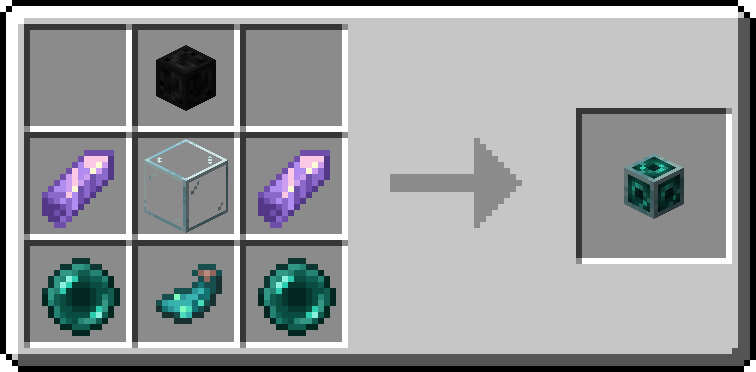
### Bank Dock - Craft with 6 smooth stone on the sides and 2 hoppers at the top and bottom. - Right click with the Bank to dock it. - Right click while crouching to pick up the Bank.
### Bank Link - Link to another Bank to access the contents in multiple places at the same time.
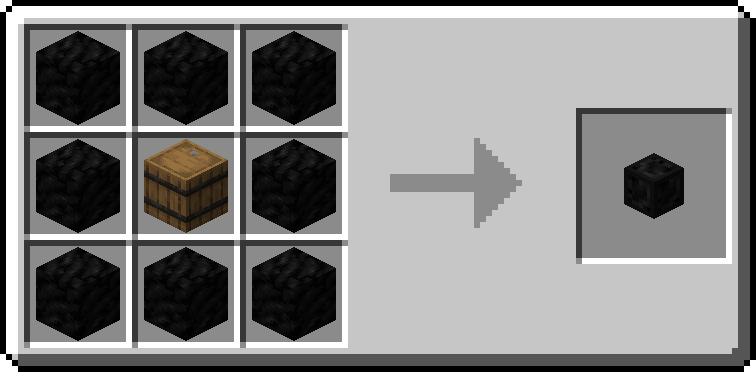
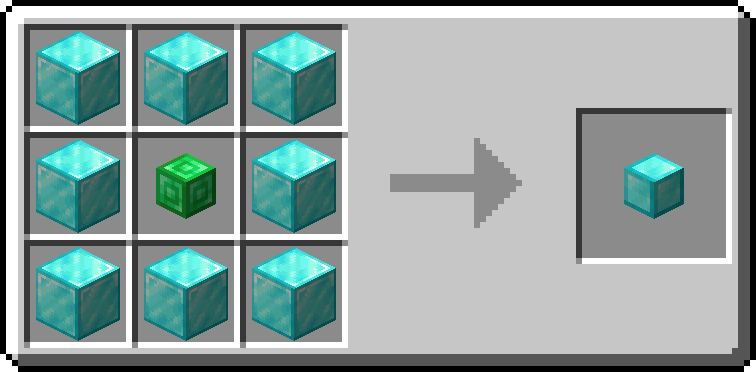
### How to craft - Surround a barrel with 8 blocks of coal to craft the Bank 1. - To craft higher tiers, surround the previous tier with 8 block of. the next material - Materials used are Coal, Copper, Iron, Gold, Emerald, Diamond and Netherite, in that order.
### Admin commands
- Lost banks can be restored with commands.
- `/bankstorage fromuuid
**(https://discord.gg/tXJqWYMZbK)**
📊 Mod Details
- Game
- Minecraft Mods
- Author
- Natanaelel
- Version
- 1.2.4
- Downloads
- 24,862
- Endorsements
- 46
- Category
- fabric
- Created
- 9/27/2023
- Updated
- 7/12/2025
- Game Versions
- 1.20.1
- Tags
- storage
🔧 How to Install Minecraft Mods Mods
Download from Modrinth. Use Prism Launcher or drop into your mods folder.
📖 Full step-by-step install guide for Minecraft Mods →
Visit the official mod page for specific installation instructions for this mod.
🎮 Need cheat codes or console commands? Check ur gaming wiki for Minecraft Mods commands, item IDs, and more.
❓ Frequently Asked Questions
Which Minecraft Mods versions does Bank Storage support?
The author lists 1.20.1. Other versions may work but are untested by the author.
What is the latest version of Bank Storage?
Version 1.2.4, published 2025-07-12 with 24,862 downloads recorded at the source.
Keep browsing — more Minecraft Mods mods await