Multimine
🟡 Updated this year🖼️ Gallery (5 images)


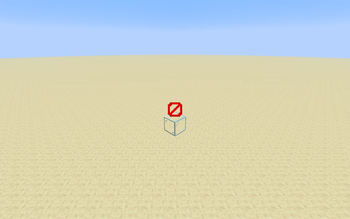
🔍 Analysis
- 🏆 #580 of 2046 datapack mods in this game by downloads
📋 About This Mod
# Usage This datapack adds a new enchantment - Multimine. !(https://cdn.modrinth.com/data/cached_images/69cacd6d316965aa5962fcb144979e3b6d262be1.png) To obtain Multimine, simply enchant a pickaxe or shovel with Multimine using an enchanting table or anvil. To use Multimine, simply break any block. The enchantment will break the blocks around in that are **common tool blocks**; a common tool block is a block that appears commonly in the world and is relatively easy to mine with the tool. The full list of common pickaxe blocks: - Stone - Infested Stone - Granite - Diorite - Andesite - Tuff - All 3 kinds of cobblestone - All 3 kinds of deepslate - Dripstone Block - Calcite - Both kinds of sandstone - All 17 kinds of terracotta - Netherrack - Basalt - Blackstone - Magma Block - Both kinds of nylium - End stone Note that ores are not included. The full list of common shovel blocks: - All 3 kinds of dirt - Grass Block - Podzol - Mycelium - Both kinds of moss block *(note that these are actually easier to mine with a hoe)* - Mud - Muddy Mangrove Roots - All 3 kinds of sand - Both kinds of gravel - Clay - All 3 kinds of snow There are 5 levels of Multimine, which each allow you to break more common tool blocks: 1. Allows you to break the block underneath the block you mined !(https://cdn.modrinth.com/data/cached_images/9c4a9844daf11f43bee997a125e84cd397e68cba.png) 2. Allows you to break the blocks face adjacent to the block you mined !(https://cdn.modrinth.com/data/cached_images/8d5f385ce396dccd6faaebf8c6c076d48f12c59f.png) 3. Allows you to break the blocks face or edge adjacent to the block you mined !(https://cdn.modrinth.com/data/cached_images/581a46b1c2262312cea3e048565e2c0a4235a4c9.png) 4. Allows you to break the blocks face or edge or vertex adjacent to the block you mined !(https://cdn.modrinth.com/data/cached_images/2893364e4a031cf688e66eab04abd2b84b070166.png) 5. Allows you to break the blocks face or edge or vertex adjacent to the block you mined, the blocks vertically adjacent to those blocks, or the blocks face adjacent to those !(https://cdn.modrinth.com/data/cached_images/8e0db6e1cefc319fef7af85588527a4951b2309a.png) Multimine works with other enchantments such as Fortune or Silk Touch. Multimine currently has a bug where instamine does not work with it. # Installation ## Datapack ### On Create World 1. Click the *More* tab 2. Click *Data Packs* 3. Click *Open Pack Folder* 4. Paste in the downloaded datapack 5. Move the datapack to *Selected* 6. Click *Done* ### Add to existing world 1. Select the world 2. Click *Edit* 3. Click *Open World Folder* 4. Open the `datapacks` folder 5. Paste in the downloaded datapack ## Required Resource Pack ### Singleplayer 1. Open the resource pack list 2. Click *Open Pack Folder* 3. Paste in the downloaded resource pack 4. Move the resource pack to *Selected* ### Server 1. Add the downloaded resource pack as a server resource pack 2. Make server resource packs required # Removal 1. Do `/function multimine:remove` to remove all the scoreboards. 2. Remove the datapack # Compatibility This datapack is not currently intentionally compatible with other datapacks or mods However, it should be compatible with most mods or datapacks that don't change how pickaxes or shovels work, and don't add new common tool blocks.
# Usage This datapack adds a new enchantment - Multimine.
!(https://cdn.modrinth.com/data/cached_images/69cacd6d316965aa5962fcb144979e3b6d262be1.png)
To obtain Multimine, simply enchant a pickaxe or shovel with Multimine using an enchanting table or anvil. To use Multimine, simply break any block. The enchantment will break the blocks around in that are common tool blocks; a common tool block is a block that appears commonly in the world and is relatively easy to mine with the tool.
The full list of common pickaxe blocks:
- Stone
- Infested Stone
- Granite
- Diorite
- Andesite
- Tuff
- All 3 kinds of cobblestone
- All 3 kinds of deepslate
- Dripstone Block
- Calcite
- Both kinds of sandstone
- All 17 kinds of terracotta
- Netherrack
- Basalt
- Blackstone
- Magma Block
- Both kinds of nylium
- End stone
Note that ores are not included.
The full list of common shovel blocks:
- All 3 kinds of dirt
- Grass Block
- Podzol
- Mycelium
- Both kinds of moss block (note that these are actually easier to mine with a hoe)
- Mud
- Muddy Mangrove Roots
- All 3 kinds of sand
- Both kinds of gravel
- Clay
- All 3 kinds of snow
There are 5 levels of Multimine, which each allow you to break more common tool blocks:
1. Allows you to break the block underneath the block you mined !(https://cdn.modrinth.com/data/cached_images/9c4a9844daf11f43bee997a125e84cd397e68cba.png) 2. Allows you to break the blocks face adjacent to the block you mined !(https://cdn.modrinth.com/data/cached_images/8d5f385ce396dccd6faaebf8c6c076d48f12c59f.png) 3. Allows you to break the blocks face or edge adjacent to the block you mined !(https://cdn.modrinth.com/data/cached_images/581a46b1c2262312cea3e048565e2c0a4235a4c9.png) 4. Allows you to break the blocks face or edge or vertex adjacent to the block you mined !(https://cdn.modrinth.com/data/cached_images/2893364e4a031cf688e66eab04abd2b84b070166.png) 5. Allows you to break the blocks face or edge or vertex adjacent to the block you mined, the blocks vertically adjacent to those blocks, or the blocks face adjacent to those !(https://cdn.modrinth.com/data/cached_images/8e0db6e1cefc319fef7af85588527a4951b2309a.png)
Multimine works with other enchantments such as Fortune or Silk Touch. Multimine currently has a bug where instamine does not work with it.
# Installation ## Datapack ### On Create World 1. Click the More tab 2. Click Data Packs 3. Click Open Pack Folder 4. Paste in the downloaded datapack 5. Move the datapack to Selected 6. Click Done ### Add to existing world 1. Select the world 2. Click Edit 3. Click Open World Folder 4. Open the `datapacks` folder 5. Paste in the downloaded datapack ## Required Resource Pack ### Singleplayer 1. Open the resource pack list 2. Click Open Pack Folder 3. Paste in the downloaded resource pack 4. Move the resource pack to Selected ### Server 1. Add the downloaded resource pack as a server resource pack 2. Make server resource packs required # Removal 1. Do `/function multimine:remove` to remove all the scoreboards. 2. Remove the datapack
# Compatibility This datapack is not currently intentionally compatible with other datapacks or mods
However, it should be compatible with most mods or datapacks that don't change how pickaxes or shovels work, and don't add new common tool blocks.
📊 Mod Details
- Game
- Minecraft Data Packs
- Author
- cobl703
- Version
- 1.2.0
- Downloads
- 498
- Endorsements
- 2
- Category
- datapack
- Created
- 7/24/2025
- Updated
- 12/14/2025
- Game Versions
- 1.21.11
- Tags
- utility
🔧 How to Install Minecraft Data Packs Mods
Download from Modrinth. Use Prism Launcher or drop into your mods folder.
📖 Full step-by-step install guide for Minecraft Data Packs →
Visit the official mod page for specific installation instructions for this mod.
🎮 Need cheat codes or console commands? Check ur gaming wiki for Minecraft Data Packs commands, item IDs, and more.
❓ Frequently Asked Questions
Which Minecraft Data Packs versions does Multimine support?
The author lists 1.21.11. Other versions may work but are untested by the author.
What is the latest version of Multimine?
Version 1.2.0, published 2025-12-14 with 498 downloads recorded at the source.
Keep browsing — more Minecraft Data Packs mods await