Restore Traits (Save Upgrades)
🟡 Updated this yearPreview
🔍 Analysis
- 👍 4.4% endorsement rate — high engagement, a strong quality signal
- 🏆 #25 of 333 Gameplay mods in this game by downloads
📋 About This Mod
Works with game version: 1. 13. 387
This mod is for people who don't like spending time and money re-equipping upgrades or weapons/equipment when moving a Mech between cold storage.
Source files available
Installation:
Download and unzip the main file. Place the unzipped folder containing a mod.json, Paks folder, etc. into the Mods folder of your MW5 installation (discard the Nexus created folder that has numbers at the end of the mod name). You can go in-game to Mods at the main menu and click the Manual-install folder if you're having trouble finding it. Final install path should look like Mechwarrior5\MW5Mercs\Mods\RestoreTraits
Details:
-
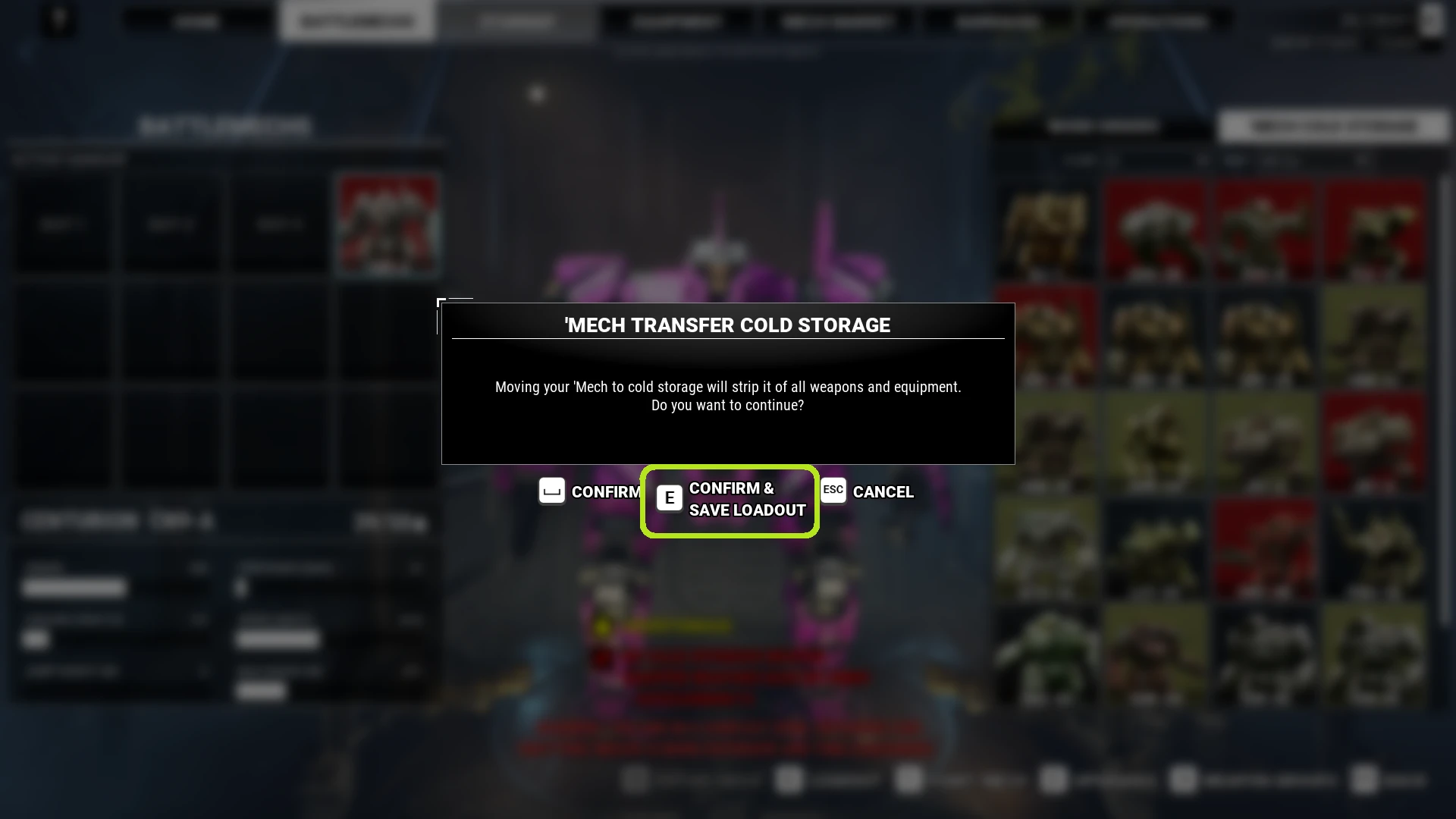
[]Adds option to save a Mech's loadout when moving it to cold storage, everything is still stripped off the mech and added to the player's inventory[/]
[
]Only successfully saves loadout if Mech has any traits equipped (or at least one weapon if using weapon/equipment option)[/][
]Loadout automatically re-applied to a Mech being taken out of cold storage[/][
]No time or costs needed to re-apply traits[/][
]Loadouts automatically deleted if mech sold while in cold storage[/][
]Option to also restore weapons and equipment with no time or cost, default off (mod will try to remove appropriate items from inventory if available, be careful adding saved items to another mech or they will fail to restore)[/][
]Optional highlights around weapon/equipment that are used by stored mechs in player's inventory[/][
]Cold storage tooltip shows weapon loadouts now (weapons/equipment aren't actually equipped and are in the player's inventory)[/][
]Icons show which mechs have a saved loadout[/][
]Can filter mechs that have loadouts using Level filter in cold storage[/][
]Option to skip cold storage confirm popup[/][
]Works with drag and drop and Right click move in/out of cold storage. If it's not working check mod conflicts and change load order.[/]Exporting/Importing Loadouts to New Saves:
- [
[
]Go to the menu, create a new game, use the vanilla import and select the save[/][
]Enter the mechlab and select import[/][
]Note this relies on the vanilla import functionality (locked behind C++) to have the same storage slot ids, so it may not always workDownload Mod Options to configure options in-game
Options stored in:
%LocalAppData%\MW5Mercs\Saved\Config\WindowsNoEditor\Game.ini
Restore Traits (Save Upgrades) lets you instantly restore upgrades and traits to Mechs pulled from Cold Storage, with an option to restore weapons and equipment. A quality-of-life mod for MechWarrior 5: Mercenaries players managing stored Mechs.
✨ Key Features
📊 Pros & Cons
✅ Pros
- Huge time-saver for Mech management (1,275 endorsements)
- Simple, focused feature that does exactly what it says
- Active development (last updated May 2026)
⚠️ Cons
- Only affects Mechs from Cold Storage — no other trait editing
- Requires manual installation or mod manager setup
- No detailed documentation provided by author
For MechWarrior 5 players who hate re-equipping and re-upgrading Mechs after pulling them from storage. If you manage a large stable of Mechs, this mod saves you from tedious menu clicking. Skip if you rarely use Cold Storage or prefer more comprehensive Mech customization mods.
💡 Beginner Tips
- Make sure to enable the mod in the mod manager before launching the game.
- Test the restore option on a single Mech first to see if it works as expected.
- If you use other Mech-related mods, check load order to avoid conflicts.
📊 Mod Details
- Game
- Mechwarrior5mercenaries Mods
- Author
- Bobbert
- Version
- 1.3.6
- Downloads
- 29,113
- Endorsements
- 1,275
- Category
- Gameplay
- Created
- 8/18/2021
- Updated
- 5/31/2026
🧩 Commonly Used Together
Users add these mods to the same collections — a real compatibility signal, not an AI guess.
🔧 How to Install MechWarrior 5: Mercenarie Mods
Download from Nexus Mods.
📖 Full step-by-step install guide for MechWarrior 5: Mercenarie →
Visit the official mod page for specific installation instructions for this mod.
🎮 Need cheat codes or console commands? Check ur gaming wiki for MechWarrior 5: Mercenarie commands, item IDs, and more.
Keep browsing — more MechWarrior 5: Mercenarie mods await