Enhanced Cooldown Pips
⚪ Last updated 2023Preview
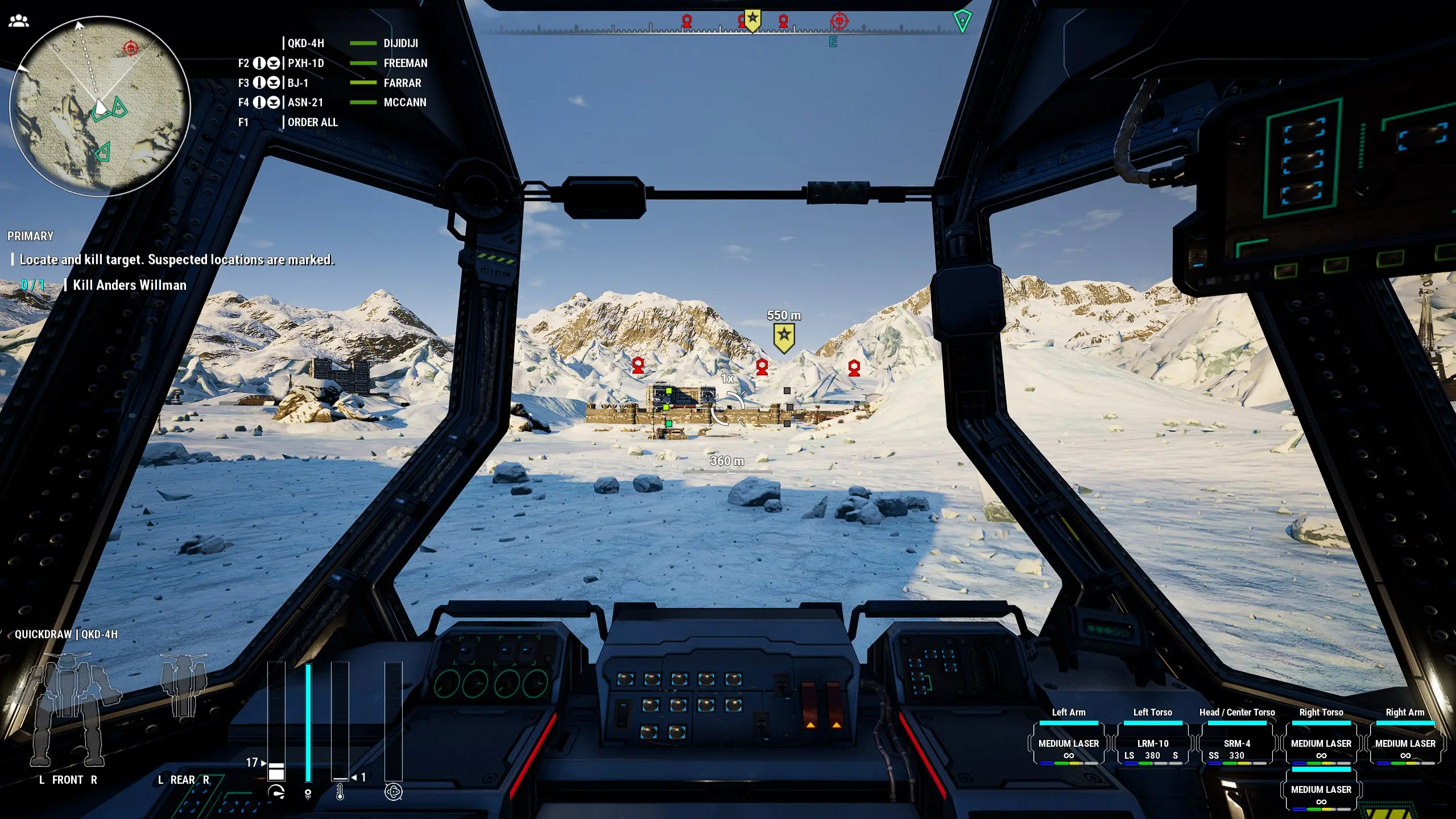
🔍 Analysis
- 👍 4.4% endorsement rate — high engagement, a strong quality signal
- 🏆 #10 of 107 User Interface mods in this game by downloads
📋 About This Mod
Pips will reflect the lowest range weapon in the current group and will reflect the range of a locked target rather than your crosshair position if the group contains a lock-capable weapon. This does mean groups that mix missiles and other weapons will reflect the lock target rather than the crosshair target (and mixing SRMs with LRMs will indicate the lower range of the SRMs rather than the range of the LRMs). I figured this way made sense, but I'm open to suggestions.
- []Ranges:
-
[]If all weapons in a group are destroyed, the appropriate pip will display red stripes.
[]If none of the weapons in a group have ammo, the pip will show grey stripes.
[]The colours will transition as you move your crosshairs (or as a locked target moves).
Known issues:
- Changing weapon groups via the pause menu won't update the pips. A workaround is to use the weapon group hotkeys (defaults: arrow keys and right ctrl) to trigger the refresh on each group you changed.
Source for all of my mods can be found over at GitHub
Enhanced Cooldown Pips is a UI mod that recolors cooldown pips based on weapon status and range, making it easier to read at a glance. With 615 endorsements and over 14k downloads, it's a popular quality-of-life improvement for players who want clearer visual feedback.
✨ Key Features
📊 Pros & Cons
✅ Pros
- Community-approved with 615 endorsements and 14k downloads
- Simple, focused UI improvement that does one thing well
- Last updated January 2023, still relevant for many players
⚠️ Cons
- May not work with other UI mods that alter cooldown pips
For players who rely on quick visual cues during combat and want to know at a glance if a weapon is ready or in range. Skip if you prefer minimal UI changes or use a comprehensive UI overhaul that already includes similar features.
💡 Beginner Tips
- Check if your game version is compatible with the mod's last update (January 2023) before installing.
- If you use other UI mods, test them together to ensure no conflicts with cooldown pips.
- Since the mod is simple, manual installation is fine—just drop the files into the appropriate folder.
📊 Mod Details
- Game
- Mechwarrior5mercenaries Mods
- Author
- diji
- Version
- 1.0.0
- Downloads
- 14,067
- Endorsements
- 615
- Category
- User Interface
- Created
- 5/25/2021
- Updated
- 1/9/2023
🧩 Commonly Used Together
Users add these mods to the same collections — a real compatibility signal, not an AI guess.
🔧 How to Install MechWarrior 5: Mercenarie Mods
Download from Nexus Mods.
📖 Full step-by-step install guide for MechWarrior 5: Mercenarie →
Visit the official mod page for specific installation instructions for this mod.
🎮 Need cheat codes or console commands? Check ur gaming wiki for MechWarrior 5: Mercenarie commands, item IDs, and more.
Keep browsing — more MechWarrior 5: Mercenarie mods await