Faded MEA ReShade 3.0.7
⚪ Last updated 2017⚠️ Install Order · 1 step
Install in this order, then this mod last — most mods fail to load without their framework and dependencies in place.
Preview
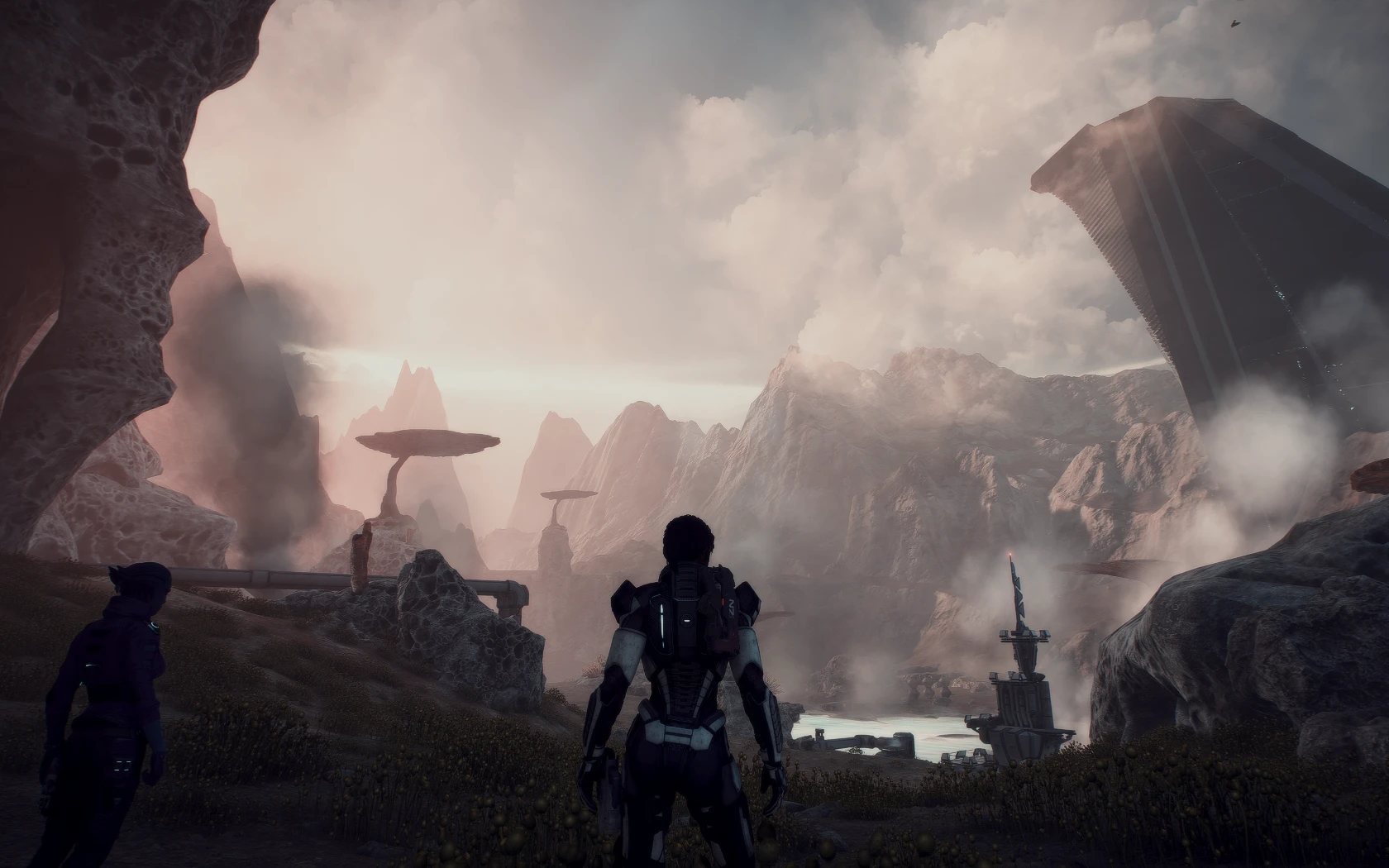
🔍 Analysis
- 👍 7.0% endorsement rate — high engagement, a strong quality signal
- 🏆 #15 of 30 Visuals and Graphics mods in this game by downloads
📋 About This Mod
Install Intructions:
Download ReShade from their site (install instructions for ReShade are found here as well).
If you don't want all of the effects, the ones I used are:
Technicolor
LumaSharpen
GaussianBlur
Download my .ini and add it to the main Mass Effect Andromeda folder (where the MassEffectAndromeda.exe is located).
Fire up MEA and in the game push Shift+F2 to open the ReShade window. In the little drop down bar under Home, select my .ini. That's it!
You can edit the settings in ReShade to adjust to your preferences. My monitor is set to a specific color setting, so it's possible it can look weird for some of you.
A personal ReShade preset for Mass Effect: Andromeda, shared by the author for others with similar taste. It adjusts the game's visuals, though specific effects are not detailed. With 76 endorsements and over 1,000 downloads, it has a small but engaged following. Last updated in 2017, it may not be compatible with the latest game patches.
✨ Key Features
📊 Pros & Cons
✅ Pros
- Lightweight and simple—just drop in and go
- Community-tested with 76 endorsements and over 1,000 downloads
- Free to try if you want a different look without heavy modding
⚠️ Cons
- Last updated in 2017, so it may break with newer game patches or ReShade versions
- No screenshots or before/after comparisons provided
For Mass Effect: Andromeda players who want a quick visual tweak and don't mind experimenting. If you're looking for a specific cinematic look or detailed customization, this preset might not be for you—there's no info on what it does. Skip if you want a well-documented preset with previews.
💡 Beginner Tips
- Make sure you have ReShade 3.0.7 installed and set up for Mass Effect: Andromeda before adding this preset.
- Back up your current ReShade settings so you can revert if you don't like the look.
- Try adjusting the in-game brightness and contrast after applying the preset—it may need tweaking to your monitor.
📊 Mod Details
- Game
- Masseffectandromeda Mods
- Author
- Alahria
- Version
- v0.1
- Downloads
- 1,085
- Endorsements
- 76
- Category
- Visuals and Graphics
- Created
- 4/18/2017
- Updated
- 4/18/2017
🔧 How to Install Mass Effect Andromeda Mods
Download from Nexus Mods.
📖 Full step-by-step install guide for Mass Effect Andromeda →
Visit the official mod page for specific installation instructions for this mod.
🎮 Need cheat codes or console commands? Check ur gaming wiki for Mass Effect Andromeda commands, item IDs, and more.
Keep browsing — more Mass Effect Andromeda mods await