Natural colors and sharpen
⚪ Last updated 2017Preview
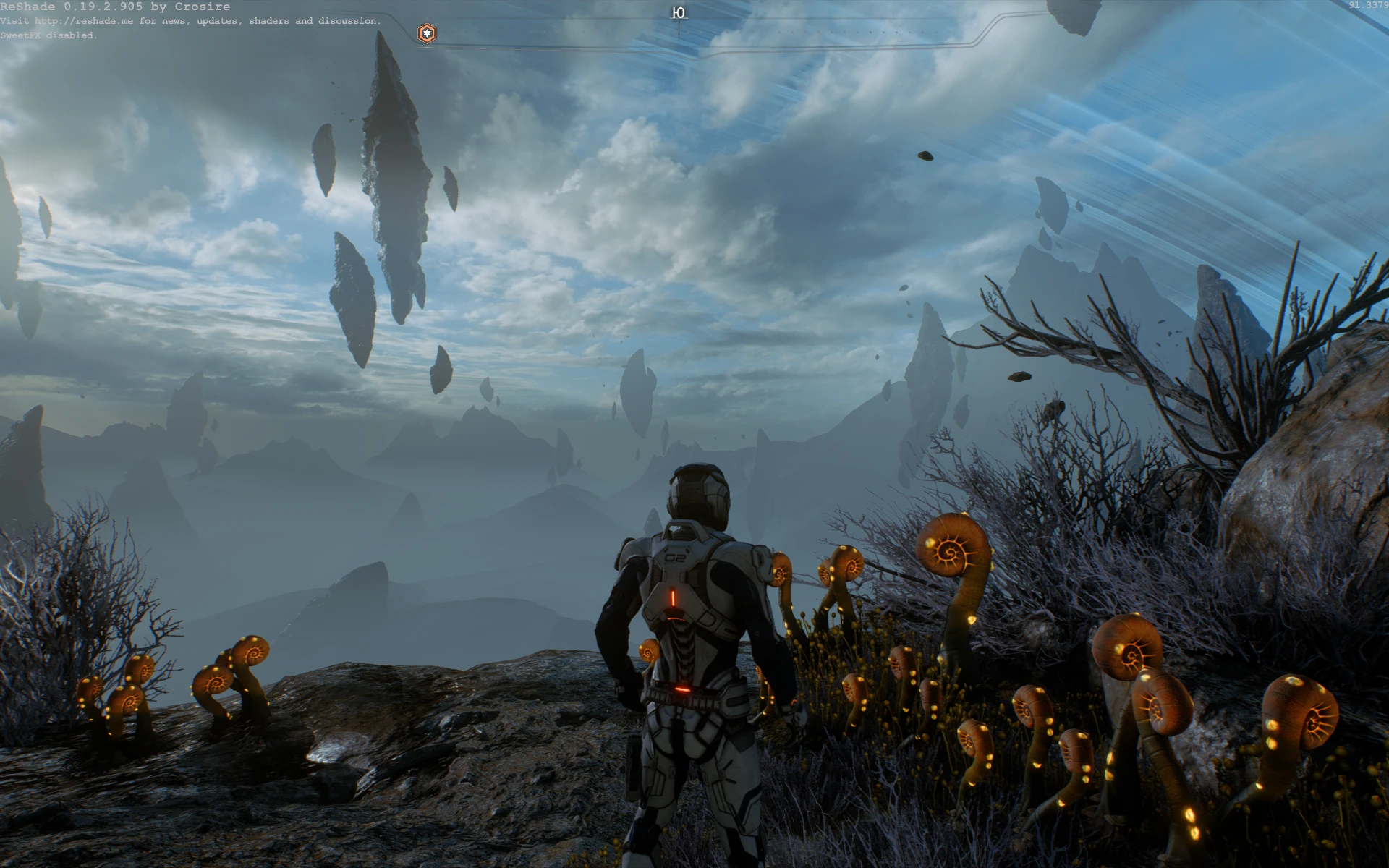
🔍 Analysis
- 👍 4.9% endorsement rate — high engagement, a strong quality signal
- 🏆 #2 of 30 Visuals and Graphics mods in this game by downloads
📋 About This Mod
These are small changes that do not affect FPS. I just tried to bring the color gamut closer to the real one.
I did this only for myself. But realizing that this requires understanding the purpose of each function and a certain amount of time, and that not everyone understands it, I decided to put it here, maybe someone will come in handy )
First screenshot - preset - off, second - on Used ReShade 0. 19. 2. 905 Public Beta by Crosire with SweetFX 2. 0 by CeeJay.dk
Installation is simple. Just copy the contents of the archive to the root folder of the game. All the image settings in the screenshots - to the maximum. Chromatic aberration - OFF (In some places this effect greatly spoils the picture), Motion blur - OFF. A calibrated monitor is recommended for correct color display. Hot keys can be changed in Mass Effect Andromeda\SweetFX\Global_settings.txt
If you are interested, you can completely remove motion blur in this way: Create a text file in the root folder of the game and copy the following lines to it:
WorldRender. MotionBlurEnable 0 WorldRender. MotionBlurQuality 0 WorldRender. MotionBlurMaxSampleCount 0 WorldRender. MotionBlurForceOn 0 WorldRender. MotionBlurFixedShutterTime 0 WorldRender. MotionBlurMax 0
Rename the file to "user.cfg"
A lightweight ReShade preset that enhances color realism and sharpness for a more natural look. With 594 endorsements and over 12,000 downloads, it's a popular choice for players seeking subtle visual improvements. Last updated in 2017, so compatibility with current game versions may vary.
✨ Key Features
📊 Pros & Cons
✅ Pros
- Community-approved with 594 endorsements and 12k downloads
- Lightweight preset that doesn't require heavy performance cost
- Subtle enhancement that keeps the game looking natural
⚠️ Cons
- Last updated in 2017—may not work with the latest game patches or ReShade versions
- No before/after screenshots or detailed settings description
- Limited to color and sharpness tweaks—no other visual effects
For players who want a quick, subtle visual upgrade without overhauling the game's look. Ideal for those using ReShade and seeking a natural color correction. Skip if you're looking for dramatic effects or if you play on the latest game version where compatibility is uncertain.
💡 Beginner Tips
- Make sure you have ReShade installed and set up for your game before adding this preset.
- If the preset doesn't appear in ReShade's preset list, verify the file extension is .ini and placed in the correct ReShade folder.
- Test the preset in different lighting conditions to ensure it looks good across all areas.
📊 Mod Details
- Game
- Masseffectandromeda Mods
- Author
- comb1christ
- Version
- 0.01
- Downloads
- 12,123
- Endorsements
- 594
- Category
- Visuals and Graphics
- Created
- 4/5/2017
- Updated
- 4/8/2017
🔧 How to Install Mass Effect Andromeda Mods
Download from Nexus Mods.
📖 Full step-by-step install guide for Mass Effect Andromeda →
Visit the official mod page for specific installation instructions for this mod.
🎮 Need cheat codes or console commands? Check ur gaming wiki for Mass Effect Andromeda commands, item IDs, and more.
Keep browsing — more Mass Effect Andromeda mods await