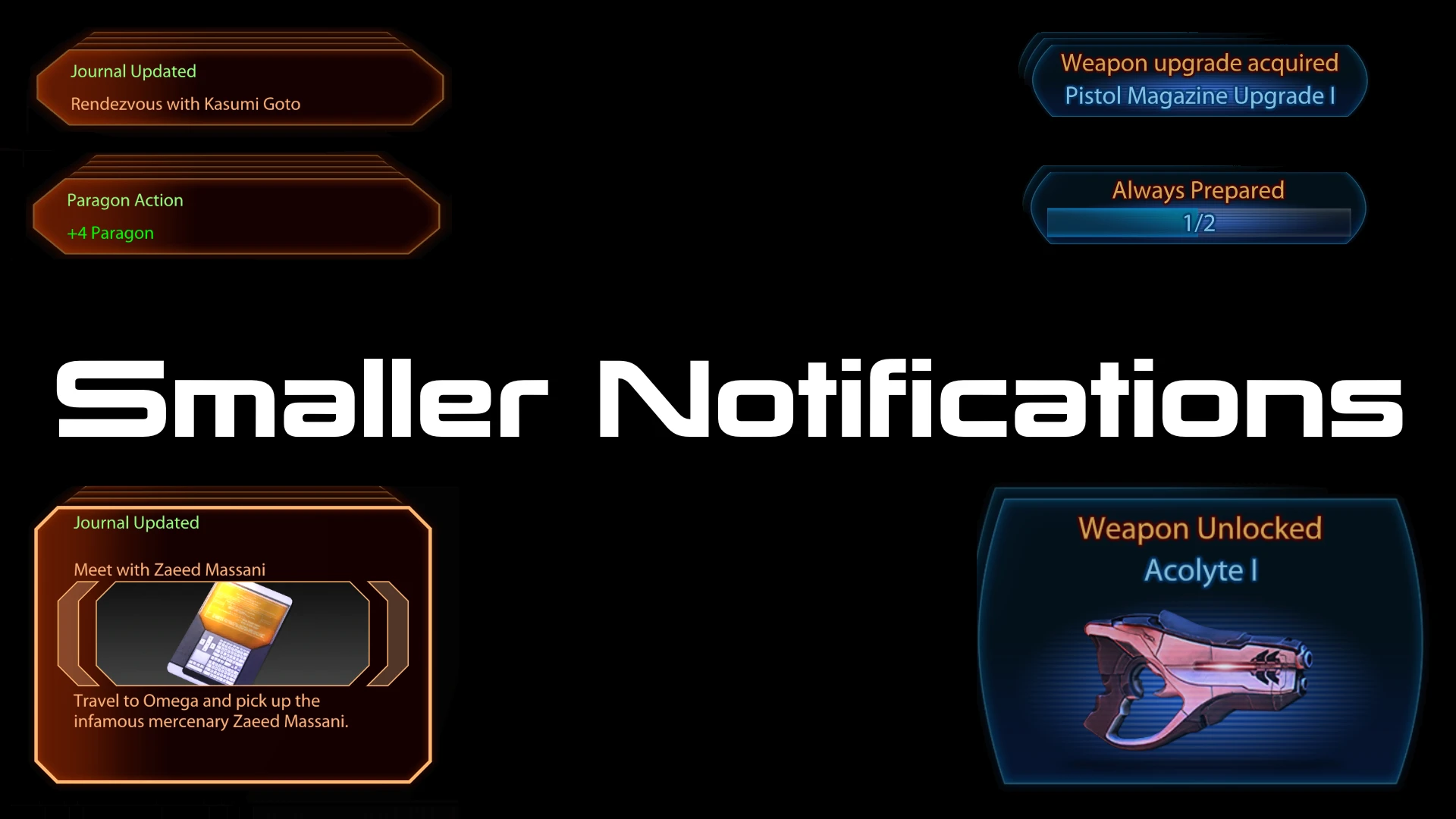
Smaller Notifications
⚪ Last updated 2022Preview
🔍 Analysis
- 👍 5.9% endorsement rate — high engagement, a strong quality signal
- 🏆 #30 of 284 User Interface mods in this game by downloads
📋 About This Mod
What this mod does
Compatibility
This mod works flawlessly in combination with Shorter Notifications (LE2) and Shorter Notifications (LE3).A compatibility patch for Myriad Pro Begone is included and must be installed prior to Smaller Notifications.
All languages are supported.
Other mods that make use of the notification system and add important or useful information in the info area below the image will not have their info text displayed.
Installation
This mod must be installed before any texture mods such as ALOT!
-
[]Drag and Drop the downloaded archive into ME3Tweaks Mod Manager
[
]Press Apply (To store it in Mod Manager)[]Select the Mod in the mod list
[]Press Apply
[]Select one of the two options
[]Press Install
Uninstallation
This process only removes the mod from the game and not the Mod Manager
-
[]Press Manage Target in Mod Manager
[
]Select the game you want to remove the mod from[]Switch to Modified Basegame files tab
[]Press Restore next to Startup_X.pcc (Requires game backup made with Mod Manager)
Credits
Audemus - Permission to include compatibility for Myriad Pro Begone
ME3Tweaks - Developing Mod Manager and LegendaryExplorer
-
[]Press Manage Target in Mod Manager
Smaller Notifications is a UI mod for Mass Effect 2 and 3 that reduces notification size and repositions them to the bottom right corner. With 569 endorsements and nearly 10k downloads, it's a popular quality-of-life tweak for players who find the default notifications intrusive.
✨ Key Features
📊 Pros & Cons
✅ Pros
- Community-approved with 569 endorsements and nearly 10k downloads
- Simple, focused fix for a common UI annoyance
- Works for both ME2 and ME3 in one mod
⚠️ Cons
- Last updated in 2022 — may not be compatible with the Legendary Edition or latest patches
- No screenshots or detailed install instructions provided
- Only affects notification size and position — no other UI customization
For Mass Effect players who find the default notifications too large or distracting and want a cleaner HUD. Skip if you're looking for a full UI overhaul or play the Legendary Edition without checking compatibility.
💡 Beginner Tips
- If you're using the Legendary Edition, check the mod's posts for compatibility notes before installing.
- Back up your original coalesced.ini or relevant files before replacing them, so you can revert if needed.
- Since it's a UI mod, test it in the first mission to see if the new notification position works for you.
📊 Mod Details
- Game
- Mass Effect Mods
- Author
- Herobrine24
- Version
- 2.1
- Downloads
- 9,722
- Endorsements
- 569
- Category
- User Interface
- Created
- 1/3/2022
- Updated
- 11/7/2022
🔧 How to Install Mass Effect Mods
Download from Nexus.
📖 Full step-by-step install guide for Mass Effect →
Visit the official mod page for specific installation instructions for this mod.
🎮 Need cheat codes or console commands? Check ur gaming wiki for Mass Effect commands, item IDs, and more.
Keep browsing — more Mass Effect mods await