New Ammo Icons
⚪ Last updated 2022Preview
🔍 Analysis
- 👍 9.2% endorsement rate — high engagement, a strong quality signal
- 🏆 #77 of 284 User Interface mods in this game by downloads
📋 About This Mod
________________
Description
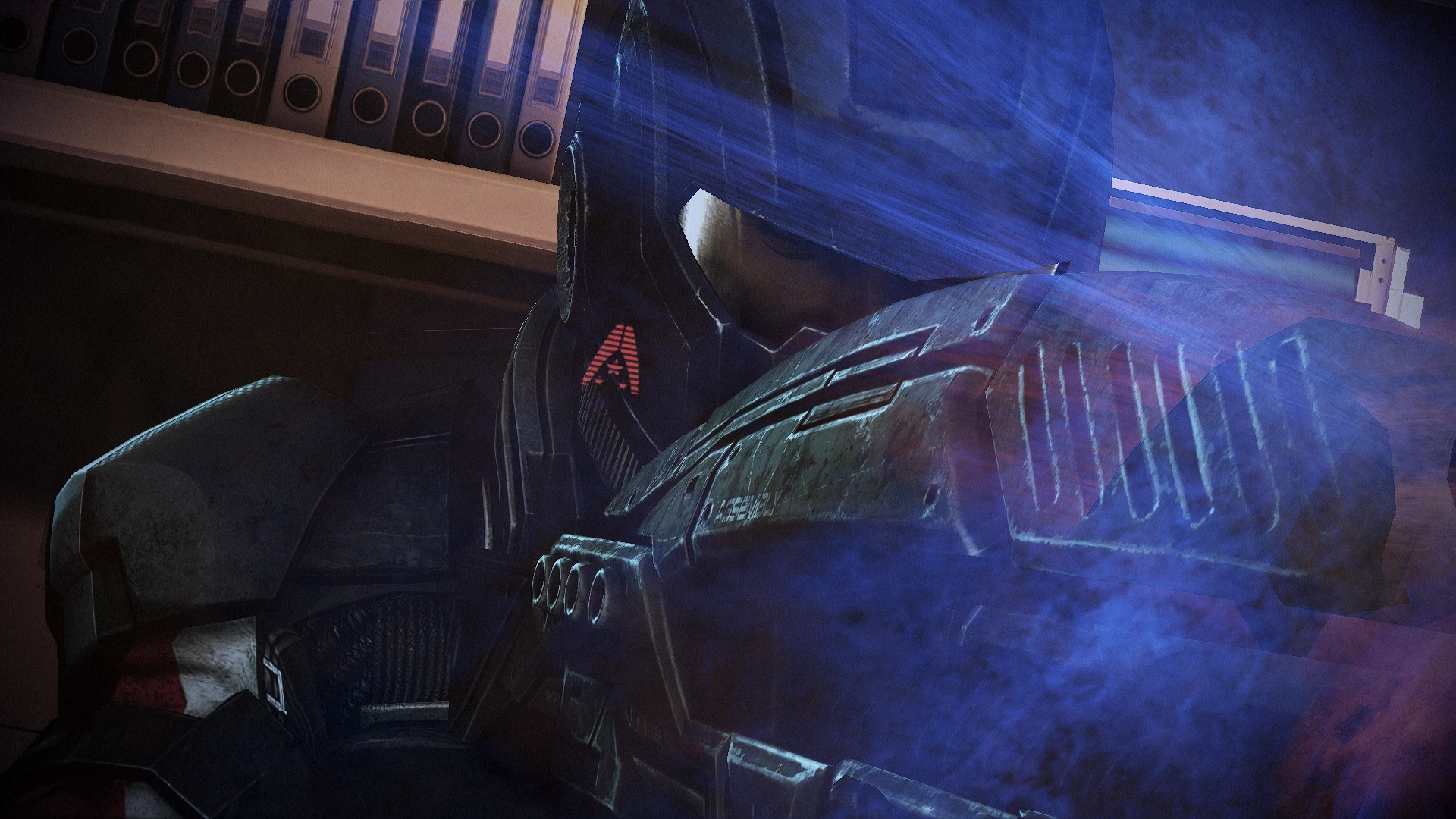
A new set of holographic icons that appear next to your gun.
Version 1. 0:
- LE3_ammo_Vanilla
- LE3_ammo_VanMod1
- LE3_ammo_VanMod1Mini
- LE3_ammo_N7
- LE3_ammo_Alliance
- LE3_ammo_New1
- LE3_ammo_New1Mini
- LE3_ammo_LenseFlair
- LE3_ammo_Omega
- LE3_ammo_Dots
- LE3_ammo_WitcherSigns
- LE3_ammo_NoIcons (invisible icons in case you want to completely remove them from your game)
If you want to swap your icons, you don't have to restart the whole game. Just install a different one and reload your save.
Future updates:
- Version for ME2LE
- A loooot more icons (I have like 50 of them at this point)
You can also check my other mods:
-
[]Custom Makos
[
]Better Alliance Uniforms[]Custom Mechs (LE2)
[]Custom Mechs (LE3)
[]New Outfits For Liara
[]Legion The White
[]Custom Hammerheads
[]White M-96 Mattock Assault Rifle
[]M-920 Cain Nuke Gun Retexture
[]New Outfits For Kasumi (LE2)
[]New Outfits For Jack (LE2)
[]Better Visors For Tali (LE2)
[]Custom Shuttles
[]New Outfits And Eyes For Samara
[]Gold Toilets
[]Better Visor For Grunt (and less glow for his alternate armor)
[]New Outfits for Mordin
[]Better Visors for Miranda (LE2)
[]Miranda's New Outfit
[]More Hoodies
[]Shepard's Leather Jacket Retexture
[]New Hats for Joker (and darker uniforms)
____________________________________
How do I install this thing?
(keep in mind that all texture mods should be added only AFTER you installed every other mod you need)
- Download the newest version of Mass Effect Modder and extract the zip file
- Download my mod, extract the zip file
- In Mass Effect Modder click on Mods Manager > Mods Installer
- Click on Add to list and select a .mem file
- Select mods from the list and click Install selected mods
_________________________
How to remove it?
- The package contains Vanilla files. Use them to remove this mod.
New Ammo Icons is a texture mod for Fallout 4 that replaces or removes the holographic ammo icons next to your weapon, offering 12 icon choices. With 102 endorsements and 1,108 downloads, it's a niche cosmetic option for players wanting to customize their HUD.
✨ Key Features
📊 Pros & Cons
✅ Pros
- Simple texture mod that does exactly what it says—no bloat, just icon swaps.
- 12 icon options give decent variety for a UI tweak.
- Community has shown some love (102 endorsements) and it's been downloaded over 1,100 times.
⚠️ Cons
- Last updated in May 2022—might be outdated if you're on the latest game patch.
- No screenshots or install instructions in the description, so you're flying blind until you try it.
- Only 12 icons and no word on when 'more coming soon' actually lands.
For Fallout 4 players who are tired of the default ammo icons and want a quick visual tweak without overhauling their whole UI. Skip if you're looking for gameplay changes—this is purely cosmetic.
💡 Beginner Tips
- Since it's a texture mod, make sure you place the files in your Data folder or use a mod manager like Vortex to avoid conflicts.
- If you're using other UI mods, check load order—this one should probably load after to override icons.
- Try the 'remove' option if you want a cleaner HUD; you can always switch back.
📊 Mod Details
- Game
- Mass Effect Mods
- Author
- piromods
- Version
- 1.0
- Downloads
- 1,108
- Endorsements
- 102
- Category
- User Interface
- Created
- 5/16/2022
- Updated
- 5/16/2022
🔧 How to Install Mass Effect Mods
Download from Nexus.
📖 Full step-by-step install guide for Mass Effect →
Visit the official mod page for specific installation instructions for this mod.
🎮 Need cheat codes or console commands? Check ur gaming wiki for Mass Effect commands, item IDs, and more.
Keep browsing — more Mass Effect mods await