Ultimate Performance Graphics
⚪ Last updated 2018Preview
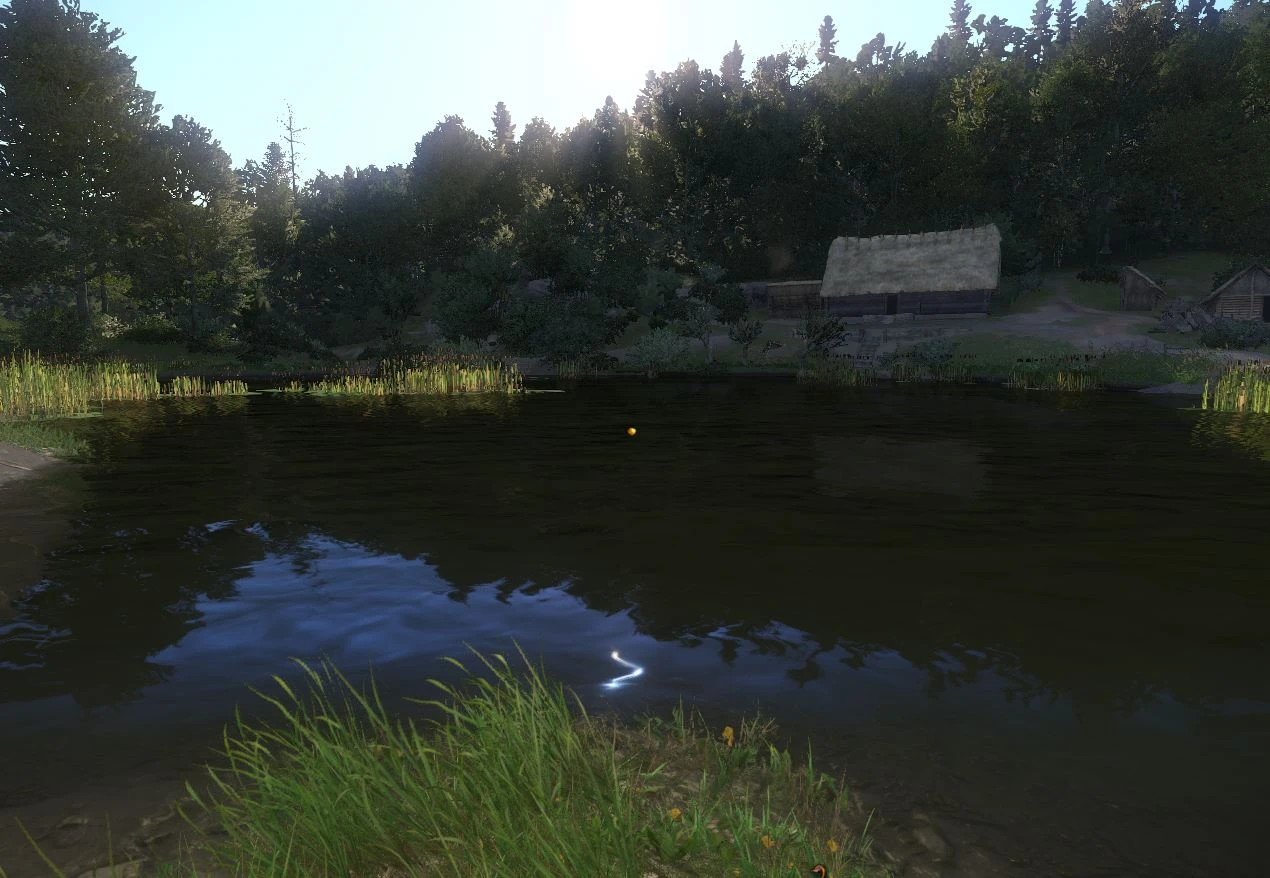
🔍 Analysis
- 👍 2.5% endorsement rate — high engagement, a strong quality signal
- 🏆 #2 of 9 Performance mods in this game by downloads
📋 About This Mod
Ultimate Performance Graphics
==============================================================
-This mod will allow your computer to run smoothly, even in crowded towns. It optimizes performance, show high constant FPS, with medium to high graphics settings ! You will no longer encounter freezes or stuttering.
-Many configuration files have been added for low/high end computer. (like Intel i7 or 16Gb Ram or 4Gb VRam). Please click the "files" tab to find one that suits to your computer.
The standard file is suitable and has been tested on a PC with 8Gb RAM, Core i5 gen4, 3Gb VideoRAM, SSD drive.
-Max fps has been set to 60 in the Standard user.cfg file, but without it i was able to reach 80-120 fps.
-Big Thanks for all your endorsements ! I am happy that my mod helped a lot of you !
Compatibility
=============
Requires Kingdom Come : Deliverance version 1. 2 or +
Installation
=====================
-Click properties on the link to your KC:D and add
-heapsize 1572864 +exec user.cfg
for example
"C:\Steam\Kingdom Come Deliverance\Bin\Win64\KingdomCome.exe" -heapsize 2097152 +exec user.cfg
"C:\Program Files (x86)\Steam\steamapps\common\KingdomComeDeliverance" -heapsize 2097152 +exec user.cfg
for Steam go to your Steam library, right click on the game. Then click "Properties", and then insert the -heapsize 1572864 under Launch options.
Note : 1572864 is for 8Gb RAM ; if you have more use a higher number instead. If you don't know how much RAM you have, you can check it by right-clicking Computer->then select Properties->installed memory
Note : +exec user.cfg will launch the customized file.
-Download and unzip the user.cfg file, copy it to the root of your game folder.
for example
C:\Steam\Kingdom Come Deliverance or C:\Program Files (x86)\Steam\steamapps\common\KingdomComeDeliverance
(or in the mod folder)
Note : If you need to know if you have a core i5 or i7 or AMD processor, you can check it by right-clicking Computer->then select Properties->processor
-If you have a version of KCD below v1. 6, then download BES cpu limit (thanks for mion /Rinkanali, i hope that they don't mind the link)
Launch your game
Open BES, click the "Target" button, select KingdomCome.exe, select "Limit This", set it to -1% with the slider, click the "Limit/watch" button, click "Yes", click "Close", reduce the BES window.
-If you have a version of KCD below v1. 6, and find that one of your CPU is highly used while other aren't, to balance things open windows task manager->processes tab->right click KingdomCome.exe->Set Affinity->untick the most used CPU->ok->right-click again->add the tick back.
I am still trying to do it automatically with CryEngine (user.cfg).
- If you installed an old version of this mod before, remove (see Removal section) or replace it first.
User.cfg (please download the user.cfg file that suits to your computer ; see the files tab)
=====================
Removal
Remove user.cfg from the directory
ChangeLog
v1. 6 Added a file tested on v1. 6 (for 8Gb RAM, 3Gb VRam, Core i5).
v1. 5 Added a file from dfile for Kingdom Come v1. 5
v1. 06 Better CPU loadbalancing. Enhanced/tweaked shading, anisotropy, antialiasing, lightning, volumetric, shadow, texture. All commands have been checked in the tilde (²) console.
v1. 04 Raised e_StreamCgfPoolSize. Added additional notes (heapsize, cursor, SLI/Crossfire fps boost, HD Texture, Shading fps boost). Added a video at Rattay.
v1. 02 Removed the settings to disable SLI, skip intro, hide/show HUD, commands for system.cfg. Standard set to 2GB VRAM to avoid possible crash for those who don't read the file description.
v1. 0 All commands have been checked in the tilde (²) console.
Additional notes
About heapsize :
Source : https://ste
Ultimate Performance Graphics is a performance optimization mod for Kingdom Come: Deliverance that adjusts configuration files to reduce stuttering and maintain high FPS in crowded towns. It includes multiple presets for low and high-end PCs, with the standard file tested on 8GB RAM, Core i5 gen4, 3GB VRAM, and SSD. Requires game version 1.2 or later.
✨ Key Features
📊 Pros & Cons
✅ Pros
- Community favorite with 3,045 endorsements and over 122k downloads — clearly works for many players.
- Offers multiple configs for different hardware, so you can pick one that matches your rig.
- Simple install: just drop a file and add a launch option — no mod manager needed.
⚠️ Cons
- Last updated in 2018 — may not be compatible with the latest game patches.
- No uninstall instructions provided, so you'll need to manually remove the config and launch option.
- Requires manual editing of Steam launch options, which might confuse less tech-savvy players.
For Kingdom Come: Deliverance players on mid-range PCs who want smoother performance in towns without sacrificing too much visual quality. Also for those who don't mind tweaking launch options. Skip if you're on a high-end rig or prefer a one-click mod manager install.
💡 Beginner Tips
- Make sure your game is updated to version 1.2 or later before installing.
- When adding the launch option, use the correct path to your game executable — the example shows both Steam and non-Steam paths.
- If you have more than 8GB RAM, increase the heapsize value (e.g., 2097152 for 16GB) for better performance.
📊 Mod Details
- Game
- Kingdom Come Mods
- Author
- Alano69
- Version
- 1.6
- Downloads
- 122,583
- Endorsements
- 3,045
- Category
- Performance
- Created
- 3/20/2018
- Updated
- 8/4/2018
🔧 How to Install Kingdom Come Mods
Create /Mods/ folder in Data directory. Use Vortex for complex mods.
📖 Full step-by-step install guide for Kingdom Come →
Visit the official mod page for specific installation instructions for this mod.
🎮 Need cheat codes or console commands? Check ur gaming wiki for Kingdom Come commands, item IDs, and more.
Keep browsing — more Kingdom Come mods await