Optimized Graphic Presets
⚪ Last updated 2018Preview
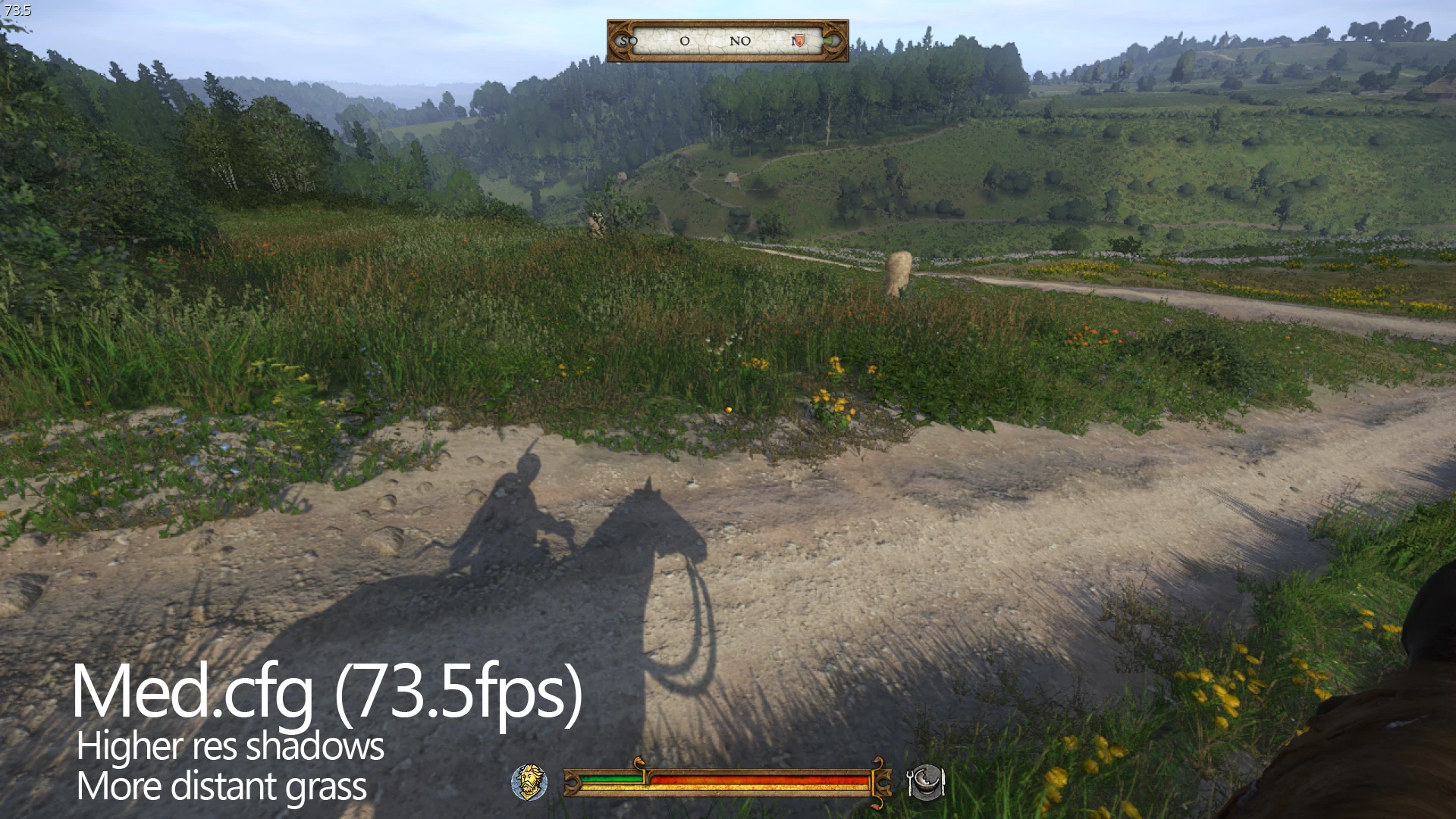
🔍 Analysis
- 👍 2.1% endorsement rate — high engagement, a strong quality signal
- 🏆 #1 of 9 Performance mods in this game by downloads
📋 About This Mod
This mod no longer works with latest versions of the game, try WileCoyote68's version instead.
Optimized Graphic Presets for Kingdom Come Deliverance by OVNI
==============================================================
- Better performances and/or quality.
- Added options in advanced graphics menu.
- "Instant boost" hotkeys (meant to give a temporary boost in demanding areas)
Compatibility
=============
- Requires game's version 1. 3. 1 or +
- Not compatible with mods that modify "Graphic Settings" or "Advanced Graphics settings" menus.
Installation / Update
=====================
- If you installed pre v3.x.x versions of this mod before, remove it first (cf Removal section).
(You only need to do this once. You don't need to do it for each updates)
- Download "kcd_optimized_graphic_presets" and extract its content directly in game's root folder (eg: "C:\Program Files (x86)\Steam\steamapps\common\KingdomComeDeliverance")
Overwrite files if asked (it will only overwrite previous versions of this mod)
- Open graphic settings menu and apply new profiles.
Known bugs / Limitations
====================
Pressing Esc within basic graphics menu applies settings.
Gamma change are discarded. (use r_gamma console command for now).
The "basic' graphics settings cannot set texture quality to low and ugly.
Use advanced graphics menu to change it.
Download 'ogp_uninstall.bat' from optional files and run it from game root folder
(eg: "C:\Program Files (x86)\Steam\steamapps\common\KingdomComeDeliverance")
d = ensure game runs in native fullscreen
Numpad 0 = instant boost off
Numpad 1 = instant boost on
Extra Credits
=============
- German translation by (https://www.nexusmods.com/users/3628084)
FAQ / TROUBLESHOOTING
=====================
Q: How to override OGP settings ?
To override OGP settings, write your console commands within Mods\optimized_graphic_presets\ogp_override.cfg
(I chose this filename over user.cfg so it won't cause issue for users with an old user.cfg from an outdated OGP version)
Q: How to fix "blocky pixels" ?
Set an higher global illumination setting, or choose "baked".
Q: How to disable native fullscreen auto-switch ?
Delete Mods\optimized_graphic_presets\Data\force_native_fullscreen.pak
Q: How to disable hotkeys ?
Delete Mods\optimized_graphic_presets\Data\hotkeys.pak
Q: Why does advanced settings menu have "Controls" title ?
It's the only way to display more buttons in the menu.
- FIX: texture button is now bound to correct cvargroup.
- NEW: Added German translation (thanks to Ravick)
- MOD: Exec ogp_override.cfg at start, before loading screen (some settings may or may not require to be set before assets/level loading).
- FIX: Removed ogp_override.cfg file from the zip, so it won't be overwritten when updating the mod.
- FIX: Simple graphics now correctly applies texture settings (except for low and ugly).
- MOD: better perf for volumetric fog (~6% more fps compared to previous setting)
- MOD: enabled volfog for high and ultra global presets
- NEW: 'ogp_override.cfg' is executed after loading/applying ogp settings.
- NEW: Replaced profile switch hotkeys in favor of an "instant boost" on(np1) and off (np0) hotkeys
- NEW: Enhanced (better looking) volumetric fog (disabled by default).
- MOD: Optimized weather profile: rain costs ~3% FPS less and drops are smaller.
- MOD: Added choice for the 3 vanilla weather profiles
- MOD: Reduced water choices to only one (other choices cost up to 5% FPS more without any visual difference).
- MOD: Increased object view distance for medium preset
- MOD: Right arrow key now enforces native fullscreen (just like D) for left-handers.
- FIX: Texture button's value is now always correct.
- NEW/FIX: Texture settings is now correctly applied (also fixes "texture setting stuck at lowest" bug)
- MOD: Simplified menu: no more confirmations. Makes flowSHARTs a bit less unmanageable... Plus actionscript behavior isn't the same in every menu anyway...
Optimized Graphic Presets for Kingdom Come Deliverance boosts performance and visual quality, adds advanced graphics options, and includes temporary boost hotkeys. Requires game version 1.3.1+ and is incompatible with mods altering graphics menus. The author notes it no longer works with latest game versions, recommending WileCoyote68's version instead.
✨ Key Features
📊 Pros & Cons
✅ Pros
- Massive community trust with 3,496 endorsements and 166,902 downloads
- Adds extra graphics options and hotkey boosts for quick performance tweaks
- Simple install: extract to game root and apply profiles in settings
⚠️ Cons
- Author states it no longer works with latest game versions — you'll need WileCoyote68's fork instead
- Known bugs: pressing Esc in basic graphics menu applies settings, gamma changes are discarded
- Basic graphics menu can't set texture quality to low; must use advanced menu
For Kingdom Come Deliverance players on older versions (1.3.1+) who want better performance or quality without heavy tweaking. Skip if you're on the latest patch — this mod is outdated and you should grab the updated version instead.
💡 Beginner Tips
- Make sure your game version is 1.3.1 or higher before installing, or it won't work.
- If you're on the latest patch, don't install this — use WileCoyote68's version as the author recommends.
- Use the hotkeys (like 'd' for fullscreen) to quickly boost performance in crowded areas, but remember they're temporary.
📊 Mod Details
- Game
- Kingdom Come Mods
- Author
- OVNI
- Version
- 3.7.1
- Downloads
- 166,902
- Endorsements
- 3,496
- Category
- Performance
- Created
- 2/20/2018
- Updated
- 3/25/2018
🔧 How to Install Kingdom Come Mods
Create /Mods/ folder in Data directory. Use Vortex for complex mods.
📖 Full step-by-step install guide for Kingdom Come →
Visit the official mod page for specific installation instructions for this mod.
🎮 Need cheat codes or console commands? Check ur gaming wiki for Kingdom Come commands, item IDs, and more.
Keep browsing — more Kingdom Come mods await