Pixelated edges Be-Gone
⚪ Last updated 2018⚠️ Install Order · 1 step
Install in this order, then this mod last — most mods fail to load without their framework and dependencies in place.
Preview
🔍 Analysis
- 👍 2.4% endorsement rate — high engagement, a strong quality signal
- 🏆 #25 of 72 Visuals and Graphics mods in this game by downloads
📋 About This Mod
-- Description --
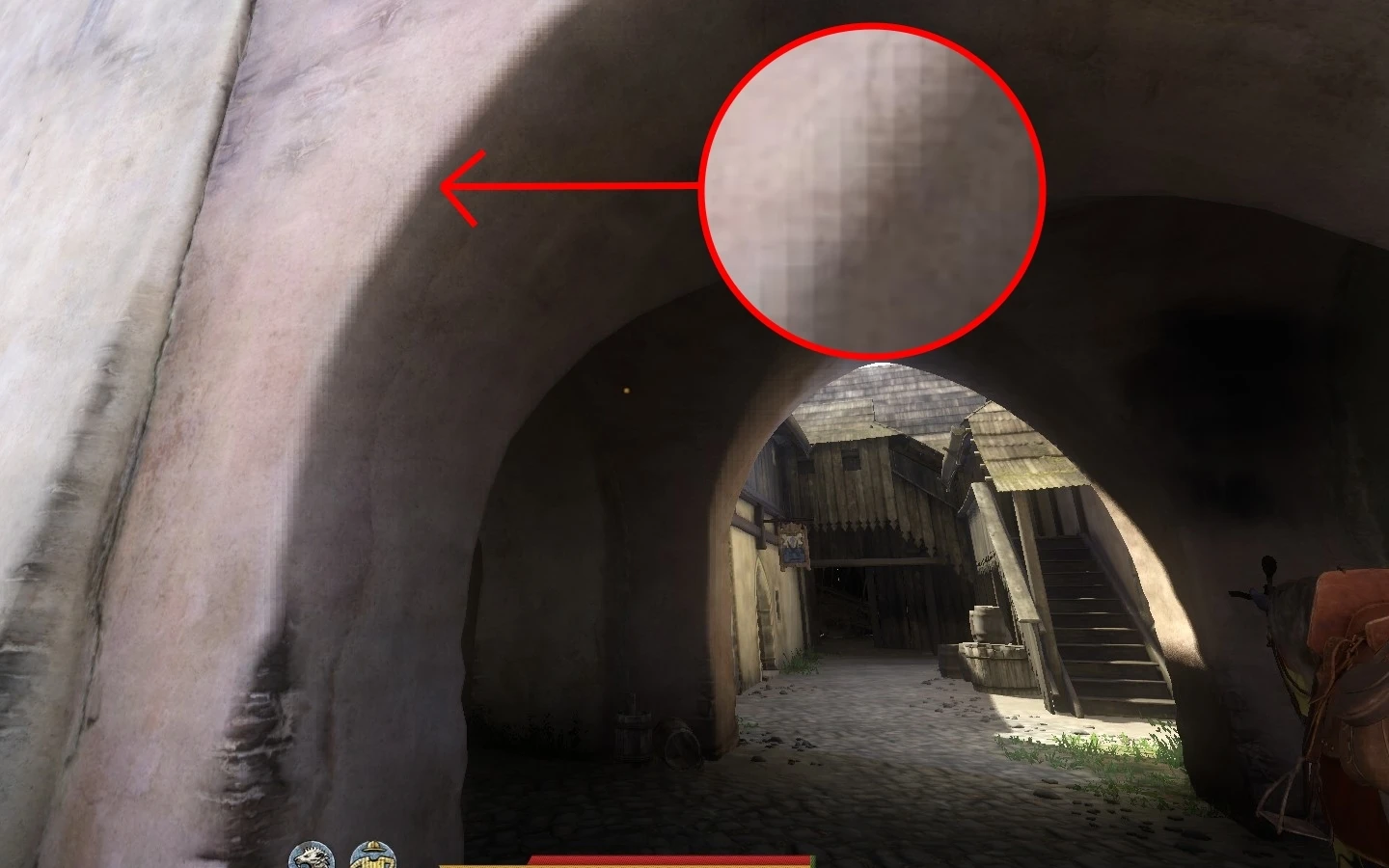
This mod aims to lower or eliminate pixelated edges on textures, NPCs and objects which is due to "Voxel-Based Global Illumination" (god rays).
This has nothing to do with anti-aliasing.
-- Requirements --
You might need Restricted console variables unlocker.
Creds to Obelix1111
-- Installation --
Unzip the file wherever you want and then move the "user.cfg" to your gamefolder (example: ~\Steam\steamapps\common\KingdomComeDeliverance).
if you already have your own user config, just add the lines yourself into your config.
You will also need to write this line into the games launch options: +exec user
-- Recommended --
I would also recommend using the Ambient Occlusion Fix as a complement.
Creds to bravo16mt
-- Uninstallation --
Remove the "user.cfg" or remove the lines from your own "user.cfg".
This mod for Kingdom Come: Deliverance removes pixelated edges caused by Voxel-Based Global Illumination (god rays) by adding console commands to a user.cfg file. It requires a console unlocker and manual installation. With 626 endorsements and 26,207 downloads, it's a popular fix for a specific visual issue.
✨ Key Features
📊 Pros & Cons
✅ Pros
- Community-approved with 626 endorsements and over 26k downloads — clearly fixes a common annoyance.
- Simple to install: just drop a user.cfg or add a few lines — no mod manager needed.
- Targets a specific visual bug (god rays) without touching anti-aliasing, so you keep your other settings.
⚠️ Cons
- Last updated in 2018 — may not work with the latest game patches, so test it after updates.
- Requires a console unlocker mod, which adds an extra dependency and might be a hassle for some.
- Manual installation means you have to edit launch options — easy to mess up if you're not careful.
For Kingdom Come: Deliverance players who notice ugly pixelated edges on objects and NPCs and want a quick fix without changing anti-aliasing. If you're comfortable editing a config file and using launch options, this is a no-brainer. Skip if you're on a newer patch and worried about compatibility.
💡 Beginner Tips
- Make sure you have the console unlocker installed first, or the commands won't work.
- If you already have a user.cfg, back it up before editing — you don't want to lose your settings.
- Add +exec user to your Steam launch options exactly as shown, or the config won't load.
📊 Mod Details
- Game
- Kingdom Come Mods
- Author
- me
- Version
- 1.0
- Downloads
- 26,207
- Endorsements
- 626
- Category
- Visuals and Graphics
- Created
- 4/4/2018
- Updated
- 4/5/2018
🔧 How to Install Kingdom Come Mods
Create /Mods/ folder in Data directory. Use Vortex for complex mods.
📖 Full step-by-step install guide for Kingdom Come →
Visit the official mod page for specific installation instructions for this mod.
🎮 Need cheat codes or console commands? Check ur gaming wiki for Kingdom Come commands, item IDs, and more.
Keep browsing — more Kingdom Come mods await