More Responsive Targeting
⚪ Last updated 2018Preview
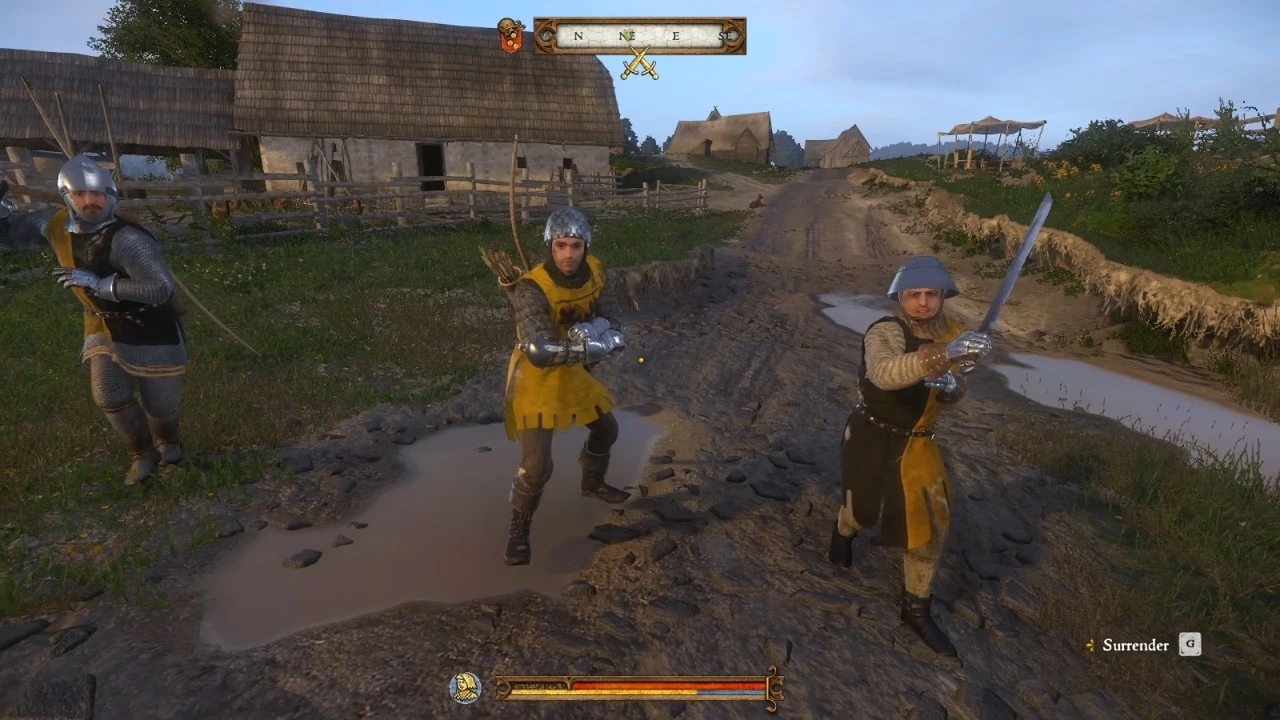
🔍 Analysis
- 👍 2.2% endorsement rate — high engagement, a strong quality signal
- 🏆 #6 of 219 Gameplay mods in this game by downloads
📋 About This Mod
UPDATE: Massive changes have been added to the file based on your feedback. Locking should be less twitchy, more forgiving, and smoother to transition between targets. Distance has been increased over the defaults so you can now pick your targets from further away, while still retaining control of your movement and camera. Thanks to everyone who's provided feedback and bug reports!
1. 04 Improvements:
- Camera control should no longer stolen from the player unless attacking, being grabbed, or clinching. You can still manual lock.
- Slightly longer range for intentional locking now possible.
- Freelook during combat without your camera adhering to enemies except in striking distance.
- And more.
Please continue providing feedback in the comments!
About this mod:
This is a simple config file that tweaks some of the game settings to allow you more control over who you're targeting and how you want to maneuver during a fight. Currently this is only tested for Keyboard & Mouse controls, but I am going to look into testing with my Gamepad later.
The primary goal of this mod is to improve Dynamic locking and it has has loosened up the camera controls significantly during your fights in Kingdom Come: Deliverance. Dynamic locking is still tight enough that you can execute combos but it no longer forces you to stay locked to a single target as it does in the vanilla game. Manual locking distances have been slightly increased, allowing you to select your target from a crowd and move in to engage them without all of the hassles present in the default targeting system! If you want to wade into a crowd and throw punches wildly, this will allow you to do just that, without losing the benefit of your powerful Perfect Blocking and Ripostes.
This file will overwrite any existing User.cfg file you have, so if you would like to combine your existing config with this one, just copy and paste the contents onto the end and save the file. If you want to remove the mod it's as simple as deleting the lines out of your User.cfg, or deleting the entire User.cfg if you have no other custom commands inside of it.
Update Log:
1. 04 - Increased lock distance, all but removed forced camera guidance when not in striking distance.
1. 01 - Removed angle to unlock lines, as they caused issues with fighting up hills. Default values are fine.
More Responsive Targeting is a config file mod for Kingdom Come: Deliverance that improves the dynamic locking system, making camera control looser and targeting more forgiving. It increases manual lock distance and allows freelook during combat, tested for keyboard and mouse. Last updated in 2018, it has 6,932 endorsements.
✨ Key Features
📊 Pros & Cons
✅ Pros
- Huge community trust with 6,932 endorsements and 317k downloads — this is a proven fix.
- Solves a real pain point: vanilla targeting is sticky and annoying, this loosens it up without breaking combos.
- Actively refined based on feedback — version 1.04 shows the author listens and iterates.
⚠️ Cons
- Last updated in 2018 — might not be compatible with the latest game patches, so test before relying on it.
- Only tested for Keyboard & Mouse — gamepad users are left in the dark.
- Overwrites your User.cfg — if you have custom settings, you'll need to merge them manually or lose them.
For Kingdom Come: Deliverance players who are frustrated by the default targeting system and want more control in combat. If you play with mouse and keyboard and want smoother camera movement and easier target switching, this is for you. Skip if you're fine with vanilla targeting or play with a gamepad.
💡 Beginner Tips
- Back up your existing User.cfg before overwriting — you can merge your custom settings into the mod's file.
- Test the mod in a practice fight to get a feel for the new locking behavior — it's less sticky than vanilla.
- If you use a gamepad, be aware this mod is untested for it, so you might need to tweak further.
📊 Mod Details
- Game
- Kingdom Come Mods
- Author
- Nahmies
- Version
- 1.04.1
- Downloads
- 317,631
- Endorsements
- 6,932
- Category
- Gameplay
- Created
- 2/19/2018
- Updated
- 2/19/2018
🧩 Commonly Used Together
Users add these mods to the same collections — a real compatibility signal, not an AI guess.
🔧 How to Install Kingdom Come Mods
Create /Mods/ folder in Data directory. Use Vortex for complex mods.
📖 Full step-by-step install guide for Kingdom Come →
Visit the official mod page for specific installation instructions for this mod.
🎮 Need cheat codes or console commands? Check ur gaming wiki for Kingdom Come commands, item IDs, and more.
Keep browsing — more Kingdom Come mods await