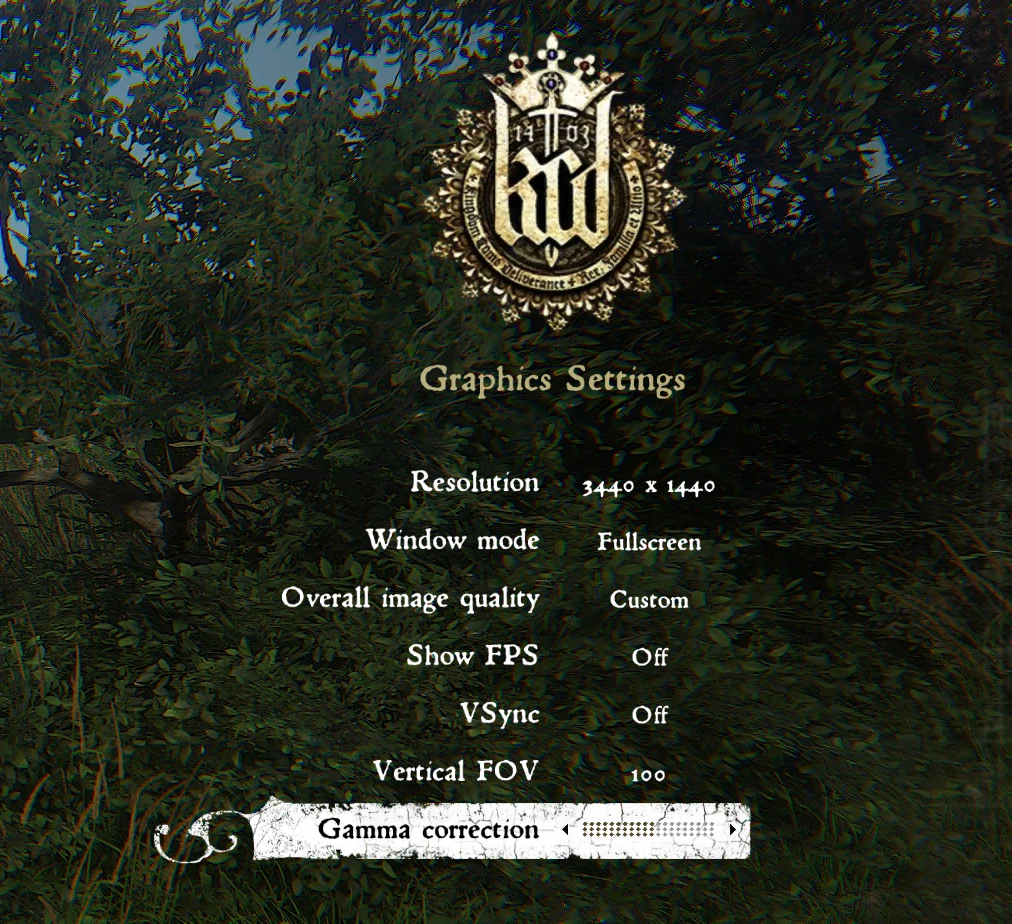
FoV Extender - Adds more Field of View options to Game Settings
⚪ Last updated 2018Preview
🔍 Analysis
- 👍 2.5% endorsement rate — high engagement, a strong quality signal
- 🏆 #17 of 44 User Interface mods in this game by downloads
📋 About This Mod
In the current game settings you have a FOV selection of 60, 65,70 and 75 i play on a Ultrawide screen so i wanted to have more options.
The new FOV settings are
50,55,60,65,70,75,80,85,90,95 and 100
Installation
Use Vortex or simply Unpack content into Mods folder (ex. C:\Steam\steamapps\common\KingdomComeDeliverance\Mods )If you have no Mods folder just create one.
FoV Extender adds 11 field of view options (50-100) to Kingdom Come: Deliverance's game settings, replacing the default 60-75 range. Created for ultrawide monitor users, it's a simple UI mod with 472 endorsements and 18,713 downloads, last updated in 2018.
✨ Key Features
📊 Pros & Cons
✅ Pros
- Community-approved with 472 endorsements and over 18k downloads—clearly fills a need.
- Perfect for ultrawide users who need more than the vanilla 75 FOV cap.
- Dead simple to install: drop into Mods folder or use Vortex, no extra steps.
⚠️ Cons
- Last updated in 2018—might not work with the latest game patches, so test before relying on it.
- Only adds FOV options; no other UI tweaks or fixes included.
- No documentation on compatibility with other mods or DLC, so you're on your own if issues arise.
For ultrawide monitor players who feel cramped by the default FOV range and want more flexibility. Also for anyone who prefers a wider or narrower view than vanilla allows. Skip if you're happy with the standard 60-75 options or want a more comprehensive UI overhaul.
💡 Beginner Tips
- Make sure you create the Mods folder if it doesn't exist—the path is usually C:\Steam\steamapps\common\KingdomComeDeliverance\Mods.
- If you're using Vortex, deploy the mod and check that it's enabled in your mod list before launching the game.
- Test the FOV options in-game by opening settings; if the new values don't appear, verify the mod folder structure is correct.
📊 Mod Details
- Game
- Kingdom Come Mods
- Author
- Dezimal
- Version
- 1.9.6
- Downloads
- 18,713
- Endorsements
- 472
- Category
- User Interface
- Created
- 2/26/2018
- Updated
- 3/30/2018
🧩 Commonly Used Together
Users add these mods to the same collections — a real compatibility signal, not an AI guess.
🔧 How to Install Kingdom Come Mods
Create /Mods/ folder in Data directory. Use Vortex for complex mods.
📖 Full step-by-step install guide for Kingdom Come →
Visit the official mod page for specific installation instructions for this mod.
🎮 Need cheat codes or console commands? Check ur gaming wiki for Kingdom Come commands, item IDs, and more.
Keep browsing — more Kingdom Come mods await