No Fog Of War
⚪ Last updated 2018Preview
🔍 Analysis
- 👍 2.3% endorsement rate — high engagement, a strong quality signal
- 🏆 #2 of 41 Miscellaneous mods in this game by downloads
📋 About This Mod
No Fog Of War
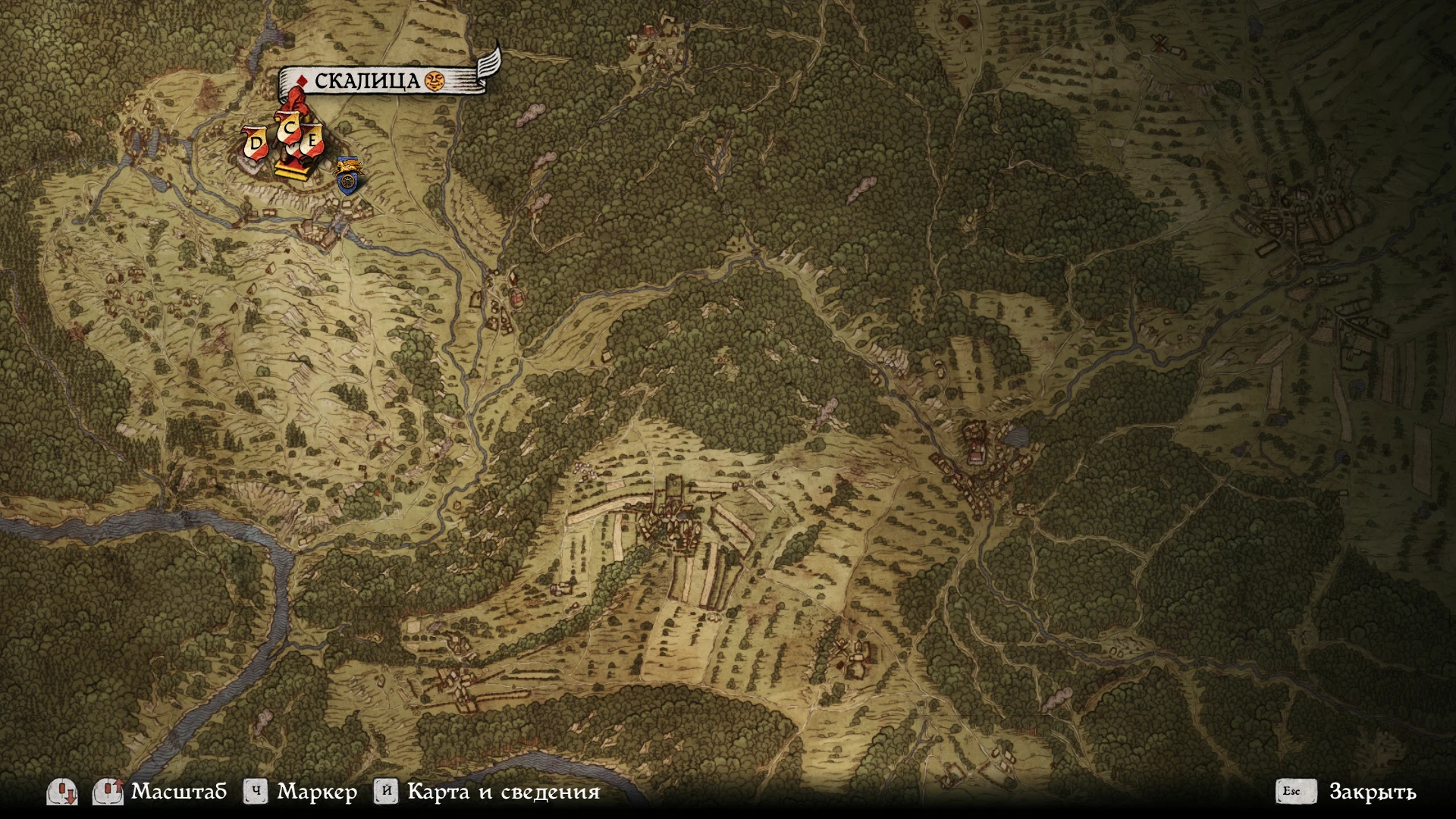
Completely removes all clouds from the game map
Now you can travel on a clean map from the beginning of the game.
1. Create a "Mods" folder in the root directory of the game, if it does not already exist.
2. Unpack the archive and paste the "No Fog of War" folder into the "Mods" folder.
My other mods for KCD:
No Fog Of War removes all clouds from the Kingdom Come: Deliverance map, letting you see the entire terrain from the start. Simple drop-in mod for players who want a clean, unobstructed map view without affecting gameplay. Popular with 2,692 endorsements and 114,570 downloads.
✨ Key Features
📊 Pros & Cons
✅ Pros
- Huge community trust (2,692 endorsements, 114k downloads)
- Zero impact on gameplay—pure QoL improvement
- Drop-in install, no mod manager needed
⚠️ Cons
- Last updated in 2018—may not be compatible with latest KCD patches
- Removes all fog, which some players might find too revealing or immersion-breaking
- No uninstall instructions provided by author
For KCD players who hate the fog of war and want a clean map from the start. Perfect for completionists and explorers who want to plan routes without guesswork. Skip if you enjoy the mystery of unexplored areas or want a more immersive map.
💡 Beginner Tips
- Make sure you create the 'Mods' folder in the game's root directory (where the .exe is), not in your Documents folder.
- If you're using other mods, ensure the folder structure inside the archive is preserved—paste the 'No Fog of War' folder as-is.
- Since the mod is old, test it after a game update; if it breaks, check for a newer alternative or use a mod manager to toggle it.
📊 Mod Details
- Game
- Kingdom Come Mods
- Author
- fuxsart
- Version
- 1.4
- Downloads
- 114,570
- Endorsements
- 2,692
- Category
- Miscellaneous
- Created
- 2/16/2018
- Updated
- 3/30/2018
🧩 Commonly Used Together
Users add these mods to the same collections — a real compatibility signal, not an AI guess.
🔧 How to Install Kingdom Come Mods
Create /Mods/ folder in Data directory. Use Vortex for complex mods.
📖 Full step-by-step install guide for Kingdom Come →
Visit the official mod page for specific installation instructions for this mod.
🎮 Need cheat codes or console commands? Check ur gaming wiki for Kingdom Come commands, item IDs, and more.
Keep browsing — more Kingdom Come mods await