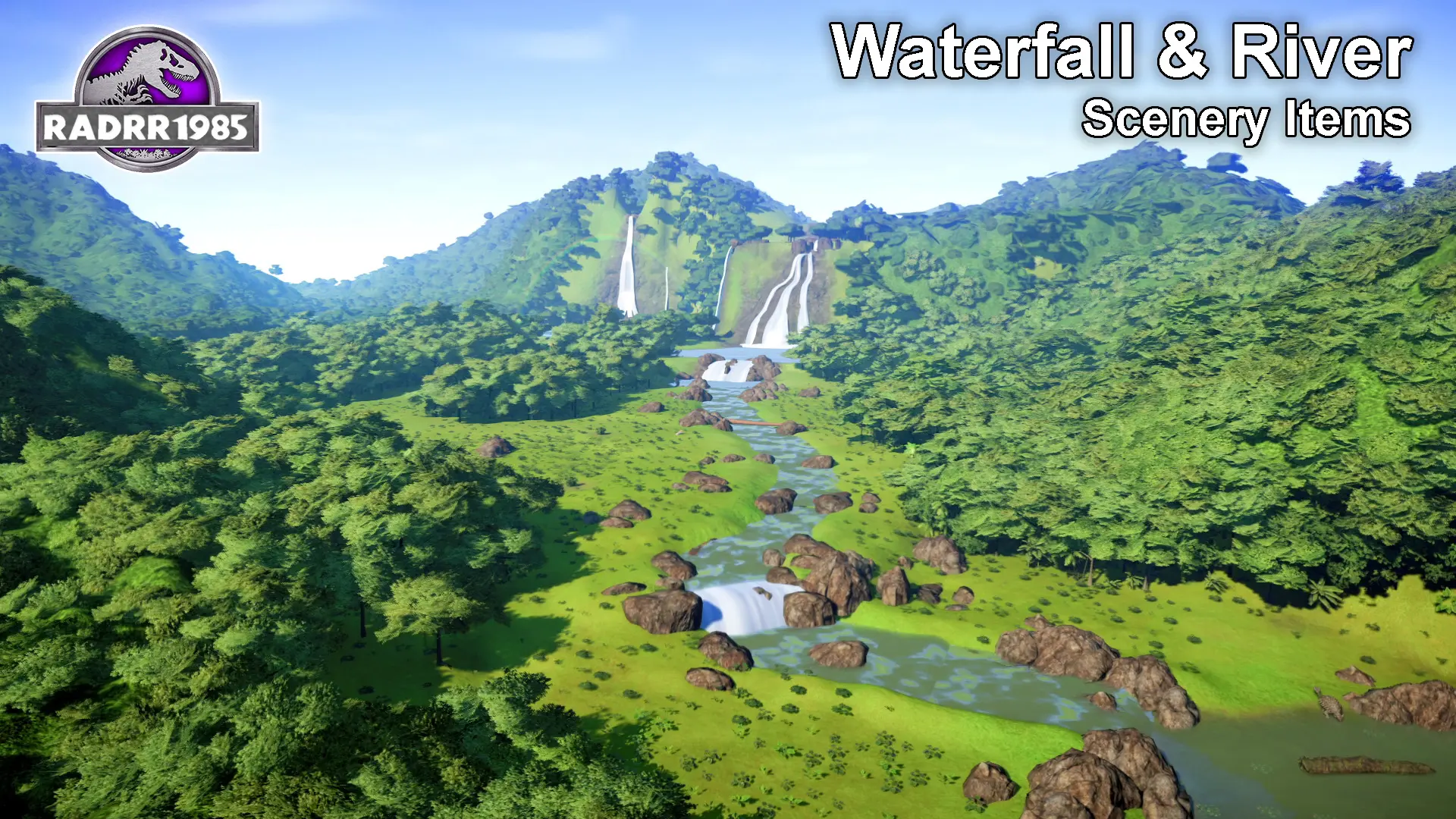
Waterfall and River Scenery Items
⚪ Last updated 2022Preview
🔍 Analysis
- 👍 3.6% endorsement rate — high engagement, a strong quality signal
- 🏆 #20 of 76 Scenery mods in this game by downloads
📋 About This Mod
Waterfall & River Scenery Items V1. 0 by RADRR1985
Description
===============================
-This mod will add standalone 12 new scenery items to Jurassic World Evolution Game and they will appear just after the standard scenery trees, rock, and my previous scenery items
-
[]Small Waterfall
[
]Medium Waterfall[]Large Waterfall
[]Sloped Waterfall
[]3 Claws Waterfall
[]Jurassic Park Waterfall
[]Waterfall Splash - Small
[]Waterfall Splash - Large
[]Small River
[]Large River
[]Water Pool
[]Rainbow
Make sure to flatten the ground before you start. Otherwise items will not be placed properly. After placing the items you may modify the terrain as per your need. If you are facing difficulties with placing an item to the correct elevation, you may need to adjust the ground and then try again.
I recommend to enable “Terrain Contour Lines” (Settings->Gameplay->Terrain Contour Lines-> enable 2 check boxes), so you can see the elevation map and fine tune the placement of these scenery items.
Please watch this YouTube Video for you to get a better understanding, how to place the scenery items in the game.
gNs30REIaSg
DLC Requirements
===============================
-You do not need any other DLCs to use this mod, only base game is required.
MOD Requirements
===============================
- Enhanced Terrain Tools required for this mod to create steep slopes for waterfalls.
- Optionally, you can get better results if you have installed Ultimate Mixed Eras Mod 1. 7 (or latest) by Kaiodenic. (Removes scenery and terrain constrains which is very useful). Otherwise you cannot place scenery items such as rocks to other scenery items.
Installation Steps
===============================
-Download the Mod zip file (Size 10. 2 MB)
-extract the downloaded .zip file
-Find the ovldata folder in your Game installation folder(For Example C:\Steam\steamapps\common\Jurassic World Evolution\Win64\ovldata\)
-Copy extracted folder in to ovldata folder like other scenery mods. Make sure to verify the path to init.ovl file and it should be something similar to C:\Steam\steamapps\common\Jurassic World Evolution\Win64\ovldata\Waterfalls01\Init.ovl
-Open the game and check the scenery items
Known issues
===============================
- Once placed in the game, some scenery items might go invisible in different viewing angle. This is due to the scenery items having a smaller hit box compared to actual 3D model, when the small hit box is not insid
📊 Mod Details
- Game
- Jurassicworldevolution Mods
- Author
- RADRR1985
- Version
- 1.0
- Downloads
- 2,596
- Endorsements
- 93
- Category
- Scenery
- Created
- 10/23/2022
- Updated
- 10/23/2022
🔧 How to Install Jurassic World Evolution Mods
Download from Nexus Mods.
📖 Full step-by-step install guide for Jurassic World Evolution →
Visit the official mod page for specific installation instructions for this mod.
🎮 Need cheat codes or console commands? Check ur gaming wiki for Jurassic World Evolution commands, item IDs, and more.
Keep browsing — more Jurassic World Evolution mods await