Enhanced Terrain Tools
⚪ Last updated 2021Preview
🔍 Analysis
- 👍 2.9% endorsement rate — high engagement, a strong quality signal
- 🏆 #2 of 11 Utilities mods in this game by downloads
📋 About This Mod
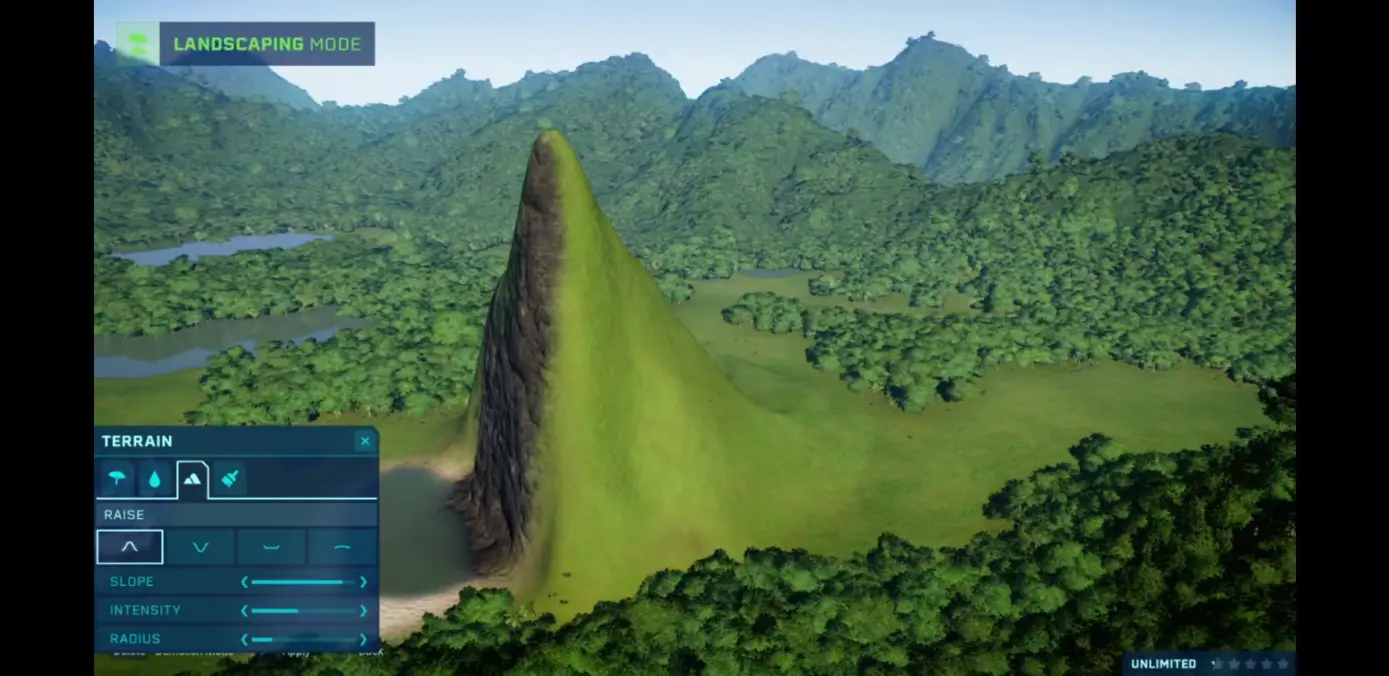
Replaces the stock terrain tools with Planet Coaster Style Hill, Valley, Flatten, smooth and terrain paint tools.
Includes bigger and smaller brushes, tool intensity, and replaces the defined sizes with a slider.
Simply Inject the two lua files into Content0/Main.ovl
or replace the Main.ovl with the provided one if used as a standalone mod.
INSTALLATION:
For maximum compatibility with other mods using content0/main.ovl I highly reccomend using cobra tools to inject the provided lua files into your modded main.ovl
The tools are available here:
https://github.com/OpenNaja/cobra-tools
Content0/main.ovl may take a long time to open and save on some people's computers
Alternatively I have provided a main.ovl to use as a standalone mod if you prefer not to inject the lua files.
Enhanced Terrain Tools replaces Planet Coaster's stock terrain tools with Planet Coaster-style hill, valley, flatten, smooth, and paint tools. It adds adjustable brush sizes via a slider and tool intensity, offering more control for terrain editing. This utility mod is for players who want finer terrain manipulation.
✨ Key Features
📊 Pros & Cons
✅ Pros
- Community favorite with 1,538 endorsements and over 52k downloads.
- Gives you way more control over terrain than the vanilla tools.
- Slider-based brush sizes are a huge QoL upgrade over fixed sizes.
⚠️ Cons
- Last updated in January 2021, so it might be outdated for the latest game version.
- Could conflict with other terrain or landscaping mods that modify the same tools.
- No mention of compatibility with DLC or recent updates, so test before relying on it.
For Planet Coaster players who love fine-tuning their terrain and want more precision than the stock tools offer. If you're a builder who hates the limited brush sizes, this is a must-try. Skip if you're happy with vanilla terrain tools or rarely touch terrain editing.
💡 Beginner Tips
- Since it's a utility mod, make sure to place it in your game's mod folder or use a mod manager if you have one.
- Test the slider and intensity settings on a small area first to get a feel for the new tools.
- If you use other terrain mods, check load order or compatibility to avoid conflicts.
📊 Mod Details
- Game
- Jurassicworldevolution Mods
- Author
- Harlequinz Eg0
- Version
- 1.0
- Downloads
- 52,683
- Endorsements
- 1,538
- Category
- Utilities
- Created
- 1/10/2021
- Updated
- 1/10/2021
🔧 How to Install Jurassic World Evolution Mods
Download from Nexus Mods.
📖 Full step-by-step install guide for Jurassic World Evolution →
Visit the official mod page for specific installation instructions for this mod.
🎮 Need cheat codes or console commands? Check ur gaming wiki for Jurassic World Evolution commands, item IDs, and more.
Keep browsing — more Jurassic World Evolution mods await