Mix N' Match Character Outfit Pieces
⚪ Last updated 2023Preview
🔍 Analysis
- 👍 2.4% endorsement rate — high engagement, a strong quality signal
- 🏆 #28 of 61 Tools and Utilities mods in this game by downloads
📋 About This Mod
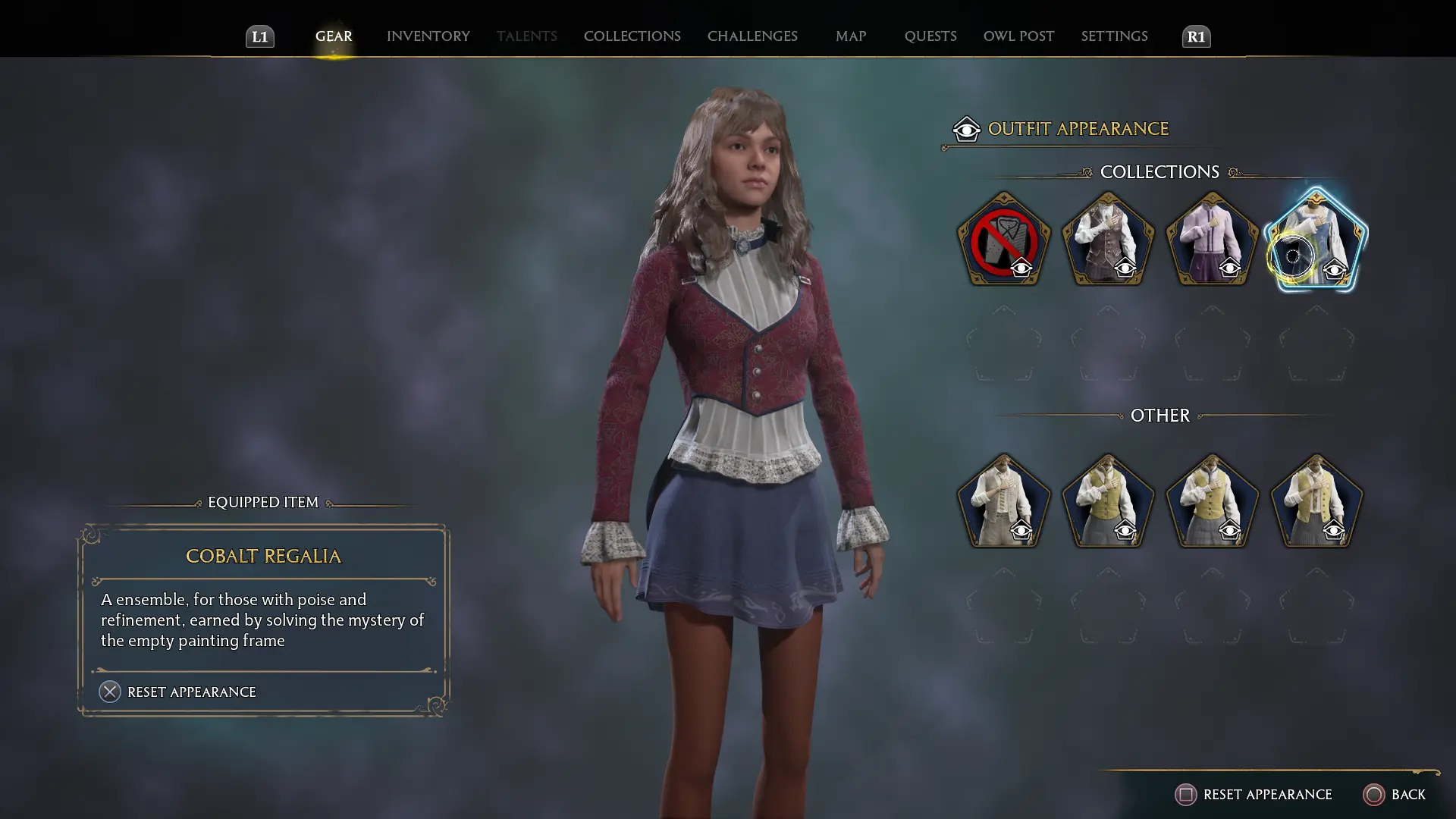
Python script to help modders create mods which mix and match different outfit pieces, along with an example mod generated with the script (and Tangerie's JSON2DA loader).
IMPORTANT NOTE: To use my Python script to generate mods, I am assuming that you already have Fmodel and a custom UE project for Hogwarts Legacy all set up properly. The Python script I included here is meant more to help modders who are already somewhat familiar with modding Hogwarts Legacy, have Fmodel and UE properly set up already, and want a quick way to make new outfit combinations. I posted this mod here since I figured everyone could at least enjoy the sample mod I made using this script.
The sample mod here uses textures from my silky tights mod ( https://www.nexusmods.com/hogwartslegacy/mods/945 ), so it requires that mod to work.
To install the sample mod:
- Grab z_104_silky_sheer_tights_P UTOC/UCAS/PAK (chunk 104) and one of the color UTOC/UCAS/PAK (chunk106) from https://www.nexusmods.com/hogwartslegacy/mods/945, but do NOT grab chunk105 (e.g., do NOT install z_105_no_sock_overrides_in_outfit_DAs_P).
- Install z_105_mix_n_match_outfit_pieces_P UTOC/UCAS/PAK from this mod.
The rest of this guide pertains to using my Python script to quickly generate your own custom outfit mods, and assumes you are already relatively familiar with at least the basics of modding Hogwarts Legacy (e.g., the custom Fmodel, the custom UE project, etc.):
My Python script allows you to combine pieces from different outfits and set them into any outfit you want. I've attached the script and a mod that I generated using the script.
This mod also illustrates the procedure for using my silky tights mod with any custom data assets (DAs) you want, such as the ones I created in this mod.
To use the Python script to make your own custom outfits, first extract the outfit data assets using Fmodel ( https://github.com/LongerWarrior/FModel ), where the data assets are in Phoenix\Content\Data\GearAppearances\Outfit .
You may also want to extract all the outfit icons in Content\UI\Icons\Gear , so that you can see which outfit corresponds to each outfit number.
You will then need to edit the Python script as follows:
# Set the JSON path to extracted outfit JSONs from Fmodel.
# Set the source pieces you want to go into outfit number target_idx in src_outfits
# You can set a given src piece into multiple targets
# Any pieces not specified will use the original piece from the target.
# If src_outfits isn't specified, then I won't generate a new JSON for that target_idx
# EXAMPLE 1: To overwrite outfit #72 to have Upper from outfit100, Lower from outfit82, Socks from outfit51, Shoes from Outfit2, specify:
# src_outfits = {'Upper': 100, 'Lower': 82, 'Socks':51, 'Shoes':2}
# EXAMPLE 2: To overwrite all female outfits to have the
📊 Mod Details
- Game
- Hogwartslegacy Mods
- Author
- peek6
- Version
- 1.0.0
- Downloads
- 3,039
- Endorsements
- 72
- Category
- Tools and Utilities
- Created
- 3/6/2023
- Updated
- 3/6/2023
🔧 How to Install Hogwarts Legacy Mods
Download from Nexus Mods.
📖 Full step-by-step install guide for Hogwarts Legacy →
Visit the official mod page for specific installation instructions for this mod.
🎮 Need cheat codes or console commands? Check ur gaming wiki for Hogwarts Legacy commands, item IDs, and more.
Keep browsing — more Hogwarts Legacy mods await