Hogwarts Legacy Save Game Editor
⚪ Last updated 2023Preview
🔍 Analysis
- 👍 1.9% endorsement rate — high engagement, a strong quality signal
- 🏆 #2 of 61 Tools and Utilities mods in this game by downloads
📋 About This Mod
Save Game Editor with GUI
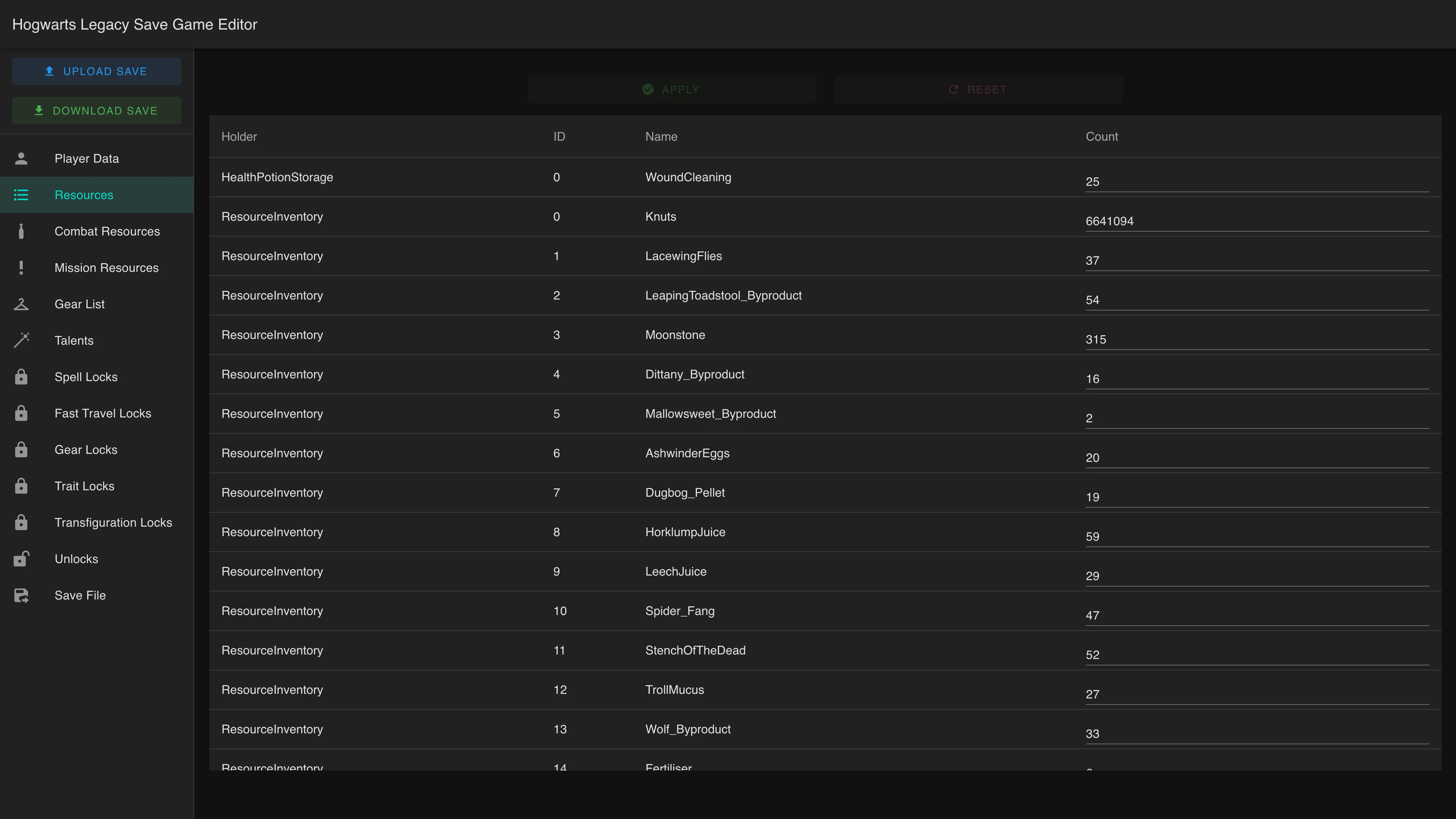
First version of a basic GUI for modifying Hogwarts Legacy save games. It also includes some tools for extracting the SQLite databases, so they can be modified externally and then repacked into a new save game.
This is an alpha release, so there are likely bugs.
-
[]Modify Resources (You must have at least one).
[
]Modify Combat Resources (You must have at least one).[]Modify Talent Points
[]Delete Talents
[]Modify Mission Item Counts
[]Change Player Name
[]Change Player House
[]Change Base Inventory Size
[]Modify Exp
[]Granular control over lock states.
[]Unlock All Fast Travel Points
[]Unlock All Transfiguration Recipes
[]Unlock All Spells
[]Unlock All Gear
[]Unlock All Gear Traits
[]Modify Offense & Defense Stat of Gear in inventory.
[]Extract SQLite databases from file.
[]Create save file from SQLite files.
Installation:
This is a web application that runs inside your browser. Simply unzip the file, and open the hlse.html in your browser.
-
[]Open the hlse.html file with a browser (Double clicking it will usually work).
[
]Select the Save File input box on the left side of the screen, and choose the save file you wish to modify.[]If it is a valid save file the screen on the left will change.
[]Use the tabs on the left to modify player data, resources and etc for the save game.
[]Once you have finished making the changes select the Save File tab on the left of the screen.
[]Select the download button in the first tab. This will create the modified save game, which you can replace with the original save game.
IMPORTANT: The other options "Database" and "Custom DB upload" are for advanced save game editing, you don't need to use these. Just click the first Download button on the Save File tab, and you will get a save game file with the modifications you made in the other parts of the GUI.NOTE TO ADVANCED USERS: There was a bug in the previous version that wouldn't correctly build the save file with the new SQLite DB is you added to many new records to one of the tables. This would exhibit as the save game refusing to load. Anyway this bug has been fixed, so feel free to play around with more advanced changes to the DB.
Warnings:
[]I'm not sure how the game will react to changing your house long term, but otherwise it works as expected.
[]I'm not sure if modifying missions items works as expected. The count definitely goes up, but not sure if the quests respect it.
[]I've only tested this with the newest version of Chrome, using other browsers might not work.
[]The game has hard coded limits for things like number of health potions, be
-
[]Open the hlse.html file with a browser (Double clicking it will usually work).
📊 Mod Details
- Game
- Hogwartslegacy Mods
- Author
- HP0X1A4
- Version
- 1.7.1-ALPHA
- Downloads
- 227,059
- Endorsements
- 4,322
- Category
- Tools and Utilities
- Created
- 2/12/2023
- Updated
- 6/2/2023
🔧 How to Install Hogwarts Legacy Mods
Download from Nexus Mods.
📖 Full step-by-step install guide for Hogwarts Legacy →
Visit the official mod page for specific installation instructions for this mod.
🎮 Need cheat codes or console commands? Check ur gaming wiki for Hogwarts Legacy commands, item IDs, and more.
Keep browsing — more Hogwarts Legacy mods await