Toggle HUD and Outlines
⚪ Last updated 2024⚠️ Install Order · 1 step
Install in this order, then this mod last — most mods fail to load without their framework and dependencies in place.
Preview
🔍 Analysis
- 👍 2.7% endorsement rate — high engagement, a strong quality signal
- 🏆 #22 of 73 User Interface mods in this game by downloads
📋 About This Mod
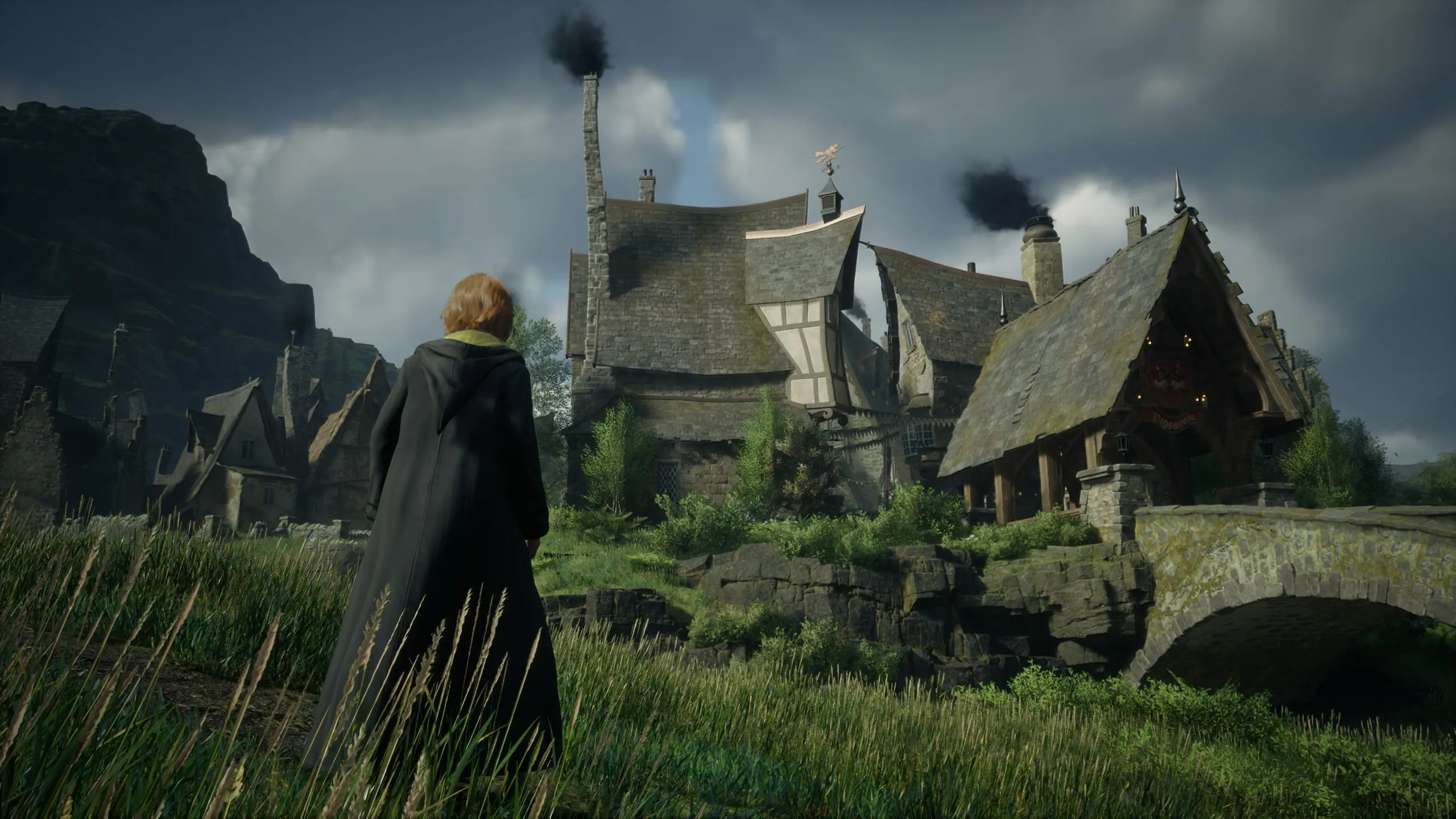
This mod simply allows you to quickly toggle all HUD elements on/off with a single key press (Caps Lock by default, but this can be changed).
Along with toggling HUD elements, it'll also toggle off the depth of field effect that occurs while in the "T" menu, this way you can effectively pause the game with that menu, then toggle the HUD off and take a screenshot during an "action" moment (see my screenshots above for an example).
There are two additional key toggles you can use, F5 toggles all HUD except for outlines, and F6 toggles only outlines, nothing else.
WHAT YOU NEED:
- []Nothing except my .zip file! I've updated it to include all required files, including ReShade.
- []Extract the contents of my Toggle HUD for Hogwarts Legacy.zip into your game's installation folder, afterward you should have a few new files and a reshade-shaders folder under steamapps\common\Hogwarts Legacy\Phoenix\Binaries\Win64.
- Boot up the game and use Caps Lock to toggle the HUD on/off
While in-game press the Home key to bring up the ReShade UI, go to the "Add-ons" tab, and select "Edit" under ShaderToggler to pick a new hotkey. Click "OK", then "OK" again, then finally "Save all Toggle Groups".
A huge thank you to Frans Bouma, the creator of ShaderToggler! This wouldn't have been possible without them.
Toggle HUD and Outlines is a compact UI mod for Hogwarts Legacy that lets you toggle the entire HUD on or off with a single key press. It has 359 endorsements and over 13,000 downloads, last updated in January 2024. Ideal for players who want a cleaner screen for screenshots or immersive play.
✨ Key Features
📊 Pros & Cons
✅ Pros
- Community-approved with 359 endorsements and over 13k downloads
- One-key toggle is perfect for quick immersion or screenshot moments
- Last updated January 2024, so it's relatively recent
⚠️ Cons
- No mention of customizable keybinds or HUD element selection
- Only toggles the entire HUD, not individual components
For Hogwarts Legacy players who want to quickly hide the HUD for cinematic screenshots or a more immersive experience. Skip if you need granular control over which HUD elements to hide.
💡 Beginner Tips
- Make sure to check if the mod requires the in-game mod manager or manual installation, as the description doesn't specify.
- Test the toggle key in a safe area to ensure it doesn't conflict with other keybinds.
- If you're using other UI mods, test compatibility before relying on this one.
📊 Mod Details
- Game
- Hogwarts Legacy Mods
- Author
- Akelaphobia
- Version
- 1.05
- Downloads
- 13,176
- Endorsements
- 359
- Category
- User Interface
- Created
- 2/13/2023
- Updated
- 1/13/2024
🔧 How to Install Hogwarts Legacy Mods
Download from Nexus.
📖 Full step-by-step install guide for Hogwarts Legacy →
Visit the official mod page for specific installation instructions for this mod.
🎮 Need cheat codes or console commands? Check ur gaming wiki for Hogwarts Legacy commands, item IDs, and more.
Keep browsing — more Hogwarts Legacy mods await