First Person AND Customizable Cameras (With UI)
⚪ Last updated 2023⚠️ Install Order · 1 step
Install in this order, then this mod last — most mods fail to load without their framework and dependencies in place.
Preview
🔍 Analysis
- 👍 1.9% endorsement rate — high engagement, a strong quality signal
- 🏆 #65 of 259 Gameplay mods in this game by downloads
📋 About This Mod
---------- UPDATE (BIG Thanks to pinguluk) ----------------
Apply that fix to remove crashes and make mod works even after fast traveling:
https://gist.github.com/pinguluk/3e1cd20f50dec3c5e4e4c3addc3eb711
------------------------------------------------------------------------------------------------------------
(^_^) >--------- Release ---------< (^_^)
- Press F6 to open the new in-game UI to edit the cameras. (Pressing F6 again close the UI)
----> ALT+TAB Can cause the game to re-enable game inputs and loose focus on widget: Press F6 to close the UI and F6 again to open it back again
----> To close the menu: click on the "X" button on top-right. F6 doesn't close the menu for now
I Will not tolerate anybody that uses my script and just modifies it a bit for reupload. You can do it for yourself and your friends but never RE-UPLOAD others work without permission.
Be sure to have a Saved folder inside "Phoenix/Binaries/Win64", a TestCameraOffset folder inside "Phoenix/Binaries/Win64/Mods" AND 3 z_CameraUI_P files inside Phoenix/Content/Paks/~mods/
--------------------------------- INSTALL ---------------------------------
To install it, download the requirement RE-UE4SS and choose to download the xinput version (the other one will not work), then extract the zip inside
"Hogwarts Legacy/Phoenix/Binaries/Win64/". When you've done this, just extract my zip inside /Hogwarts Legacy/ next to the Phoenix folder and that' all.
Now, it also require Blueprint_Apparate to load the mod in-game UI correctly.
Use F8 to open Blueprint_Apparate menu and then type CameraUI to load the in-game UI correctly.
Then reload the game to make it work.
(This is a one-time to do)
--------------------------------- UNINSTALL (REMOVE MOD) ---------------------------------
To unistall it, remove either the whole RE-UE4SS modloader or just my mod inside mods folder called "TestCameraOffset" along with my Saved folder located in Phoenix/Binaries/Win64/Saved.
Then remove the 3 files z_CameraUI_P (.utoc, .ucas & .pak) from the "/Phoenix/Content/Paks/~mods" folder.
The "global" settings of the mod are inside Win64/Saved/Settings.json
The camera settings are in Win64/Saved/CameraSettings.json
Credit to Meltus for this:
For those not wanting to mess around with settings, here's a good base for you (only for indoor camera) <
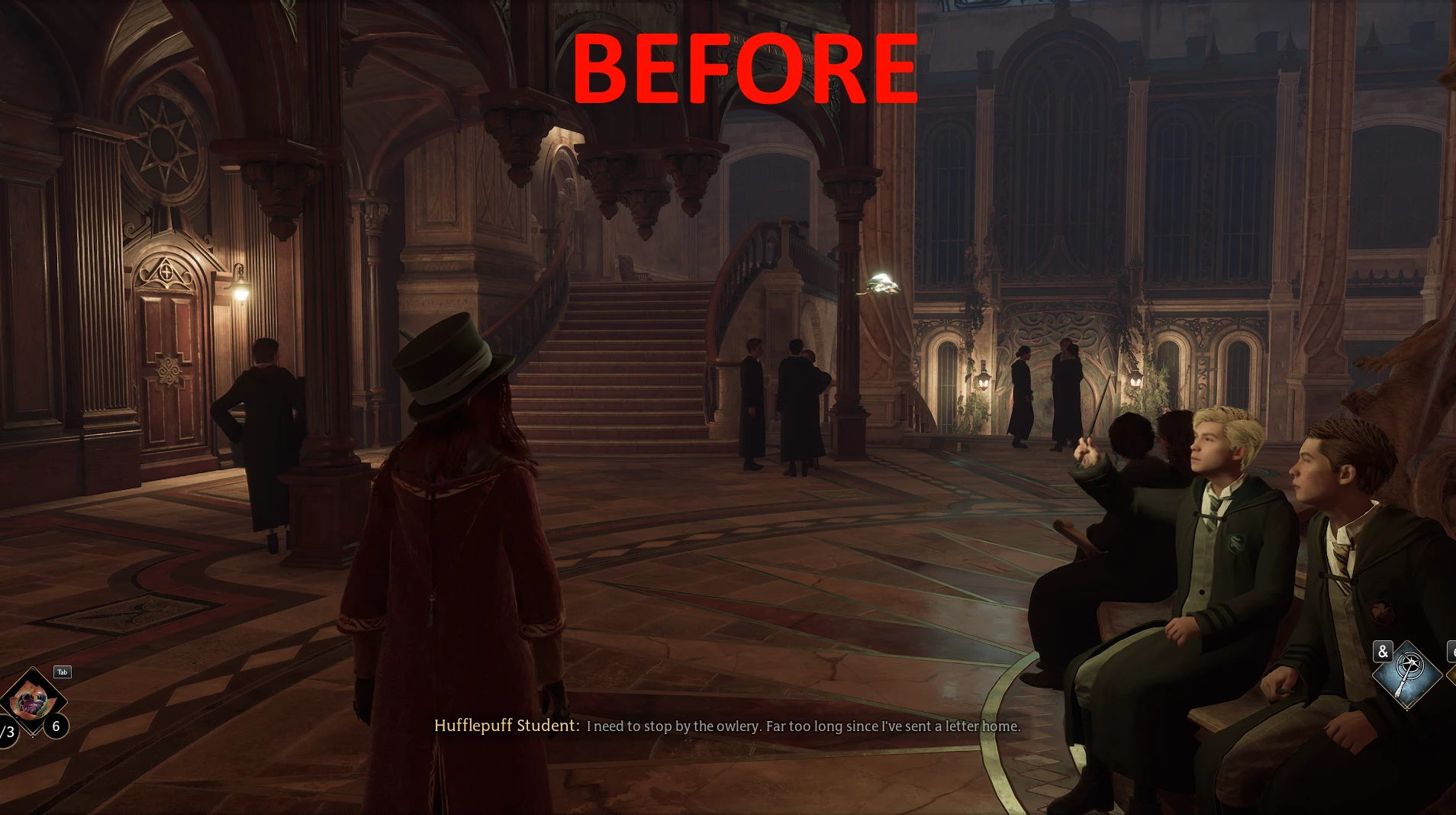
First Person AND Customizable Cameras (With UI) is a gameplay mod that fixes the camera being too close to the player in tight spaces like buildings, offering customizable camera options with a UI. It has 353 endorsements and 18,569 downloads, last updated in March 2023.
✨ Key Features
📊 Pros & Cons
✅ Pros
- Solid community trust with 353 endorsements and over 18k downloads
- Directly addresses a common annoyance—camera clipping in tight spaces
- UI-based customization makes tweaking camera feel accessible
⚠️ Cons
- Last updated in March 2023—might not be compatible with the latest game patches
- Niche fix—if you don't struggle with close-up cameras, this won't change much
For players who hate the camera hugging the wall in interiors and want more control over their view. Skip if you're fine with the default camera or want broader gameplay changes.
💡 Beginner Tips
- Check if your game version still matches the mod's last update (March 2023) to avoid issues.
- Use a mod manager to easily toggle the mod on/off if you run into conflicts.
- Test the camera settings in a cramped building to see the difference right away.
📊 Mod Details
- Game
- Hogwarts Legacy Mods
- Author
- YouYouTheBoxx
- Version
- 4.0-Release
- Downloads
- 18,569
- Endorsements
- 353
- Category
- Gameplay
- Created
- 3/3/2023
- Updated
- 3/7/2023
🔧 How to Install Hogwarts Legacy Mods
Download from Nexus.
📖 Full step-by-step install guide for Hogwarts Legacy →
Visit the official mod page for specific installation instructions for this mod.
🎮 Need cheat codes or console commands? Check ur gaming wiki for Hogwarts Legacy commands, item IDs, and more.
Keep browsing — more Hogwarts Legacy mods await